
Nuzza AI
Overview
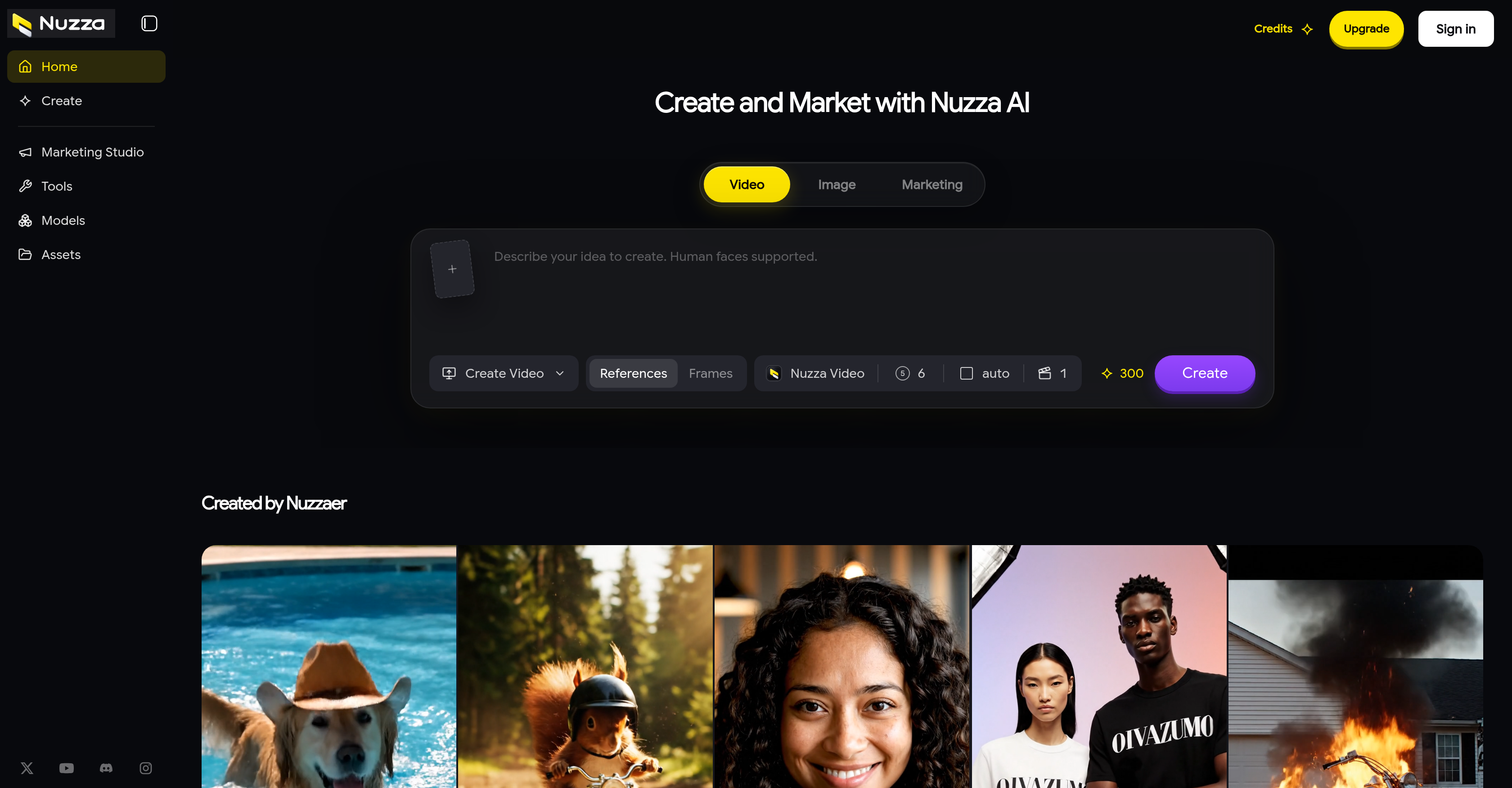
- Turn a written idea into finished AI-generated images and videos using built-in models like GPT Image 2, Nano Banana 2, Seedream 5 Pro and Kling 3.0.
- Produce realistic AI-generated human faces for digital content creation, expanding the range of characters and visuals you can ship.
- Restore clarity in low-resolution assets by upscaling images and videos with AI-powered resolution enhancement.
- Repair damaged or incomplete visuals by filling gaps and missing parts with AI Image Inpaint content that matches the original.
- Isolate subjects instantly with AI Background Remover, creating transparent or single-focus images without manual masking.
- Replace any backdrop in images and videos using AI Background Changer for on-brand scenes and product shots.
- Erase unwanted visuals from images and videos with AI Object Remover, cleaning up final assets without reshoots.
- Fit any platform's format by extending video duration and reframing aspect ratio with AI Video Extender and AI Video Reframe.
- Complete every generation, edit, enhancement and transformation task inside one integrated workspace instead of switching between separate AI tools.
Pros & Cons
Pros
- Generates and manipulates media
- Integrated workspace
- Image and video editing
- Quality enhancement
- Background removal
- Visual inspiration sourcing
- Supports human faces creation
- Digital content generation
- Images and videos upscaling
- Background changing capability
- Object removal tool
- Video extension and reframing
- GPT Image 2 support
- Nano Banana 2 support
- Seedream 5 Pro support
- Kling 3.0 and Turbo support
- Multimedia creation and marketing
- Creative design feature
- Visual integration offering
Cons
- No API integration
- Doesn't support bulk processing
- Lacks 3D model generation
- Limited video controls
- No collaborative features
- Lacks learning resources
- No plugin capability
- No mobile app version
Reviews
Rate this tool
Loading reviews...
❓ Frequently Asked Questions
Nuzza AI is a versatile tool that utilizes Artificial Intelligence to generate and manipulate images and videos. It provides users with an integrated workspace that's equipped with a variety of AI models to render various applications. In addition to generation, it allows for extensive editing, quality enhancement, background removal and creative inspiration gathering from visual integrations. The tool even supports the creation of human faces and has numerous features such as upscaling images and videos, AI Image Inpainting, background altering, object removal, and extension and reframing of videos.
Nuzza AI uses a set of AI models, including GPT Image 2, Nano Banana 2, Seedream 5 Pro, and Kling 3.0, to generate and manipulate images and videos. These models are leveraged to create AI-generated images and videos from user-described ideas. After generation, Nuzza AI provides tools for editing, enhancing, and transforming these assets as per user requirements.
Yes, Nuzza AI can enhance the quality of your images and videos. It provides tools for image enhancement and video enhancement by using advanced AI algorithms. Quality can be boosted to improve resolution or alter visual components for better overall aesthetic appeal.
Nuzza AI provides AI-powered tools to upscale images and videos. This means it has the capability to enhance the resolution of your digital assets, potentially improving the clarity and detail visibility in your images and videos.
The AI Image Inpaint service of Nuzza AI is used for filling gaps and missing parts in images. It employs advanced AI algorithms to generate content that seamlessly matches the rest of the image, offering a complete and enhanced output.
Nuzza AI facilitates background changes in images and videos by providing specific AI-powered tools. These include AI Background Changer and AI Background Remover, which can be used to alter the backdrop in a given image or video asset.
Yes, objects can be effectively removed from images and videos using Nuzza AI. The tool named AI Object Remover is specifically developed for this function, enabling users to eliminate unwanted visuals from their digital assets.
Using advanced AI techniques, Nuzza AI provides tools like AI Video Extender and AI Video Reframe to extend and reframe videos. This functionality can alter the duration and aspect ratio of videos, allowing for customized output to match different platform requirements.
Nuzza AI provides a variety of AI models for different operations such as GPT Image 2, Nano Banana 2, Seedream 5 Pro, and Kling 3.0. Each offers unique capabilities that are utilized in various aspects of image and video generation, manipulation, and enhancement.
Yes, you can create AI-generated human faces with Nuzza AI. The tool's feature set supports the generation of realistic human faces, opening up new avenues for innovative digital content creation.
Nuzza AI streamlines the editing of AI-generated assets by providing an integrated workspace, complete with an assortment of intelligent tools and models for diverse use-cases. These tools facilitate various editing tasks such as image upscaling, object and background removal, inpainting, and quality enhancement. Users can select and utilize these resources based on their requirements, making the editing process more efficient and accessible.
You can generate AI-based images and videos with Nuzza AI by describing your creative idea to the tool. It leverages its AI models and algorithms to generate assets based on your description. Post-generation, you have the option to edit, enhance, and transform these assets using the tool's collection of practical AI technologies.
Nuzza AI provides an integrated workspace for creating and marketing images and videos. Its suite includes several features for content generation, video editing, image editing, creative design, background removal, image enhancement, video enhancement, visual integration, AI Inpainting, object removal, upscale images, upscale videos to name a few. It also provides access to leading AI models, all of which make the process of creating and marketing digital content both efficient and effective.
Nuzza AI supports creative design and digital content creation through a combination of versatile AI-powered tools and models. For instance, it provides options for generating AI-based content including human faces, allows for extensive editing and background removal, and offers AI models for enhancing imaging solutions. Furthermore, users can gather creative inspiration from its visual integrations, giving them a broad range of possible design directions.
Yes, Nuzza AI enables users to enhance and transform images and videos using practical AI tools and leading models. This can include upscaling images, enhancing video quality, modifying the background, removing unwanted elements, and adjusting the video's playback frame or duration.
GPT Image 2 is an AI model provided within Nuzza AI's suite. It's typically used in activities revolving around image generation and manipulation. The specifics of its operation within Nuzza AI, such as its function, capabilities, and how users interact with it, aren't readily apparent based on the available information.
Nano Banana 2 is one of the AI models utilized within Nuzza AI. Its specific application and how it operates within Nuzza AI remain unspecified based on the information currently available.
Seedream 5 Pro is a provided AI model in Nuzza AI's tool suite. However, the precise functionalities it provides or how it integrates with Nuzza AI’s operations aren't detailed in the available information.
Kling 3.0 is an AI model available for usage within Nuzza AI. Despite its listing, the specific role Kling 3.0 plays in Nuzza AI's operations isn't outlined in the given information.
Nuzza AI's AI Background Remover works by utilizing advanced AI techniques to identify and separate the foreground elements from the background in an image. Once detected, it can then remove the background while preserving the untouched foreground, making this tool practical for quickly creating transparent or singularly focused images.
Pricing
Pricing model
Paid
Paid options from
$9.99/unit
Billing frequency
Pay-as-you-go
Refund policy
3-day refund request window for eligible unused purchases