
Overview
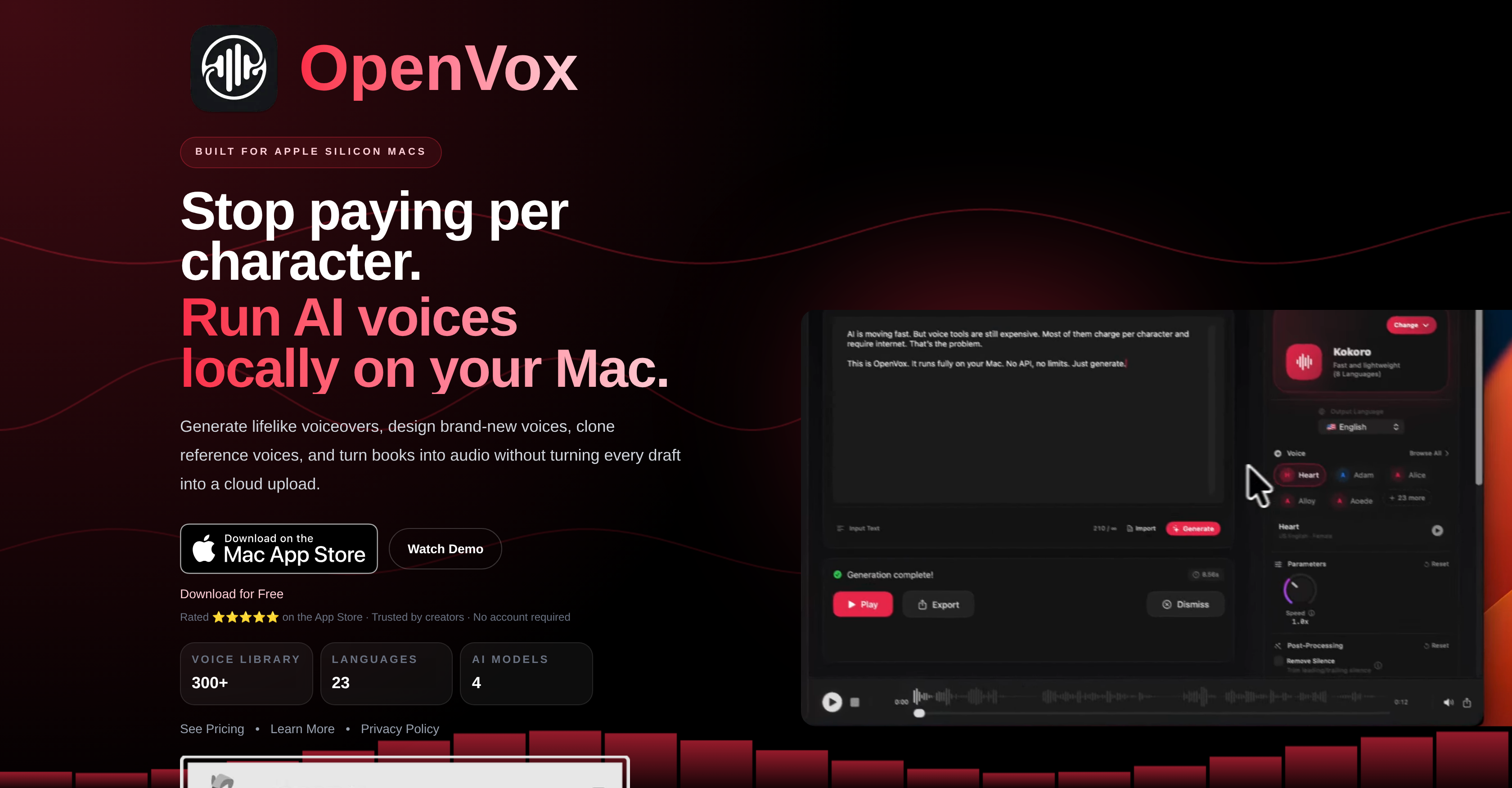
- Keep your scripts and voice samples completely private with local processing that never uploads data to the cloud.
- Convert entire books to audio by importing EPUB or PDF files and batch processing chapters with custom voices.
- Create and manage unlimited cloned voices from your own recordings, stored and processed locally on your device.
- Eliminate recurring subscription costs with a one-time upgrade that removes all usage limits and per-character fees.
- Generate speech instantly without an internet connection after a single model download, perfect for travel or remote work.
- Fine-tune every voiceover with precise controls for speed, pitch, and expressiveness to match your project's tone.
- Quickly find and reuse past audio projects with a searchable local history that stores all your settings and exports.
Pros & Cons
Pros
- Generates expressive speech
- No recurring billing
- Advanced voice cloning
- Supports multiple languages
- Promotes data security
- Operates locally
- Designed for Mac users
- Offline operation capacity
- Permits custom voice creation
- Supports audio file conversion
- Organizes work history
- Control over speech dynamics
- Text to audio conversion
- One-time upgrade option
- Transcript assistance available
- No cloud upload requirement
- Manage multiple cloned voices
- Supports reusable custom voices
- Local-first voice management
- No per-character expenses
- Supports Apple Silicon Macs
- Batch processing
- Transform existing audio files
- Store past generations locally
- Export in various formats
- Clear permission boundaries
- Creates reusable voice presets
- Unlimited usage option
- Versatile exporting options
- No data collection
- Real-time progress tracking
- Offers lifetime access
- Local-first operation by default
- Allows commercial use
- Secure model download
- No account required
- Native Mac workflows
- Fast, efficient local inference
- Fast and local TTS
- Generous free tier
- Designed for content creators
- Supports privacy-sensitive work
- Hardware-optimized inference
- Advanced voice control
- Create brand-new voices
- Tracks cloning samples
- Multi-format export
- Glassmorphism interface
- Offers native performance
Cons
- Mac only
- Requires Apple Silicon
- Requires online for transcript assistance
- Requires macOS 15.0 or later
- Needs Local Storage
Reviews
Rate this tool
Loading reviews...
❓ Frequently Asked Questions
OpenVox AI is a Text-To-Speech (TTS) application specifically designed for Mac users. It offers capabilities such as generation of lifelike voiceovers, creation of new voices, cloning of existing voices, and conversion of text books into audio. Developed for Apple Silicon Macs, the application is a local-first solution, ensuring user privacy and data security. It operates offline, with no per-character expenses and the option for a one-time upgrade instead of recurring billing.
Key features of OpenVox AI include local generation of text into expressive speech, with control over speed, temperature, and other aspects. It supports conversion of imported audio files to a target voice, creation of reusable custom voices described in natural language, and voice cloning. It organizes past work in a local generation history, which can be replayed, exported, searched, or used to reuse settings. Additionally, OpenVox AI offers offline functionality and ensures data security as it doesn't require scripts or documents to be uploaded to the cloud.
OpenVox AI protects user data by operating locally on the user's Mac device. This ensures all user scripts and documents remain on the device instead of being uploaded to the cloud, offering robust data security and privacy.
OpenVox AI areas of differentiation include its specific design for Apple Silicon Macs, offline operation, and emphasis on privacy and data security. Unlike many AI voice tools, it does not require cloud upload, nor does it enforce per-character expenses. Instead, OpenVox AI offers the option for a one-time upgrade as opposed to recurrent billing.
While OpenVox AI functions offline for core workflows, it does require an internet connection for optional tasks like transcript assistance using Apple Speech Recognition and one-time model download.
Yes, OpenVox AI allows the creation of reusable custom voices. Users can describe a tone, style, age, or personality in natural language and save the best generated voice as a reusable preset.
Yes, OpenVox AI can convert text books into audio. It provides the ability to import formats like EPUB, PDF, or text files, manage chapters, batch process books, and customize voices per chapter.
The 'one-time upgrade' option in OpenVox AI allows users to upgrade their account with a single payment, eliminating the need for monthly voice bills or recurrent expenses.
Yes, OpenVox AI supports voice cloning. Users can upload or record samples, use the optional transcript help, review the transcript, and manage multiple cloned voices locally.
OpenVox AI organizes past work in a local generation history. It offers the ability to search, filter, replay exported works, and reuse the settings applied in past generations. All this information is stored locally on the user's device.
Yes, OpenVox AI can convert imported audio files to a target voice. It allows import of MP3 or WAV files, conversion to a desired voice, and long audio processing with automatic chunking and progress tracking.
Yes, OpenVox AI primarily operates offline, ensuring the privacy and security of data. It only requires an online connection for optional tasks like transcript assistance using Apple Speech Recognition and downloading AI models.
OpenVox AI is developed for Apple Silicon Macs, making it highly compatible with these devices. However, the system requirements specification states that it requires macOS 15.0 or later, signaling compatibility with most modern Mac devices.
Yes, OpenVox AI is optimized for Apple Silicon Macs. It uses Apple's unified memory architecture and MLX for fast, efficient local inference on M1, M2, M3, and M4 chips. This allows for quick local generation of text-to-speech.
OpenVox AI provides controls for speed, temperature, CFG weight, exaggeration, normalization and silence removal of the generated speech. This enables users to adjust the expressiveness of the speech as needed, generating lifelike and natural voices.
No, you do not need to upload scripts and documents to the cloud to use OpenVox AI. The application operates locally on your Mac, ensuring all scripts and documents remain on your device for data security and privacy.
With OpenVox AI, you can generate a wide range of voices. There are 300+ professional voices across 23 languages available. These voices can be browsed by model, language, gender, age, or accent, and favorite voices can be saved for repeated work.
Apple Speech Recognition in OpenVox AI offers optional transcript assistance when uploading or recording samples for voice cloning. It uses internet connection to provide transcript help only when user grants permission for its use.
Yes, OpenVox AI eliminates per-character expenses. While it offers a generous free tier, it also provides an option for a one-time upgrade to OpenVox Pro, eliminating recurring costs, making it a cost-effective solution for users who handle large quantities of text-to-speech conversion.
Yes, the local generation history in OpenVox AI can be replayed, exported and searched. Users can reuse the settings applied in past generations. This feature streamlines workflow and aids in managing or retracing past generation tasks.
OpenVox AI enables offline operation through its one-time model download feature. Following an initial model download when an internet connection is required, core voice generation occurs offline. This eliminates the continuous need for an internet connection, offering users significant flexibility and convenience.
OpenVox AI is designed specifically for Mac devices integrated with Apple Silicon. This includes M1, M2, M3, and M4 chips that harness the power of the hardware for fast and efficient local inference.
OpenVox AI stands out through its local-first approach, offering superior data privacy and an offline operating capability unlike many cloud-based text-to-speech tools. It offers a one-time upgrade to eliminate per-character expenses and does not require a continuous internet connection for its core operations.
OpenVox AI ensures data privacy by keeping core operations directly on the user's Mac. This means files and scripts remain local, and are not uploaded to cloud servers. In addition, optional transcript assistance during voice cloning uses Apple Speech Recognition, but only if the user grants permission, ensuring a clear boundary of data security control is maintained.
Voice cloning in OpenVox AI involves the ability for users to upload or record samples and manage multiple cloned voices locally. Users can create distinct voice profiles based on the provided samples, offering them the capability to clone any voice.
To generate text into speech using OpenVox AI, users need to import or type in text, choose the desired voice and model, then generate and export the audio. This process is conducted entirely on the user's Mac, and does not involve any cloud-based activities, thereby offering superior data privacy.
Yes, OpenVox AI offers support for multiple languages. It has a library of over 300 AI voices across 23 languages, enabling its use in a global context.
Yes, users can extensively customise voices using OpenVox AI. The software allows for control of aspects such as speed, temperature and pitch of the speech. In addition, users can create reusable custom voices by describing a tone, style, age, or personality in natural language.
Yes, OpenVox AI can operate completely offline, following a one-time model download. This offline functionality pertains to the tool's core operations, including voice generation, voice over creation, voice cloning, and audio book creation.
Yes, OpenVox AI can convert books into audio. Users can import EPUB, PDF, or text files, manage chapters, batch process books, and customise voices per chapter, providing significant flexibility when converting textual content into audio files.
At this time, OpenVox AI supports macOS systems with version 15.0 or later. It is explicitly designed for Mac devices using Apple Silicon.
OpenVox AI is natively optimized for Apple Silicon. It is built to leverage the powerful unified memory architecture of Apple's M1, M2, M3, and M4 chips for fast, efficient local inference. This results in impressive computational efficiency and speed.
No, OpenVox AI does not require the creation of an account for its usage. This makes its adoption straightforward, and further strengthens its data privacy credentials.
Yes, OpenVox AI possesses a voice cloning feature. Users can upload or record samples, which the software then uses to clone voices and locally manage multiple profiles.
OpenVox AI operates on a freemium model. It offers a generous free version with optional one-time paid upgrade to OpenVox Pro for $19.99, which provides unlimited access to all features.
OpenVox AI has the capacity to process large amounts of text for speech conversion. Whether for scripts, articles, or batch processing tasks, OpenVox can convert sizeable text files into expressive speech.
OpenVox AI supports voice customisation by allowing users to control various voice parameters such as speed and pitch. In addition, it lets users describe a tone, style, age, or personality in natural language for the software to generate corresponding voice profiles.
The generation history feature in OpenVox AI organizes past work in a local catalogue of audio conversions, which users can search, filter, replay, export, or reuse settings from, offering significant convenience for recurrent tasks or reference purposes.
Pricing
Pricing model
Freemium
Paid options from
$19.99
Billing frequency
One-time
Refund policy
Apple Store Standard Refund Policy