Photo to Cartoon.co
Overview
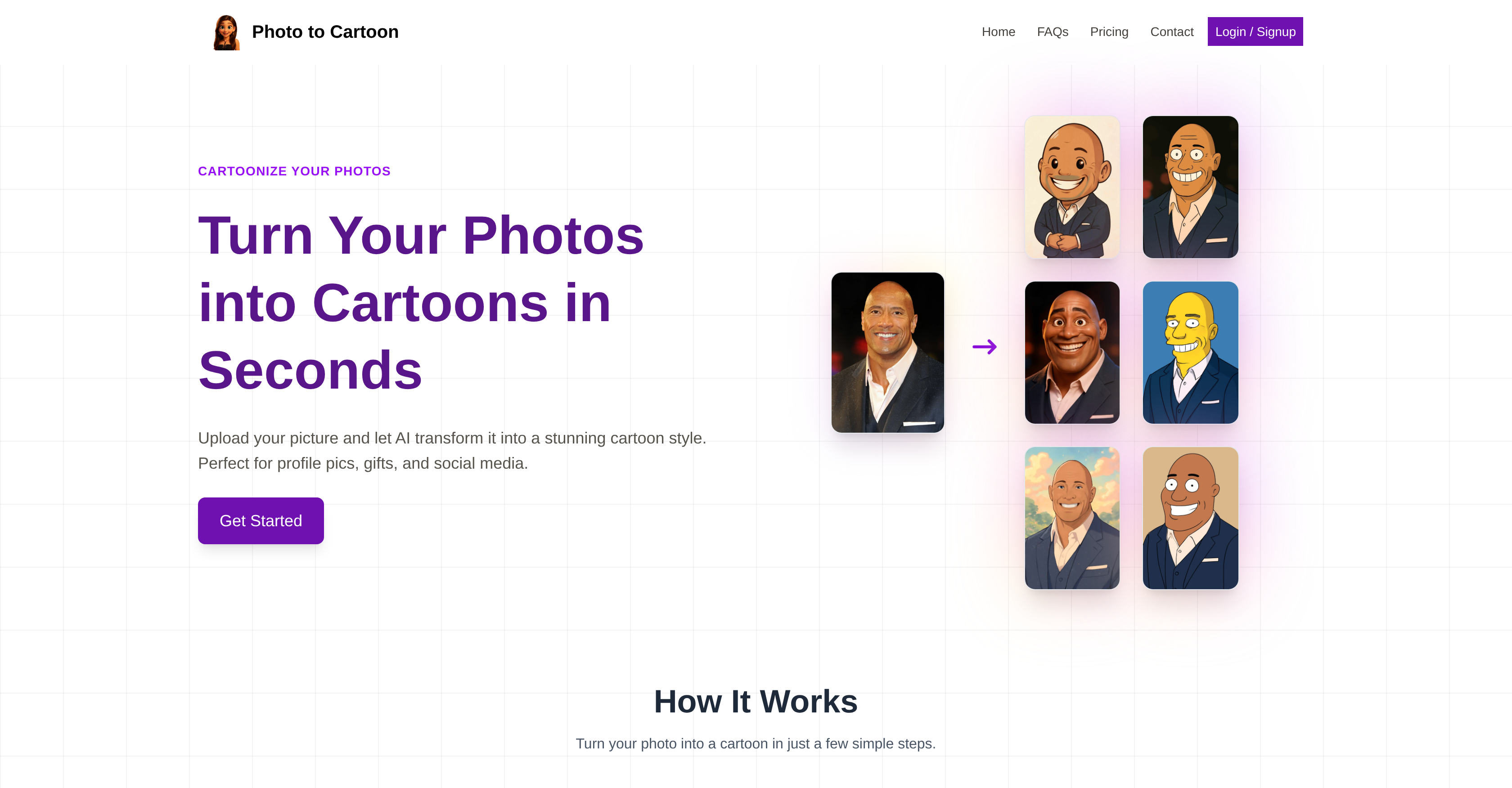
- Create unique, eye-catching profile pictures that stand out on any social media platform with high-resolution cartoon conversions
- Transform photos of people, pets, groups, or scenery into personalized cartoon gifts without any design skills required
- Access over 20 distinctive animation styles including Disney Pixar, Anime, and Simpsons to match your personal aesthetic
- Get instant cartoon results within seconds of uploading your photo through automated AI processing
- Maintain complete privacy with secure processing that never stores or shares your original photos
- Achieve perfectly framed cartoon outputs every time with smart auto-detection for vertical and horizontal photos
- Process group photos with multiple faces accurately while maintaining each person's recognizable features
Pros & Cons
Pros
- Extensive array of styles
- Profiles, groups, scenery, pets
- High-resolution outcome
- Guaranteed user privacy
- User-friendly interface
- Instant transformation
- Versatile cartoon application
- Specific orientation auto-detection
- No prior editing skills
- Secures users' data
- Pets cartoonizing available
- High resemblance to original
- Handles different photo types
- Provides high-quality download
- Crisp, clear output
- Secured image processing
- Multiple animation styles
- Cartoonizes large group photos
- Unique stylization each time
- Easy to use navigation
- Used for personalized gifting
- Supports JPG/PNG formats
- Anime and Manga style
- Disney Pixar inspired style
- Range from Chibi to Caricature
- Famous studios' animation styles
- New styles regularly added
- Conversion time in seconds
- Ideal for social media
- Option to print cartoons
- Endless style variety
- Pet-friendly cartoonization
- Different cartoon genre options
- Automatic style suggestion
- Offers smart auto-detection
- Privacy focused tool
- Encourages creativity
- Profile customization feature
- Numerous cartoon styles
- Guaranteed premium quality
- Creates stunning avatar designs
- Optimized for quick conversions
- No watermarks on cartoons
- Several cartoonizing filters
- Animated profile pic creator
- Comprehensive FAQ Section
- Online tool, no installation
- Easy photo upload process
Cons
- No offline functionality
- No API for integration
- Single photo processing
- Doesn't support GIFs
- Limited editing options
- No preview before conversion
- Limitation on photo size
- May struggle with complex designs
- Limited available styles
- No mobile app
Reviews
Rate this tool
Loading reviews...
❓ Frequently Asked Questions
Photo to Cartoon is an online application that allows users to transform their photos into various cartoon styles using artificial intelligence.
Photo to Cartoon transforms user-uploaded photos into cartoon-style images. It can cartoonize faces, groups, scenes, and even pets, producing high-resolution personalized cartoons ready within seconds.
Photo to Cartoon uses artificial intelligence in the transformation process to analyze the original photos and replicate them effectively into the selected cartoon style. The technology is capable of decoding intricate image details and transforming them into distinctive cartoon attributes.
Photo to Cartoon can cartoonize a photo within seconds after the photo is uploaded on their website.
Photo to Cartoon offers an extensive range of cartoon styles including Disney Pixar, Anime, Simpsons, Chibi, 3D Cartoon, Caricature, Studio Ghibli, DreamWorks, Rick and Morty, Comic Book, Korean Webtoon, Avatar The Last Airbender, Family Guy, Pet Cartoon, Watercolor Cartoon, Flat Vector, Sketch Pencil Drawing, Bollywood Cartoon, Chinese Manhua, South Park, Western Classic Cartoon, Baby Cartoon, and Superhero Cartoon.
Yes, Photo to Cartoon works with group photos. The artificial intelligence can cartoonize everyone in the group picture.
Yes, scenery photos can be cartoonized with Photo to Cartoon. The versatile AI can transform various types of images including landscapes.
Yes, pet photos can also be transformed into cartoon-style images with Photo to Cartoon.
Photo to Cartoon generates high-resolution cartoons, ensuring users receive clear and detailed cartoon images.
Photo to Cartoon guarantees user's privacy by processing photos securely and not storing or sharing them. Users' photos are completely private.
Yes, Photo to Cartoon is user-friendly for beginners. Despite involving intricate image processing, no prior editing skills are required to use the tool.
Yes, Photo to Cartoon's AI ensures a close and accurate replication of the original photo, maintaining resemblance while transforming it into a cartoon.
The cartoons generated by Photo to Cartoon can be used for diverse purposes like social media profiles, posts, or even printed for physical applications like gift items.
No, Photo to Cartoon does not require any editing skills from users. The AI-driven tool is designed to be easy-to-use with a user-friendly interface.
Photo to Cartoon offers over 20 distinctive styles for the cartoonization process.
Yes, Photo to Cartoon's AI can detect whether the uploaded photos are vertical or horizontal to ensure the best output.
Yes, Photo to Cartoon works with any type of photos. Be it portraits, group photos, or scenery, all can be transformed into cartoons.
Clear, well-lit photos with the face visible provide optimal results in Photo to Cartoon. Blurry or dark images should be avoided for higher quality cartoons.
Yes, one can share the cartoons generated by Photo to Cartoon on social media. They can be used as profile pictures, posted on Instagram/TikTok, or even printed as a gift.
There is not enough information on their website to clarify the most popular cartoon style in Photo to Cartoon.
Photo to Cartoon operates in a few simple steps. The user uploads a clear JPG/PNG picture, then selects their preferred cartoon style from the available options. Once a style is chosen, the AI processes the photo into a cartoon representation almost instantaneously. The cartoon can then be downloaded in high quality.
Photo to Cartoon offers more than 20 cartoon styles, these include widely recognized animation styles such as Disney Pixar, Anime, Simpsons, Chibi, Caricature, 3D Cartoon, Studio Ghibli, DreamWorks, Rick and Morty, Comic Book Style, Korean Webtoon, Avatar The Last Airbender Style, Family Guy, and many others.
Photo to Cartoon typically generates cartoon images within seconds. The AI makes the transformation near instantaneous, allowing users to upload, process, and download their cartoon image quickly.
With Photo to Cartoon, you can use various types of photos; this includes pictures of individuals, groups, and pets. You can also use photos of scenery or objects. The most important requirement is the photo clarity and light for the best cartoon outcome.
The smart auto-detection feature in Photo to Cartoon is designed to optimize the cartoon output by recognizing the orientation of the uploaded photos and adjusting its processing accordingly.
Yes, photos are kept strictly private when using Photo to Cartoon. The tool doesn't save, store, or share your photos with any third parties.
Yes, Photo to Cartoon is user-friendly and requires no prior editing skills. The process involves simple steps; you only need to upload a photo, choose your preferred style and download your cartoon image.
The cartoons generated on Photo to Cartoon can be used for various purposes including profile pictures on social media, content for posts on social platforms, or as personalized gifts. They can also be printed for physical applications.
Yes, you can cartoonize group photos with Photo to Cartoon. The AI in the tool is designed to handle and process multiple faces in a single photo for cartoonization. For the best results, all faces should be clearly visible.
To use Photo to Cartoon for personalized gifts, you would upload a photo, select your preferred cartoon style, and download the resulting high-quality cartoon image. This cartoon image can then be utilized as a personalized gift in various forms such as printed on shirts, mugs, or framed as a portrait.
Yes, you can cartoonize photos of your pets with Photo to Cartoon. The tool is built to process an array of photos including those of pets, transforming them into stylized, cartoon-like images.
The key requirement for photo uploads in Photo to Cartoon is the clarity or quality of the photo. Photos should be well-lit and clear. Both portraits and horizontal photos are accepted. The file formats supported are JPG and PNG.
Indeed, scenery photos can be cartoonized with Photo to Cartoon. The tool handles all manner of photos, from portraits to landscapes, transforming them into quirky and fun cartoons.
Using Photo to Cartoon for profile pictures is advantageous because it provides unique, personalized, and engaging images. The high-resolution, cartoon-style profile photos can help to differentiate and enhance social media profiles, making them stand out.
Sure, Photo to Cartoon supports images with objects. It's capable of converting any clear, well-lit photo into a cartoon, regardless of its content. Whether it contains people, pets, or objects, the tool will process the image.
Photo to Cartoon supports more than 20 styles of cartoons. It offers a vast selection from the likes of Disney Pixar, Anime, Simpsons, Chibi, to more niche styles like a Korean Webtoon or a Bollywood Cartoon Style.
The best photo quality to use for optimal results in Photo to Cartoon is a clear and well-lit photo. Images that are blurry or dark may not provide high-quality cartoon results. Both portraits and horizontal photos are accepted.
Pricing
Pricing model
Paid
Paid options from
$10
Billing frequency
One-time