
AIClothSwap
Overview
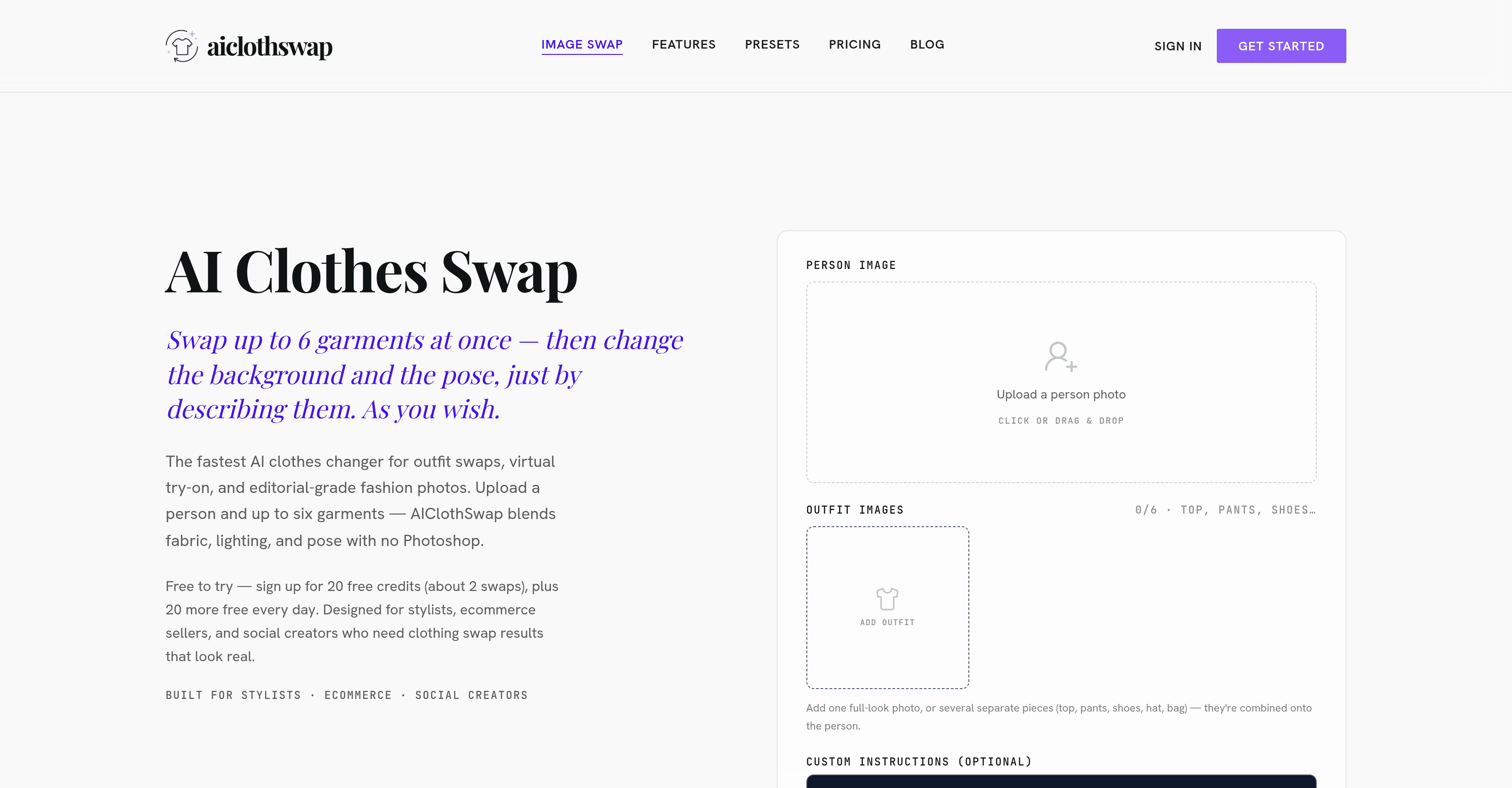
- Create realistic virtual try-on images instantly by swapping up to six garments at once, including tops, bottoms, footwear, and accessories for a complete head-to-toe outfit change
- Achieve photo-realistic clothing swap results that preserve fabric texture, folds, and lighting through intelligent body and garment detection and fabric blending technology
- Eliminate manual editing by using plain-text instructions to change the model's pose, background, or scene alongside the outfit swap in a single command
- Deliver professional-grade on-model shots from flat-lay garment photos, preserving every design detail, pattern, and stitch without blur or artifacts
- Scale your workflow without sacrificing quality with packages that support unlimited swaps and up to 4K resolution output for e-commerce catalogs and social content
Pros & Cons
Pros
- Whole-outfit change capability
- Adapts text and graphics
- Supports complex textures
- Preserves intricate design details
- Change backdrop flexibility
- Pose change flexibility
- Highly accurate results
- Bidirectional plain-text instructions
- Charges vary across packages
- Ability to reimagine flat-lay
- Various subscription packages
- Up to six garments swap
- Integrates pose recognition
- Fabric blending technology
- Allows background changing
- Offers free trials
- High resolution output
- Supports accessory change
- Maintains skin texture consistency
- Supports online usage
- Offers body and garment detection
- Able to align texture
- Possibility to maintain pose
- Edits settings with clear instructions
- Balanced swaps
- Venue lighting preservation
- Powerful text and graphics blending
- Transforms flat-lay into on-model shots
- Handles intricate garment designs
- Easy drag and drop upload
- Instant outfit preview
- Usage instructions clarity
- Daily free credits
- Tiered pricing options
- No commitment free plan
- High resolution in paid plans
- Commercial use license
- Priority queue in pro plans
- Supports unlimited swaps in studio plans
- Lifetime usage package
- Can maintain original scene
- Effortless shape and volume fitting
- Curated presets for outfits
- No artefacts blending
- Preview before download
- Allows photo fine-tuning
- Ensures lighting consistency
Cons
- Subscription-based service
- Limited to 6 garments
- Image quality varies with plan
- No mobile app
- Requires clear portrait
- High-resolution output in paid plans
- Daily credit limits
- No Photoshop required
- Quality dependent on provided instruction
- Limited commercial use license
Reviews
Rate this tool
Loading reviews...
❓ Frequently Asked Questions
AIClothSwap is an AI-driven clothes changer and virtual try-on platform. Users can upload images of a model and several garments and immediately see the model in the new outfit, with realistic fitting, lighting, and fabric textures.
AIClothSwap works by allowing users to upload photos of a model and up to six garments. The AI technology then swaps the model's existing outfit with the uploaded garments, ensuring a realistic fit, texture and lighting. Users can also change the backdrop and the model's pose using plain-text instructions.
Yes, AIClothSwap enables a whole-outfit change in a single go. It goes beyond typical one-garment swap solutions, making it quick and easy to visualize a completely new look.
AIClothSwap can swap up to six garments at once. This means you can completely change a model's outfit, including top, bottom, shoes, and accessories.
Yes, AIClothSwap provides the flexibility to change the backdrop and the model's pose. You can instruct the AI to make these changes using plain text, and the platform will adjust the image accordingly.
AIClothSwap can smoothly adapt text and graphics into images, offering perfect blending without the blur or artifacts that might be experienced with some other platforms.
Yes, AIClothSwap can re-imagine flat-lay clothes onto a model, ensuring the design details of the garment are preserved. This can transform amateur flat-lay photos into professional-looking on-model shots.
AIClothSwap offers various usage packages including a starter package for basic access, a pro package designed for freelance stylists, sellers, and creators, a studio package for e-commerce teams, and a lifetime usage package.
AIClothSwap is built to support e-commerce sellers, stylists, and social creators who require high-quality results for restyling images in their work.
The maximum resolution supported by AIClothSwap is 4K, provided in pro and studio plans as well as lifetime usage package.
AIClothSwap ensures the fitting of garments is realistic by using intelligent body and garment detection. This allows the platform to accurately fit outfits to natural proportions, keeping skin texture, lighting, and proportions consistent across every swapped piece.
Yes, AIClothSwap can handle complex textures and intricate details, like patterns, stitching, or cuts in garments. The AI technology ensures these design features are accurately depicted in the final image.
AIClothSwap uses intelligent AI to detect body contours and garment regions automatically. This allows the platform to fit outfits to natural proportions for realistic clothing changes without complicated editing. Body and clothing edges are automatically identified for precise and balanced swaps.
AIClothSwap adapts to different lighting conditions in an image by blending fabric, lighting, and pose with precision, thus preserving the original look of the photo.
AIClothSwap's text-to-image feature allows users to type plain text instructions to make changes in an image. The AI then uses these instructions to change the setting, mood, model's pose, or the entire clothes and scene dispatch.
Yes, AIClothSwap can be used for online styling. By enabling users to swap various garments onto a model's picture in a realistic manner, it provides a powerful tool for creating new outfit combinations and visualising different looks.
AIClothSwap functions as a virtual fitting room, allowing users to see how different garments would look on a model. By swapping different clothing items onto the model's picture, users can immediately visualise the result.
While there is no explicit mention of bulk image editing, AIClothSwap does offer service packages designed for high-volume work. The studio package with unlimited swaps would be suitable for users needing to edit many images.
Yes, AIClothSwap is suitable for social content creation. The platform can be used by social creators to try different outfits and styles on their models, enabling them to create diverse and engaging content.
Users can give AIClothSwap a variety of instructions through plain text. These can include changes to the setting, mood, model's pose, or the entire clothing and scene dispatch. The platform's AI can even interpret instructions like 'hands in pockets' or 'glancing over the shoulder', allowing users to adjust the pose and gesture of the model.
You can use AIClothSwap to change outfits in an image by uploading a clear portrait, select styles, and start the AI swap process. You can instantly preview your virtual try-on and then download the final image.
There are no mentioned limitations to how many garments AIClothSwap can change at once. Users are able to change up to six different types of garments, including tops, bottoms, footwear, and accessories for a complete head-to-toe outfit change.
AIClothSwap's results look realistic due to features like refined body and garment detection, intelligent AI that detects body contours and garment regions automatically, and the platform's innate ability to maintain natural proportions, consistent skin texture, and lighting across all swapped items.
Yes, AIClothSwap can handle intricate details and complex textures. It's designed to infer and replicate even the minor details in a garment's texture, pattern, stitch, and cut, and then apply these to make the swapped outfit look as realistic as the original.
AIClothSwap's AI adapts text and graphics into images by blending them smoothly into the image without the blur or artifacts often encountered with other platforms.
Yes, you can change the pose of the model with AIClothSwap. The platform provides functionality to modify model poses, gestures, and angles based on user instructions.
You can change the background of the image with AIClothSwap. The AI allows you to change the background, setting, or mood by describing it in plain words alongside the outfit swap.
The target audience for AIClothSwap predominantly includes ecommerce sellers, stylists, social content creators who require high-quality output for restyling images, and people requiring high-quality results for changing images in their work.
Yes, AIClothSwap does offer a free trial. Once you sign up, you receive 20 free credits, and additional 20 free credits each day you log in.
Yes, AIClothSwap does provide high-resolution output. It supports standard, HD, and 4K quality depending on the chosen plan.
AIClothSwap offers various packages: a starter package that provides basic access, a pro package tailored for freelance stylists, sellers, and creators, a studio package specifically for e-commerce teams, and a lifetime package offering unlimited access.
Yes, AIClothSwap preserves a garment's design details when swapping clothes. Its AI replicates the garment's details, including texture and folds, and aligns these with the lighting to retain the original look of the photo.
Yes, AIClothSwap is highly suitable for e-commerce. It’s a valuable tool for ecommerce sellers who require realistic virtual try-ons and clothes swaps for their products.
Yes, pose recognition is integrated into AIClothSwap. With this feature, the platform can recognize various poses and render outfit swaps while preserving the model's original pose.
In AIClothSwap, fabric blending technology works by replicating the fabric's texture, folds, and unique attributes and fitting the garment naturally onto the model’s proportions.
Yes, with AIClothSwap, you can change the scene in the image. The AI enables you to modify the background, setting, or mood of the scene alongside the outfit swap, based on simple instructions.
To instruct AIClothSwap to make changes to an image, you can use the optional instructions box to type in your desired modifications. Be it changes in clothing, pose, or background, the AI can deliver the desired changes based on your outlined instructions.
Yes, AIClothSwap supports full outfit changes in a single command. The AI allows you to swap the top, bottom, shoes, hat, and bag together for a complete head-to-toe outfit.
AIClothSwap can handle various types of garments, from tops, bottoms, shoes to accessories. It combines these onto the person for a complete cohesively styled new look.
The lighting preservation feature in AIClothSwap works by automatically detecting and mimicking the original lighting conditions in your photo. This feature helps maintain consistent lighting across the swapped pieces, creating a more realistic outcome.
Pricing
Pricing model
Freemium
Paid options from
$14.99/month
Billing frequency
Monthly