Overview
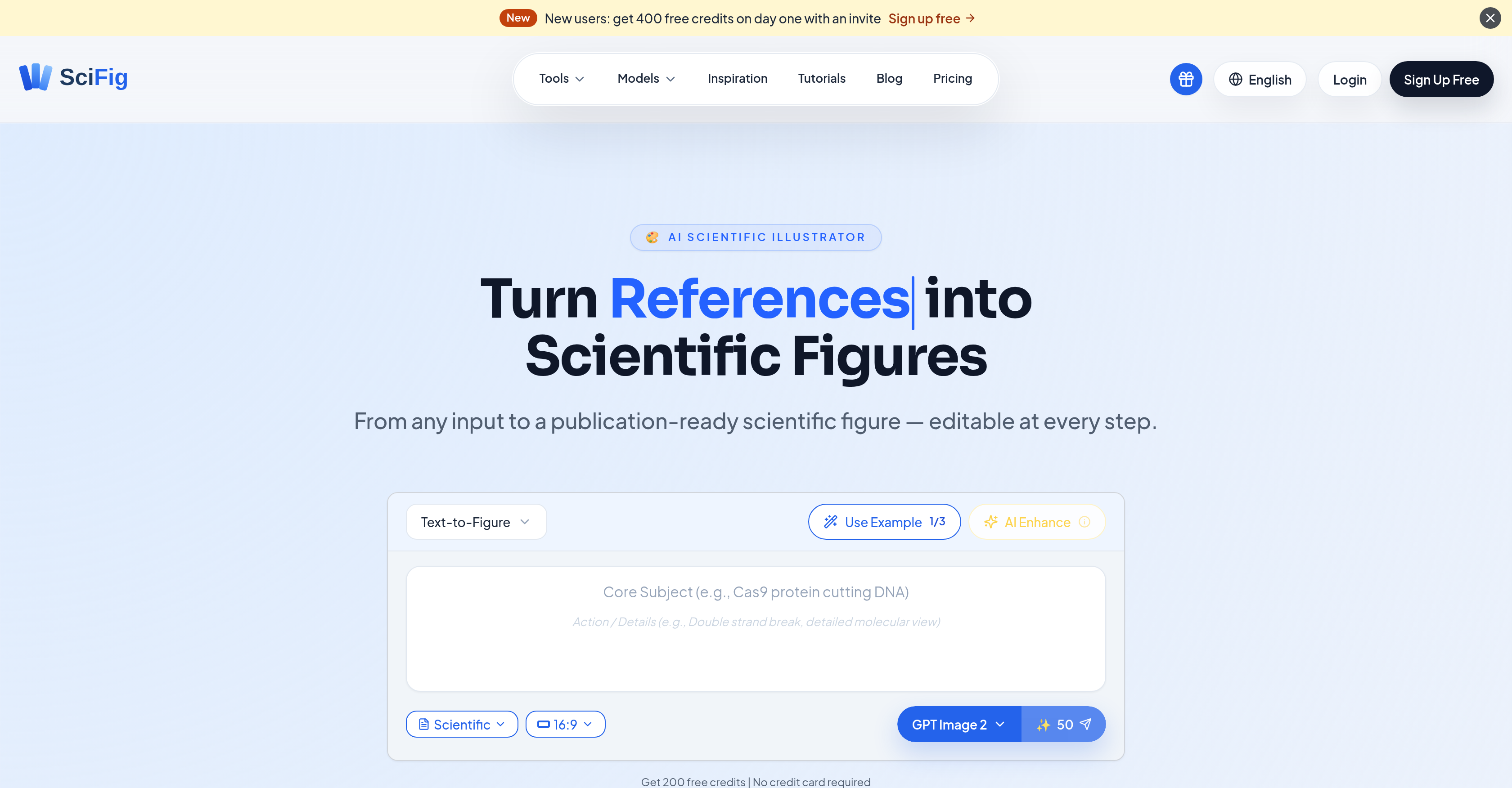
- Submit journal-ready figures without external design software by converting text, sketches, PDFs, or lab photos into polished scientific figures using purpose-tuned AI models like GPT Image 2 for journal submissions.
- Refine every detail of a figure after generation—edit text content, font, size, and position directly on the built-in vector canvas with full undo/redo control.
- Eliminate time-consuming redraws by selecting any region of a figure and regenerating it with a natural-language prompt, or feed a research PDF for context-aware edits.
- Export figures as editable PPTX for presentations or layered SVG for fine-grained vector control, bypassing roundtrips to Adobe Illustrator or Inkscape.
- Match specific publication requirements instantly by applying one of six auto-styles—scientific, line, 3D, editorial, sketch, or watercolor—based on your prompt.
- Produce high-resolution outputs up to 8K for print-quality figures in research papers, posters, or slide decks without losing editability.
Pros & Cons
Pros
- Generates science-grade figures
- Editable shapes, labels, arrows
- Built-in vector canvas
- No full re-render needed
- Export to PPTX, SVG, PNG
- Can inpaint or upscale
- Use text prompts as input
- Use hand-drawn sketches as input
- Use reference images as input
- Use research PDFs as input
- Use lab photos as input
- Purpose-tuned image models
- 200 free credits on signup
- Turns text into scientific figures
- Helps in data visualization
- Transforms sketches to figures
- Interprets references into figures
- PDF editing capability
- Auto-style overlay
- Editable output
- Customized figures
- Canvas editing
- Different types of figure work
- Quality balances speed and accuracy
- Accommodates style overlay
- Enhance features to refine details
- Generates figures through region selection
- Smarter edits by feeding PDF
- Layered SVG export
- Undo/redo options available
- Exports to 8K PNG / JPG
- Six Input modes
- Six publication styles
- Precision region inpaint
- Multimodal enhance
- 8K upscaling
- Click to retype label
- Circle region to regenerate
- Engineered for top journals
- Auto mode for style selection
- Multiple export formats
- Supports multimodal input
- Content-aware label generation
- PDF as context for edits
- Figure Generation Model customizability
Cons
- Limited free credits
- Dependent on three models
- Lacks support for older formats
- No dedicated mobile app
- Potential learning curve
- Limited to 11+ disciplines
- Needs constant internet connection
- No options for collaboration
- Unknown handling of complex edits
- Response time for regeneration unclear
Reviews
Rate this tool
Loading reviews...
❓ Frequently Asked Questions
SciFig is an AI-driven tool that was created to assist researchers in generating scientific figures for their publishing needs. It offers a platform for altering various types of inputs into publication-ready scientific figures.
SciFig works by transforming inputs, such as text, sketches, references, PDFs, and photos, into figures. These figures can be created using different built-in models, which execute specific tasks. Once the figure has been generated, users can enhance and vectorize it using SciFig's tools. Further enhancement can be done by regenerating a selected region with a text prompt.
SciFig can accept a variety of inputs for figure creation. These include text, sketches, references, PDFs, and photographs.
Yes, the figures created by SciFig are fully editable, both during and after the creation process.
SciFig features different built-in models each developed to carry out specific tasks. These include GPT Image 2 designed for journal papers, Nano Banana Pro used for slides and posters, and Nano Banana 2 suited for routine figure work.
GPT Image 2 is a built-in model in SciFig that is particularly designed for creating figures for journal papers.
Nano Banana Pro is a model in SciFig that is specifically created for generating figures for slides and posters.
The Nano Banana 2 model in SciFig is designed to carry out routine figure work.
Yes, in SciFig, users can directly modify the text's content, its font size, and position in the figures post-generation.
The natural-language prompt feature in SciFig allows users to regenerate a selected area of a figure based on a textual input.
SciFig provides users the option to export figures as editable PPTX or layered SVG formats.
Yes, SciFig has a built-in vector editor that allows users to fine-tune every shape, color, and label in the figure.
No, SciFig eliminates the need for external graphics software. It allows users to fine-tune every shape, color, and label in the figure directly in its built-in vector editor.
Yes, undo/redo functions are readily accessible in SciFig for making easy alterations.
Yes, in SciFig, you can select a region in the figure and regenerate it using a text prompt.
Vectorizing figures in SciFig refers to the process of converting raster graphics into vector graphics. This keeps the details of the figures editable post-generation.
Yes, SciFig provides tools to enhance figures after they have been generated. This includes regenerating selected regions, editing text, and vectorizing the figure.
Users have extensive control over the figures created by SciFig. They can not only edit and enhance the figures but also export them in different formats, giving them the flexibility to fine-tune every shape, color, and label.
Yes, SciFig caters to different publication needs, making it a viable tool for creating figures for journal papers, slides, posters, and routine figure works.
Figure Tools in SciFig include Text-to-Figure, Figure Enhancer, Sketch-to-Figure, Reference-to-Figure, PDF-to-Figure, and Photo-to-Figure tools.
SciFig functions in three core stages. In the 'Generate' phase, the user inputs text, a sketch, a reference, a PDF, or a photo and the AI creates a figure in one of six available publication styles. In the 'Enhance' stage, every detail of the generated figure remains fully editable, with users able to refine and edit the text's content, font, size or position directly, select a region, and regenerate it with a natural-language prompt, or use a PDF for context for smarter edits. Finally, in the 'Vectorize' phase, the user exports the figure as an editable PPTX, layered SVG, or 8K PNG/JPG file. The figure remains fully editable on SciFig's built-in vector canvas.
Key features of SciFig include multiple input conversion types (text, sketch, reference, PDF, photo), a built-in canvas for vector editing, and three purpose-tuned image models for specific figure types. It also includes an Enhance feature for refining generated figures, auto-style overlays based on user's input, editable output for any generated figure, precision region inpainting, 8K image upscaling, and export as editable PPTX, layered SVG, or 8K PNG / JPG files.
SciFig utilizes the power of three AI models: GPT Image 2, Nano Banana Pro, and Nano Banana 2. Each of these models is purpose-tuned to serve different types of figure work across various disciplines of scientific research.
SciFig accepts a wide range of inputs to generate figures. These include text, hand-drawn sketches, reference images, research PDFs, and photos taken in the lab.
The generated figures in SciFig are fully editable. Users can change any text's content, font, size, or position directly. Each element of the figure can be fine-tuned within SciFig's built-in canvas, which offers full undo/redo functionality.
To regenerate certain regions of the generated figures in SciFig, users simply need to select that area and issue a natural-language prompt for regeneration. This allows for refining the figures without having to start from scratch.
Yes, SciFig offers a unique image upscaling feature which can escalate the quality of the generated figures up to 8K resolution. This emerges essential when higher quality print or presentation is needed.
In SciFig, figures can be exported as editable PPTX files or layered SVG formats for fine details. There is also an option to export figures in an 8K PNG or JPG form, removing the need for any Adobe Illustrator or Inkscape roundtrip.
Yes, SciFig is capable of converting research PDF into scientific figures. It can intelligently interpret and extract visual elements from a PDF and transform them into a comprehensive scientific figure.
Indeed, SciFig has a feature that allows for the conversion of hand-drawn sketches into scientific figures. The AI is designed to intelligently comprehend the sketches and translate them into more refined, editable, publication-ready figures.
SciFig is designed for use across a vast array of scientific disciplines, including but not limited to biology, chemistry, physics, engineering, computer science, energy, ecology, bioengineering, and astronomy.
The Auto-Style Overlay feature in SciFig works along the lines of the user's prompt. It automatically applies style changes to the generated figure based on the details provided in the prompt, creating figures in six publication styles including scientific, line, 3D, editorial, sketch, or watercolor.
Absolutely. In SciFig, every aspect of generated figures remains editable, including the text. Users can easily click on any label to retype or alter its properties such as font, size, or position according to their preference.
Yes, SciFig has an inbuilt canvass that allows users to adjust every detail of the generated figures. This offers a space where the shape, color, and label of the scientific figures can be fine-tuned with full undo/redo command options.
SciFig sets itself apart from other AI image generators with its ability to maintain everything editable after generation. It's use of AI models specifically tuned for scientific figure processing are more apt in scientific context. Also, unlike others that produce flat, unusable pixels, SciFig can generate and export figures in high resolution up to 8K. It also provides editable PPTX, layered SVG without requiring roundtrips.
In SciFig, each of the AI models GPT Image 2, Nano Banana Pro, and Nano Banana 2, has a defined role. GPT Image 2 is the default model best suited for journal submissions. Nano Banana Pro works best for slides and posters owing to its editorial-style speciality, and Nano Banana 2 is practical for routine figure works balancing speed and quality.
Yes, SciFig can convert lab photos into scientific figures. The AI integrates the visual images from the photos and constructs a comprehensive scientific figure out of them, which can be further fine-tuned and edited in the built-in canvas.
SciFig greatly aids in the publication process of scientific research by transforming a diverse range of inputs into clear, precise and publication-ready scientific figures. By supplying multiple export options, the generated figures can be directly used in research papers, presentations, or posters without compromising the scientific grade and visual appeal of the output.
SciFig offers six publication styles to choose from, these include: Scientific, Line, 3D, Editorial, Sketch, and Watercolor. Users can select the style that best suits their need or let the Auto mode follow the prompt alone.
Pricing
Pricing model
Freemium
Paid options from
$12/month
Billing frequency
Monthly