Overview
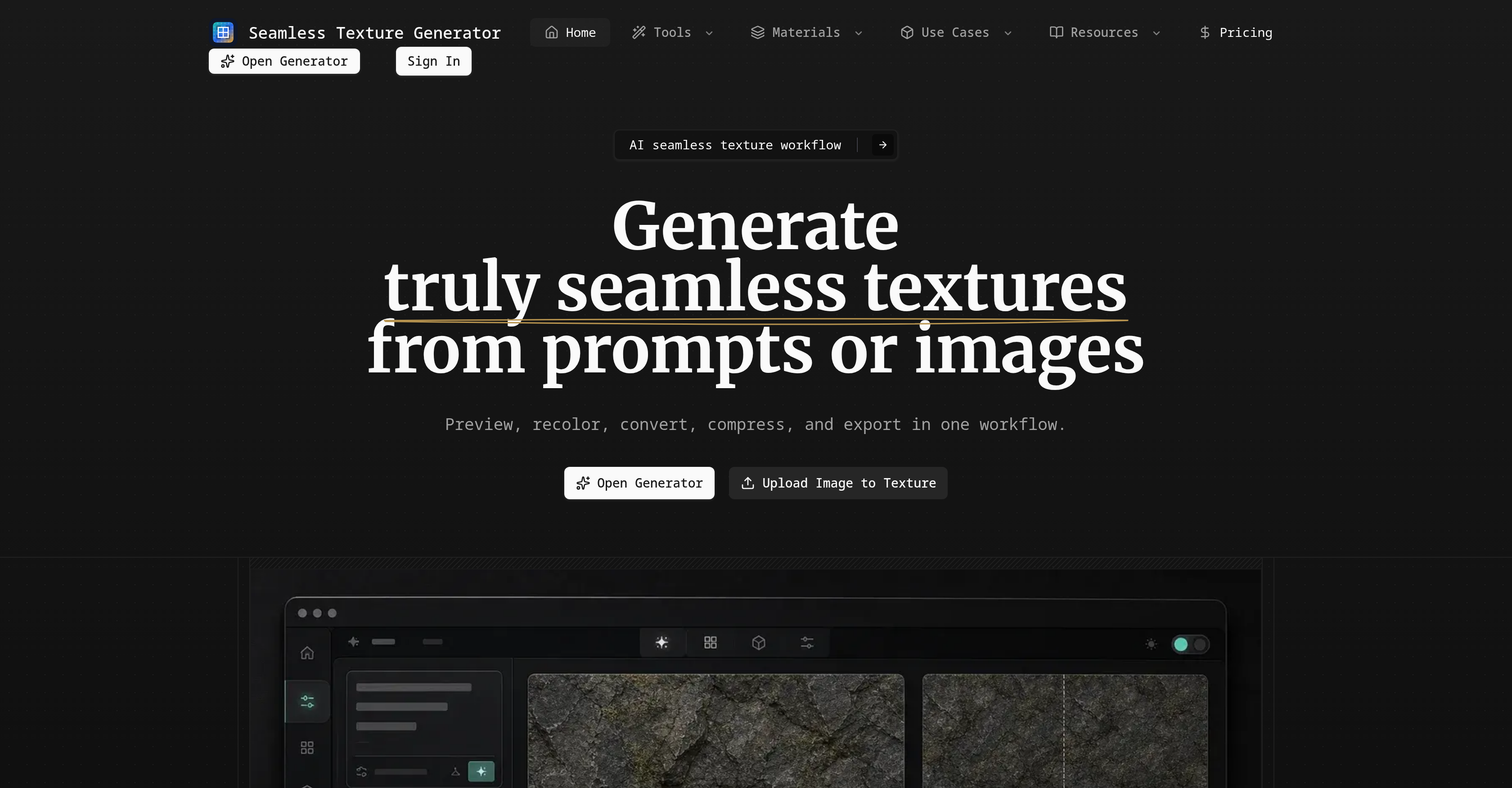
- Generate production-ready seamless textures from any text prompt or image, with the AI prompt wrapper ensuring top-down, borderless, evenly distributed repeats for flawless tiling.
- Preview every texture as a repeated tile with a seam guide overlay before committing, so you catch visible edges and avoid wasted rework in your design pipeline.
- Recolor and adjust any generated texture to match different color palettes and surface types, letting one base asset serve multiple projects without regenerating.
- Export lighter, web-optimized files using the compress and convert format feature, speeding up load times on websites and mobile applications.
- Transform existing photos, scans, or renders into clean tileable textures, with automatic border balancing and offset blending to repair visible seams.
- Revisit and jump back to any previous texture task from your activity history, making it easy to reuse successful patterns in new 3D modeling, game material, or mockup projects.
- Create tileable textures suitable for 3D printing, fabric design, wallpaper, and print-on-demand, with seamless repeats that give uniform surface coverage across any medium.
Pros & Cons
Pros
- Seamless texture generation
- Texture preview feature
- Recoloring and adjustment options
- Compression and format conversion
- Exports for further use
- Turns prompts into textures
- Preview of repeated tiles
- Relevant for multiple uses
- Directionally useful texture options
- Seam-aware preview
- Integrates no-border constraints
- Supports image transformation
- Includes texture blending
- Allows for visual exploration
- Materials design adaptation
- Web optimized format conversion
- Offers mockup creation
- Useful in product pattern design
- Web design friendly
- Activity area for task recollection
- Image to texture conversion
- Light file creation for web
- Format switch for design tools
- Texture assets for 3D modelling
- Suitable for print on demand
- Facilitates adjustment of texture
- Balances borders in images
- Features tiled previewing mechanism
- Provides single and tiled preview
- High-resolution export option
- Built for asset creation
- Compatible for game material creation
- Supports textile and wallpaper creation
- Capable for print-on-demand
- Efficient for concept work
- Seam guide overlay feature
- Contains a generation history
- Regulates pro download gates
- Allows credits-aware generation
- Adaptable to multiple palettes
- Allows for design, web, 3D exporting
- Repair visible edge feature
- Allows PNG export
- Repeated texture preview
- Enables fast visual exploration
- Equipped for game props output
- Revisiting of texture tasks
- Facilitates swift texture options
Cons
- No offline usage
- No support for vector textures
- No layer functionality
- No support for animated textures
- Lacks multi-language support
- Requires continuous internet connection
- Not optimized for mobile devices
- No plugin for design software
- Doesn't support collaborative working
- No batch processing feature
Reviews
Rate this tool
Loading reviews...
❓ Frequently Asked Questions
Seamless Texture Generator is an AI tool designed to create seamless textures from a variety of inputs such as prompts or images. With the capacity to cater to a complete texture workflow, it allows users to generate seamless textures, preview repeated tiles, recolor and adjust the appearance, compress and format conversion, and export for further use.
Seamless Texture Generator uses advanced AI techniques to convert images into textures. Users can begin from an existing material, product pattern, scan, photo, render, or existing AI image. The system balances borders and blends offsets, ensuring the converted image can repeat more cleanly as a seamless texture.
The AI prompt wrapper is a special feature of the Seamless Texture Generator that guides the AI model to produce a top-down, borderless, and evenly distributed surface that can repeat in both directions. It adds seamless and top-down no-border constraints to the final output of the texture.
Yes, Seamless Texture Generator provides a seam-aware preview feature that allows users to check their texture as a repeat before committing it to a design, shader, or product mockup. Users can switch between single image and tiled preview to inspect obvious seams before downloading.
Seamless Texture Generator provides controls to recolor and adjust the appearance of the generated textures. Users can tune the look so the same generated texture can match different color palettes and surfaces. This creates the opportunity to use a single texture in multiple applications by varying its color and appearance.
Seamless Texture Generator can create textures for a wide range of uses, such as mockups, websites, 3D printing, game materials, textile design, digital art, photography, graphic design, and material design. They're also suitable for wallpaper, print-on-demand, and concept work.
Yes, with Seamless Texture Generator, existing users can revisit their generated texture tasks from their activity area. This means users can keep track of their texture generation history, making it easy to return to previous projects or re-use successful textures in new applications.
The seam inspection feature in Seamless Texture Generator provides an ability to assess visible seams on the texture. This gives users a chance to see how the repeated patterns will look before finalizing them, guaranteeing that the resulting texture can be used as a seamless, tiling surface.
Yes, textures created by the Seamless Texture Generator are suitable for 3D printing. The AI ensures a seamless and tileable texture that, once applied to a 3D model, will give it a uniform and continuous surface pattern, necessary for 3D printings.
Yes, Seamless Texture Generator can be utilized to generate textures for game materials. It can create seamless and tileable textures that can be repeatedly used across virtual environments, character designs, and game props. The texture can also be adjusted to fit the specific aesthetic demands of the game.
Yes, Seamless Texture Generator supports the creation of mockups. Users can generate visually appealing and real-looking textures and apply them to digital renderings of products to present a close replica of the final product.
Seamless Texture Generator supports a diversity of texture formats suitable for varying applications. It allows users to prepare lighter files or switch formats for web, design tools, and production handoff. The exported texture format is specifically tailored for optimum compatibility and performance in the destination application.
The texture compression feature in Seamless Texture Generator is designed to lighten the texture files. This makes the textures more manageable in size, ensuring they load quickly and use less storage, which is particularly important for web and mobile applications where large file sizes can slow down performance.
Yes, Seamless Texture Generator supports the generation of textures meant for textile design. The AI tool generates unique, seamless patterns and textures that can realistically simulate various fabric materials or be printed onto actual textiles.
Yes, Seamless Texture Generator is suitable for digital art creation. Digital artists can make use of its features to quickly create an array of seamless textures and patterns for their digital artwork. This can speed up the creation process and provide a base for detailed digital paintings and illustrations.
Seamless Texture Generator can be used in web design by allowing designers to create seamless and tileable textures for web interfaces and backgrounds. These textures can create visual interest and improve the aesthetic appeal of websites, making them more engaging for site visitors.
Yes, one of the key features of the Seamless Texture Generator is to allow users to generate directionally useful texture options swiftly and refine them in the desired art or design workflow. This gives users greater flexibility and control over the output textures, enabling them to align perfectly with their design requirements.
Yes, with Seamless Texture Generator, you can convert short prompts into repeatable surface assets. The generator wraps your prompt with texture-specific instructions that result in square, top-down, evenly distributed, and repeatable surface assets.
Seamless Texture Generator is ideal for print-on-demand and concept work. Its ability to generate unique textures swiftly based on input prompts or images can help produce diverse visual explorations for concept work. In the context of print-on-demand businesses, it can provide high-quality, tileable, and visually appealing textures that can be printed on a variety of products.
Yes, Seamless Texture Generator specializes in creating tileable textures. Whether starting from a material idea or an existing image, the tool guarantees a seamless transition when the texture is repeated, making it a perfect resource for any asset that requires tiling, such as web backgrounds, fabric designs, video game textures, and more.
SeamlessCanvas is an AI tool designed to create seamless textures from various inputs such as images or textual prompts. It supports the complete texture workflow, from the preliminary concept of a material to its final utility. The tool allows for seamless texture generation, repeated tiles preview, recoloring and appearance adjustment, file compression and format conversion, and exporting for further application. Notably, SeamlessCanvas also features a unique option that allows the conversion of short prompts into repeatable surface assets.
SeamlessCanvas generates seamless textures through an intricate combination of AI and text prompts or images provided by the user. Using the 'AI prompt wrapper', the tool incorporates seamless and top-down, no-border constraints to the end result, ensuring the texture can seamlessly repeat in all directions. Furthermore, it offers a unique feature of converting short prompts into repeatable surface assets for fast visual exploration. Additionally, the tool facilitates the conversion of existing images into seamless textures by balancing borders and blending offsets.
SeamlessCanvas can use a variety of inputs to generate seamless textures. These include material ideas, product patterns, scans, photos, renderings, or existing AI images. Additionally, it can also start from short textual prompts written in plain language such as 'marble veins', 'pixel dungeon floors', 'woven fabric', 'terrazzo', 'bark', or 'abstract patterns'. This flexibility allows for broad creative exploration and texture generation.
The SeamlessCanvas texture workflow begins with the acceptance of an input in the form of a prompt or an image. The next step involves previewing the generated texture as repeated tiles to ensure the pattern will be consistent when used. Users can then recolor and adjust the texture to suit different color palettes and surface types. The texture then undergoes compression and format conversion for efficient file handling. Finally, it can be exported for use in design, web design, 3D modeling, and print-on-demand applications.
SeamlessCanvas permits the exporting of textures in various formats that are ideal for the web, design tools, and production handoff. However, the website does not provide specific details about what these formats are. It does mention that users can prepare lighter files or switch formats with the compress and convert format feature, implying there may be a choice of file type andsize options based on user needs.
Unique features of SeamlessCanvas include an AI prompt wrapper that adds seamless, top-down, no-border constraints to the final output. It offers the flexibility of transforming existing images into seamless textures or starting from simple language prompts. The tool also caters to varied needs, from design to 3D printing, and ensures quality and seamlessness in the resulting textures. Additionally, it provides an inspection of visible seams on texture offering a tiled previewing mechanism before finalizing them.
Yes, SeamlessCanvas can generate textures from short prompts. The tool boasts a feature that wraps the user's prompt with texture-specific instructions. This process ensures the resulting texture remains square, top-down, evenly distributed, and ready to be tested as a repeating tile, allowing for fast visual exploration and asset creation.
The generated textures from SeamlessCanvas can be used for a variety of purposes. This includes creating mockups, designing websites, 3D modeling, game material creation, and print-on-demand applications. Furthermore, the textures can be tailored to match different color palettes and surfaces, thereby widening their utility in different design contexts.
SeamlessCanvas offers seamless texture generation and previews the textures as repeated tiles before finalizing them. This preview function provides a detailed inspection of visible seams on the texture, enabling the user to check how the repeated patterns look. Users can compare one render against a repeated 2x2 view directly on the page, and even inspect the center seams while previewing with the help of a 'seam guide overlay'.
SeamlessCanvas provides a useful functionality to compress files and convert texture formats, which are particularly valuable for web use, design tools, and production handoff. This feature prepares lighter files or switch formats as per the user's requirement. The tool's seamless texture workflow ensures that the process from input through to compression, conversion, and exportation is smooth and efficient.
Yes, SeamlessCanvas allows existing users to revisit and jump back to their previous texture tasks from the activity area. This history function provides users with an easy way to reference, modify, or reutilize their earlier texture projects.
The AI prompt wrapper in SeamlessCanvas serves a critical purpose in generating the desired textures. It includes a set of instructions that the AI model interprets to produce the final texture. These guidelines request a top-down, borderless, evenly distributed surface that can repeat seamlessly in all directions, ensuring the texture stays relevant for a wide range of applications.
SeamlessCanvas can be a powerful tool for creating textures for 3D modelling or game material creation. Users can generate seamless textures from various prompts or images, make necessary color and contrast adjustments, and export the textures in suitable formats. These exported textures then can be used in 3D modelling applications or as materials in game development.
Yes, SeamlessCanvas is ideal for web and product pattern design. It allows users to easily create seamless textures that can be used as backgrounds or patterns on websites. Additionally, these textures can also be used in designing product patterns to give them a unique and aesthetically pleasing look.
Users of SeamlessCanvas have the option to fine-tune the aesthetics of their textures through the recolor and adjust functionality. They can modify the look of the generated texture to match different color palettes and surfaces of interest. This can be done after previewing the repeated tiles and before the file compression and format conversion stages, ensuring the end texture is tailored to the user's preference.
SeamlessCanvas achieves seamless repetition and borderless texture through its AI prompt wrapper. This mechanism adds constraints to the final out, requesting a top-down view, borderless, and evenly distributed texture that can repeat seamlessly in all directions. In transforming existing images into seamless textures, it seamlessly repeats patterns by balancing borders and blending offsets.
The process to transform existing images into seamless textures on SeamlessCanvas begins with uploading the image. The tool then works on that image to repair visible edges, balance borders, and blend offsets to help the image repeat more cleanly. The user can then preview the converted result as a tiled texture before downloading. The process ends with exporting a tileable PNG for various uses, from 3D, game, fabric, wallpaper to mockup tests.
Creating a texture from a language prompt on SeamlessCanvas involves a few steps. Users start by inputting simple language prompts related to the texture type they want, such as marble veins or woven fabric. The AI prompt wrapper then interprets these instructions and generates a top-down, borderless, evenly distributed texture. Users can then switch between single image and tiled preview to inspect for obvious seams before finalizing their download.
What makes SeamlessCanvas efficient for texture generation is its AI-powered, complete texture workflow. With SeamlessCanvas, users can move from input, through generation and preview, to adjustment, compression, conversion, and export, all in one workflow. It allows for quick generation and visual exploration of texture options which can later be refined in the desired art or design workflow. Moreover, its unique AI prompt wrapper feature and the seamless preview function ensure top quality and usefulness of the generated textures.
Yes, SeamlessCanvas can be used for mockup creation or visual exploration. With its seamless texture generation feature, users can create textures that can be used for creating mockups for various purposes like product design, website design, 3D printing, game materials, and more. Furthermore, the tool's seamless and top-down, no-border texture generation can aid users in visual exploration, allowing them to experiment with various texture ideas and concepts before finalizing them.
Pricing
Pricing model
Free Trial
Paid options from
$5/unit
Billing frequency
Pay-as-you-go
Refund policy
Refunds available within 7 days if credits were not used.