Overview
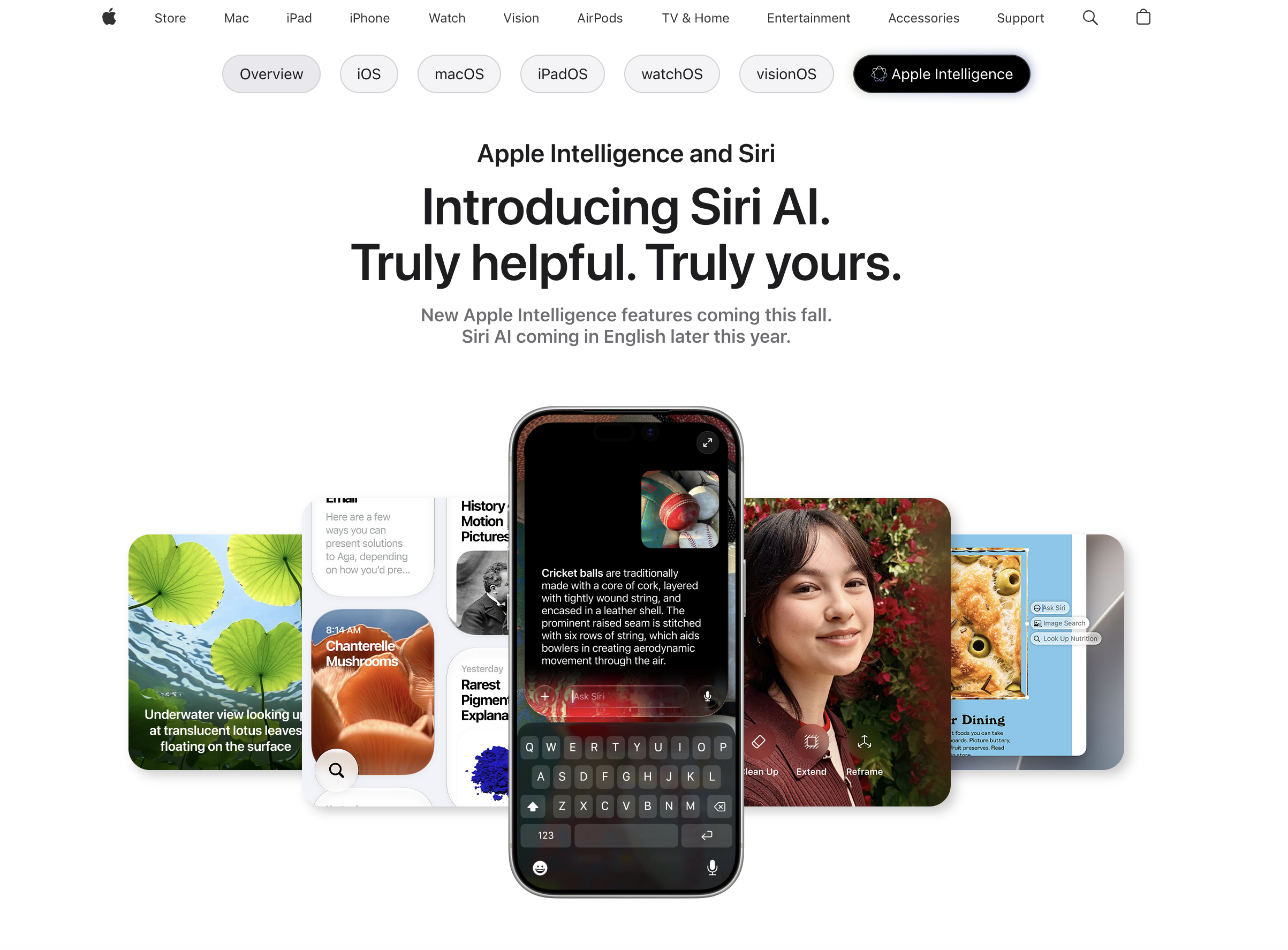
- Find buried emails instantly by describing what you need, using Siri AI's personal context understanding to search your inbox.
- Recall specific photos and notes without scrolling, because Siri AI remembers details from your personal library.
- Update playlists or edit messages hands-free while driving or cooking, as Siri AI performs app actions based on your current activity.
- Brainstorm creative projects through natural back-and-forth conversation, since Siri AI engages in open-ended dialogue with rich online knowledge.
- Get travel recommendations and step-by-step recipes on the go, by asking Siri AI to pull insights from vast online information.
- Pick up a conversation from your iPhone on your iPad without starting over, thanks to the dedicated Siri app that syncs across devices.
- Pin important dialogues for instant recall later, because the Siri app lets you save and organize key conversations.
- Customize Siri AI's voice to match your preference—adjust expressivity and pace—for a more comfortable interaction.
Pros & Cons
Pros
- Seamless integration with Apple ecosystem
- Responds to open-ended questions
- Contributes to brainstorming
- Understands personal context
- Can locate specific emails
- Retrieves memories from photos
- Recalls details from notes
- Performs actions in various apps
- Adjusts actions based on user's activity
- Enriched with online information
- Provides detailed topical insights
- Dedicated Siri app
- Allows cross-device interaction
- Conversations can be pinned
- Customizable voice expressivity and pace
- Integrated with iOS, iPadOS, macOS, watchOS, visionOS
- Travel recommendations
- Recipe assistance
- Message editing tool
- Playlist manager in Music
- Visual Intelligence in camera
- Natural language processing
- Email sorting ability
- Photo retrieval and note recall
- Action automation in apps
- Online Information Retrieval ability
- Conversational interaction
- Expressivity and pace control
- Integrated Apple Intelligence
- Richer answers
- Natural back-and-forth conversations
- Ability to brainstorm
- CarPlay integration
- Personalization
- Contextual Understanding
- Voice customization
- Task streamlining
- Interactive Siri app
- Allows conversation pinning
- Visual Intelligence on Mac and iPad
- Image search
- Spatial Reframing and Extend for photos
- CarPlay provides information hands-free
- Visual Intelligence for real-world objects
- Visual Intelligence for onscreen content
- Siri mode in Camera
- Ask Siri about real-world objects
Cons
- Apple ecosystem exclusivity
- No multilingual support mentioned
- Limited voice customization
- Possibly overwhelming for non-tech-savvy
- Potentially intense data usage
- iOS-dependent for best functionality
- Privacy concerns with contextual understanding
- Dependent on active internet connection
- Limited cross-platform compatibility
- Potential for voice recognition errors
Reviews
Rate this tool
Loading reviews...
❓ Frequently Asked Questions
Siri AI brings significant improvements to Apple devices by being a powerful and personalized AI assistant. It not only responds to open-ended questions but also contributes to brainstorming sessions with its natural conversational interaction. Siri AI understands personal context to provide relevant answers, can locate specific emails within an extensive inbox, retrieve particular photos, and recall detailed information from notes. It's capable of performing actions in various core apps like messages, music, reminders, etc. based on current activity, and streamlines tasks such as playlist updating and message editing.
Siri AI uses natural, conversational interaction mechanisms to contribute to brainstorming processes. It is able to generate, contribute, and engage in natural and back-and-forth conversations, acting as a truly helpful AI that can draw from a broad base of information for work or creative project ideation.
Siri AI employs Apple Intelligence to understand personal context, which allows it to find relevant answers to specific queries. This means it can analyze the user's behavior, usage patterns, and individual needs to provide personalized assistance. This context-aware approach helps Siri AI ensure maximum relevance and effectiveness in its responses and support activities.
Siri AI locates emails in your inbox by understanding the personal context of your request which allows it to conduct a targeted search for the specific email within the vast quantities of data in your inbox.
Siri AI can perform actions in various apps such as Messages, Music, and Reminders based on your current activity. It can understand and execute specific tasks and instructions - such as sending a message, playing a song, setting a reminder - within these applications.
Yes, Siri AI can update playlists as well as edit messages. Depending on what you're doing at the time, Siri can quickly edit the message you just sent or add a song that you hear to your workout playlist. It uses contextual understanding and advanced AI capabilities to streamline these tasks.
By leveraging its access to a vast range of online information, Siri AI is equipped to provide detailed insights into virtually any topic. This spans from presenting factual data to offering recipes, travel recommendations, and more, making Siri AI a handy and informative companion.
The purpose of the dedicated Siri app is to bring all your Siri AI conversations together, allowing for ongoing interaction across devices. This makes it easy to ask a question on one device and then pick up from where you left off on another.
Yes, with the new dedicated Siri app, you can pin your Siri AI conversations for easy access. This allows users to keep particular dialogues readily available, making it easier to continue discussions or return to important inquiries.
Siri AI offers a feature that allows you to customize how it sounds. This means you can adjust aspects of its voice such as its expressivity and pace according to your personal preferences, making your interaction with Siri more comfortable and personalized.
Siri AI facilitates cross-device interactions using the dedicated Siri app. That means you can start a conversation on one device and continue it on another. For instance, you can ask a question on your iPhone and pick up where you left off on your iPad, making the user experience more flexible and seamless.
You can control Siri AI's expressivity and pace in the dedicated Siri app. This feature allows you to pick a voice for Siri AI and then customize its expressivity and pace until it's just right for you.
Yes, Siri AI can help sort emails by understanding your personal context. It's capable of identifying the most relevant emails and locating specific ones buried deep in your inbox.
Siri AI is fully integrated into the Apple ecosystem. This spans a wide variety of systems including iOS, iPadOS, macOS, watchOS, and visionOS, providing a seamless and personalized user experience across devices.
Yes, Siri AI can help you find a specific photo by searching based on your description or remembering factors relevant to the photo. Similarly, it can recall details from your notes and retrieve them when you need them.
Siri AI can assist with travel recommendations and recipes by drawing insights from its vast online information. It can suggest popular destinations, provide travel directions, offer packing tips, and even recommend local cuisines. Furthermore, it can suggest recipes based on the ingredients you have and provide step-by-step cooking instructions.
Yes, Siri AI is designed to facilitate responses to open-ended questions. Its conversational AI capabilities enable it to understand the context of the question and provide adequate and relevant answers, making it more than just a simple query-response system.
Siri AI facilitates music management by performing actions in the Music app based on your current activity. It can streamline tasks such as playlist updating and makes it easy to add songs to a playlist. It can choose music based on your preferences, mood, or activity.
Siri AI can handle remembering and recalling details for you with its capabilities in contextual understanding. This enables Siri AI to remember past searches, specific references in your notes, related emails, and other details. Then, when required, it can recall this information, ensuring you have the data you need when you need it.
Pricing
Pricing model
No Pricing
Related Videos
WWDC 2026 - Siri AI Impressions!
Mrwhosetheboss•1.3M views•Jun 9, 2026