Speech Studio
Overview
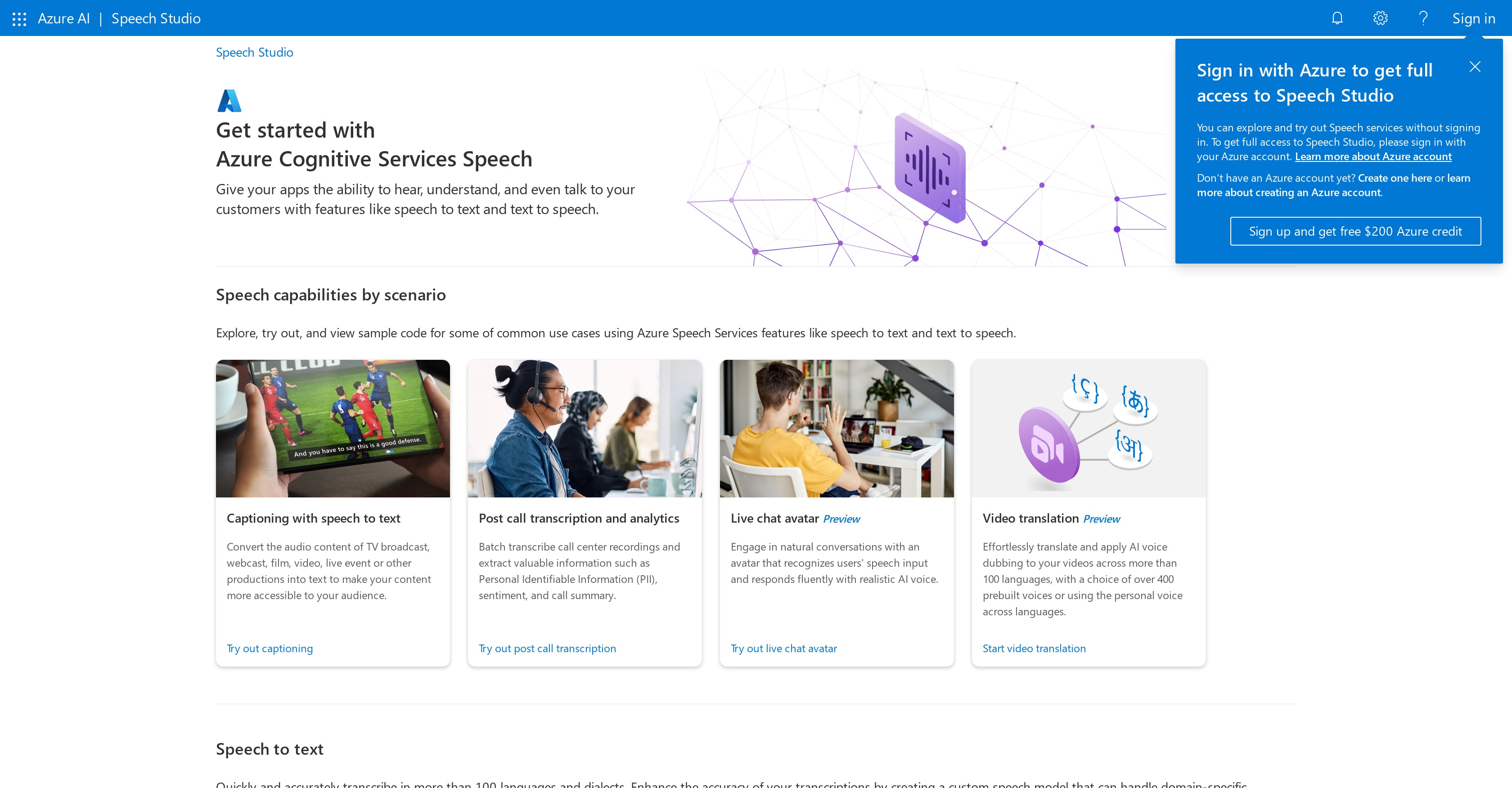
- Convert spoken words to text instantly across 100+ languages with real-time transcription for meetings and conversations
- Create human-like narration for audiobooks and content using natural text-to-speech with customizable voice characteristics
- Build voice-controlled applications that understand and respond to commands through natural language processing
- Improve customer support with voice response capabilities that provide engaging, human-like communication experiences
- Develop accessible applications with speech recognition and text-to-speech for assistive technology scenarios
- Handle challenging audio environments effectively using custom speech models that accommodate background noise and accents
- Assess and improve pronunciation accuracy by comparing speech inputs against ideal pronunciation models
- Integrate speech capabilities seamlessly into customer support apps, communication tools, and voice interface platforms
Pros & Cons
Pros
- Supports 100+ languages and dialects
- Custom speech models
- Handles domain-specific terminology
- Adapts to background noise
- Adapts to accents
- Real-time speech-to-text transcription
- Pronunciation assessment
- Audio content creation
- Custom voice assistant features
- Custom keywords and commands
- Voice control capabilities
- Documentations and learning resources
- Free $200 Azure credit
- Voice response applications
- Enables conversation capabilities
- Text-to-speech feature
- Useful in audiobooks creation
- Voice customization
- Functional in customer support
- Useful in assistive technologies
- Improves communication and interaction
- Multilingual capability
- Can be integrated into a variety of applications
- Human-like narration
- Enables human-centric applications
- Handles language contexts and nuances
Cons
- Requires Azure account
- Limited voice customization
- Complex for beginners
- Lacks detailed error logs
- High learning curve
- No offline capabilities
- Expensive without credits
- Integration issues
- Limited support channels
- No free version available
Reviews
Rate this tool
Loading reviews...
❓ Frequently Asked Questions
Speech Studio is a suite of services under Microsoft Azure that is designed to furnish applications with the ability to hear, understand, and even converse with customers. It leverages advanced Artificial Intelligence to integrate speech analysis, synthesis, and recognition capabilities into different platforms.
Speech Studio offers a variety of services including speech-to-text and text-to-speech capabilities in over 100 languages and dialects. It provides custom speech models that accommodate domain-specific terminology, accents and background noise, voice assistant features, real-time transcription, pronunciation assessment, and voice customization.
Yes, Speech Studio is fluent in more than 100 languages and dialects. It can transcribe, translate, and provide voice response in an extensive range of languages.
Speech Studio customizes voice characteristics with its text-to-speech service which allows users to tweak and modify the pitch, accent, volume, and enunciation according to their specific requirements.
Speech Studio plays a pivotal role in transcription by transcribing audio content into written text in real time. This allows users to convert meetings, lectures, or conversations into readable documents.
In the creation of audiobooks, Speech Studio plays an instrumental role. By utilizing text-to-speech technology, it converts written materials into spoken narration, providing a human-like narration experience.
Yes, Speech Studio can significantly enhance customer support by enabling real-time transcription of customer's voice feedback, aiding in conversation analysis, and facilitating voice response capabilities providing an engaging and human-like communication experience.
Speech Studio's voice response applications work by incorporating natural language processing and understanding algorithms. These enable systems to interpret and efficiently respond to user voice commands.
Speech Studio can be integrated with a multitude of applications including but not limited to customer support apps, communication tools, assistive technologies, and Voiced User Interface platforms.
The real-time transcription feature of Speech Studio operates by converting spoken language into written text instantly. This allows for immediate understanding and response to voiced commands or information.
Speech studio offers assistive technologies by including speech recognition, voice customization and text-to-speech capabilities. This provides support for individuals who might need help interacting with systems or in accessibility scenarios.
Speech Studio can manage a wide range of language nuances. Custom speech models are designed to handle domain-specific terminology, different accents, and variations in pronunciation.
Speech Studio's text-to-speech capability functions by converting the written text into spoken words. It generates natural, human-like voices, allowing the text to be communicated audibly and seamlessly.
Yes, by incorporating custom keyword and command features of Speech Studio, you can control your product purely through voice.
Donning the learning resources hat, Speech Studio offers documentation, quick start guides, and the platforms Microsoft Q&A and Microsoft Learn for users to delve deeper and maximize utilization.
By signing up with an Azure account, users gain full access to the platform along with free $200 Azure credit, offering a cost-effective way to explore and leverage Speech Studio's capabilities.
Indeed, Speech Studio is engineered to handle both background noise and accents in speech with its custom speech models. This delivers efficient speech recognition, even in challenging audio environments.
Creating audio content with Speech Studio involves the use of its text-to-speech services which can convert written text into natural, human-like voices. The customization features allow one to modify various voice attributes to suit specific needs.
The pronunciation assessment feature of Speech Studio functions by analyzing speech inputs and comparing them against ideal pronunciation models. This assists in assessing spoken language efficacy and aids in speech improvement tasks.
To make your application 'hear, understand, and even talk' to your customers, you can integrate Speech Studio's speech-to-text, text-to-speech, real-time transcription, pronunciation assessment, and voice response features into your application. These collectively would make your application a more engaging, interactive, and responsive tool for your customers.
Pricing
Pricing model
No Pricing
Related Videos
Azure Cognitive Services - Neural Speech Creation using Speech Studio
AysSomething•549 views•Feb 24, 2021