Squido AI - Video Generator
Overview
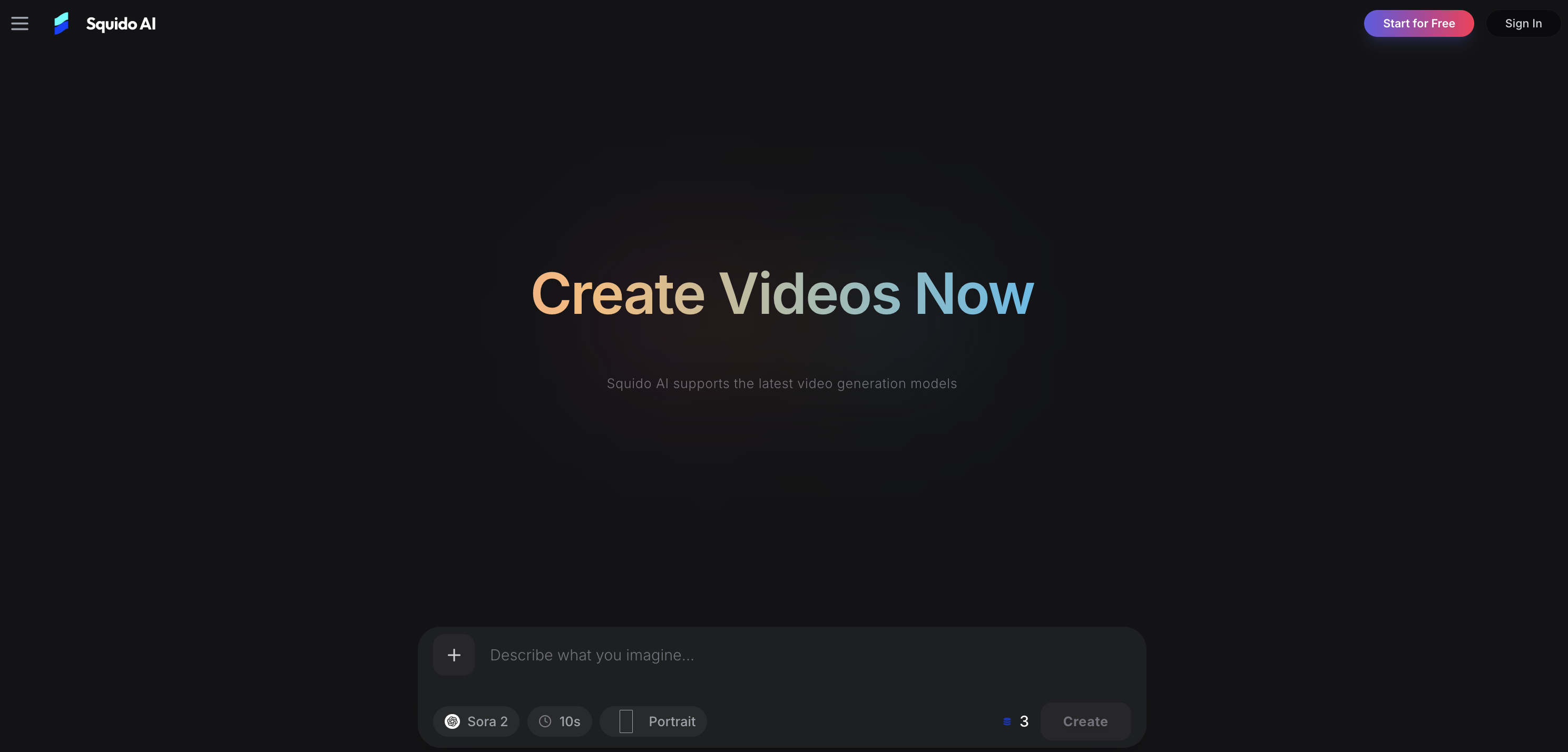
- Transform text into cinematic videos and high-fidelity images in under 60 seconds using an optimized cloud engine, eliminating the need for heavy hardware or production teams.
- Produce multiple video clips simultaneously across different AI models like Seedance, Kling, and Runway, multiplying your content output without waiting for sequential processing.
- Compare outputs from top-tier models like Flux and Mystic in real-time within a single browser tab, instantly switching to find the perfect style for dynamic motion or photorealistic textures.
- Maintain full creative control with advanced settings for aspect ratio, duration, resolution, and camera movement, tailoring each asset for platforms like TikTok, Shorts, or Reels.
- Protect your proprietary ideas and generated assets with end-to-end data encryption, ensuring all prompts and content remain secure and private.
- Generate professional product demos and marketing visuals at a fraction of traditional cost, scaling campaign output instantly for businesses and agencies.
- Create and refine content on any device with a mobile-responsive interface, allowing you to generate, review, and share AI art seamlessly across workflows.
Pros & Cons
Pros
- Generates cinematic videos
- Generates high-fidelity images
- Real-time result assessment
- Text to video/image feature
- Advanced output control parameters
- Camera movement control
- Option for start/end frames
- Parallel video generation
- Data encryption for security
- Instant model switch
- Wide-ranging use-cases
- Optimized for social media
- Optimized for marketing campaigns
- Includes model like Seedance 2.0
- Offers professional-grade motion control
- Creates photorealistic textures
- Multiple clip generation
- User-friendly interface
- Effective for marketing scaling
- Real-time comparison of results
- Cross device compatibility
- Optimized cloud engine
- Models for different creations
- Static asset creation feature
- Superior text rendering
- Simultaneous clips across models
- Mobile optimized
- Chat-based creation
- Background remover tool
- Image enhancer tool
- Creative prompt suggestions
- Speed, quality, cost benchmarks
- Community showcases
- Detailed technical benchmarks
- High fidelity textures
- Controlled consistency
- Production-ready tools
- Tools for deeper control
- Direct model control
- Viral content creation
- Professional product demos
- Personal expression
- Encrypted user data
- Transition between models seamlessly
- Supports 4K video
- Understands narrative context
- Photorealism capabilities
- Simultaneous multi-model use
- Turns semantic engine instantly
- Text to motion capability
- Multiple viewing model access
Cons
- No offline mode
- Limited customization options
- No auto-save feature
- No multi-language support
- No integrated collaboration tools
- Complex interface for beginners
- No tutorials or user-guides
- Only support cloud engine
- No direct customer support
Reviews
Rate this tool
Loading reviews...
❓ Frequently Asked Questions
Squido AI is an artificial intelligence-powered platform that enables users to generate cinematic videos and high-fidelity images. The platform integrates several AI models and provides a broad spectrum of creative possibilities for visual content creation. It instantly converts text into video or image, thereby streamlining the creation process.
Squido AI uses advanced artificial intelligence technology to instantly convert text inputs into video or image outputs. Users provide the text describing their concept or idea and the AI models interpret this text to create the desired visual content. This efficient and swift transformation process is what allows for speedy and effective text to video or image creation.
Squido AI offers several AI models, each designed to cater to different creative needs. These models include Seedance, Flux, Mystic, and others. Each of these models brings its unique capabilities to the table, providing a diverse range of possibilities for creators.
Yes, Squido AI does allow users to customize the duration and aspect ratio of their videos or images. This can be done through the advanced controls provided by the platform. These controls extend to other parameters as well such as resolution, frame choices, and in some cases, camera movement control.
Parallel generation in Squido AI refers to the platform’s capability to facilitate the simultaneous creation of videos using different AI models. This feature allows users to produce multiple pieces of visual content at the same time, greatly enhancing productivity and efficiency.
In terms of data security, Squido AI ensures that all user data is encrypted. This high level of encryption is put in place to provide maximum security, making sure that the user's texts, videos, images, and other related data are securely protected.
Squido AI's seamless platform enables users to easily switch between different models and assess the generated results in real time. This real-time result assessment capability means users can rapidly adjust and tweak their creative process based on the immediate feedback from the AI models.
Absolutely, Squido AI is particularly beneficial for commercial marketing campaigns. Businesses can utilize Squido AI to produce high-quality videos and images that can effectively communicate their brand, products, or services, thereby enhancing their marketing efforts.
Squido AI is perfectly poised to aid in social media growth. Individual creators can use the platform to create unique and engaging visual content that resonates with their audience. This can in turn contribute to increased engagement, expanded reach, and overall social media growth.
Squido AI is a powerful tool for personal content creation. Individuals can utilize the platform’s advanced AI models to create unique and high-quality videos and images. They can bring their ideas and visions to life through text inputs that get transformed into compelling visual content.
Having camera movement control in Squido AI means that users can manipulate how the camera moves in the videos or images generated. This feature gives creators an added layer of artistic control over their content production, allowing for more dynamic and immersive visual outputs.
Yes, in Squido AI, users have the option to configure start and end frames for their videos or images. This feature provides individuals more creative control over their content, permitting them to designate how their videos or images begin and end.
Squido AI supports high-fidelity image creation through its advanced AI models like Flux and Mystic. These models can generate detailed and high-quality images from user-provided text prompts. Combined with the platform’s customizable settings for aspect ratio, resolution and other parameters, creators can consistently produce aesthetically pleasing and high-resolution images.
With Squido AI, creators can generate a wide variety of videos, from cinematic sequences to high-fidelity images. From businesses seeking commercial marketing content to individual creators wanting personal expression, Squido AI’s diverse models and customizable settings make it possible to create videos tailored to different use-cases.
Squido AI offers notable benefits for businesses. From generating product demos to creating marketing campaign visuals, the platform can assist businesses in achieving their various video and image creation needs. The ability to quickly turn text into video or image can greatly hasten content output, thereby enhancing communication and marketing strategies.
Yes, Squido AI is designed to cater to both businesses and individual creators. It is optimized to serve those seeking personal expression and social media growth, offering a range of AI models and creative possibilities that can meet varying individual needs in video or image creation.
Creating videos in Squido AI is a three-step process. Users first input a descriptive text prompt into the AI video generator. After this, they configure their settings for the video, which can include aspect ratio, duration, and resolution. Finally, they click 'generate' to initiate the AI video generator which renders their clip in around 60 seconds. No heavy hardware is required from the user's end.
Squido AI provides a myriad of different AI models for video and image creation. These include Seedance 2.0, Sora 2, Veo 3.1 and many more. Each model has its unique capabilities and specialties, offering users a wide range of creative possibilities and styles for their visual content.
Yes, Squido AI allows users to switch seamlessly between models while creating. This feature enables users to compare the outputs from different models in real time, providing them with flexible and comprehensive control over their creative process.
Squido AI adheres to strict security measures to protect user data. It supports data encryption, ensuring that all user data, including text prompts and generated assets, are encrypted for maximum security.
Squido AI operates using state-of-the-art artificial intelligence models. It allows users to convert text into videos or images instantaneously. The platform also provides comprehensive controls to adjust settings such as aspect ratio, duration, and resolution for superior output quality. Furthermore, it supports simultaneous generation of videos using various AI models.
Squido AI employs top-tier AI models like Seedance 2.0, Nano Banana Pro, and others for generating high-quality videos and images. The platform incorporates multiple models, thereby offering users a wide variety of creative options.
Squido AI offers a plethora of features for video and image creation. These include pro-grade motion control, text-to-video and image transformation, cloud engine, static asset creation, photorealistic textures, and content generation. In addition, it features AI models, a user-friendly interface, real-time comparison, image generation, user privacy, social media growth, and marketing campaign scaling.
Squido AI offers advanced controls for refining the output quality of videos and images. These include the ability to configure settings such as aspect ratio, duration, and resolution. Additionally, some models also provide camera movement control and start/end frame choices.
The 'text to video and image instant generation' feature of Squido AI enables users to input text and get corresponding videos or images generated in seconds. This process is powered by an optimized cloud engine.
Squido AI ensures user data privacy by encrypting all user data. This encryption assures the highest level of security for all generated assets and prompts.
Yes, Squido AI provides a user-friendly platform that allows users to switch between different AI models instantly in one browser tab. This feature enables comparison of results in real time.
Squido AI can be used for social media growth by creating viral content suitable for popular platforms like TikTok, Shorts, and Reels. The produced content can engage audiences and foster consistent video uploads.
Absolutely, Squido AI is well-suited for commercial marketing campaigns. It can be used to generate professional product demos and other creative assets at a fraction of the cost of traditional methods, helping businesses to scale their marketing campaigns instantly.
Squido AI's image capabilities include static asset creation using AI models that are designed for tasks such as producing photorealistic textures and rendering clear text. These capabilities extend to AI models like Flux and Mystic, which contribute to the creation of high-fidelity photos and art.
Yes, Squido AI allows the creation of multiple video clips simultaneously across different models. This technical advantage ensures that users don't have to wait for one video to finish processing before starting another.
The advantages of using Squido AI for content generation include high-quality output, instant generation, the ability to switch between different AI models, user data privacy, real-time comparison of results, and overall user-friendly interface. It's optimal for individual creators and businesses alike seeking to scale their marketing campaigns, grow their social media channels, or express their creativity visually.
Yes, Squido AI possesses cross-device compatibility. Its platform supports the generation, review, and sharing of AI art and videos on various devices, including mobile devices.
Squido AI supports marketing campaign scaling by creating professional product demos and other creative assets rapidly and cost-effectively. This capability allows businesses to generate a greater quantity of marketing material without a proportional increase in cost, thereby allowing their marketing campaigns to scale swiftly and efficiently.
Squido AI supports text-to-video transformation using AI models like Seedance, Kling, and Runway. Users can simply type in their text, and the AI will instantaneously generate a corresponding video, offering professional-grade motion control.
The duration of the videos created by Squido AI can be adjusted by the users. Squido AI provides controls to configure video settings, including aspect ratio, duration, and resolution, giving users a high level of flexibility and control over the output.
Within Squido AI, some models offer control over camera movement. This feature lets users determine how the camera moves during the video, further customizing the output to their liking.
Yes, Squido AI allows users to assess results in real time. The platform enables users to easily switch between different AI models in one browser tab and compare the results instantly, ensuring swift feedback and modifications if required.
Squido AI ensures maximum security for user data by encrypting all user data. This method of encryption ensures that generated assets, prompts, and other user data remain proprietary and secure.
Pricing
Pricing model
Free Trial
Paid options from
$14.90/month
Billing frequency
Monthly