

StyleTyper
Keep every spoken word private: local speech recognition runs entirely on your computer, with no audio uploads, no cloud processing, no stored recordings, and no usage tracking.
Listing not yet reviewed by our editors · How we check
Overview
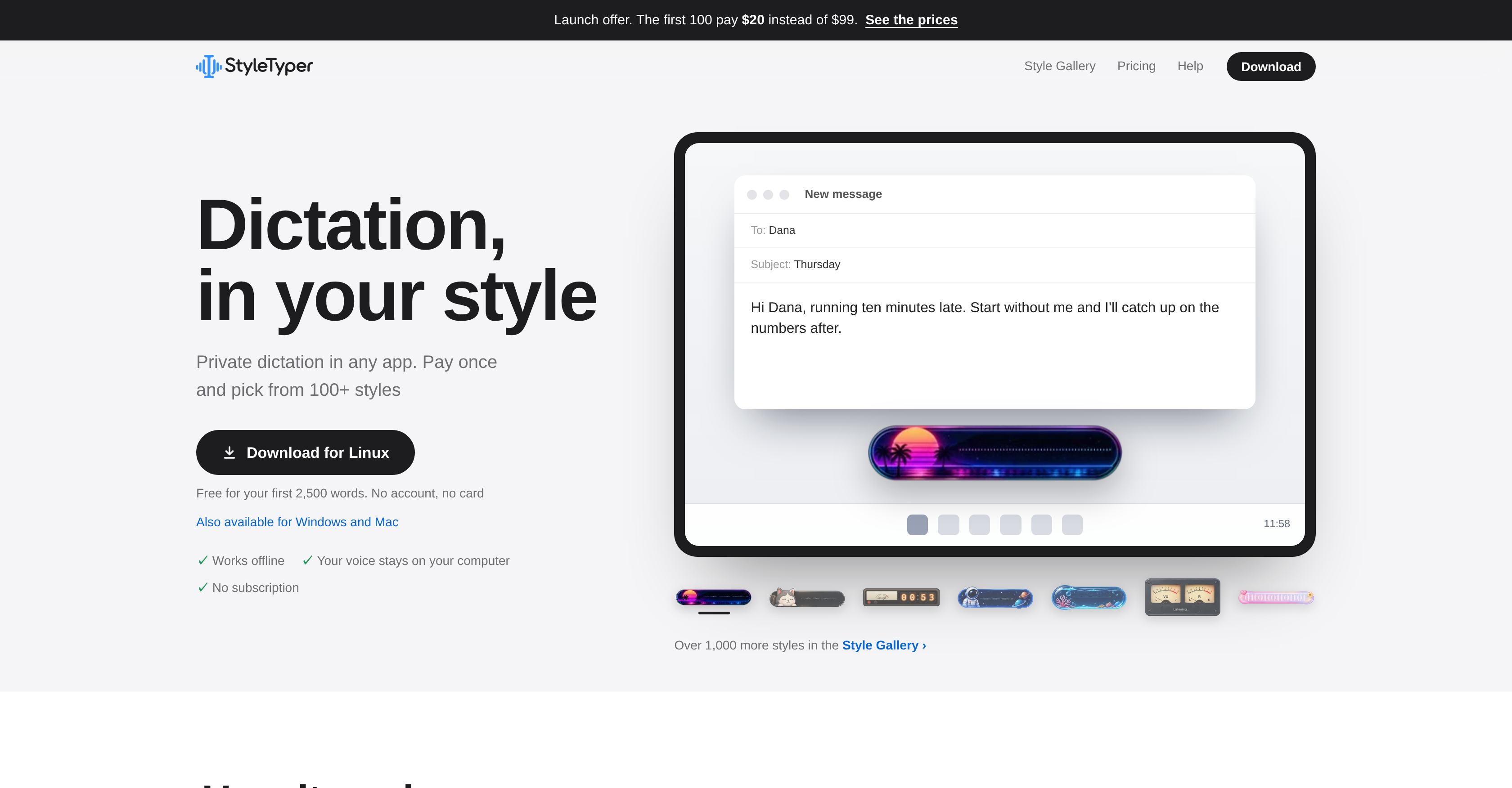
- Keep every spoken word private: local speech recognition runs entirely on your computer, with no audio uploads, no cloud processing, no stored recordings, and no usage tracking.
- Dictate anywhere without a connection: once the speech model is downloaded, offline voice typing works on flights, in remote locations, and on laptop battery without noticeable drain.
- Write emails, chats, and documents without switching windows: system-wide dictation inserts transcribed text directly at your active cursor in about 0.5 seconds after you release the shortcut.
- Draft code comments and commit messages by voice without exposing credentials: speech-to-text works in code editors and any app that accepts typed input, while password fields are automatically skipped.
- Control dictation by feel instead of clicks: a hold-to-talk keyboard shortcut starts and stops voice typing, with a press-to-start, press-to-stop toggle on Linux desktops that need it.
- Work in your native language or switch between several: offline transcription supports more than 100 languages on everyday hardware, with no special microphone or GPU required.
- Run one license across Windows, macOS, and Linux: cover two personally owned computers, including Apple silicon Macs on macOS 14+ and 64-bit Windows 10+ systems, with all v1 updates included.
- Make the dictation bar match your setup: choose from 100+ designs, from glass interfaces and terminal prompts to tape reels, meters, plants, and space themes, switch styles mid-dictation, browse the Style Gallery, or keep a plain gray bar.
- Pay once and own your dictation software: a one-time purchase replaces subscriptions, backed by a 2,500-word free trial with no account or payment card and a 30-day full refund with no reason required.
Pros & Cons
From the listing; not yet checked by our editors.
Pros
- Offline speech processing
- Apple silicon native support
- Pressandhold activation
- 100+ builtin UI styles
- 1,000+ downloadable styles
- Crossplatform native binaries
- No internet after model
- Zero data upload
- Password field autoskip
- Dualdevice license
- Onetime purchase model
- Keyboard shortcut injection
- Batteryfriendly operation
- Sub0.5s latency
- Supports 100+ languages
- No special hardware needed
- Customizable dictation bar
- Plain gray fallback UI
- Linux toggle shortcut mode
- Style Gallery integration
- No account required
- No usage tracking
- Local speech model storage
- Updates included within major version
- Free 2,500word trial
- Instant UI theme switch
- Terminalstyle visual theme
- Vinylrecord visual theme
- Low memory footprint
- Runs on 64bit Linux
- Runs on macOS 14+
- Runs on Windows 10+
- Excludes password fields automatically
- Systemwide cursor insertion
- Keyboard macro compatibility
- Batteryonly operation support
- Visual themes include space imagery
- Supports Apple M1/M2 chips
- No subscription fees
- Oneclick style change
- Fast model download once
Cons
- Large initial model download
- Cannot dictate password fields
- Fixed shortcut, not configurable
- No 32-bit OS support
- Inconsistent Linux shortcut behavior
- Small free word limit
- No major version upgrades
- Two-device license limit
- No online fallback if corrupted
- High CPU usage on battery
Alternatives to StyleTyper
Tools that share the most tags with StyleTyper.
- Ito - Ai Voice Dictation
Write emails and documents without touching your keyboard using universal text box compatibility across Slack, Notion, and Google Docs
Free
Not listed
Not yet checked
- Wispr Flow
Write faster than typing with real-time voice-to-text conversion that works across every computer application
Freemium · from $12/month
$12/month
Not yet checked
- EchoWrite
Capture thoughts instantly as polished, ready-to-use text with real-time transcription powered by OpenAI Whisper, eliminating the need for manual editing.
Freemium · from $37
$37
Not yet checked
- VoiceAppear
Compose emails, documents, and messages three times faster than typing by dictating naturally, while VoiceAppear handles every word in real time.
Not listed
Not listed
Not yet checked
- Voibe
Type three times faster by dictating naturally into any Mac app — just hold a hotkey, speak, and release for instant transcription.
Free trial · from $7.50/month
$7.50/month
Not yet checked
- Yakki
Write emails, notes, and messages three times faster than typing with real-time, on-device speech-to-text transcription
Free trial · from $12/month
$12/month
Not yet checked
Reviews
Rate this tool
Loading reviews...
Frequently asked questions
How does the press‑and‑hold shortcut work on Windows versus Linux?
On Windows, you hold the shortcut key while speaking and release it to insert text. On many Linux desktops the shortcut works as a press‑to‑start and press‑to‑stop toggle instead of press‑and‑hold.
Can I use StyleTyper in my code editor without it typing into password fields?
Yes. StyleTyper works in any application that accepts typed input, including code editors, and it deliberately skips password fields.
What offline languages are available and how many does StyleTyper support?
StyleTyper supports over 100 languages for offline dictation once the speech model is downloaded.
Do I need an internet connection after the speech model is downloaded?
No. After the speech model has been downloaded, StyleTyper functions fully offline and does not require an internet connection.
How large is the initial speech model download?
IDK
Can I switch the dictation bar style while I'm dictating?
Yes. You can change the dictation‑bar design at any time, even while you are dictating.
Is there a way to add custom styles beyond the 100+ included?
IDK
What hardware specs does StyleTyper need to run smoothly?
It runs on any recent 64‑bit Windows 10+ system, Apple‑silicon Macs (M1 or later) with macOS 14+, and 64‑bit Linux computers. No special hardware is required.