
Overview
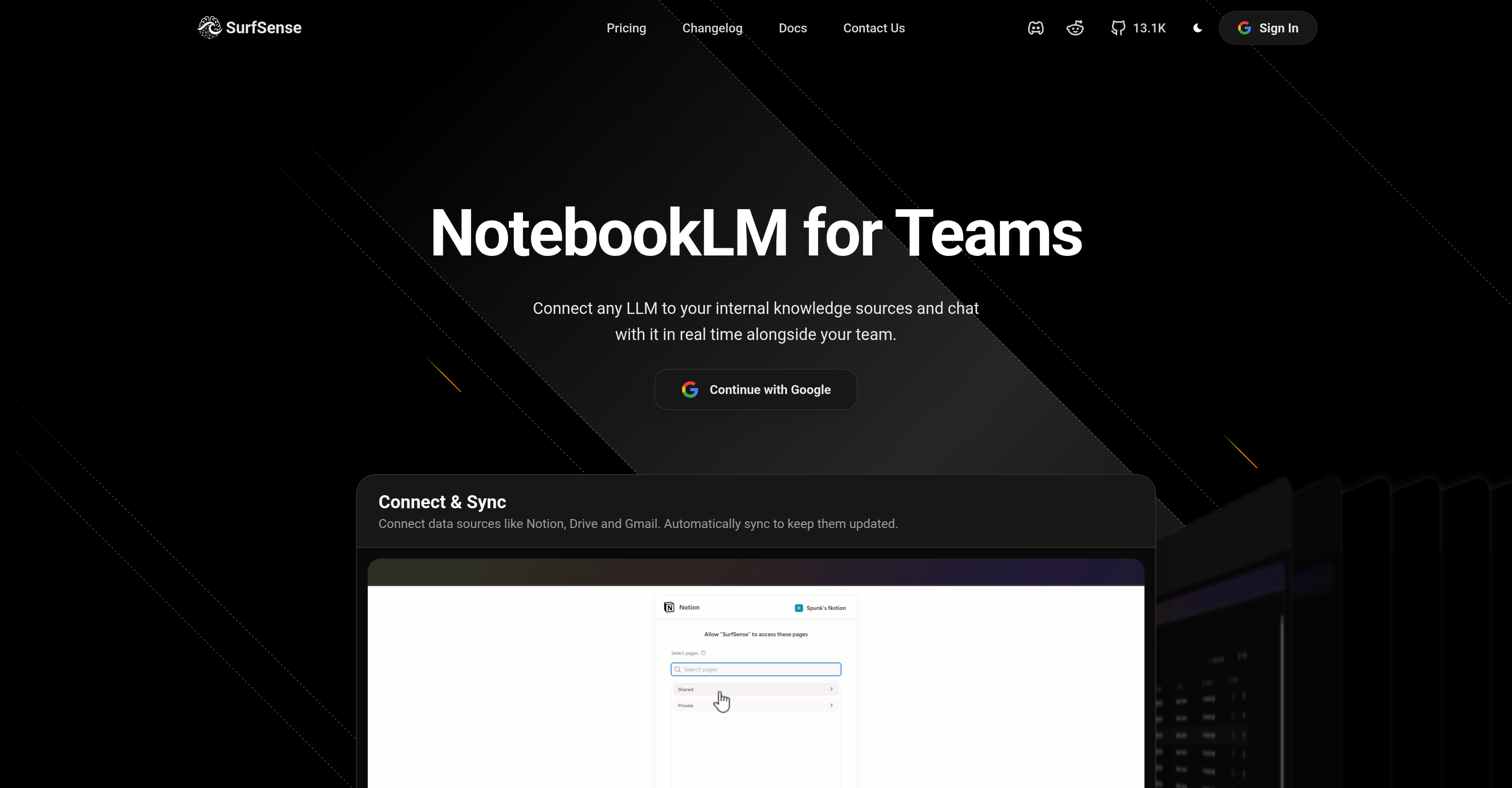
- Find any piece of information across all company documents in seconds with AI-powered hybrid search that surfaces cited answers from your centralized knowledge base.
- Turn static documents into interactive workspaces where teams can edit content, add comments, and give feedback in real-time for seamless synchronous collaboration.
- Generate podcasts and multimedia content directly from your documents to share insights in engaging formats that enhance team comprehension and accessibility.
- Choose from over 100 leading AI models (vLLM, Ollama, llama.cpp) or run local on-premise inference to tailor responses to your specific needs while keeping data private and secure.
- Connect your existing workflow without disruption through native integrations with Notion, GitHub, Slack, Google Drive, Discord, and ClickUp for unified document management.
Pros & Cons
Pros
- Integrates with Notion
- Integrates with GitHub
- Integrates with Slack
- Real-time collaboration tool
- Centralized intelligent workspace
- Instant information retrieval
- Customizable with 100+ LLMs
- On-premise local LLM inference
- Integration with Baidu Search
- Integration with Discord
- Integration with ClickUp
- Customizable language models
- Transform documents to live workspaces
- Streamline workflows
- Live editing feature
- Enhance team collaboration
- Generate podcasts capability
- Hybrid search option
- User feedback integration
- Fosters team productivity
- Integration with Team Productivity
- Transform static knowledgebases
- Enhancement for productivity
- Multimedia content creation
- Integration with Microsoft Teams
- Integration with Gmail
- Integration with MCP
- Integration with Slack
- Integration with Google Drive
- Integration with Confluence
- Integration with Linear
- Integration with Obsidian
- Integration with Google Calendar
- Contextual comments addition
- Integration with Jira
- Integration with BookStack
- Integration with Circleback
- Integration with Luma
- Integration with YouTube
- Instant detailed updates
- Cited answers feature
- Integration with Elasticsearch
- Integration with Airtable
- Integration with Tavily
- Integration with Linkup
- Integration with SearXNG
- Seamless cooperation across teams
- User-tailored tool
- Supports multiple platforms
Cons
- Limited Integration options
- Complex customization process
- Lack live customer support
- Potential security concerns on-premise
- Slows down with large files
- Limited data import formats
- No mobile app
Reviews
Rate this tool
Loading reviews...
❓ Frequently Asked Questions
SurfSense is an artificial intelligence (AI) powered research and knowledge management assistant. It is designed to integrate with a wide variety of platforms and tools, allowing users to manage, search, and engage with their documents seamlessly. With the aim to enhance team collaboration and streamline workflows, SurfSense offers numerous features from generating podcasts and executing hybrid searches to offering real-time collaboration and support for a range of AI models. By transforming static documents into live collaborative platforms, SurfSense reinforces an efficient work environment.
SurfSense is designed to integrate seamlessly with various frequently-used tools including Notion, GitHub, Slack, and others. This allows users to efficiently manage, access, and interact with their documents, ensuring a streamlined workflow and easy accessibility to information.
Yes, SurfSense has the capability to convert documents into podcasts. This feature allows for additional ways to engage with and share information, enhancing the comprehension and accessibility of the content within the team.
SurfSense offers numerous features for efficient document management. These include integration with various tools, a hybrid search feature, generation of podcasts, real-time collaboration options, and centralizing all knowledge and resources in one intelligent workspace to aid in quick information retrieval. It also provides options to add comments for contextual understanding.
SurfSense enhances collaboration among teams by offering features like real-time collaboration tools, live document editing, and multimedia content sharing. It transforms documents into live workspaces, facilitating synchronous cooperation across teams. The addition of comments directly to chats and documents also aids in clear communication and feedback sharing among team members.
Centralizing knowledge and resources in the SurfSense workspace streamlines the process of finding the necessary information and accelerates decision-making. By having all resources at one place, it makes it easier for team members to access, manage and engage with the documents at hand, leading to enhanced productivity and smooth operation.
SurfSense aids in instant information retrieval by centralizing all data and resources in one intelligent workspace. Combined with its hybrid search and intelligent search features, users can quickly and effortlessly find the specific information they need, saving time and resources.
SurfSense offers various real-time collaboration tools. These include live editing of documents, synchronous interaction and presence in documents, and the ability to add comments to chats and documents for clear, in-the-moment feedback. These tools foster a seamless work environment and keep the entire team aligned.
SurfSense can be customized with over 100 leading Language Models (LLMs). Users have the flexibility to choose the LLM that best suits their needs and call upon any model on demand, providing tailored solutions for different operations.
Running on-premise local LLM inference on platforms supported by SurfSense allows users to generate AI inferences locally on their own server or infrastructure. This feature provides an improved safety network, ensuring data privacy and compliance with data jurisdiction laws.
SurfSense transforms static documents into live collaborative platforms by enabling real-time collaboration, live content edits and addition of direct feedback or comments onto the documents. By doing so, it turns every document into a shared workspace fostering a highly interactive and engaging document interaction experience.
SurfSense provides extensive customization options to its users. They can select from over 100 leading LLMs, adjusting the AI mechanism to fit their specific needs. It also allows for the integration of user feedback onto chats and documents for enhanced interaction and clarity, and users can choose to run local LLM inference on their own servers for enhanced data security.
Yes, SurfSense allows the processing of multimedia content. Teams can create and share multimedia content within the workspace, fostering interaction beyond just text. This promotes a holistic engagement with documents and enhances the overall document interaction experience.
SurfSense supports a range of AI models, allowing them to execute various tasks. The system is compatible with vLLM, Ollama, llama.cpp, LM Studio among others. This support ensures flexibility and adaptability of SurfSense to suit a variety of operations and maintain seamless usage.
Yes, SurfSense supports integration with a variety of crucial team tools such as Baidu Search, Discord, ClickUp, and many others. This broad integration capacity allows SurfSense to fit seamlessly into a team's workflow, enhancing productivity and collaboration.
SurfSense impacts team productivity and streamlines workflows by centralizing all knowledge and resources in one intelligent workspace. This allows for quick information retrieval and accelerates decision-making. Its real-time collaboration tools and integration capacities enable seamless cooperation across teams, while customizable LLMs cater to specific team needs, enhancing overall productivity.
SurfSense aids in knowledge management and research tasks by offering efficient document management through seamless integration with various tools, enabling hybrid search, and providing real-time collaboration tools. Its customizable LLMs allow it to adapt to diverse research needs while its powerful search features facilitate instant information retrieval.
SurfSense's 'Intelligent Search' feature works by centralizing all documents and resources in one workspace and using AI-powered models to retrieve specific information entities instantly. This efficient search mechanism provides detailed updates and cited answers across personal and company knowledge, substantially reducing the time taken to locate necessary information.
SurfSense is compatible with various commonly used tools and platforms. These include Notion, Github, Slack, Google Drive, Baidu Search, Discord, ClickUp and many others. This wide range of compatibility allows SurfSense to fit into different workplaces seamlessly, hence enhancing productivity and collaboration.
Yes, SurfSense supports real-time editing of documents. This feature transforms documents into live workspaces, allows for synchronized content editing, and promotes seamless collaboration within the team by keeping everyone on the same page.
Pricing
Pricing model
No Pricing
Related Videos
NotebookLM Finally Getting Replaced? Meet SurfSense (Open Source)
AIAXIO•539 views•Jan 20, 2026