

VectorMind
Go from idea to finished vector illustration in seconds: select a prompt template, type a text description, hit enter, and download your AI-generated vector graphic.
Listing not yet reviewed by our editors · How we check
Overview
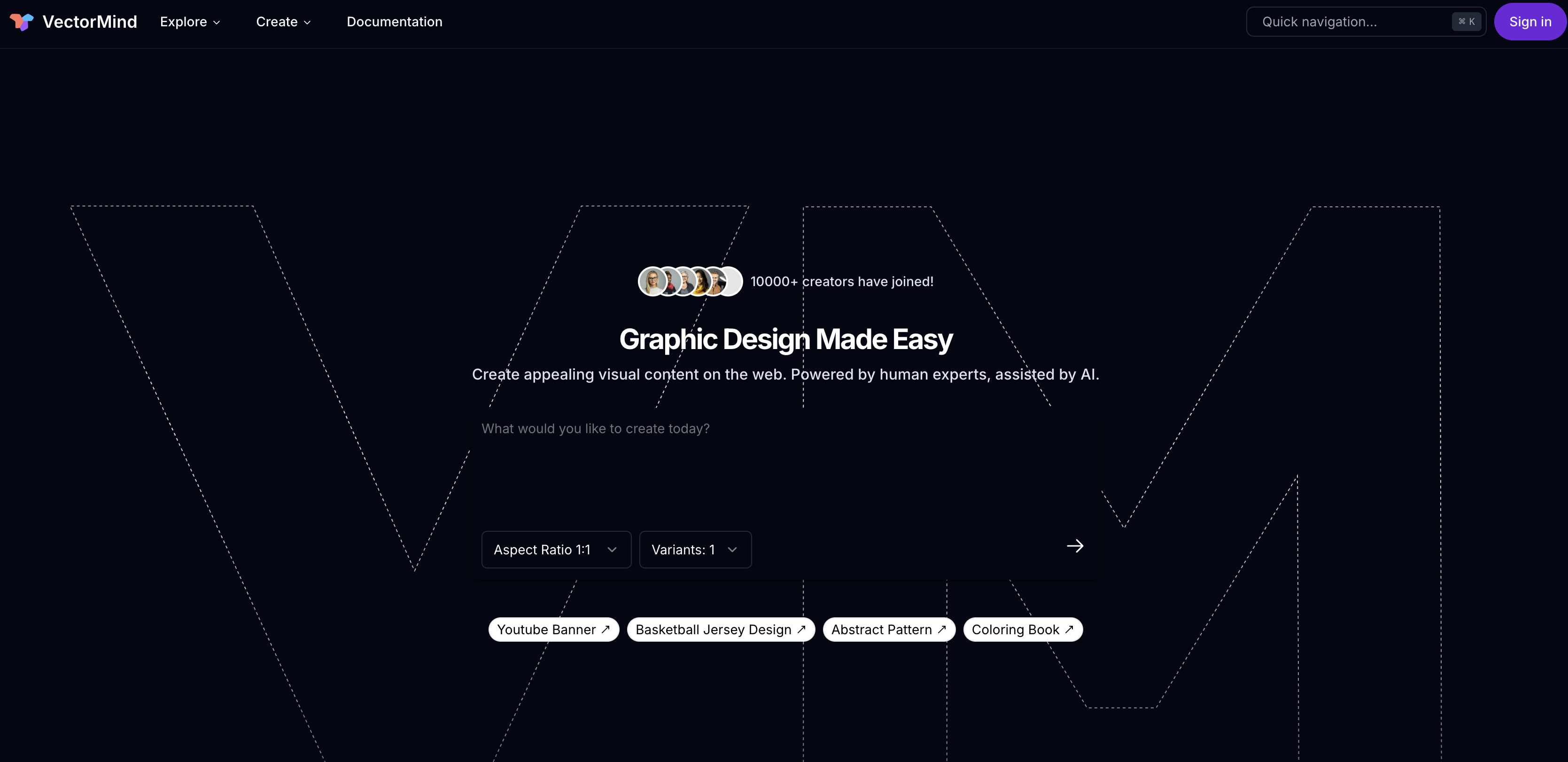
- Go from idea to finished vector illustration in seconds: select a prompt template, type a text description, hit enter, and download your AI-generated vector graphic.
- Get the exact art style your project needs without manual drawing, using a prompt template library that covers vector illustrations, abstract art, watercolor, and hand-drawn doodles.
- Find creative inspiration fast by browsing community-driven vector graphic collections and searching assets by keyword, prompt template, or tag.
- Get the right file for every use with downloads in both formats: scalable SVG for crisp graphics at any size, and PNG for quick sharing.
- Move generated graphics straight into production by importing SVG files into web development, graphic design, and 3D printing tools.
- Use your graphics in client work and products. Public assets include free personal use licenses, and Pro subscriptions add commercial use licenses.
- Generate vector graphics at scale for brand-specific needs with customized enterprise AI models deployed through scalable APIs.
Pros & Cons
From the listing; not yet checked by our editors.
Pros
- Generates vector graphics swiftly
- Comprehensive prompt template library
- Various art styles
- User-driven graphic collections
- Search by keywords, templates, tags
- PNG and SVG formats
- Personal and commercial licenses
- Seamless compatibility with other tools
- Step-by-step process
- User text description input
- Community for creative inspiration
- Support for web development tools
- Support for graphic design tools
- Support for 3D printing tools
- Quality vector design
- Prompt based creation
- Graphic design automation
- Privacy options for assets
- Flexible aspect ratios
- Optimized SVG settings
- Access to prompt templates
- Email and chat support
Cons
- Lacks live preview
- No offline mode
- Limited downloading formats
- No clear customization options
- No mobile version
- Limited templates
- Payment not customizable
- Requires internet connection
- No collaborative feature
- Partial SVG support
Alternatives to VectorMind
Tools that share the most tags with VectorMind.
- AIVector
Transform pixelated images into infinitely scalable vector graphics with AI-powered conversion that preserves clean lines and smooth curves
Free
Not listed
Not yet checked
- Vector Witch
Stop tracing images by hand: the image vectorizer converts PNG, JPG, and photographs into smooth, editable SVG paths, with unlimited vectorizations on every pricing plan.
Paid · from $10/month
$10/month
Not yet checked
- Adobe Illustrator
Deliver logos and brand assets that stay crisp on both a business card and a billboard, because vector paths keep every graphic sharp at any size or resolution.
Paid · from $22.99/month
$22.99/month
Not yet checked
- Quiver AI
Ship vector graphics that scale cleanly with no manual path cleanup. The Arrow 2 and Arrow 2 Telos foundation models output production-ready SVG code instead of raster images.
Paid · from $8/month
$8/month
Not yet checked
- EzRemove
Browser tool that removes the background from a photo and returns a transparent PNG.
Freemium
Not listed
Nov 24, 2026
- Playground AI
Transform text descriptions into photorealistic images and unique artwork instantly using AI-powered text prompts
Freemium · from $12/month
$12/month
Not yet checked
Reviews
Rate this tool
Loading reviews...
Frequently asked questions
What is VectorMind?
VectorMind is a state-of-the-art AI Vector Graphic Generator tool that creates complex and visually appealing vector graphics in seconds. It aids in the transformation of text descriptions into rich vector images quickly and efficiently. VectorMind boasts numerous features, a vast library of prompt templates for various art styles, and options for downloading the created assets in both PNG and SVG formats. It also provides licenses for personal and commercial use, with tailor-made AI models for enterprise solutions.
How does VectorMind turn text descriptions into vector images?
VectorMind converts text descriptions into vector images through its advanced generative AI engine. Users choose a prompt template, enter a text description that represents the input to the AI, and hit enter. The AI then generates a detailed vector graphic based on the text description and chosen template, delivering the result in seconds.
What are the key features of VectorMind?
VectorMind's key features include a robust AI engine that creates vector graphics from text descriptions, a prompt template library with various art styles, discoverable graphic collections driven by the community, availability of PNG and SVG download options, licensing options for both personal and commercial use, and customized AI models for enterprise-specific use-cases.
Can VectorMind generate different forms of art like abstract, doodles, and watercolor?
Yes, VectorMind can generate diverse art styles including abstract, hand-drawn doodles, and watercolor. These options are available through its comprehensive library of prompt templates.
How can I explore the graphic collections in VectorMind?
Users can explore the graphic collections in VectorMind by browsing the community-driven vector graphic collections. They can find assets by using keywords, prompt templates, or tags.
Can I download VectorMind generated assets in PNG and SVG formats?
Yes, assets generated by VectorMind can be downloaded in both PNG and SVG formats.
Can I use VectorMind for both personal and commercial projects?
Yes, VectorMind can be used for both personal and commercial projects. It provides free personal use licenses for all public assets and commercial use licenses are available for Pro subscriptions.
Is VectorMind compatible with tools for web development and 3D printing?
Yes, VectorMind is built to ensure seamless compatibility with tools for web development, graphic design, or 3D printing. Users can easily import VectorMind's generated graphics in SVG format to these tools.