Overview
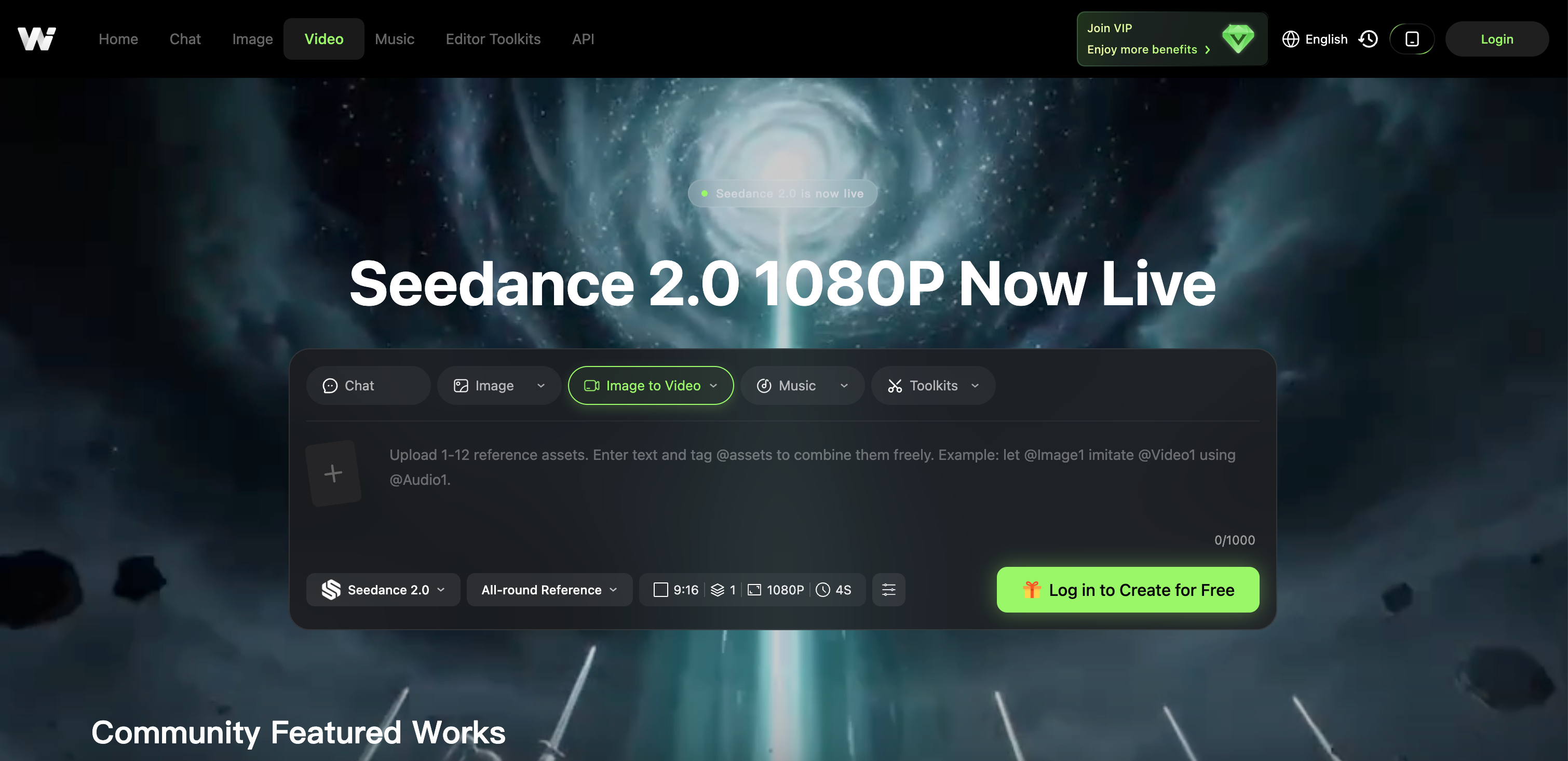
- Achieve director-level precision in every AI video you create, eliminating random outputs through Seedance 2.0's semantic understanding and physics simulation.
- Turn any text prompt, image, audio, or slide deck into a polished professional video in minutes using the all-in-one AI video generator.
- Generate 4K resolution videos and images that look cinematic, anime, or photorealistic by switching between integrated AI models like Kling AI, Google Veo, and Sora.
- Create consistent AI characters and animate static photos into lifelike motion sequences using the AI character and body motion transfer tool.
- Produce e-commerce marketing assets instantly—remove backgrounds, generate product showcases, and create compelling visual ads without manual editing.
- Restyle existing footage into completely new aesthetics like anime or claymation with one click using the video-to-video transformation feature.
- Export every final result in HD or 4K resolution directly, skipping complex editing software and post-production workflows.
- Swap faces, sync lips, and remove subtitles from videos seamlessly to repurpose content for different platforms and audiences.
- Generate original music tracks alongside your visuals to add a complete audio layer to your video projects without external tools.
Pros & Cons
Pros
- Free platform
- Text-to-image conversion
- Text-to-video conversion
- Produces 4K visuals
- Caters to various professionals
- Supports multiple visual styles
- Includes face swap tool
- Includes lip sync tool
- Subtitle removal tool
- Video upscaling tool
- Generates music
- Image-to-video transformation
- Video-to-video conversion
- Ecommerce functionalities
- Background removal tool
- Creates marketing materials
- All-in-one dashboard
- Easy style preference switching
- Direct HD/4K export
- Animated photo creation
- Face swap in videos
- Cutting-edge video generation models
- Generates photorealistic content
- Anime style conversion
- Claymation style conversion
- Convenient, user-friendly design
- No multiple subscriptions needed
- Features special editing tools
- Specific tools for ecommerce
- Intuitive image animation
- Body motion transfer tool
- Kling, Flux and Sora access
- Quick and efficient content creation
- Auto lip sync feature
- Subtitle eraser
- No complex editing skills required
- Image upscaling
- Advanced face swap
- Restyling images capability
- High quality image output
- Visual content creation
- Can refine generated content
Cons
- No mobile app
- No offline capabilities
- No collaborative features
- Lack of User-Guides/Tutorials
- Limited style models
- No multilingual support
- Unspecified export formats
- No integrated cloud storage
- No free trials
- Potentially long rendering times
Reviews
Rate this tool
Loading reviews...
❓ Frequently Asked Questions
WeryAI is a free platform that integrates various AI models like Kling AI, Google Veo, Sora, and Flux to generate high-quality visuals such as videos and images. It provides features for creators, marketers, designers, developers, or anyone who require visual content. Some functionalities include AI motion transfer, chatting with AI characters, generating music, and video and image transformations. For e-commerce, WeryAI offers background removal, product showcases, and marketing material creation.
WeryAI generates high-quality visuals with its videos and images created in up to 4K resolution.
Kling AI, Google Veo, Sora, and Flux are the AI models integrated into WeryAI.
Yes, WeryAI is suitable for e-commerce related needs. It offers tools such as background removal, product showcases, and the creation of marketing materials.
WeryAI turns text prompts into videos and images using its integrated AI models. Users input the text prompt and the AI models interpret this information to create the corresponding visual content.
WeryAI supports various styles while generating visuals such as cinematic shots, anime, and photorealistic portraits.
For video content preparation, WeryAI provides tools such as Face Swap, Lip Sync, Subtitle Removal, and Video Upscaling.
WeryAI's image-to-video conversion functionality involves users uploading a photo, and the AI models animate this into a video.
Video-to-video transformation in WeryAI works by allowing users to restyle existing footage into different aesthetic styles like anime or claymation.
Yes, WeryAI can generate music as part of its functionality.
The AI chat feature in WeryAI allows users to interact with virtual AI characters.
Face-swapping in videos, facilitated by WeryAI, works seamlessly by automating the process of replacing faces in the video with a different face desired by the user.
Users can export their results from WeryAI in High Definition or 4K resolution.
Users select the style of their visuals in WeryAI by switching between different AI models, each offering a unique creative style.
To create marketing materials, users can leverage WeryAI's integrated AI models to generate and customize visual content suitable for marketing campaigns.
In WeryAI, the product showcase functionality works by using AI to generate appealing showcase visuals of a product, enhancing its presentation in a marketing context.
The video upscaling process in WeryAI works by using AI tools to increase the resolution of a video, improving its quality up to 4K.
The background removal functionality in WeryAI works by using AI to identify and remove the background of an image or video, isolating the subject for a clean and professional look.
In WeryAI, users can utilize different AI models by selecting a desired tool and specifying the AI model from the options to generate their visual content.
WeryAI supports different needs of creators, marketers, designers, and developers by providing robust tools and features for generating high-quality visuals. It allows them to generate realistic 4K images or videos from text prompts, convert images to videos, use advanced tools like Face Swap, Lip Sync, and Video Upscaler. It also supports content generation for a variety of creative styles such as cinematic, anime, and photorealistic portraits.
WeryAI integrates various AI models such as Kling AI, Google Veo, Sora, Flux, Wan AI, and Nano Banana. These models help in creating different styles of visuals, from anime to photorealistic content.
Yes, WeryAI can efficiently generate 4K videos and images. Text prompts can be turned into realistic cinematic shots, anime style videos and images, and photorealistic portraits.
Unique features of WeryAI include but are not limited to: face swapping, video and image upscaling, text-to-video and image generation, AI character creation and body motion imitation, image-to-video and video-to-video transformation. It also has specific tools that cater to e-commerce needs like background removal, product showcases, and creation of marketing material.
To create high-quality visuals with WeryAI, you start by selecting a tool. You can input prompts or upload your content, then select the kind of AI model that fits your style requirements. The platform will generate your visuals which you can then export in HD or 4K.
Yes, WeryAI incorporates a Subtitle Removal tool which helps in erasing subtitles from videos, aiding in clean video creation.
Yes, apart from creating visual content, WeryAI provides a feature to 'Generate Music'. This helps you create your own tunes with just a single click.
WeryAI's motion transfer feature works by animating static photos and swapping faces in videos in a seamless manner. This tool comes handy when creating consistent AI characters or making photos come to life, following a user-friendly and intuitive process.
Yes, WeryAI does offer image-to-video and video-to-video transformation functionalities. They enable users to animate images or restyle existing footage into different styles such as anime or claymation instantly.
WeryAI caters to eCommerce needs through features like background removal, creating product showcases, and generating AI-altered marketing materials. These tools assist in product photography and creation of visually compelling marketing assets.
To use WeryAI, you need to first select a tool, be it for video creation, image generation or any other. Then, input the prompts needed or upload your reference. Depending on your style preference, switch between AI models and finally generate and export the results in HD/4K format.
To switch between AI models in WeryAI, during the creation process select the 'Choose Model' option. This will give you a dropdown of available models such as Kling, Veo, or Flux, and you can switch to the one that best suits your requirement.
You can export the visuals you create using WeryAI in the final step of the creation process. After generating your visuals, you have the option to 'Generate & Export', where you can download your results in HD/4K without requiring complex editing skills.
Yes, WeryAI has the ability to convert and restyle your images or videos into an anime style. This is achieved using the image to video and video to video transformation functionalities.
Yes, WeryAI provides the functionality of upscaling images using its specific Image Upscaler tool. This helps in enhancing the visual quality of images.
WeryAI's text-to-video and image generation tools work by transforming user's text prompts into realistic 4K videos and images. These tools support the conversion into different styles like cinematic shots, anime, and photorealistic portraits.
Yes, WeryAI platform gives access to numerous AI models including Google Veo and Kling AI, enhancing the spectrum of creating professional visual content.
Creating AI characters in WeryAI involves the use of the AI character and body motion transfer tool. This can make a static photo dance with Motion Imitation, swap faces in a video or even create consistent AI characters for story-telling.
You can restyle images into different forms using WeryAI's 'Image-to-Video & Video-to-Video' feature. With this, you can upload a photo to animate it or transform existing footage into styles such as anime or claymation.
Yes, WeryAI provides tools that cater to product photography. These comprise functionality to remove backgrounds instantly, to generate AI-altered product showcases, and to create marketing assets.
Pricing
Pricing model
Free Trial
Paid options from
$14.99/month
Billing frequency
Monthly
Related Videos
WeryAI Review: The All-in-One AI Tool for Creators?
BMF MEDIA•96.6K views•May 2, 2026