

Willow
Write in any app without switching windows or copying text. Hold a hotkey, speak, and release. Your dictated text appears directly in the active field of your email client, document editor, chat, or messaging app.
Listing not yet reviewed by our editors · How we check
Overview
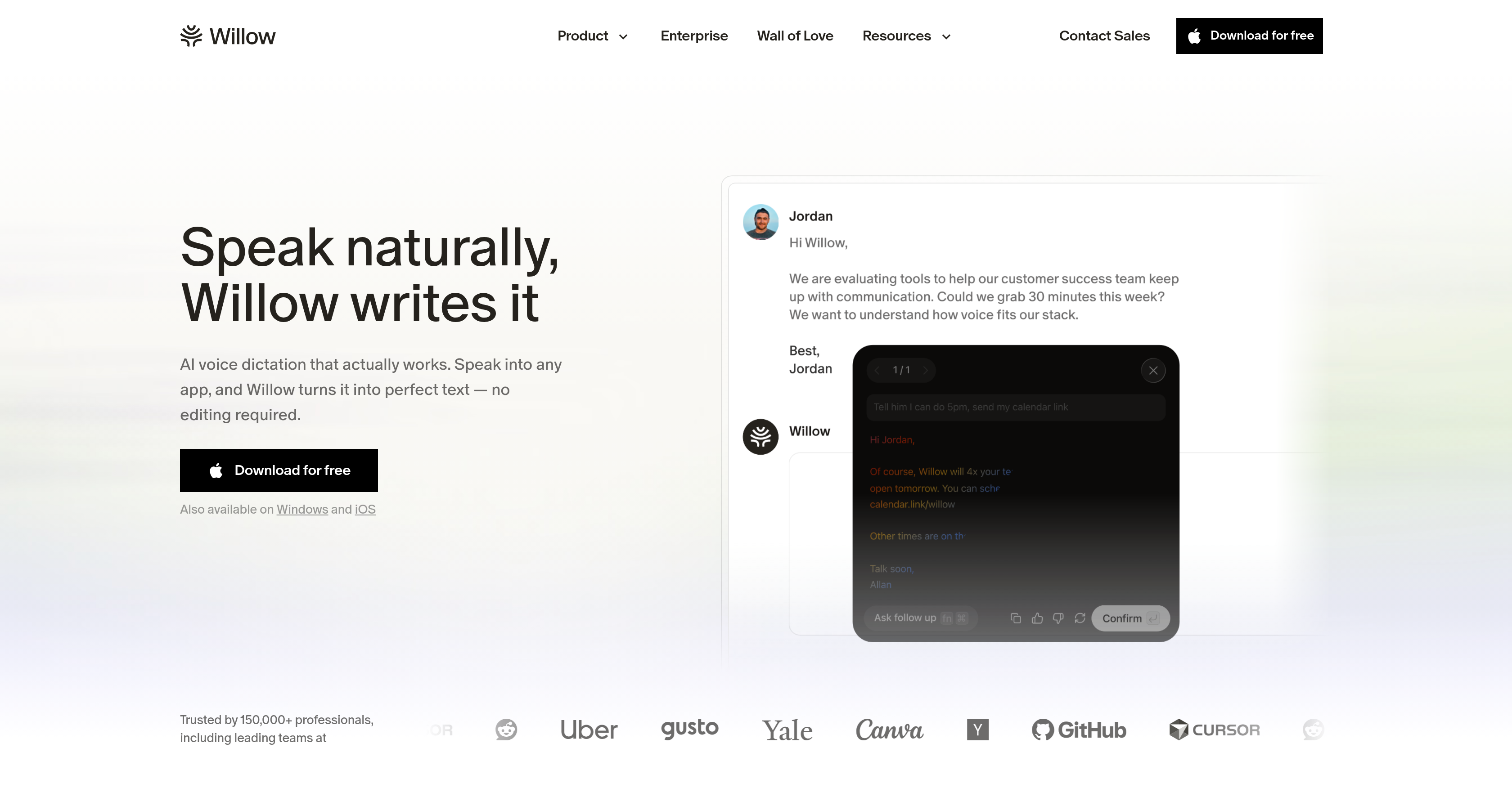
- Write in any app without switching windows or copying text. Hold a hotkey, speak, and release. Your dictated text appears directly in the active field of your email client, document editor, chat, or messaging app.
- Send ready-to-use text with no editing pass. Willow's speech-to-text adds punctuation and formatting automatically and strips out filler words, so you talk naturally and get polished writing.
- Keep names, acronyms, and industry jargon spelled correctly every time. A personalized dictionary learns your proper nouns, abbreviations, and specialized vocabulary.
- Get transcriptions that match what you meant, not only what you said. Context-aware AI reads the linguistic and semantic patterns of your speech to produce accurate, correctly formatted text.
- Keep the same dictation workflow at your desk and on the move. Willow runs on Mac, Windows, and iPhone, so emails, notes, and messages flow from wherever you are working.
- Capture ideas at the speed you think them. Real-time voice typing turns spoken brainstorms into written drafts instantly, so thoughts reach the page before they fade.
- Clear documentation-heavy workloads faster in your role. Lawyers, healthcare professionals, sales executives, customer support teams, developers, and leaders replace manual typing with voice dictation for reports, replies, and notes.
- Dictate work and client communications with confidence. Willow treats user data privacy as a core priority across every voice-to-text session.
Pros & Cons
From the listing; not yet checked by our editors.
Pros
- Mac, Windows, iPhone compatible
- Fast, accurate voice dictation
- Customizable dictionaries
- Works with any application
- Automatic formatting
- Idea generation assistance
- 4x faster writing
- 5hr productivity boost per week
- Communication enhancement
- Automated email drafting
- Multi-profession support (e.g. lawyers, developers)
- Data privacy emphasis
- No punctuations, fillers needed
- Text no-copying needed
- 100+ languages
- Hotkey use
- Removes filler words
- Style-matching capability
- Auto-learning dictionary for better accuracy
- Shortcut commands
- Whisper mode for quiet environments
- SOC 2 Type II certified
- HIPAA compliant
- Offline dictation capability
- Handles fast speakers
Cons
- No Android compatibility
- Potential accuracy issues
- May misinterpret voice commands
- May not work offline
- Requires high-speed internet
- May struggle with accents
- Lack of language variety
- May struggle with technical jargon
- Data retention concerns
- Possibility of system incompatibility
Alternatives to Willow
Tools that share the most tags with Willow.
- Ito - Ai Voice Dictation
Write emails and documents without touching your keyboard using universal text box compatibility across Slack, Notion, and Google Docs
Free
Not listed
Not yet checked
- Wispr Flow
Write faster than typing with real-time voice-to-text conversion that works across every computer application
Freemium · from $12/month
$12/month
Not yet checked
- EchoWrite
Capture thoughts instantly as polished, ready-to-use text with real-time transcription powered by OpenAI Whisper, eliminating the need for manual editing.
Freemium · from $37
$37
Not yet checked
- VoiceAppear
Compose emails, documents, and messages three times faster than typing by dictating naturally, while VoiceAppear handles every word in real time.
Not listed
Not listed
Not yet checked
- Voibe
Type three times faster by dictating naturally into any Mac app — just hold a hotkey, speak, and release for instant transcription.
Free trial · from $7.50/month
$7.50/month
Not yet checked
- Yakki
Write emails, notes, and messages three times faster than typing with real-time, on-device speech-to-text transcription
Free trial · from $12/month
$12/month
Not yet checked
Reviews
Rate this tool
Loading reviews...
Frequently asked questions
What is Willow?
Willow is a voice dictation and typing artificial intelligence (AI) tool that efficiently transforms speech into text. It benefits users by allowing them to dictate their emails, documents, notes, and messages, removing the need for manual typing. Willow is designed to enhance productivity using context-aware AI and personalized dictionaries. The AI tool works with Mac, Windows, and iPhone platforms.
How does Willow work?
Willow simplifies voice-to-text conversions by allowing natural speaking into any application that requires typing. It transcribes spoken language seamlessly into perfectly formatted, punctuation-correct text. Willow erases the need for thinking about punctuations, formatting, or filler words, thus making speaking more natural and effortless. It uses a hotkey held down by the user while speaking to enable dictation. Once released, the dictated text appears in the specific field, eliminating the need for additional steps like copying or cleanup.
Is Willow compatible with Mac, Windows and iPhone?
Yes, Willow is compatible with Mac, Windows, and iPhone platforms. Users can utilize this tool across these platforms without any compatibility issues.
How does Willow handle punctuation and formatting?
Willow is capable of managing punctuation and formatting automatically. Users do not have to think about including correct punctuation or formatting when employing Willow - it takes care of it on its own. Users can speak naturally and Willow will ensure proper formatting and punctuation in the text it generates.
What is a personalized dictionary in Willow?
In Willow, a personalized dictionary is a feature that customizes voice dictation by learning and remembering unique user terms. This includes specialized vocabularies, proper nouns, abbreviations, or other unique jargon that a user may frequently use. This feature makes Willow's dictation more accurate and personalized to the user's needs.
Can I use Willow in any application where typing is required?
Yes, Willow is designed to work in any application where typing is necessary. This includes, but is not limited to, drafting emails, creating documents or messages, and even in chat applications. Its universal application makes Willow a highly versatile and useful AI tool.
How does Willow ensure data privacy?
Willow places a high emphasis on the security and privacy of user data. User's data privacy is ensured through stringent measures, although the exact methods of data protection and encryption are not specified.
What professions can most benefit from using Willow?
Willow is especially beneficial to professions where significant typing or documentation is involved. This includes leadership roles, developers, sales executives, customer support representatives, lawyers, and healthcare professionals, among others.