3D-Agent: Blender AI Plugin
Overview
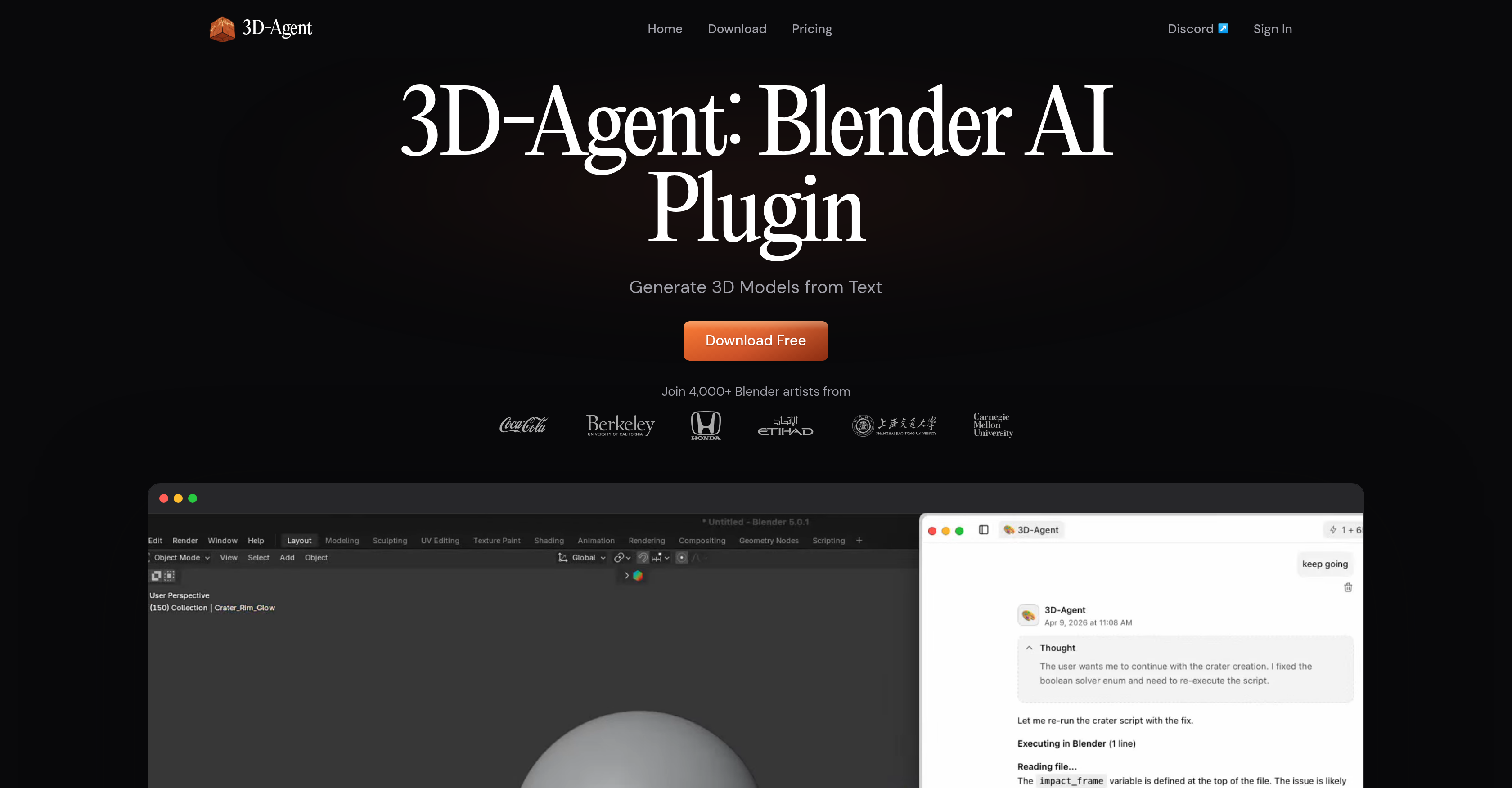
- Generate production-ready 3D models with clean topology and proper edge flow directly from plain text descriptions, ready for game engines and animation rigs, by using text prompts to drive the AI model generator.
- Export finished assets in OBJ, FBX, GLB, or USDZ format straight from the Blender workspace without leaving the tool, thanks to native multi-format export support.
- Create photorealistic renders with a single text instruction—adjust lighting, reposition objects, or move cameras—by leveraging the AI-powered rendering engine built into the plugin.
- Automate Blender Python scripting, lighting setups, batch operations, modifier stacks, and keyframe operations using plain English commands, eliminating the need to write code manually.
- Produce text-driven keyframe animations, camera paths, flythroughs, character rigs, and walk cycles without manual keyframing, through the plugin's natural language animation system.
- Build Roblox game maps—including terrain, structures, road networks, and textures—directly in Blender and export to Roblox Studio, using the dedicated Roblox integration feature.
- Generate optimized characters, props, and environments for Unity, Godot, and Roblox with structured topology suitable for real-time game engines, via the AI asset creation pipeline.
Pros & Cons
Pros
- Generates 3D from text
- Export-ready in various formats
- Integrates with Roblox
- Creates animations from texts
- Provides photorealistic renders
- Automates repetitive tasks
- Supports scripting automation
- Suitable for game assets
- Useful in architectural designing
- Aids in product designing
- Clean, structured topology
- Produces export-ready models
- Python scripting
- Robust animation capabilities
- Keyframe animation support
- Camera paths and walkthroughs
- Character rigging support
- Supports light setup automation
- Batch processing capabilities
- Modifies operations support
- Camera animation feature
- Automates 3D workflow
- Blender plugin
- Text based 3D modelling
- Direct export to OBJ
- Direct export to FBX
- Direct export to GLB
- Direct export to USDZ
- Automates Blender Python scripting
- No need for manual modeling
- Text prompt based operations
- Supports texture creations
- Quad-dominant mesh topology
- Supports iteration of renders
- Updates scenes through text prompts
- Compatible with game engines
- Compatible with renderers
- Roblox terrain generation
- Supports simple text instructions
- Python scripts from plain text
- Blender scene updates
- Facilitates game map creation
- Topological edge flow management
- Control over animation process
- Proper UV unwrapping
- Text-driven character rigging
- Produces photorealistic interior renders
- Allows repositioning of objects via texts
- Supports creating environments for Unity
- Useful in rapid prototyping
Cons
- Limited to Blender
- Requires Natural Language Input
- No Manual Modeling Support
- Inability to Undulate Translations
- Dependent on Precise Descriptions
- Text-Based Animation Limitations
- Roblox Specific Integration
- Low Generative Flexibility
- Python Scripting Automation Dependency
- One User Interface Approach
Reviews
Rate this tool
Loading reviews...
❓ Frequently Asked Questions
3D-Agent is an AI assistant for Blender, designed to generate 3D models from text descriptions. The user describes the desired 3D model in plain language and 3D-Agent translates that description into a precise 3D model within the Blender environment. It's ideal for creating game assets, architectural designs, product renders and more.
3D-Agent uses its AI capabilities to interpret and understand the user's textual description, then automatically builds a corresponding 3D model within the Blender workspace.
3D-Agent supports export in various file formats such as OBJ, FBX, GLB, and USDZ directly from Blender.
3D-Agent is not limited to static models. It also includes support for plugins to create animations based on textual descriptions. This includes keyframe animations, camera paths, walkthroughs, character rigs, and other animation-related tasks.
In architectural and product design, 3D-Agent enables users to model and visualize their concepts rapidly and accurately. By interpreting plain text descriptions, 3D-Agent generates precise 3D models which can then be used for creating architectural visualizations or prototyping product designs.
Yes, 3D-Agent offers photorealistic rendering within Blender. In addition to creating a 3D model, it can update the scenes and provide photorealistic renders directly in the tool.
3D-Agent supports scripting automation in Blender. It allows users to automate repetitive tasks using plain English text, minimizing the need for coding knowledge while maximizing productivity.
3D-Agent supports various animation-related tasks including keyframe animation, creation of camera paths and walkthroughs, character rigging, and more. Users can guide the animation process by providing 3D-Agent with a simple text prompt.
3D-Agent offers a specific feature for creating 3D models catered for Roblox games. This includes generation of terrain, structures, road networks, and textures that can then be exported to Roblox Studio.
3D-Agent helps generate game assets by interpreting plain text descriptions of characters, environments, and props into a 3D model directly in Blender, thus providing an efficient tool for game designers and developers.
3D-Agent empowers users to control the keyframe animation process through a simple text prompt. It interprets the user's description to generate the required animation within Blender, reducing manual efforts for animators.
In the animation process, 3D-Agent handles character rigging tasks, through its understanding of the user's text prompt. It handles all the complex processes involved in rigging, providing the user with a way to create character rigs quickly and efficiently.
For creating 3D models for Roblox games, users provide a text description of the desired models. 3D-Agent then leverages its AI capabilities to translate that description into a 3D model within Blender specifically catered to Roblox games. It supports the creation of terrain, structures, road networks, and textures that can then be exported to Roblox Studio.
Yes, 3D-Agent is highly effective for game design. It can create optimized characters, props, and environments for various gaming platforms, such as Unity, Roblox, and Godot, directly in Blender. Its ability to produce clean, structured topology makes it suitable for creating game assets.
3D-Agent significantly speeds up the 3D modeling and rendering workflow by instantly transforming text descriptions into 3D models, implementing scripting automation for repetitive tasks, directly exporting models in various formats from Blender, and rendering scenes in a photorealistic manner within the Blender tool.
Yes, 3D-Agent is configured to generate 3D models directly in Blender that are ready for export in various formats like OBJ, FBX, GLB, and USDZ to ensure a seamless and efficient workflow.
3D-Agent can handle a range of popular 3D file formats, including OBJ, FBX, GLB, and USDZ, which ensures compatibility across multiple platforms and workflows.
3D-Agent supports the creation of camera paths and walkthroughs based on user-given text prompts. These features provide users complete control over the animation process, enabling users to create complex camera movements and previews of the 3D rendered spaces.
With 3D-Agent, you can generate any type of 3D model for your product designs. The software uses your plain language text prompts to create models ranging from simple shapes and structures to intricate and complex designs, staying true to the specifics of your prompt.
No, you do not need to know Python or any other script languages. 3D-Agent allows you to automate tasks in Blender using plain English text, enabling a more intuitive and less technical way to perform complex or repetitive tasks.
3D-Agent is an artificial intelligence plugin for Blender. It allows users to generate 3D models from text descriptions, producing models with clean, structured topology ready for use in gaming, architecture, product rendering, and more. It works directly within Blender to offer photorealistic renders and supports scripting automation, allowing tasks to be automated using plain English text.
In Blender, 3D-Agent works by translating user-provided text descriptions into 3D models. This process is completely automated — users describe the desired 3D model in plain language, and the plugin leverages its AI capabilities to create the corresponding model within the Blender environment. The plugin also supports the updating of scenes, creation of animations, and automation of repetitive tasks, all via text prompt inputs.
3D-Agent supports exports in multiple file formats directly from Blender. These include OBJ, FBX, GLB, and USDZ.
Yes, 3D-Agent does indeed allow for animation. Guided by text prompts from the user, the plugin can help create keyframe animations, set up camera paths and flythroughs, and perform character rigging and walk cycles.
3D-Agent allows its users to automate Blender operations using ordinary language. Users can utilize the plugin to automate lighting setups, batch operations, modifier stacks, and keyframe operations just by describing what they want in plain English.
Roblox integration in 3D-Agent allows users to design and generate 3D models specifically catered to Roblox games. This streamlined process lets creators build game maps in Blender, making it especially useful for indie game developers and map makers.
3D-Agent offers photorealistic AI rendering directly within Blender. Through a simple text prompt, users can make modifications like repositioning objects, adjusting lighting, and moving cameras. The changes are processed quickly, providing a new photorealistic render in a fraction of the time typically needed.
3D-Agent is capable of generating a wide array of 3D models, from game assets to architectural designs and product renders. It can create optimized characters, props, and environments for game engines like Unity, Roblox, and Godot. The plugin can also be used for architectural concept prototyping, interior design staging, and creating standalone 3D objects described by the user in plain language.
Yes, it does. 3D-Agent enables scripting automation in Blender, converting user-provided text into Python scripts. This feature helps reduce manual inputs for complex procedures and tedious operations.
Yes, 3D-Agent supports keyframe animation and character rigging. Powered by the text instructions from the user, the plugin can facilitate the creation of keyframe animations, set up character rigs, and even create walk cycles.
3D-Agent provides text-driven camera animation options. Users can describe camera paths, flythroughs, and other animation-related tasks in simple language, and the plugin will execute these instructions within Blender.
Yes, the plugin offers a specialized Roblox integration feature. This enables users to generate terrain, structures, road networks, and textures specifically for Roblox games. Once generated, these can be integrated into Roblox Studio directly from Blender.
3D-Agent assists in 3D design automation by processing plain text descriptions of desired 3D models and translating them into precise models within Blender. Additionally, it lets users automate complex or manual tasks by generating Python scripts based on text prompts.
3D-Agent does support automation of the lighting setup in Blender. Using simple English language descriptions, users can instruct the plugin on how they want the lighting setup arranged and the AI will automate the process.
3D-Agent facilitates batch processing in Blender by allowing users to describe batch operations in plain text which the plugin then executes. This can significantly streamline workflows and reduce manual input on a large scale.
Modifier operations in Blender are simplified using the 3D-Agent plugin. By providing text descriptions, users can instruct the artificial intelligence to perform operations on modifier stacks, reducing the manual input required.
Yes, you can adjust the lighting setup in Blender using 3D-Agent. Just describe the changes you want in plain English and the plugin will automate the process to adjust the lighting.
Python scripting is indeed supported by 3D-Agent in Blender. The plugin can translate plain English instructions into Python script, which allows users to automate complex tasks and functions in Blender.
Your text descriptions in 3D-Agent can be very specific. The plugin uses natural language processing to understand and translate your descriptions into 3D models, animations, or scripts. This includes detailed descriptions of 3D models, specific lighting setups, camera movements, and more.
To use 3D-Agent, you will need to have Blender installed on your system. 3D-Agent is not a standalone product but an AI plugin that integrates directly with the Blender 3D creation suite.
Pricing
Pricing model
Freemium
Paid options from
$10/month
Billing frequency
Monthly
Related Videos
Blender AI Plugin: Creating the Eiffel Tower with Text to 3D | 3D-Agent Demo
3D-Agent•1.1K views•Feb 6, 2026