Overview
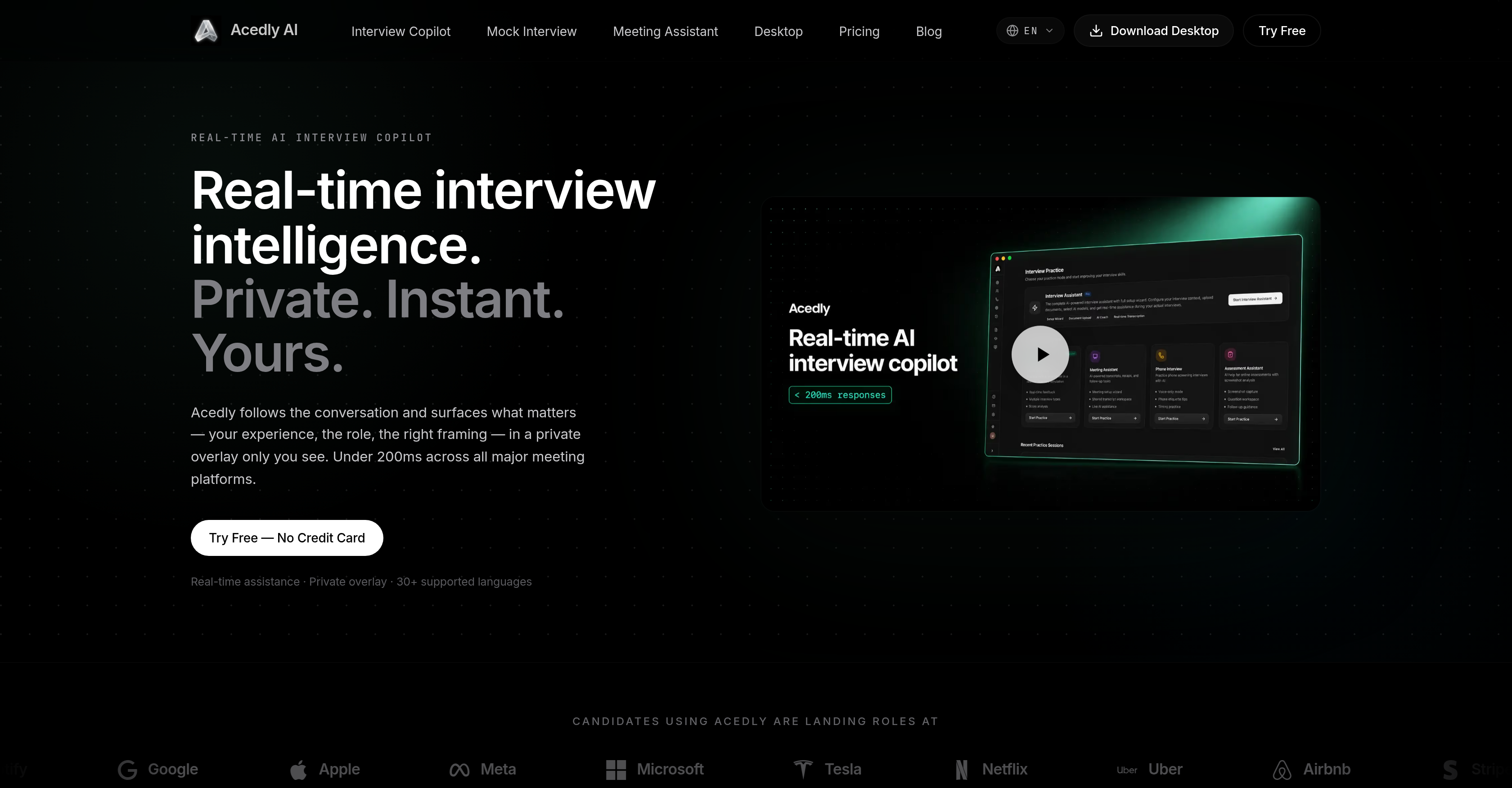
- Deliver confident, on-point answers during live interviews with real-time suggestions aligned to your resume and job role, displayed in a private overlay viewable only by you.
- Land more job offers by practicing with lifelike AI interviewers across role-specific scenarios for software engineering, machine learning, and UX/UI design, then reviewing scored feedback reports.
- Eliminate guesswork from interview preparation by tracking exactly which responses succeeded and where gaps exist, enabling targeted improvement for future rounds.
- Never lose a key point in cross-language interviews with real-time transcription and translation in over 30 languages, ensuring clear communication throughout.
- Walk away from every meeting with structured summaries and action items immediately after it ends, thanks to automated meeting transcription and summarization.
- Keep your preparation completely private and under your control with a lightweight background service that captures system audio, requiring zero integration with meeting platforms.
Pros & Cons
Pros
- Real-time advice during interviews
- Compatible with major platforms
- Private user-only overlay
- Tracks successful answers
- Identifies gap areas
- Real-time multiple language transcription
- Meeting transcription and summarization
- Responds based on provided files
- Role-specific mock interview scenarios
- Adaptive follow-up questions
- Immediate mock interview performance report
- No requirement for integration
- Capture system audio
- Privacy-focused tool
- Lightweight background service
- Does not interfere workflow
- Overlay stays out of sharing
- Resume alignment function
- Post-interview review
- Real-time translation
- Automated meeting summaries
- Behavioral to system design scenarios
- 76+ role-specific interview scenarios
- Full transcript for mock reviews
- Automatic transcription and translation
- Overlay remains private when sharing
- Background service doesn't clutter taskbar
- Cursor not obstructed by overlay
- Global hotkeys for easy control
- Compatible with all major meeting platforms
- Works without platform integration
- Screen-aware problem capture for coding
- Complexity analysis for coding problems
- System design templates for coding
- ATS-optimized resume analysis
- Audit tool for resume
- Records for interview review
- References user's documents in real-time
- Multi-model routing for varied scenarios
Cons
- Only supports major meeting platforms
- Relies on system audio
- Limited cross-language support
- Lane role-specific mock interviews
- Manual file uploads for referencing
- Model switching not automated
- Limited spoken language transcription
- Lack of live bug report feature
- Doesn't support all coding platforms
Reviews
Rate this tool
Loading reviews...
❓ Frequently Asked Questions
Acedly AI Interview Copilot is compatible with major meeting platforms including Zoom, Teams, Meet, Webex, and more. It also works with various coding platforms such as Coderpad, HackerRank, and others.
Yes, Acedly AI Interview Copilot offers real-time transcription. In fact, it supports transcription in over 30 languages, ensuring that cross-language meetings remain clear and comprehensive.
Acedly AI Interview Copilot assists with interview preparation by capturing interview questions in real time and checking them against the user's resume and job role. It then suggests the next point to the user. It also offers features for practicing with lifelike AI interviewers and role-specific scenarios, and provides a scored review report upon the completion of these mock interviews.
Yes, Acedly AI Interview Copilot aids in post-interview review. It tracks the user's responses, identifying which answers were successful and where gaps exist. This enables more effective preparation for future interviews.
Yes, Acedly AI Interview Copilot can be used for mock interviews. Users can select from a range of role-specific scenarios and engage with lifelike AI interviewers. Furthermore, the AI system provides users with a scored review report at the end of each practice session.
Acedly AI Interview Copilot is designed with privacy in mind. It operates as a private layer on the user's machine, ensuring that its overlay feature is visible solely to the user and not part of what they share on their screen during meetings. It also captures system audio rather than relying on the meeting client, avoiding any form of necessary integration.
No, Acedly AI Interview Copilot does not require any form of integration with the user's platform. It works by capturing system audio, ensuring that it remains compatible with various platforms used for interviews.
Acedly AI Interview Copilot offers tracking features to help users with their interview process. It identifies which answers were successful and where gaps exist, enabling users to adjust their responses and prepare more effectively for future interviews.
Acedly AI Interview Copilot's adaptive questioning feature allows for a realistic interview experience during mock interviews. It generates follow-up questions based on user responses, providing practicing candidates with a fluid and lifelike scenario.
Yes, Acedly AI Interview Copilot works as a lightweight background service. It does not interfere with the user's workflow and remains separate from the display being shared during meetings.
Acedly AI Interview Copilot aids in alignment by capturing interview questions in real-time and checking them against the user's resume and the role they have applied for. It then suggests points for the user to include in their response, helping to maintain alignment with the requirements of the job role.
Acedly AI Interview Copilot supports real-time transcription in over 30 languages. Some of the commonly used languages for interviews include English, Mandarin, Japanese, Korean, Spanish, and Portuguese.
Yes, users can select from a variety of role-specific scenarios when engaging in mock interviews with Acedly AI Interview Copilot. This feature allows for a more targeted and effective practice experience.
Acedly AI Interview Copilot aids in career development by helping users prepare effectively for a variety of interview scenarios. It supports users in aligning their responses with the job role, practising under realistic conditions, identifying successful responses and gaps, and improving their performance on future interviews. These features can lead to successful interview outcomes and progress in the user's career.
Acedly AI Interview Copilot can play a critical role in the job hunting process. By providing real-time interview preparation and performance support, it can enhance a candidate's ability to succeed in interviews, leading to potentially more job offers and successful career progress.
Yes, Acedly AI Interview Copilot offers both real-time transcription and meeting summarization. This ensures the important points and actions from each meeting are captured and summarized effectively.
Yes, Acedly AI Interview Copilot can answer questions based on the user's uploaded files. Users can upload documents such as job descriptions, resumes, project documents, and Acedly AI Interview Copilot will reference them in real-time during the session.
Yes, Acedly AI Interview Copilot offers the feature of lifelike AI interviewers. These AI interviewers participate in mock interviews, presenting a realistic practice scenario for users preparing for job interviews.
Acedly AI Interview Copilot ensures privacy and data integrity by running as a private layer on the user's machine. It does not interfere with the user's meeting display or workflow, and the user maintains full control over what's shared on their screen. Also, the AI system captures system audio instead of relying on the meeting client, eliminating the need for any integration.
Yes, Acedly AI Interview Copilot provides real-time assistance during interviews. As soon as a question is asked in an interview, Acedly picks it up, cross-references it with the user's resume and role, and suggests an answer point. This is all done in real-time, ensuring that the user can respond effectively and promptly in the interview.
Acedly AI is a real-time interview assistance tool designed to aid users in preparing for and performing in interviews. Offering a private overlay feature, it can capture interview questions in real time, check them against the user's resume and job role, and suggest the next talking point. It provides support at every stage of an interview, from preparation and attendance to post-interview evaluation. Acedly AI also includes various tracking features to identify successful answers and discover gaps, enhancing future interview preparation. The system incorporates additional features such as real-time transcription in multiple languages, meeting transcription and summarization, and the answering of questions based on uploaded files.
Acedly AI assists with interview preparation through several functionalities. This includes real-time capturing and analysis of interview questions, checking them against the user's resume and job role, and suggesting the next point for the user to discuss. This allows for alignment of the interview preparation at different stages, including live answers and post-interview review. Acedly AI tracks which answers were successful and identifies gaps, aiding with future preparation. For practice, users have access to lifelike AI interviewers for mock interviews in several role-specific scenarios and recieve a scored review report after each session.
Yes, Acedly AI works effortlessly with major meeting platforms including Zoom, Teams, and Meet. It doesn't require any form of integration and captures the system's audio instead of relying on any particular meeting client. The tool captures the conversations during an interview and provides relevant information, making it highly compatible and versatile across different platforms.
Yes, Acedly AI does provide real-time transcription and translation in multiple languages. It supports over 30 major languages, thereby facilitating cross-language meetings and ensuring they stay clear as they happen. This feature combined with its real-time assistance function makes it possible to conduct and manage interviews efficiently in different languages.
Yes, Acedly AI does offer mock interview practice. Users can engage with lifelike AI interviewers and select from a range of role-specific scenarios for mock interviews. These mock interviews are designed to be as realistic as possible with adaptive follow-up questions based on user responses. This allows users to practice and prepare adequately in a simulated interview environment before attending the actual interview.
Yes, Acedly AI does track and analyze which answers were successful and where gaps exist. The platform uses its tracking features to identify successful answers and areas for improvement after each user's interview session. This information is instrumental in helping users prepare more effectively for future interviews by indicating where they performed well and where they need to improve.
Yes, Acedly AI does provide real-time suggestions during a live interview. It captures interview questions as they are asked, checks them against the user's resume and the role, and suggests the next point in a private overlay viewable only by the user. This feature functions with a latency of less than 200 milliseconds, enabling users to receive and apply feedback practically instantly.
Yes, Acedly AI is indeed designed with privacy in mind. It runs as a private layer on the user's machine, ensuring that the user remains in control of what's on their screen and what they choose to share. This ensures that there is no interference with the user's privacy as they prepare for and participate in their interviews. The overlay is separate from any window or display being shared, and the tool runs as a lightweight background service.
No, Acedly AI does not require any form of integration in order to function on different platforms. It captures system audio instead of the audio from the meeting client, making it compatible with any platform that can access the user's system audio. This design feature means Acedly AI can work seamlessly on any major meeting platform, be it Zoom, Teams, Meet or any other that employs system audio.
No, Acedly AI does not interfere with the user's workflow or add to their taskbar. It has been designed to run as a lightweight background service, alongside the user's other applications but not directly part of them. It won't clutter the macOS Dock or the Windows taskbar, and it stays out of the user's way while continuing to offer its services.
Users can practice a diverse range of scenarios on Acedly AI, including role-specific scenarios for careers like software engineering, machine learning, UX/UI design and others. Users pick the exact interview they're preparing for and can run a real-time video session interacting with a lifelike AI interviewer, allowing them to rehearse crucial rounds before actual interviews.
Yes, Acedly AI provides a scored review report upon the completion of mock interviews. Each session ends with a full transcript and scored feedback, enabling users to understand which answers were successful and which areas need improvement. This report is instrumental for effective preparation ahead of real interviews.
Yes, Acedly AI aids in meeting transcription and summarization. It can transcribe and translate conversations in real time. Further, it also generates automated meeting summaries immediately after a meeting ends, ensuring users have a structured recap record of key decisions, action items, and follow-ups.
Yes, Acedly AI is compatible with interviews conducted in different languages. It supports real-time transcription in over 30 major languages, thereby offering a more inclusive and flexible solution for users around the globe. This feature is particularly useful in facilitating clear and accurate communication during cross-language interviews.
Absolutely. Acedly AI is designed to function as your personal AI co-pilot during job interviews. It offers features like real-time capturing and analysis of interview questions, offering suggestions based on your resume and the role in question, tracking successful answers and identifying gaps, conducting mock interviews for practice, supporting various languages for transcription and translation, and functioning on different platforms without requiring any integration.
Acedly AI supports a wide range of interview preparations for variety of roles. This includes, but is not limited to, software engineering, machine learning, UX/UI design, among others. Through role-specific scenarios for mock interviews and comprehensive preparation features, Acedly AI bridges the gap between candidate skills and the demands of the various job roles.
Yes, Acedly AI covers every stage of the job interview process. Starting from resume and job description alignment, it provides real-time assistance during live interviews, and offers post-interview reviews as well. Across these stages, the platform tracks which answers were successful and identifies gaps, allowing the user to prepare more effectively for future rounds.
The private overlay feature of Acedly AI entails a screen layer that is viewable only by the user. It displays real-time guidance during live interviews, including question capture, analysis, and suggestion of the next talking point, all of which is grounded in the user's actual experience. This private overlay is different from the window or display being shared so it maintains the user's privacy and control while providing valuable assistance.
Yes, Acedly AI does align the user's interview responses with their resume and job role in real time. Upon capturing the interview question, it checks the information against the user's resume and the role to suggest the best further points in the discussion. The guidance is displayed on a private overlay on the user's screen in under 200 milliseconds.
Yes, with Acedly AI users can identify gaps in their previous interview performances. The platform includes tracking features that identify successful answers and highlight areas that need improvements. These insights become the foundation for more effective preparations for future interviews, helping users understand where they need to focus their practice and development.
Pricing
Pricing model
Free Trial
Paid options from
$69/month
Billing frequency
Monthly
Refund policy
Acedly offers a 7-day refund only for accidental or unused purchases, including renewals, as long as the paid service has not been used.