
AI Image 2 Video
Overview
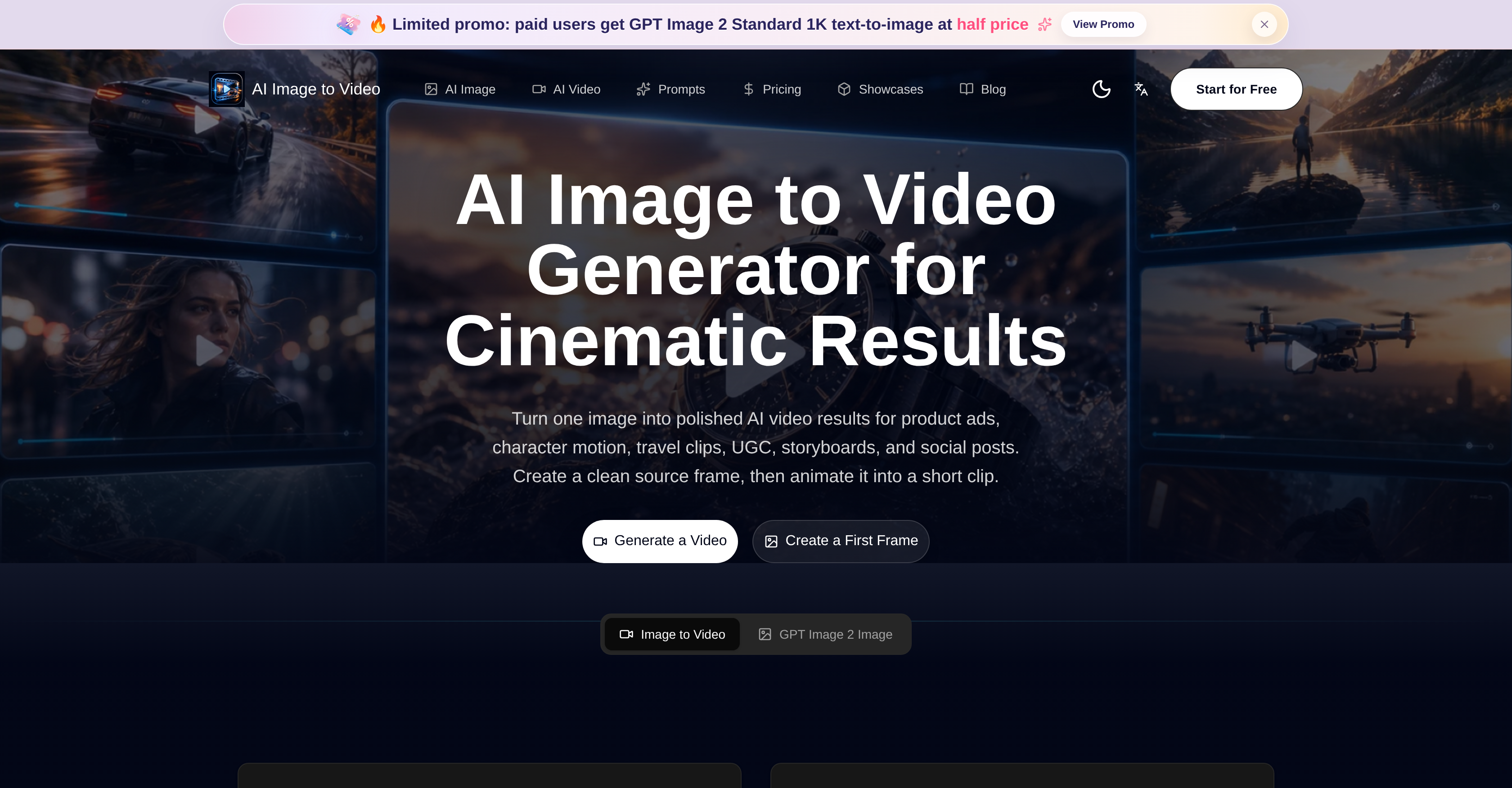
- Launch campaign-ready advertisements and product visuals in minutes by animating a single polished source frame with predefined ad and infographic templates.
- Boost social media engagement by converting static photos into dynamic short videos tailored to any platform's aspect ratio.
- Eliminate animation errors and maintain consistent style across every frame by refining and approving a clean first frame before rendering.
- Restore and colorize old photos, then weave them into video sequences for nostalgic travel clips or user-generated content.
- Generate character reference images with consistent faces, outfits, and poses at the still frame stage to prevent character drift once motion begins.
- Turn a poster or character frame into a storyboard sequence plan that showcases shot order, camera moves, and subject continuity.
- Create believable UI demo frames for app screens, dashboards, and landing pages by approving the interface design before animating into a product moment.
- Customize output for any publishing standard by preparing frames in multiple aspect ratios, from social posts to widescreen formats.
Pros & Cons
Pros
- Creates short video clips
- Template customizations available
- Generates product visuals
- Creates diverse interface designs
- Ensures consistent style across frames
- Aspects ratio variability
- Allows user control over output
- Used for content generation
- Designed for social posts creation
- Generates complex infographics
- Creates storyboard visuals
- Produces character motion videos
- Transforms static images to video
- Supports multiple output formats
- Automates video creation process
- Offers creative workflow
- Assists photo restoration
- Generates campaign visuals
- Travel clips creation
- Character reference image creation
- Supports character realization
- Produces packaging references
- Front-end frames preparation
- Reduced animation errors
- Creative and customizable templates
- Supports diverse creative needs
- Develops key visual elements
- Clarifies subject focus
- Assists UI demo frames development
- Produces campaign-ready advertisements
- Storyboard continuation options available
- Creates brand concept frames
- Streamlines creative rhythm
- Assists in image refinement
- Supports reference-based edits
- Offers square, vertical, widescreen frames
- Specifies prompt ideas for motion
- Creates ecommerce product videos
- Features ad storyboard creation
- Supports UI demo videos creation
- Supports character and avatar motion
- Promotes posing testing
- Supports video-friendly ratios
- Enables photo to storyboard transformation
- Supports product and campaign visuals
- Supports GPT Image 2 generation
- Supports frame to video animation
- Allows polish before motion
- Creates wide variety of assets
- Supports character sheets generation
Cons
- Limited to short clips
- Predefined templates limit creativity
- Not suitable for long-duration videos
- No multi-image support
- May lose details in animation
- Potentially high learning curve
- Not specified if supports 3D
- No mention of performance speed
- No offline mode mentioned
- Potential quality inconsistency across frames
Reviews
Rate this tool
Loading reviews...
❓ Frequently Asked Questions
The 'AI Image to Video Generator & Photo to Video Maker' is capable of converting static images, photos or product reference pictures into AI-generated dynamic video clips. This AI tool is efficient at creating short clips catering to various uses such as User-Generated Content (UGC), advertisements, storyboarding, and social media content generation.
This AI tool operates on powerful AI technology that animates a single static image into a dynamic video clip. It allows users to first create polished images or 'first frames' which can then be animated into short video sequences. This ensures consistent style and quality across frames and reduces potential errors in the animation process.
The AI-generated video clips created with this tool can have myriad uses. They can be employed for User-Generated Content (UGC), advertisements, storyboarding, and social media content creation. The clips can be utilized for product advertisements, character motion, creative design, content development and visual content creation as well.
The interface of the AI tool provides multiple predefined templates and prompts. These are created with the objective of producing a wide variety of final products, including campaign-ready advertisements, complex infographics, infused style compositions, and restored colorized photos.
The predefined templates offered by the AI tool can be customized to generate specific results. Users can create and customize the templates for yielding product visuals, packaging references, interface designs, and storyboards as per their unique requirements.
The workflow of this AI tool is sturdy and seamless. Users can conceive polished images, termed as 'first frames', that can then be animated into short video sequences. This enables a continuous and efficient workflow, thus enhancing optimal productivity of the tool.
This AI tool ensures consistent style and quality across different frames by enabling users to create polished images or 'first frames' which can then be animated into short video sequences. This streamlined process allows the style and quality to remain consistent across all frames, reducing potential errors in the animation process.
The tool prepares frames in various aspect ratios, supporting different video outputs that are requisite for social media or other publishing platforms. This feature promotes flexibility allowing the tool to accommodate different aspect ratios as per the needs of various platforms.
'AI Image to Video Generator & Photo to Video Maker' bolsters users to refine and approve the source frame before proceeding to the video rendering step. This way, users get greater control over the image-to-video process and final output, enhancing the quality of the end result.
The image-to-video conversion process in this tool involves refining and approving the source frame (an image) before committing to video renders. Users first create polished images or 'first frames', refine these to their liking, and then animate them into dynamic short video sequences.
Yes, with 'AI Image to Video Generator & Photo to Video Maker' users can begin creating videos using their own images directly. A single static image can be animated to create a short and dynamic video clip.
To generate polished images that can be animated into short video sequences, users can use this AI tool's interface to create a 'first frame'. The 'first frame' can then be refined and approved before committing to the animation process.
With this tool, users can create a wide range of product visuals. Customization of predefined templates allows generation of visuals such as product advertisements, packaging references, interface designs, and many more tailored visual results.
Absolutely. The powerful AI technology of this tool is versatile. It allows users to create not only simple videos but also complex content including campaign-ready advertisements, complex infographics, infused style compositions, colorized photo restorations and much more.
This AI tool ensures consistent style and quality across frames by allowing users to create 'first frames' initially, which are then animated into video sequences. This method reduces potential errors in animation and ensures a steady array of style and quality throughout.
'AI Image to Video Generator & Photo to Video Maker' is highly flexible. It prepares frames in various aspect ratios to support different video outputs required for social media or other publishing platforms, and encourages refining of source frame before committing to video renders, thereby providing users ample control.
Users have significant control over the image-to-video process in this AI tool. They can refine and approve the source frame before committing to the video rendering step, which allows them to have a major hold on the final output.
'AI Image to Video Generator & Photo to Video Maker' streamlines the video creation process by providing a seamless workflow. Users can first generate a polished image (or a 'first frame') and then animate it into a video sequence, thereby ensuring a smooth, coordinated, and productive workflow.
This AI tool aids in reducing errors in the animation process by allowing users to create and refine a 'first frame' before animating it. This pre-emptive method of checking frames ensures a reduction of potential discrepancies or errors in the animation process.
'AI Image to Video Generator & Photo to Video Maker' promotes flexibility and user control via its robust features. Users are allowed to refine and approve the source frame before rendering it into a video, thereby securing notable control. Moreover, its ability to prepare frames in various aspect ratios accords flexibility in video creation.
The AI Image to Video Generator is an online tool that leverages AI to convert images, photos, or product reference pictures into short videos. It's designed to generate captivating results for various uses such as product advertisements, storyboards, user-generated content (UGC), social posts, and even travel clips.
The AI Image to Video Generator operates by creating a clean source frame from an image which is then animated into a short video clip. There are template prompts available to facilitate the creation process, covering areas like product advertisements, character realization, complex infographic production, and more. The tool offers high flexibility to meet diverse creative demands, including photo restoration and generation of character reference images.
The process to convert images into videos using the AI Image to Video Generator begins by creating a clean source frame from an image. This frame is then animated into a short video sequence. You can choose from a range of predefined templates and prompts to customize your content. The tool enables you to refine and approve the source frame before committing to video renders, thus offering you greater control over the final output.
Yes, the AI Image to Video Generator comes with several predefined templates. These templates are designed to facilitate the creation of a wide variety of products including product ads, character developments, sophisticated infographics, style fusion compositions, etc. These templates can be tweaked to generate specific results like product visuals, packaging references, interface designs, and storyboards.
The AI Image to Video Generator is a powerful tool for creating product advertisements. It effortlessly transforms product images into dynamic videos, making it ideal for digital advertising. It provides templates focused on product advertisements and allows you to customize these to match your product's visuals, packaging preferences and storyboard designs.
The AI Image to Video Generator proves to be exceptional in terms of Social Post Creation. With its help, you can quickly and efficiently convert static images into dynamic, engaging short videos that are perfect for social media. This capability brings novelty and dynamism to images, elevating the quality of social media content and ensuring more user engagement.
The tool plays a vital role in the process of storyboarding by allowing you to turn a robust poster or character frame into a sequence plan. It not only aids in showcasing the shot order, camera move, and subject continuity but also helps in creating a 15-second sequence. This way, the AI Image to Video Generator assists with planning and visualizing the story sequence through the lens of motion.
Yes, the AI Image to Video Generator can help in the process of photo restoration. It comes with prompts that specifically deal with photo restoration and colorization. Regardless of the condition of the original photo, the tool carries the potential to restore the images, enhance their quality, and assimilate them into video sequences.
The AI Image to Video Generator ensures consistent style and quality across frames by introducing a workflow where the key visual elements are made visible first. This helps creators decide the direction of their product, scene, or campaign. The emphasis is on preparing the frames before they are animated, focusing on fixing any visual ambiguities and clarifying the subject's focus.
Using the AI Image to Video Generator, you can control the image-to-video process by preparing and approving the source frame before committing to video renders. With this mechanism, the tool gives you more control over the quality and end result of the animation. Additionally, the tool provides a range of predefined templates to aid you in customizing your output.
The AI Image to Video Generator supports the preparation of frames in various aspect ratios. This feature accounts for the different video outputs required for platform-specific publishing standards, whether it's for social media or other publishing platforms.
The AI Image to Video Generator promotes user flexibility by providing a broad range of predefined templates and prompts that can be customized according to the user's need. It also allows you to animate a single static image into a dynamic video clip and supports different aspect ratios for video outputs. Furthermore, users can refine and approve the source frame before committing to video renders, offering greater control over the final output.
The predefined templates offered by the AI Image to Video Generator are designed to facilitate the creation of a broad variety product visuals, interface designs, style fusion compositions, and storyboards. Users can tweak these templates catering to their specific needs, ensuring the generation of highly personalized and effective results.
Whether there are any limitations or restrictions to the use of the AI Image to Video Generator is not expressly mentioned on their website.
The AI Image to Video Generator aids creators in generating character reference images. Specific templates focus on character realization and offer the ability to generate references for faces, outfits, poses, props, and moods. These references made at the still frame stage ensure consistency of core traits across source frames, reducing the chance of character transformation once motion begins.
In the process of creating an UI demo frame, the AI Image to Video Generator provides specific prompts weighted towards interface designs. These prompts allow creators to generate app screens, dashboards, and landing page visuals before they are animated. Approving the frame at this step allows for a believable product moment in the subsequent video pass.
Yes, turning a poster into a storyboard is possible using the AI Image to Video Generator. By focusing on the frame-making stage, a strong poster or character frame can be transformed into a short sequence plan for the video model.
Yes, the AI Image to Video Generator supports various output formats. This feature takes into account the different video requirements across platforms. Be it for social media posts or other publishing platforms, the tool caters to tailored video output needs.
There are multiple image-to-video continuation options available in the AI Image to Video Generator. Following the creation of polished images or 'first frames', these can easily be animated into short video sequences. These alternatives ensure consistency of style and quality across frames, while also reducing potential errors in the animation process.
The AI Image to Video Generator is capable of transforming still images into cinematic videos. It employs powerful AI technology to animate a single static image into a dynamic short video clip. This feature finds application in product advertisements, character motion, and social media content creation, amongst others offering highly creative and captivating solutions.
Pricing
Pricing model
Free Trial
Paid options from
$12.90/month
Billing frequency
Monthly