AIImageToVideo.video
Overview
- Create engaging social media clips and marketing videos from any JPG, PNG, or WebP image in under a minute by selecting from top AI models like Veo, Kling, Runway, and Hailuo.
- Achieve professional-grade 1080p video output with realistic motion, cinematic camera movements, and fluid physics by adding a text prompt to guide the desired scene or style.
- Generate commercial-ready videos for advertising campaigns and product demos with full commercial usage rights included, eliminating licensing concerns.
- Experiment with diverse visual styles—from 3D-style animations to artistic interpretations—by switching between unique AI models tailored to different motion aesthetics.
- Bring portraits, landscapes, objects, and animals to life with context-aware animations that simulate natural behavior, such as animals moving or objects performing unexpected actions.
- Produce dynamic product demonstrations from still product images by using text prompts to highlight specific features, angles, or actions for an interactive customer showcase.
- Access professional AI video generation for free with initial credits, then unlock premium features through subscription for unlimited creative projects.
Pros & Cons
Pros
- Supports JPG, PNG, WebP
- Unique animation styles
- Creates lifelike videos
- Supports portraits, landscapes, objects
- Simulates cinematic camera movements
- Experiments with 3D animations
- Context understanding
- Tailored text prompts
- High definition (1080p) export
- Commercial usage rights
- Free with premium subscriptions
- Supports marketing advertising
- Enables personalized control
- Uses multi model approach
- Fast video generation
- Transforms static images
- Caters to various visual styles
- Accommodates dynamic scenes
- Creates fluid animations
- Allows image-text combo input
- Generates commercial videos
- Suitable for social media use
- Can generate demo videos
- Facilitates user interactivity
- No watermark
- Turns portraits into videos
- Creates dynamic scenes
- Animates animals and objects
- Generates creative 3D videos
- Supports range of visual styles
- Free credits on signup
- HD video output
- Fast video generation
- Easily shareable content
- Supports diverse use cases
- Enables educational content creation
- Facilitates storytelling
- Accessible for creators and businesses
Cons
- Doesn't support vector files
- No watermark removal option
- Limited to 1080p resolution
- No collaborator or team options
- Subscriptions for premium features
- Lacks multilingual support
- No API for developers
- Limited user control over motions
- Text prompt dependence for accuracy
Reviews
Rate this tool
Loading reviews...
❓ Frequently Asked Questions
Image to Video AI is a generator tool that uses advanced artificial intelligence to transform still images into videos. This includes, but not limited to, generating social media clips, product demos or adding motion to static artworks.
Image to Video AI supports JPG, PNG, and WebP file types for the image upload.
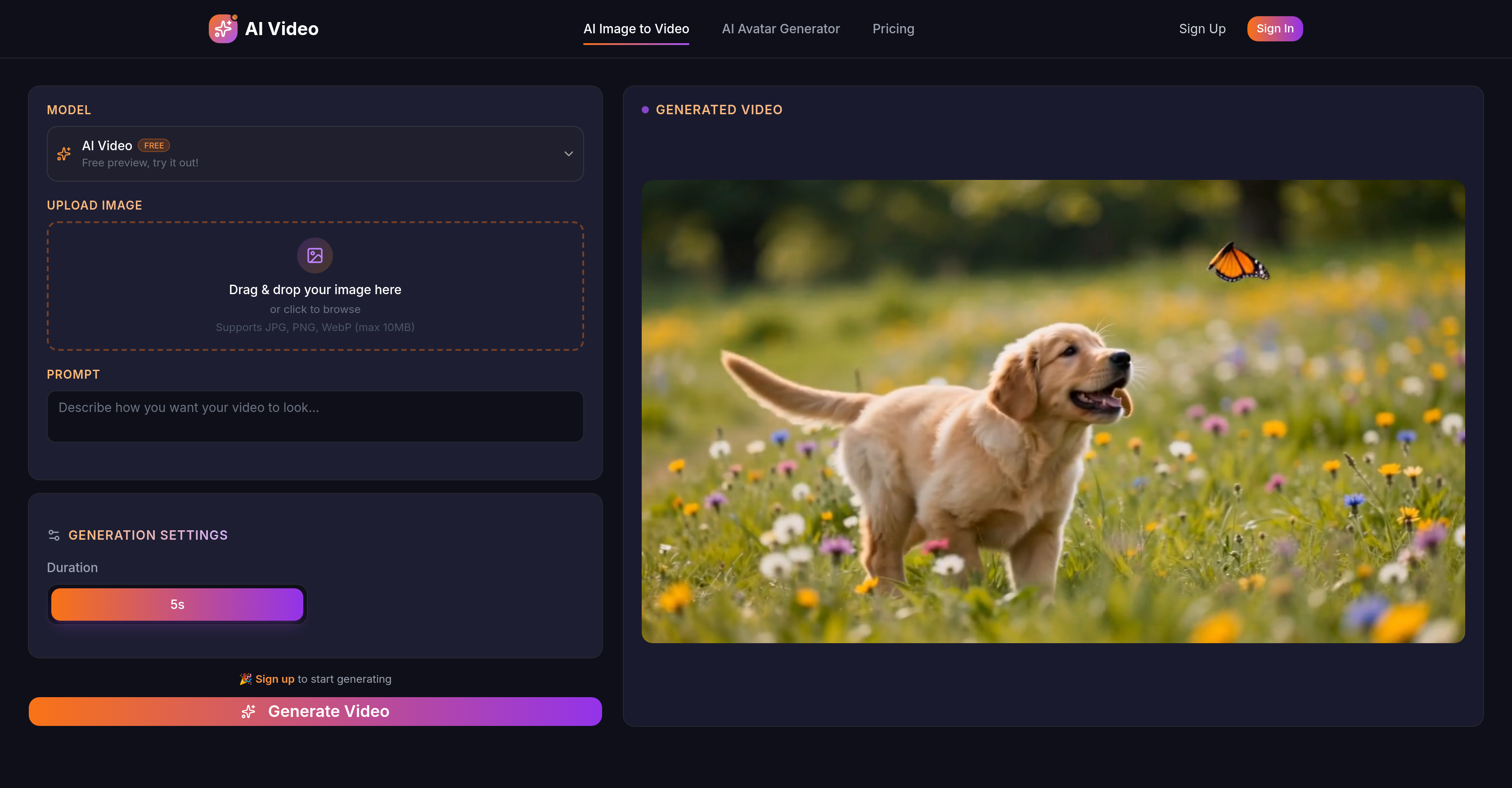
The process to create a video from an image using Image to Video AI involves the following steps: upload an image, add a text prompt (optional), and let the AI create a video based on the provided input.
Yes, Image to Video AI can be effectively used for social media content creation. It can be used for generating short videos, animations, and motion graphics for platforms like Instagram, Facebook, YouTube, and more.
Image to Video AI utilizes several cutting-edge AI models for different kinds of motion styles and quality characteristics. These include Veo, Kling, Runway, Hailuo, and Wan.
Image to Video AI can transform a wide variety of images into videos. Examples include portraits, landscapes, objects, animals, and many more.
Adding realistic motion in terms of Image to Video AI capabilities refers to the technology's ability to simulate phenomena like cinematic camera movements or fluid physics in videos created from static images.
Yes, Image to Video AI provides possibilities to experiment with different motion styles, including 3D-style animations and artistic interpretations.
Image to Video AI understands context in images and uses this understanding to add appropriate motion in the resulting video. This might include animals moving naturally, or objects doing unexpected things.
In the creation of videos using Image to Video AI, text prompts play a significant role. They help provide guidance to the AI about the preferred kind of motion or desired scene, which aids in more accurate and creative video outcomes.
Videos can be generated and exported in high definition up to a resolution of 1080p using Image to Video AI.
Yes, Image to Video AI does allow for commercial usage of the created content. All content produced through the tool comes with commercial usage rights.
Yes, Image to Video AI offers subscription services that unlock premium features, although the tool itself is free to use.
Image to Video AI can be used to create dynamic product demos from static product images, showcasing the product in action or highlighting different features or angles, therefore creating an engaging and interactive showcase for potential customers.
Videos are generated quickly using top AI models in Image to Video AI, with most videos being ready in under a minute.
Yes, Image to Video AI does support creating 3D-style animations and artistic interpretations based on the context and input provided.
The maximum resolution supported by Image to Video AI is 1080p.
There are no specific limitations mentioned about the type of images that can be uploaded to Image to Video AI. It supports a variety of images - portraits, landscapes, objects, animals, and more.
Yes, Image to Video AI is designed to create realistic and fluid animations based on static image inputs, simulating real-world motion physics and behaviours.
Yes, with Image to Video AI you have an option to blend both visual and textual guidance. You can upload an image and add a text prompt to guide the AI in achieving your desired creative outcome.
Image to Video AI is an advanced artificial intelligence tool that transforms static images into dynamic videos. It supports a variety of files including JPG, PNG, and WebP. Users can add text prompts along with the image and the AI then creates a video from the image. It provides users with the possibility to experiment with different styles such as 3D-style animations and artistic interpretations. The AI has a solid understanding of context and can add appropriate motion. It supports up to 1080p resolution and all the content produced comes with commercial usage rights.
Image to Video AI incorporates several AI models including Veo, Kling, Runway, Hailuo, and Wan to analyze the features of the images and create natural and fluid animations. The added text prompt provides the AI with additional guidance for accurate, creative outcomes. These AI models translate attributes like colour, texture, and patterns present in the static photos to create the videos.
Image to Video AI supports a variety of file types for image uploads which includes JPG, PNG, and WebP.
Image to Video AI is primarily used for generating social media clips, product demonstrations or by adding motion to static artworks. It can add realistic motion to objects or animals, create dynamic scenes from still images and can even simulate cinematic camera movements or fluid physics. Other uses include turning portraits, landscapes, and other images into lifelike videos, thereby making artworks, advertisements and marketing content more engaging.
Image to Video AI employs numerous AI models such as Veo, Kling, Runway, Hailuo, and Wan. Each of these models has unique motion styles and quality characteristics to analyze features and movement to create natural, fluid animations.
Interaction with Image to Video AI involves uploading an image, adding a text prompt and letting the AI create video. Users have the flexibility to choose from different AI models, each with unique motion styles, providing an additional element of personalized control.
Image to Video AI can transform any imagery into lifelike videos. The tool explicitly mentions the ability to turn portraits, landscapes, objects, animals and more into videos with natural and fluid movements.
Yes, Image to Video AI has the ability to simulate cinematic camera movements and fluid physics. Users can impart natural movement to a variety of entities ranging from objects to animals, thereby creating dynamic scenes with a real-life feel.
Yes, the AI models used by Image to Video AI are proficient at creating realistic motion. These models analyze the features and movements of the subjects and impart those attributes to the images to make lifelike videos.
Using Image to Video AI, you can try out different styles including 3D style animations and artistic interpretations. The tool facilitates creativity and lets you personalize according to your needs and preferences.
Yes, Image to Video AI has the capability to understand context and add appropriate motion. Its advanced AI models can analyze each image, simultaneously interpreting the context from the added text prompts, and then adding relevant movements.
Users can add tailored text prompts which allow them to provide visual and textual guidance to the AI for generating videos. This can be instructions about the desired motion, style, scene or anything else that would assist the AI in creating accurate and creative outcomes.
Image to Video AI supports high definition video outputs going up to 1080p resolution.
Yes, the videos generated by Image to Video AI include commercial usage rights. This makes it suitable for applications like advertising, marketing, product demos and more.
Yes, Image to Video AI operates as a freemium tool. It is free to use with subscriptions available that unlock premium features.
The purpose of using different AI models in Image to Video AI is to offer a range of unique motion styles and quality attributes. Each model has different strengths and can better interpret certain types of imagery. This multi-model approach gives users the flexibility to match the AI model with their creative vision.
Yes, Image to Video AI is suitable for marketing and advertising purposes. The tool creates lifelike videos from static images with commercial usage rights. These videos can be used for advertising campaigns, product demonstrations or social media content generation.
Yes, professional AI video generation is made accessible and quick with Image to Video AI. The tool creates videos from pictures and text prompts using a multi-model AI approach in offering high-quality output up to 1080p resolution. The produced content has commercial usage rights making it suitable for professional use.
To turn your photos into videos using Image to Video AI, you follow three simple steps. First, upload the image you want to transform. Next, describe what you want the video to look like with a text prompt. Lastly, let the AI generate your video quickly. You can then download the produced video as mp4 and share it anywhere.
Yes, the free credits offered by Image to Video AI have limitations. These are initially provided to new users upon signing up. The credits allow users to generate videos and experiment with AI models for free, but once these credits are used up, users might need to subscribe to continue using the services and unlock premium features.
Pricing
Pricing model
Free Trial
Paid options from
$7.99/month
Billing frequency
Monthly