Audio Transcriber AI
Overview
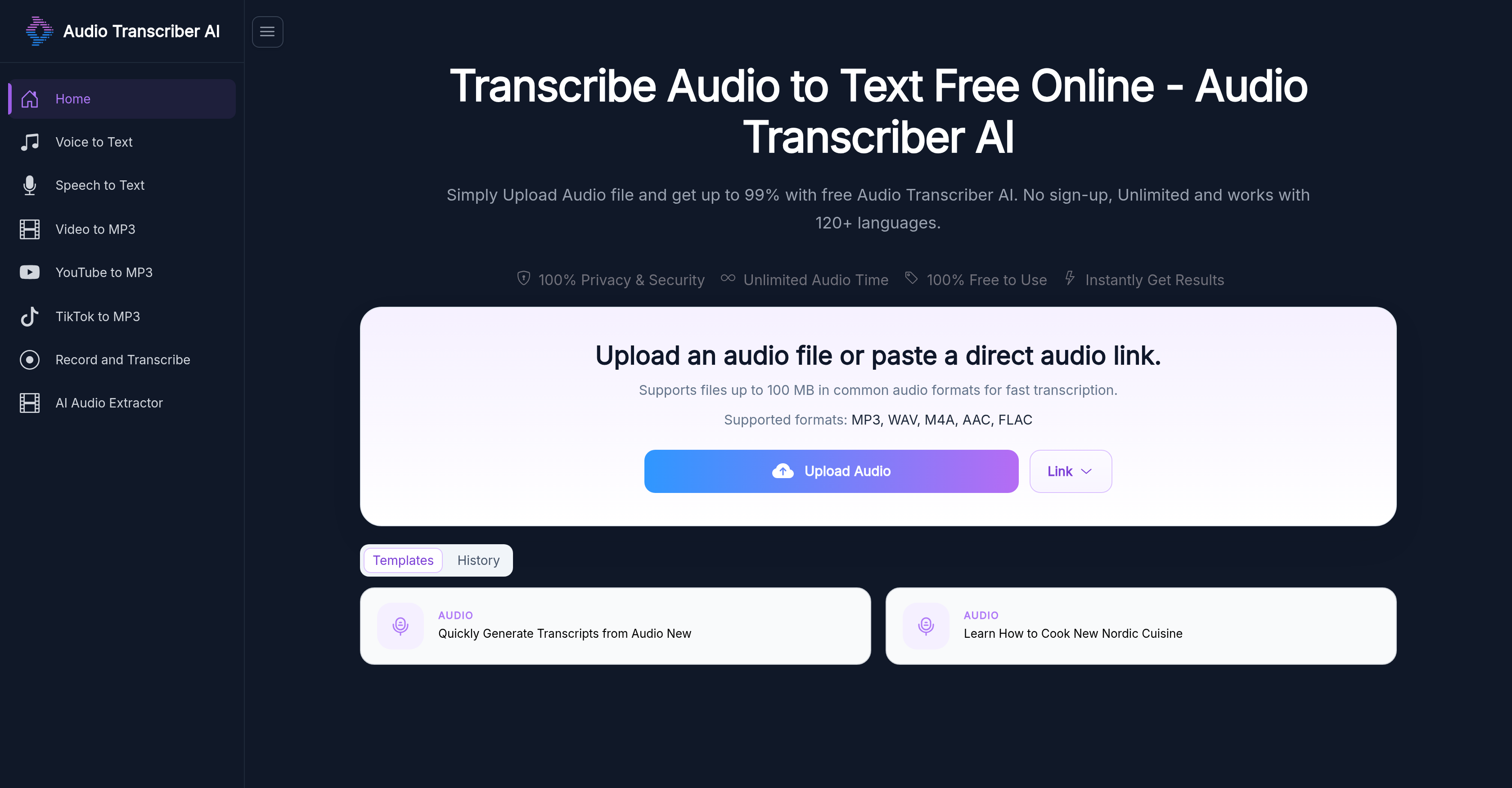
- Convert any audio file to text instantly with 99% accuracy, even with background noise or multiple speakers, using advanced transcription models that reduce interference and understand context.
- Capture every speaker in a conversation clearly with automatic speaker detection and timestamped transcripts that show who said what and exactly when.
- Transcribe audio from YouTube, Zoom, MP4 videos, meetings, interviews, and podcasts without format worries, thanks to support for MP3, WAV, M4A, AAC, FLAC, and more.
- Work with huge files like extended lectures or recordings up to 5GB, enabling you to transcribe long-form content without splitting or compressing.
- Get usable transcripts immediately without any software downloads or installations, because the entire process runs directly in your browser.
- Access transcripts in over 120 languages and instantly translate them into your preferred language, making global content review and note-taking seamless.
- Download finished transcripts as TXT or Word documents for easy editing, sharing, or archiving in your workflow.
- Use the tool as much as you need with zero restrictions, no account registration, and no sign-up required, all completely free.
Pros & Cons
Pros
- Transcribes various audio content
- Supports multiple audio formats
- High level of accuracy
- Reduces background interference
- Understands context of speech
- Automatic speaker detection
- Provides time-stamped transcripts
- Supports over 120 languages
- Downloadable transcripts
- Web-based, no download needed
- No registration or setup
- Unlimited usage
- Works for meetings, podcasts
- Transcribes YouTube, Zoom audios
- Ideal for studies, work
- Suitable for research, content creation
- No sign-up required
- Can handle files up to 5GB
- Advanced transcription models
- Automatically reduces background noise
- Multiple language support
- Auto identifies speakers in transcripts
- Supports unlimited audio time
- Can handle extended audio recordings
- Handles direct audio link
- Supports MP3, WAV, M4A, AAC, FLAC formats
- Rapid transcription process
- Browser based user interface
- Transcripts in TXT or Word format
- Translates transcript into multiple languages
- No software download required
- Useable on PC and mobile
- Text export for notes, presentations
- Improves content accessibility
- Free and unlimited usage
Cons
- Dependent on audio clarity
- Struggles identifying different speakers
- Context understanding imperfect
- Limited to web-based
- No offline functionality
- Files limited to 100MB
- Transcript download as TXT/Word only
- Non-structured transcript formatting
- Multiple speakers may confuse tool
- No customer support mentioned
Reviews
Rate this tool
Loading reviews...
❓ Frequently Asked Questions
Audio Transcriber AI is an online tool capable of transcribing audio files into clear, easy-to-read text.
Audio Transcriber AI works by using advanced transcription models to convert spoken content into text, detect different speakers, and understand the context of the content. The user has to upload their audio file, and the AI initiates the transcription process.
Audio Transcriber AI can transcribe all types of audio content, including MP3 files, meeting recordings, interviews, podcasts, voice notes, and audio taken from YouTube, Zoom, and MP4 videos.
Audio Transcriber AI supports various audio file formats such as MP3, WAV, M4A, AAC, and FLAC.
Audio Transcriber AI supports the transcription of content in over 120 languages.
Yes, Audio Transcriber AI can transcribe audio from YouTube, Zoom, and MP4 videos.
Typically, the accuracy rate of Audio Transcriber AI reaches as high as 99%. Even in cases where the audio quality is poorer or involves multiple speakers, the recognition accuracy remains above 95%.
Audio Transcriber AI reduces background interference using advanced transcription models. It allows for better recognition and transcription of the spoken content.
Yes, Audio Transcriber AI can understand the context and meaning of spoken content through its advanced transcription models.
Yes, Audio Transcriber AI features automatic speaker detection.
Yes, the transcripts provided by Audio Transcriber AI are time-stamped.
The transcribed content can be downloaded as a TXT or Word document.
To use Audio Transcriber AI, you simply need to upload your audio file. The AI will then begin the transcription process.
No, there is no need to register, set up an account, or sign up to use Audio Transcriber AI.
Yes, Audio Transcriber AI's efficiency might be affected by the clarity of the original audio.
Audio Transcriber AI has automatic speaker detection, allowing it to distinguish between different speakers.
Yes, Audio Transcriber AI is free to use with no registration, setup, or usage restrictions.
The transcribed content provided by Audio Transcriber AI can be easily accessed and downloaded as a TXT or Word document.
User-uploaded audio files are permanently deleted after 24 hours.
Yes, Audio Transcriber AI can transcribe any type of audio content from multiple sources.
Audio Transcriber AI is a web-based tool that turns audio into clear, accurate, and readable text. It works with a variety of audio content like MP3 files, meeting recordings, interviews, podcasts, and audio from YouTube, Zoom, MP4 videos, among others. This tool is ideal for reviewing conversations, note-taking, and capturing important details. Its functionality and experience are free with no registration, setup, or usage restrictions.
Yes, Audio Transcriber AI supports a wide range of audio file formats such as MP3, WAV, M4A, AAC, FLAC, OGG, WMA, AIFF, among others, enabling users to handle files without worrying about file format conversion.
Audio Transcriber AI supports transcription of content in over 120 languages, thus promoting accessibility and usability across different language speakers and readers.
Audio Transcriber AI maintains high transcription accuracy through its advanced transcription models which help reduce background interference, better understand the contextual nuances, and accurately identify the meaning of spoken content.
Audio Transcriber AI incorporates automatic speaker detection in its transcription process. It is able to differentiate between different speakers and attribute corresponding text to each speaker in a conversation.
Yes, the transcripts generated using Audio Transcriber AI can be easily downloaded. The available formats for download include TXT or Word document.
To use Audio Transcriber AI, you just need to upload the audio file you wish to transcribe onto the platform. The AI then automatically starts the transcription process. There is no need to download or install anything, the tool runs directly from your browser.
Absolutely, Audio Transcriber AI is completely free to use. No registration or setup is required to utilize the tool. All features, unlimited usage, and services come without any cost.
The efficiency of Audio Transcriber AI may be affected by factors such as the clarity of the original audio and the tool's ability to distinguish between different speakers. Therefore, good quality, clear audio with less background noise is ideal for transcription.
No, you don’t need to download anything to use Audio Transcriber AI. It is completely browser-based, eliminating the need for any additional downloads or installations. You just need a stable internet connection and a web browser to use the tool.
Yes, Audio Transcriber AI works with audio from YouTube and Zoom sessions. It can extract and transcribe the audio into text from videos available on these platforms.
Audio Transcriber AI can transcribe a variety of audio content such as MP3 files, meeting recordings, interviews, podcasts, voice notes, as well as audio content from YouTube, Zoom, MP4 videos, and many more.
No, there are no restrictions to using the Audio Transcriber AI tool. It is completely free to use with unlimited usage, and supports a wide variety of audio file formats and supports 120+ languages.
Yes, Audio Transcriber AI provides transcripts that are timestamped. These timestamps align with the audio file, indicating at what time in the audio content a particular phrase or sentence was spoken.
Yes, Audio Transcriber AI can differentiate between multiple speakers in a conversation. It attributes the spoken text to the corresponding speaker, ensuring the transcript accurately represents who said what.
Yes, Audio Transcriber AI does provide transcription services in different languages. It supports over 120 languages, transcribing the audio content in the original language, and if needed, the transcribed content can be translated into the user's preferred language.
Audio Transcriber AI requires the original audio to be clear because quality audio increases the accuracy of the transcription. Poor audio quality or overlapping speech, heavy accents, rapid speaking rates, and other causes of unclear audio can reduce the accuracy of transcription.
Yes, Audio Transcriber AI can transcribe MP3 files. The tool is fully equipped to handle and transcribe audio from MP3 files into text.
Transcripts obtained from Audio Transcriber AI can be downloaded in TXT or Word document formats. It provides flexibility and ease of use to the user in handling the transcribed text.
Audio Transcriber AI supports uploading of audio files up to 5GB for transcription. This allows users to transcribe longer pieces of content like extended meeting recordings, lectures, and interviews without worrying about file size restrictions.
Pricing
Pricing model
Free
Paid options from
Free