AvatarCraft AI
Overview
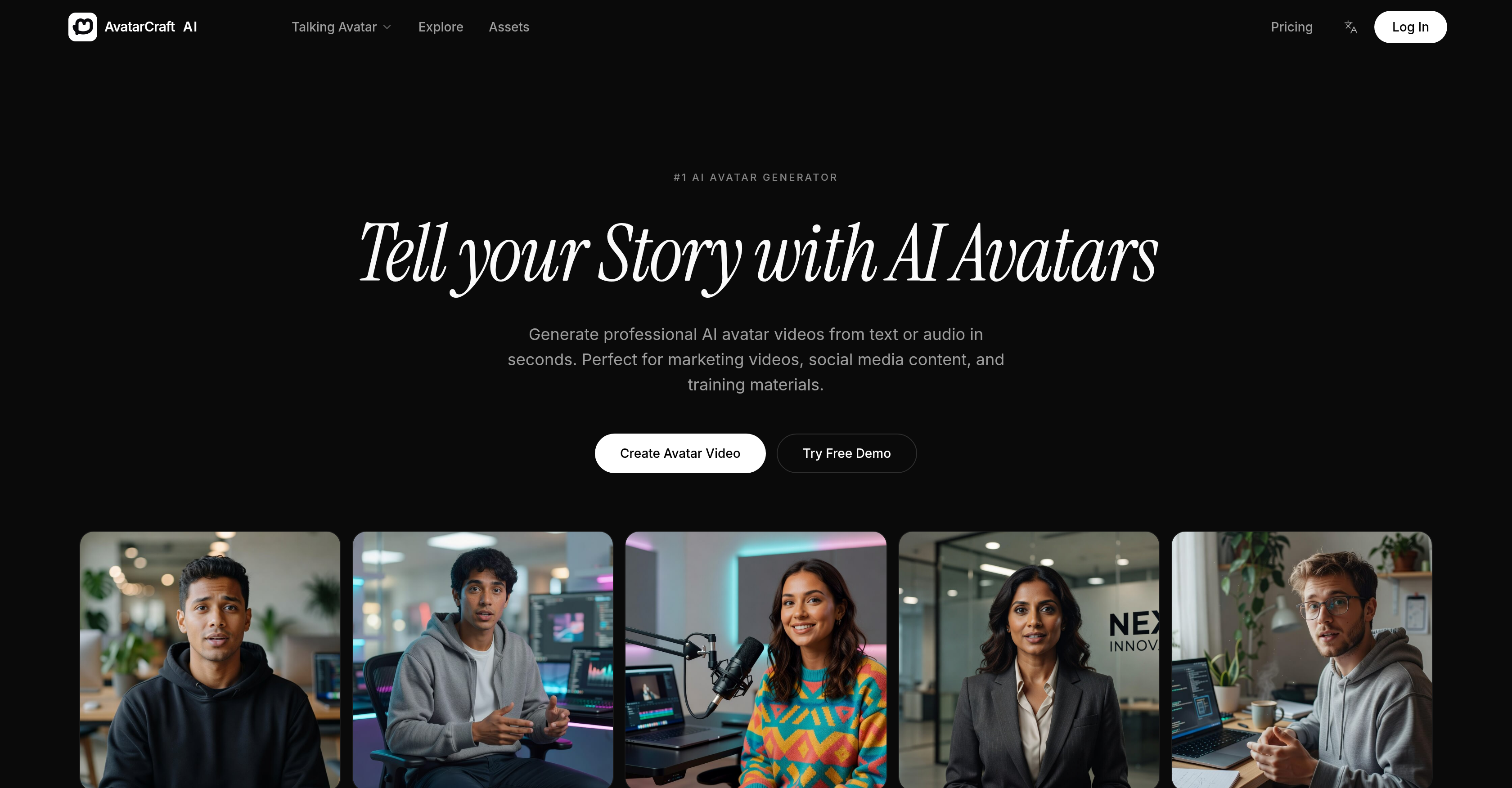
- Produce studio-quality AI spokesperson videos instantly from any script or audio recording, using advanced lip-sync technology that eliminates the need for a recording studio.
- Reach global audiences effortlessly by generating talking avatar videos in multiple languages, with natural AI voices that deliver convincing speech in any language.
- Build a consistent brand presence across all content by reusing the same professional presenter avatar, ensuring cohesive corporate videos and training materials.
- Create a personalized AI clone that mirrors your exact appearance and voice by uploading your own video, enabling authentic brand representation without repeated recording.
- Cut video production time from days to minutes by converting text to avatar video, using prebuilt templates designed for marketing campaigns, social media posts, and e-learning modules.
- Boost viewer engagement and accessibility with automatic subtitle generation, ensuring every talking avatar video is understandable regardless of hearing ability or language proficiency.
- Publish directly to YouTube, TikTok, and Instagram from the platform, streamlining social media content creation with one-click sharing of AI-generated avatar videos.
Pros & Cons
Pros
- Presenter videos from text/audio
- Advanced voice and lip-sync
- Multi-language support
- Variety of avatar styles
- Automatic subtitle generation
- Prebuilt video templates
- Direct publishing to social media
- Custom avatar creation
- Voice cloning
- Professional video production toolkit
- No manual recording needed
- No need for studio
- Instant turnaround time
- Suitable for diverse applications
- Accurate lip-sync and facial animations
- Features for marketing, educational materials
- Supports multiple avatar roles
- Avatar consistency across videos
- Download in HD
- Upload directly to social platforms
- +50 avatars
- +30 languages supported
- Text to avatar feature
- Automated captions in supported languages
- +1M videos generated
- Engaging ad campaign avatars
- Professional Presenter for corporate videos
- Educator avatar for online courses
- Social influencer avatars
Cons
- Limited avatar styles
- No offline version
- Potential voice cloning issues
- Limited video editing options
- No proprietary video player
- Unclear data privacy
- Lack of user customization
- No multichannel publishing
- Limited voiceover accents
- No preview before finalizing
Reviews
Rate this tool
Loading reviews...
❓ Frequently Asked Questions
AvatarCraft AI is an AI Avatar Generator tool designed to assist users in creating talking avatar videos. It creates realistic AI spokesperson and presenter videos from both input forms, text or audio, within a very minimal timeframe.
AvatarCraft AI utilizes advanced voice and lip-sync technologies to create avatar videos. Once a user provides text or audio input, AvatarCraft AI translates this into a video featuring a lifelike avatar delivering the given script. The AI tool can produce accurate facial syncing with the spoken words, making avatars appear highly realistic.
AvatarCraft AI incorporates various features. These include advanced voice and lip-sync technologies, avatar customization, AI-generated subtitles, multiple language support, prebuilt video templates for diverse needs, capabilities to convert text and audio into avatar videos, and direct publishing to social platforms. Furthermore, it offers different styles of avatars such as professional ones for corporate videos, educators for e-learning, and a personalized AI clone created from a user's uploaded video.
AvatarCraft AI's advanced voice and lip-sync technologies work by creating lifelike avatars that deliver natural speech synchronized accurately with their facial movements. The system analyzes the content, either text or audio, and generates a video where the avatar's lips move in perfect sync with the speech. This renowned technology assures, no matter the language or accent, that speech is reflected realistically on the avatar's face.
After logging into AvatarCraft AI, users can quickly turn a script into a talking avatar video. They simply need to select the 'Text to Avatar Video' option and type in the required script. Once processed, AvatarCraft AI will generate a professional talking avatar video, without any recording or studio requirements.
AvatarCraft AI supports video generation in a multitude of languages, providing access to an instantly global audience. It leverages AI to interpret the input text or audio and yield a comprehensible transcript in the desired language. This feature also includes appropriate voice technologies that deliver the text in the chosen language convincingly.
AvatarCraft AI offers a variety of avatar styles for different use cases. These include professional avatars for corporate videos, educator avatars for online courses, and the option to upload your own video to create a personalized AI clone. Other categories likely include social influencers, product promo avatars, and more depending on the needs of the video.
User can create a customized AI clone in AvatarCraft AI by selecting the 'Custom Avatar' option and uploading their own video. The system will then process the material, capturing draft nuances of facial movement and speech patterns, to create a personalized AI clone that looks and behaves like its human counterpart.
In addition to the primary avatar video creation, AvatarCraft AI provides several additional features. It includes automatic subtitle generation, prebuilt video templates for different needs (marketing, education, etc.), and the ability to instantly publish the finished product on various social media platforms. This facilitates a smoother workflow, enabling users to create and share professional-grade videos efficiently and effortlessly.
AvatarCraft AI has found applicable use in the creation of marketing videos and training materials. For marketing videos, users can utilize professional avatars to present their brand or product in an engaging and personalized manner. As for training materials, the tool can serve as an online educational avatar, delivering presentations or teaching lessons, especially beneficial due to its multi-language support, catering to a global audience.
Turnaround time for producing a video from text or audio using AvatarCraft AI is incredibly short. While exact times may vary based on the length and complexity of the input, the tool is designed for promptness in generating professional avatar videos.
AvatarCraft AI is equipped to automatically generate accurate subtitles for your videos. Once the video content is processed, the AI tool produces a verbatim text version of the speech that can be used as subtitles, improving the accessibility and understanding of its content across diverse audiences.
AvatarCraft AI offers a range of prebuilt video templates designed for various requirements. This could include specific templates for marketing campaigns, educational content, social media posts, and more. These templates are designed to fit different contexts and needs, providing users with a quick and effective way to craft professional video content.
AvatarCraft AI videos can be published directly to various social media platforms, providing an instant line for engagement with the user's audience. After the completion of video creation, users are empowered to instantly publish their avatar videos across platforms including, but likely not limited to, YouTube, TikTok, and Instagram.
Yes, AvatarCraft AI can be used for creating corporate videos. Its 'Professional Presenter' avatars are optimally devised for such uses. This can encompass boardroom-ready spokesperson videos, making it possible to deliver professional, studio-quality presentations without manual recording.
AvatarCraft AI proves significantly useful for online course production. With its 'Educational Avatar', educators can craft interactive and engaging content in diverse languages. This enables them to reach out to global students, making e-learning an enriching and accessible experience.
AvatarCraft AI's voice technology works by transforming input text or audio into natural, lifelike speech. This AI-driven technology analyzes the input, determines appropriate vocal patterns and nuances, then applies these to the generated avatar, providing it with realistic and naturally flowing speech.
Specific exporting formats were not mentioned on their website, but it is safe to infer that AvatarCraft AI allows downloading of the created videos in popular, high-quality formats suitable for social media platforms or HD viewing. This likely includes but isn't limited to formats such as MP4, AVI, MOV, etc.
Absolutely, creating AI spokesperson videos is one of the primary features of AvatarCraft AI. Users can generate lifelike AI spokesperson videos from text or audio inputs, providing a professional look and feel to their content. These spokesperson avatars can be customized to meet different requirements, making it an effective tool for brand representation or product presentations.
The avatars generated by AvatarCraft AI are incredibly realistic. The tool uses advanced technologies to ensure that the avatars speak naturally with accurate lip sync. It also features expressive facial animations and allows customization, adding to the overall lifelike and professional quality of the generated avatar videos.
AvatarCraft AI uses a combination of advanced voice technologies and lip-sync technologies to create talking avatars. By transforming the input text or interpreting audio inputs, the AI generates a narrated avatar video. The voice is then synchronized with the avatar's lip movements to create a very life-like talking avatar video. This allows any script to be instantly turned into a professional talking avatar video without the need for a recording studio.
Yes, AvatarCraft AI is capable of generating talking avatar videos from both text and audio inputs.
What makes the avatars created by AvatarCraft AI realistic includes the employment of advanced voice and lip-sync technologies. This ensures the avatars talk naturally while maintaining highly accurate facial syncronization resulting in a life-like presentation.
AvatarCraft AI uses its advanced lip-sync technologies to ensure accurate syncing between the avatar's speech and corresponding facial animations. This results in an avatar with a speaking style very close to that of a human, enhancing the overall realness.
Yes, you can use AvatarCraft AI to generate videos in multiple languages. This feature allows you to reach a global audience instantly.
AvatarCraft AI offers a variety of avatar styles. These include professionals for corporate videos, educators for online courses, and also a custom avatar feature where users can upload their own video to create a personalized AI clone.
Yes, AvatarCraft AI has a custom avatar feature that allows users to upload their own video to produce a personalized AI avatar.
Yes, AvatarCraft AI provides a feature for automatic subtitle generation. This feature aids effective understanding irrespective of the viewer's hearing abilities or language proficiency.
AvatarCraft AI provides prebuilt video templates designed for multiple content needs, making it easier, quicker and more efficient to develop your content.
Yes, AvatarCraft AI has direct publishing options to various social media platforms. This allows instant and easy sharing of your avatar videos across your social networks.
AvatarCraft AI is suitable for diverse applications, especially in creating engaging and professional marketing videos, generating interesting social media content, and creating unique and clear training materials.
Yes, AvatarCraft AI does provide an option where you can clone your own voice for the avatars. This feature enhances the personalization of the avatar.
Yes, AvatarCraft AI has an option for automated caption generation. This feature ensures viewers not only hear but can also read the avatar's dialogue which aids understanding and information retention.
AvatarCraft AI provides easy video export options. Users can download their videos in HD or directly publish to social media platforms such as YouTube, TikTok, Instagram, and others.
AvatarCraft AI can greatly aid in social media content creation by generating professional and engaging AI avatar videos in a very short time. The videos can be directly published to various social media platforms, facilitating an efficient process of content creation and delivery.
Yes, AvatarCraft AI is an excellent tool to create professional presenter videos. Whether presenting for corporate videos or serving as an instructor for an online course, AvatarCraft AI’s realistic voices and accurate lip syncing creates convincing and professional presenter videos.
AvatarCraft AI significantly reduces the time typically required in video production by generating talking avatar videos from text or audio inputs in a very short turnaround time.
The voice generation feature in AvatarCraft AI is advanced and versatile. Users can choose from over 100 natural AI voices or even clone their own voice for a truly personalized avatar.
Yes, AvatarCraft AI allows you to maintain consistent avatars across multiple videos. This feature is critical for maintaining a cohesive brand presence across different content.
Pricing
Pricing model
Free Trial
Paid options from
$19.90/month
Billing frequency
Monthly