
Overview
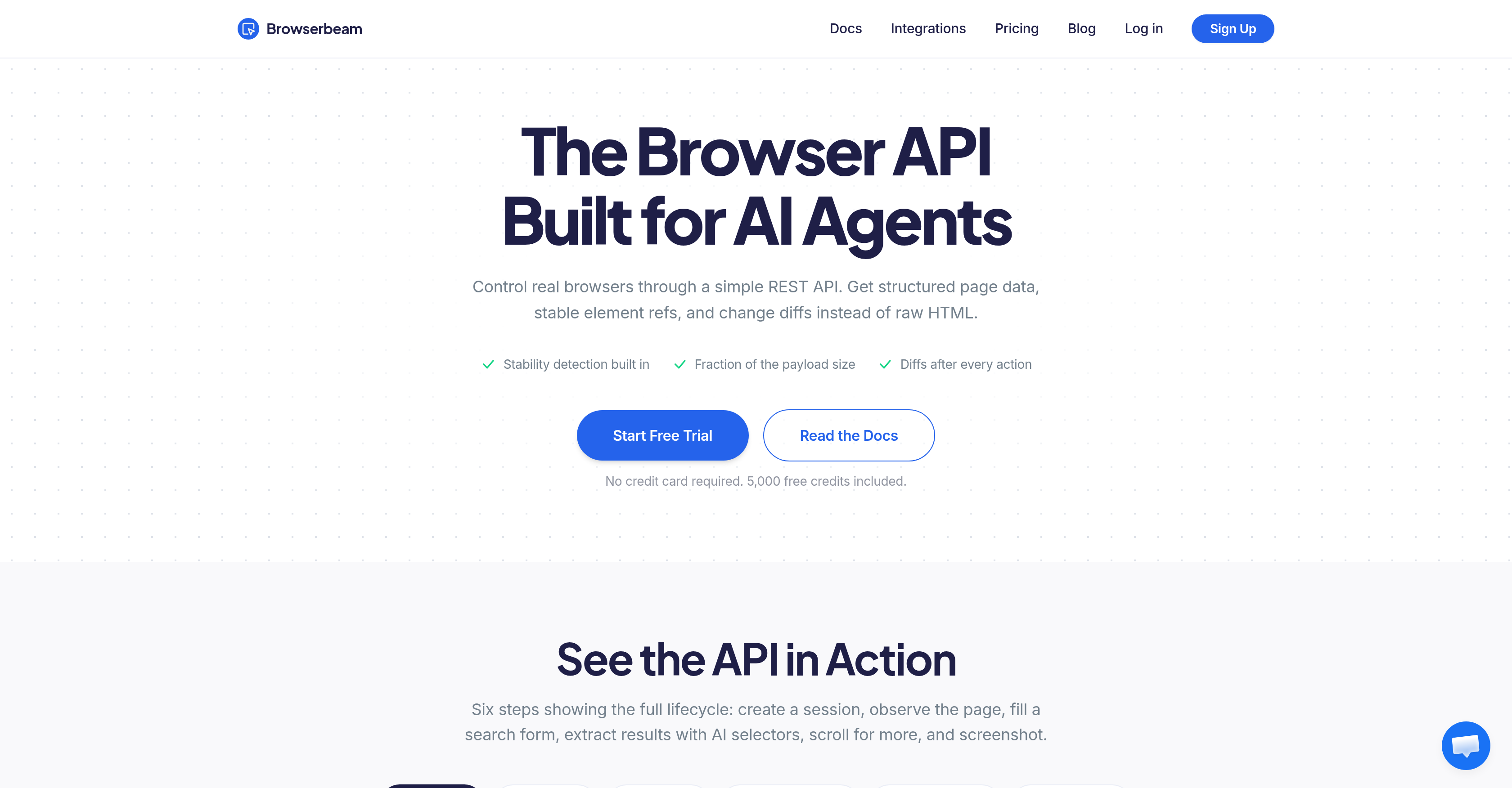
- Your AI agent reads only relevant page data, not raw HTML clutter, because Browserbeam converts web content into clean Markdown with stable element references.
- You eliminate fragile CSS selectors and repetitive scraping code, as Browserbeam replaces approximately 25 lines of Puppeteer with a single POST request.
- Your agent instantly knows when a page is ready to interact with, thanks to Browserbeam's stability detection that signals full page load before any action.
- You never re-parse an entire page after an action, because Browserbeam returns a diff showing exactly which elements were added, removed, or modified.
- Your web scraping costs drop to zero on repeat runs, since Browserbeam's AI-powered extraction caches selectors per domain after the first scrape.
- You bypass cookie banners, pop-ups, and CAPTCHAs automatically, letting Browserbeam dismiss interruptions so your agent focuses solely on its task.
- You fill complex forms with a single API call, because Browserbeam provides structured forms with field references that handle login pages as one unit.
- You extract exactly the data you need without building a CSS map per site, by describing targets in plain English and letting Browserbeam's AI selectors identify the right elements.
- You control data scope to process only relevant sections of a page, using Browserbeam's scope feature to reduce payload bloat and speed up agent responses.
- You capture page snapshots and track state changes effortlessly, as Browserbeam integrates screenshot capture and change differentials into every session.
Pros & Cons
Pros
- Markdown content instead of raw HTML
- Short element refs instead of CSS selectors
- Stability signal for page readiness
- Diff after every action
- Automated handling of cookie banners, popups, and CAPTCHAs
- Structured forms with field refs
- One API call for a login page fill
- Cached data after first scrape
- One POST request replaces ~25 lines of Puppeteer code
- No need for browser binaries management
- Official SDKs for Python, TypeScript, Ruby
- MCP server for Cursor, Claude Desktop, Windsurf
- Free trial with 5,000 credits
- No credit card required for trial
- Control of data extraction scope
- Built-in markdown conversion
- Automatic tracking of changes
- Ability to cache the extraction information
- Simulated actions like form filling and submissions
- Diff showing what changed included in response
- Efficient, lightweight and comprehensive solution for web browsing automation
- Stability detection feature
- Diff detection feature
- Reduced payload size
- Full lifecycle of web browsing via built-in API
- Automatic dismissal of cookie banners
- Inline base64 image data
- Automatic session cleanup
- Automatic blocker dismissal
- Semantic extraction feature
- JavaScript execution functionality
- Cookie injection feature
Cons
- Limited to REST API
- No explicit support for other programming languages outside Python, TypeScript, Ruby
- Potential difficulties with complex, dynamic websites
- Greedy diff tracking might capture unwanted changes
Reviews
Rate this tool
Loading reviews...
❓ Frequently Asked Questions
Browserbeam is a browser API that has been specifically designed for AI agents and web automation. This tool enables control over real browsers through a simple REST API. It provides structured page data, constant element references and change differentials, thus eliminating the complexity associated with raw HTML. The capabilities of Browserbeam extend to providing stability detection and returning data in a compact format that is ready for AI consumption.
AI agents can utilize Browserbeam to perform an array of tasks such as creating a session, observing the page content, filling out search forms, and extracting results. The AI Enabled selectors in Browserbeam allow for data extraction, and additional capabilities include scrolling for additional content and capturing screenshots. AI agents can track the changes that occur after each action using Browserbeam.
Browserbeam enhances data extraction efficiency by allowing the use of AI-enabled selectors to eliminate the need for manual data collection, which significantly reduces the coding effort involved. In turn, this improves the overall efficiency of web automation tasks. With Browserbeam, data extraction is automated and the resultant data returned is in a format that is ready for the AI agent to consume.
Browserbeam is equipped with an auto-dismissal feature for pop-ups. While the specifics of the technology behind this feature are not explicitly stated on their website, the fact that it is automatically integrated into Browserbeam suggests that it employs algorithms or AI systems to detect and dismiss pop-ups, thereby ensuring seamless browsing and data extraction.
Browserbeam caters to the navigation needs by providing a streamlined and automated system that allows for efficient browsing, be it for data extraction, web automation, or other tasks. The process is carried out through a simple REST API, enabling control of real browsers to help carry out tasks such as creating a session, observing content, filling out search forms, and extracting results.
In Browserbeam, AI selectors play an essential role in data extraction. They automate the selection and extraction of data from a web page, freeing the user from manual collection and reducing the overall coding effort involved. By eliminating the need for manual data collection, this AI-enabled approach helps improve the overall efficiency of web automation tasks.
Browserbeam facilitates the creation of web sessions through a simple REST API. This allows users to initiate a new browsing session, control real browsers, and carry out several tasks such as observing page content, filling out search forms, and capturing screenshots. The session creation process in Browserbeam is designed to be simple and efficient, catering to the needs of AI-based systems.
AI agents can observe page content using Browserbeam by initiating a session and navigating to the desired URL. The tool provides the agent with structured page data, steady element references, and change differentials. The observation of page content goes beyond viewing raw HTML, with AI agents being able to interact with elements using short references and see changes after each action.
Yes, Browserbeam can handle web scraping tasks. It is designed for efficient data extraction from websites. The AI-enabled selectors help with automated data selection and extraction, reducing the amount of manual data collection and coding effort required. Furthermore, it can handle dynamic websites by observing changes after each action, capturing screenshots, and bypassing pop-up blockers.
Screenshots can be captured using Browserbeam through its simple REST API. The capability enables AI agents or automation tools to effectively capture the state of web pages during a session. This feature is integrated into the Browserbeam system, providing users with a comprehensive view of web content, beyond structured page data and element references.
The payload reduction feature in Browserbeam is aimed at improving performance by reducing the size of the data payload that is exchanged between the server and the client. By shrinking the payload size, Browserbeam ensures quicker data transfers, resulting in faster and more efficient performance of web automation tasks.
'Change differentials' offered by Browserbeam refers to the ability to track what changed on a web page after each action. This feature allows AI agents to observe not just the final state of the page, but also the changes that have occurred during the browsing session. This is instrumental in tasks that require observing the dynamic nature of web pages, as it provides insights into how user actions impact page content.
Browserbeam provides stability detection, which is a feature that notifies when a web page has fully loaded and is ready to be interacted with. It eliminates the guesswork involved in determining the right time to start performing tasks on the page, thus reducing premature actions and enhancing the overall efficiency of web automation tasks.
Yes, Browserbeam can fill out search forms on web pages. Through its simple REST API, it allows AI agents to navigate to search forms, interact with form elements and fill in search queries. This feature, along with observing page contents and capturing screenshots, makes Browserbeam a robust tool for handling complex web automation tasks.
Browserbeam offers a feature to track what changed after each action. After each action performed by the AI on a web page, Browserbeam can return information on what elements were added, removed, or modified on the page. This feature allows the AI to avoid re-reading the entire page and only focus on the parts that have changed, improving efficiency.
The auto-dismissal of cookie pop-ups feature in Browserbeam works automatically to detect and dismiss pop-ups that may interrupt a browsing session. These could include cookie consent banners, newsletter sign-ups, chat widgets, and more. By automatically dismissing such elements, Browserbeam ensures uninterrupted website navigation and data extraction.
Browserbeam utilizes a compact data format to return the extracted data from web pages. While the specific details of this data format are not disclosed on their website, it implies that the data returned by Browserbeam is in a simplified and reduced size that is easily consumed by AI agents.
'Payload size reduction for performance improvement' means that Browserbeam optimizes the size of the data being sent from the server to the client. By reducing the payload size, the amount of data that needs to be transmitted is decreased, leading to faster data transmission and improved overall performance of the web automation tasks.
Yes, Browserbeam can bypass the complexity of dealing with raw HTML. Instead of raw HTML, it provides structured page data, stable element references, and change differentials. These features simplify the interpretation of the web page content, making it easier for AI agents and web automation systems to interact with the site and perform tasks efficiently.
The role of REST API in Browserbeam is central to its functionality. It serves as an interoperable interface that enables control over real browsers. Through REST API, users or AI agents are able to create a session, observe page content, fill out forms, extract results, scroll for additional content, and capture screenshots effortlessly.
Browserbeam handles raw HTML by turning it into structured data that AI agents can work with more effectively. It converts raw HTML content into markdown - a simpler, more structured form that offers only the relevant information. It replaces CSS selectors with short element references. It takes on the task of parsing raw HTML to tangible insights, thereby reducing the burden on agents to sift through vast loads of unstructured and irrelevant data.
The 'stability signal' feature in Browserbeam serves as a notifier for when the page has fully loaded and is ready for interaction. This feature eliminates the need to guess wait times or waste resources on premature reads. When the stability signal is received, the user's agent can be confident that the entire content of the webpage has been loaded and is ready for analysis or interaction.
Browserbeam sets itself apart from other browser APIs like Browserless, Browserbase, and Steel by primarily focusing on dealing with the data that Low-level Language Models (LLMs) actually need. While the mentioned browser APIs handle infrastructure aspects, Browserbeam solves the part about making the data workable for LLMs. It doesn't just offer raw HTML like these APIs; instead, it provides markdown content, short element references, a stability signal, change diffs after every action, and handles cookies banners, popups, and CAPTCHAs automatically among other features.
Browserbeam handles cookie banners, popups, and CAPTCHAs automatically by detecting and dismissing these elements without requiring any direct action from the user or the AI agent. This allows the AI agent to focus solely on its primary task without being interrupted or requiring additional actions to manually dismiss these elements.
The automatic form filling feature in Browserbeam reduces the complexity of dealing with forms on a page. By providing structured forms with field references, filling out a login page becomes as simple as one API call. This means the user's agent doesn't have to manually find, organize, and interact with every individual field on a form. Instead, it can deal with the form as a single, cohesive unit.
In Browserbeam, AI-powered extraction works by caching selectors per domain. The user describes what they want in plain English (e.g., 'the product title', 'the price including currency'), and the engine identifies the correct selector. After the first scrape, which costs AI tokens, every subsequent scrape is free as the engine caches the selector for each domain. This makes future scrapes more efficient and free of added costs.
The role of Browserbeam's REST API is to offer user-friendly and effective browser control for AI agents and web automation. The API receives JSON and returns structured JSON back. This enables the user's agent to interact with the webpage using simple commands, instructions, and data formats, which streamline the process of gathering data, interacting with webpages, and achieving automation goals.
Browserbeam returns Markdown content, which is a simple, text-based data format that carries all the essential information without the unnecessary clutter of raw HTML. It provides short and stable element references in place of long and potentially fragile CSS selectors, alongside a diff after every action showing what has changed on the page. This ensures the AI agent receives data that is designed to be minimal yet informative.
Browserbeam's official SDKs support three widely used programming languages: Python, TypeScript, and Ruby. Moreover, there's an MCP server for Cursor, Claude Desktop, and Windsurf, widening its accessibility and ease of use.
Browserbeam offers a free trial with 5,000 credits. This trial does not require a credit card for activation and gives potential users the opportunity to explore and understand the capabilities of Browserbeam without any upfront financial commitment.
Browserbeam can replace approximately 25 lines of Puppeteer code with just one POST request. By handling tasks such as stability detection, diff tracking, automatic handling of cookie banners, pop-ups, and CAPTCHAs, along with structured data extraction and form filling within its REST API, Browserbeam reduces the need for complex code and simplifies the overall process of browser automation.
'Diff after every action' is a feature in Browserbeam that provides an updated state of the page after every user action. It notifies the user or AI agent about what has changed on the page, including new elements added, old elements removed, elements modified, etc. This allows the agent to always be aware of the current state of the webpage, without having to re-parse the entire page.
'Element refs' in Browserbeam are shortened references to webpage elements, provided in place of traditional CSS selectors. They offer a stable, convenient way for users or AI agents to interact with the elements on a page. The 'refs' are shorter to work with, less prone to breaking due to website design changes, and help simplify the interaction with webpage elements.
The 'scope' feature in Browserbeam allows users to define the specific section of the webpage they want to interact with or extract data from, thus reducing unnecessary bloat and focusing on the most relevant elements. This results in improved efficiency as the AI agent processes only the scoped, essential data, and avoids handling irrelevant information.
Browserbeam's AI-based Data Extraction provides valuable advantages such as eliminating the need for maintaining a CSS map per site, dealing with fragile selectors, or repetitive scrapes. The AI engine in Browserbeam understands what the user wants based on descriptions provided in plain English and finds the right selectors. These selectors are then cached per domain to allow free reuse in future scrapes, thus saving resources.
Browserbeam's form filling simulation works by providing structured forms with field references. This allows filling out a form, for instance, a login page, to become as simple as one API call. This streamlines the process greatly compared to manually identifying every individual field on a form, filling it, and submitting it one by one.
Browserbeam uses Markdown content instead of raw HTML to offer structured data in an efficient, easy-to-parse format. This lightweight markup language simplifies the data, focusing only on the relevant information needed for decision-making or action. This dramatically reduces the bloat associated with raw HTML and speeds up processing times, thereby contributing significantly to the efficiency of the AI agent's operations.
Automatic Cache Management in Browserbeam takes care of storing and reusing correctly identified selectors. Once the AI engine finds the right selector for a user's description, it caches that selector per domain. This means that for every subsequent scrape, no AI tokens are used, making future scrapes free and improving the efficiency of the browsing process.
Browserbeam detects and handles webpage changes through its 'diff tracking' feature. After each action, Browserbeam returns a 'diff' - a summary of what has changed on the page. This includes elements added, removed or modified. This allows the AI agent to stay informed about the present state of the webpage without having to re-parse the entire page and identify the changes itself.
Pricing
Pricing model
Free Trial
Paid options from
$29/month
Billing frequency
Monthly
Refund policy
Refunds are available within 30 days of your initial purchase.