Canvora
Overview
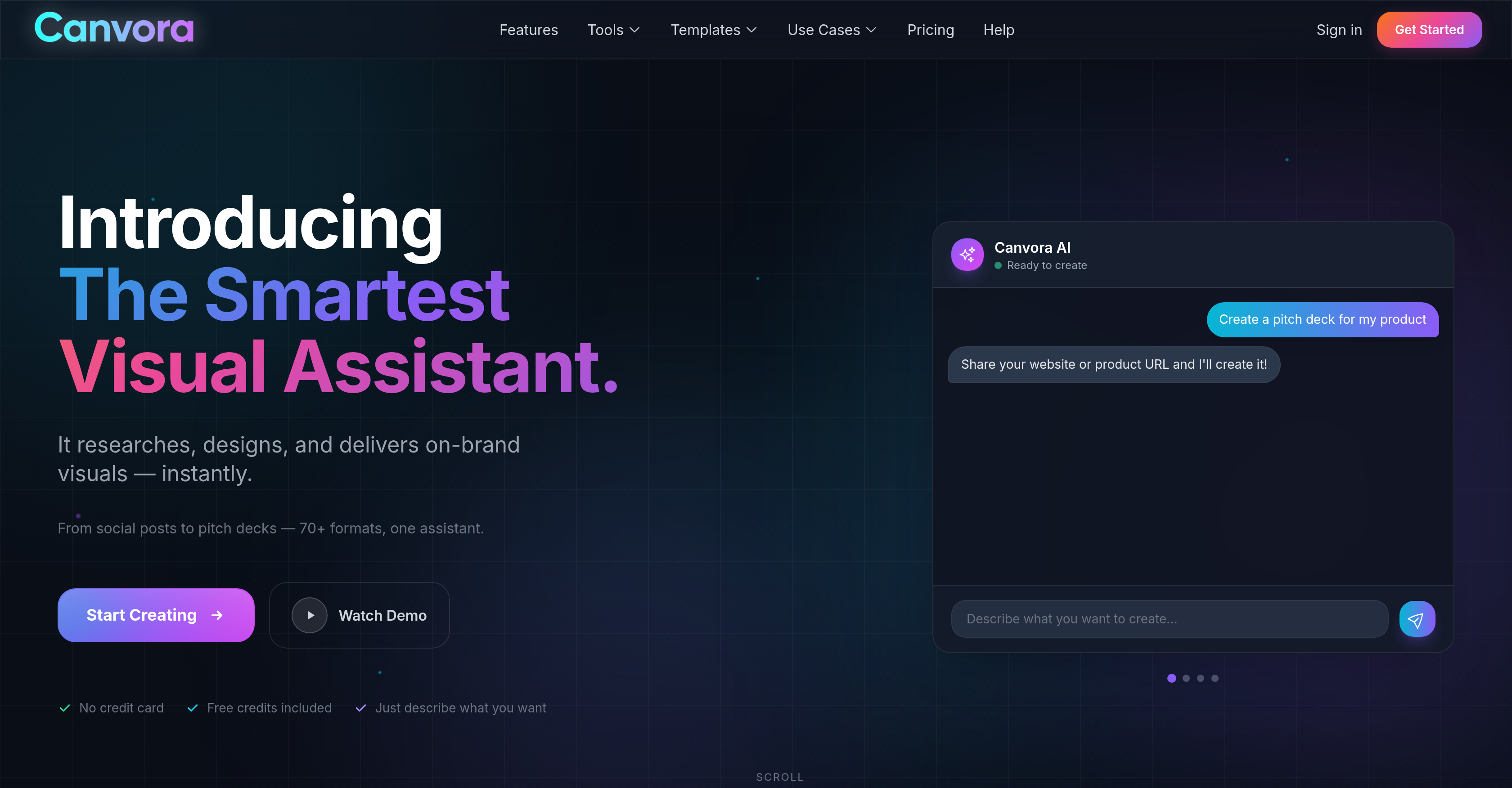
- Generate over 70 types of professional visuals from any text, URL, or document without design skills, using AI-powered content creation and design automation.
- Maintain perfect brand consistency across all content with automatic application of your colors, fonts, and logos through customizable style presets.
- Transform dense reports, PDFs, or articles into clear visual insights and infographics by having AI extract and visualize key data points.
- Create platform-optimized content for Instagram, LinkedIn, and more with designs automatically formatted to each channel's specifications.
- Work in your native language and create content for global audiences with support for over 50 languages throughout the ideation and design process.
- Export finished visuals ready for any use case with multiformat download options including PNG, JPG, PDF, PPTX, and WebP.
- Refine any design instantly by typing simple text instructions for the AI to adjust layouts, colors, and elements on demand.
Pros & Cons
Pros
- Generates 100+ visual formats
- Supports multiple input formats
- Various output formats support
- Automatically applies brand elements
- Supports 150+ languages
- Offers style presets
- Assists in ideation process
- Automated content research
- Generates content from given topic
- Transforms data into insights
- Accommodates diverse roles
- Maintains brand aesthetic
- Creates visuals from typed instructions
- Refines visuals through instructions
- No specific design skills needed
- One assistant for various formats
- Fast visual generation
- Platform accommodates global audience
- Generates content and visuals
- Extracts insights from uploaded content
- Allows refinement and adjustment
- Automated research and designing
- Supports various graphics formats
- Preserves brand's aesthetics
- Content into professional visuals
- Customizable visual creation
- Automated style application
- Can export in WebP, JPG, PNG, PPTX and Docx
- Ideal for content marketers
- Automated brand integration
- Handles typography, layout, colors
- Download up to 4K resolution
Cons
- Visual editing all prompt based but effective
- Credits needed for actions
- No support for Video generation
- No mobile app
- Generates only static visuals
Reviews
Rate this tool
Loading reviews...
❓ Frequently Asked Questions
Canvora is an AI-powered platform that assists users in generating visual content in different formats. It is designed to alleviate the need for specific design skills, providing tools that range from creating social media posts and ads to carousels, presentations, infographics, and sales decks, and many more. Moreover, Canvora can convert data into visual insights, enabling users to convey their messages more effectively.
Canvora can be used by a wide range of users including, but not limited to, content marketers, social media managers, business owners, startups, founders, coaches, consultants, e-commerce businesses, and individual creators. Essentially, anyone who needs professional, brand-aligned visual content can use Canvora.
Canvora can create over 70 types of visual content from any text-based or URL-based content. This includes social media posts, carousels, presentations, infographics, sales decks, ads, quotes, blog headers, email headers, testimonial cards, stat cards, checklists, process flows and much more.
Canvora supports multiple input formats for content. Users can input content as text, paste URLs, or upload files such as PDFs and Docs.
Canvora allows users to produce visual content in different output formats such as PNG, JPG, PDF, PPTX, and WebP.
Yes, Canvora does support branding customization. It ensures that your content aligns with your brand by automatically applying your brand's colors, fonts, and logos to every visual it generates.
With Canvora, you can create a broad array of designs, including but not limited to, social media posts and ads, carousels, presentations, infographics, sales decks, marketing cards, quotes, blog headers, email headers, testimonial cards, stat cards, checklists, process flows, pitch decks, and many more.
Yes, Canvora offers language support. It boasts support for over 50 languages, catering to a global audience and enabling native language creation without the need for translations.
Absolutely, Canvora is equipped to generate a wide variety of social media posts and ads. It can create content for platforms like Instagram, LinkedIn, Facebook, YouTube, Twitter, Pinterest, and many more.
Indeed, beyond just being a design creation tool, Canvora can also assist in the ideation process. It achieves this by researching and writing content based on the topic provided by the user.
Canvora's underlying AI analyzes the input data and extracts key insights from it. It then visually presents these insights in the created content, enabling users to communicate their message more effectively.
Yes, one of the key features of Canvora is its ability to automatically apply your brand's colors, fonts, and logos to every visual it creates. This ensures consistent brand representation and recognition across all visuals.
Canvora's style presets are predefined visual aesthetic settings that users can save within the platform. These presets allow the AI to learn and consistently apply a user's preferred aesthetic to every generated visual, ensuring a consistent look and feel across all content created.
Yes, creating sales decks is one of the many capabilities of Canvora. Users can provide the necessary information, and Canvora's AI will take care of generating a professional and visually appealing sales deck.
Yes, Canvora automates the entire design process. Whether it's creating social media posts, designing a sales deck, or generating an infographic, Canvora handles each step, from ideation to the final visual.
Yes, Canvora supports multiple languages. It provides support for over 50 languages, allowing users to create content and interact with the platform in their preferred language.
Yes, infographics are among the many types of visual content that Canvora can create. The underlying AI can take a set of data or information and transform it into a clear and visually engaging infographic.
Canvora optimizes content for diverse platforms by formatting and designing the visual content in a format suitable for the intended platform. Whether you need a post for LinkedIn, an ad for Instagram, a slideshow for a presentation, or a graphic for a blog, Canvora will automatically optimize the design, size, and format of the visual to best fit that specific platform.
Canvora assists in content marketing by creating visually engaging content that aligns with your brand message and aesthetic. It can transform any content into multiple visual formats like social posts, infographics, sales decks, presentations, carousels, and many more, thereby improving content visibility, engagement, and effectiveness across various channels.
In Canvora, users can export their visual content in a variety of output formats such as PNG, JPG, PDF, PPTX, and WebP.
Canvora's AI works by automating the research and design process for visual content. Users describe what they want to create or upload text content, and Canvora's AI takes this input to produce professional, on-brand visuals instantly. In situations where users do not provide specific content, Canvora's AI can generate content and visuals based on a given topic. It also has the capability to extract insights from uploaded content, like URLs, PDFs, or docs, and transform them into professional visuals.
Canvora is capable of producing more than 70 different visual content formats, including but not limited to social media posts, carousels, presentations, infographics, sales decks, and ads.
The input formats supported by Canvora includes text, URLs, PDFs, and Docs. Users can paste or upload content to start the process of visual content generation.
Canvora provides the option to export creations in various formats like PNG, JPG, PDF, PPTX, and WebP, catering to different needs of the users.
Yes, Canvora can automatically apply a brand's aesthetic to every generated visual. The platform offers style presets that enable the AI to learn and apply a user's aesthetic to future visuals.
Yes, Canvora supports more than 50 languages, catering to a global audience. Everything, from content ideation to creation, occurs natively in the user's language without any need for translations.
Canvora assists in the ideation process through AI-powered research and content creation based on a given topic. Users can input a topic, and the AI will research, write, and create stunning visuals related to that topic.
Indeed, Canvora's AI can generate content and visuals from a given topic. Users just need to provide a topic, and the AI will research, write and create visually stunning content relevant to it.
Canvora extracts insights from uploaded content by using AI to read the content like URLs, PDFs, or Docs. It then distills insights from the content and transforms them into professional visuals.
Yes, Canvora allows users to adjust their visuals. Users can type instructions to refine their designs and Canvora will adjust the visuals accordingly.
Yes, Canvora can visualize extracted insights from data. It transforms the data into insights, helping users to communicate their message effectively through visuals.
The key features of Canvora include automatic lineage support for over 50 languages, automatic color, font, and logo application for branding consistency, multiple input and output formats support, text-based commands for design edits and refinements, and AI-based research, writing, and visual content creation.
Yes, Canvora does offer multiformat export. Users can export their creations in a variety of formats including PNG, JPG, PDF, PPTX, and WebP.
Yes, Canvora does help maintain a consistent aesthetic across all visuals. It ensures content aligns with your brand by automatically applying colors, fonts, and logos to each design. Moreover, the platform offers style presets for the AI to learn and apply your aesthetic to every visual.
Yes, Canvora supports content creation for diverse roles like content marketers, social media managers, startups, founders, consultants, and writers. The platform is designed to create visually appealing content catered to different needs.
Yes, Canvora does allow users to refine and adjust their visuals. Through simple typed instructions, users can command Canvora's AI to make adjustments to the generated designs.
Yes, Canvora can create visually appealing content for different roles including content marketers, social media managers, startups, founders, consultants, and writers, thus catering to a diverse user base.
Yes, Canvora can help users streamline their design process and optimise content for various platforms. With its wide range of supported formats and automatic design features, Canvora simplifies the content creation process making it efficient and effective.
Yes, Canvora has an automatic content generation feature. When users are without specific content, Canvora's AI can generate content and visuals from a given topic.
Pricing
Pricing model
Free Trial
Paid options from
$19/month
Billing frequency
Monthly
Refund policy
No Refunds