Overview
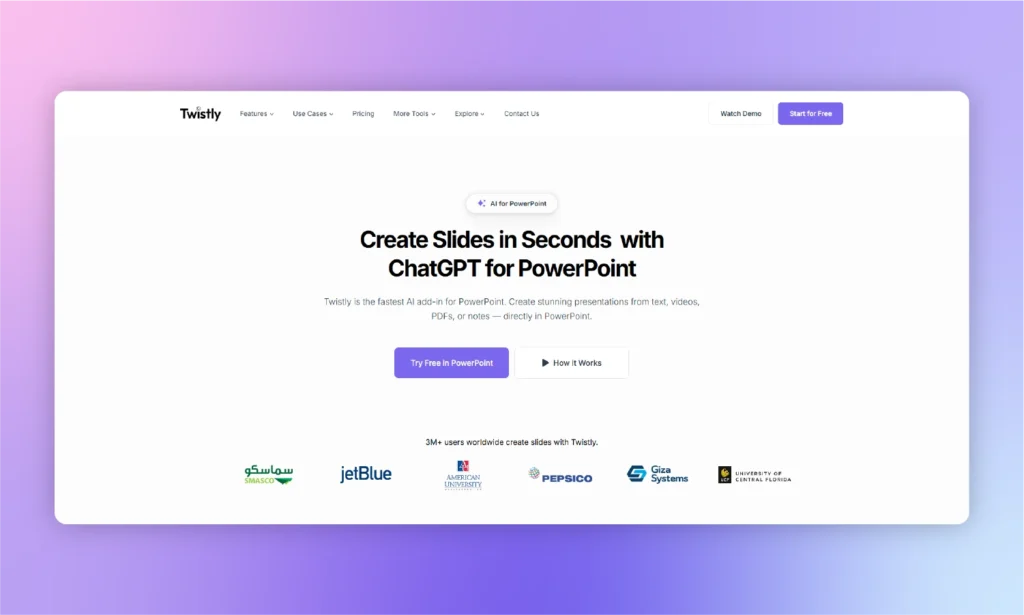
- Create complete presentations from any text, PDF, or idea in minutes instead of hours with AI-powered content generation
- Automatically include relevant images, charts, and tables to enhance visual appeal without manual design work
- Instantly translate entire presentations across multiple languages with single-click AI translation
- Generate professional speaker notes automatically to support your presentation delivery
- Access diverse design templates tailored to different presentation contexts and aesthetic preferences
- Customize AI-generated slides as your starting point for personalized presentation refinement
- Collaborate efficiently across teams of any size with built-in collaboration features
- Convert YouTube videos into presentation content by simply linking to the video source
Pros & Cons
Pros
- Generates comprehensive presentations efficiently
- Professional-looking slides creation
- Automatic inclusion of graphical components
- Translation feature for multilingual presentations
- Design choice with multiple templates
- Facilitates customization of presentations
- Facilitates collaboration
- Supports PDF to PowerPoint conversion
- Transforms text to PowerPoint presentations
- Visual representation of data
- Useful for diverse businesses
- Helpful for educational presentations
- Transforms ideas into visual presentations
- Fast content generation
- Auto-generation of images, charts, tables
- User-friendly interface
- Ability to add speaker notes
- Online installation and usage
- Suitable for any topic
- Easy integration into Microsoft PowerPoint
- Creates dynamic presentations from prompts
- Automates presentation-making processes
- Customizable aesthetics
- Generates slides from PDF documents
- Produces high-quality PowerPoint slides
- Tailors presentations to user preferences
- Translation across dozens of languages
- Conversion of YouTube video content
- Ready-to-use unique design templates
- Allows input of visual cues
- Optimized for business presentations
- Useful for individual and team projects
- Wide range of uses (startups, enterprises, etc.)
- Cross-platform compatibility
Cons
- Limited design customization
- Translation accuracy varies
- PDF conversion inconsistencies
- No offline functionality
- Lacks real-time collaboration
- Dependent on PowerPoint
- Template variety limited
- Inaccurate data visualizations
- Missing advanced editing tools
- Slow at processing input
Reviews
Rate this tool
Loading reviews...
❓ Frequently Asked Questions
ChatGPT for PowerPoint is an AI tool specifically designed to ease and improve PowerPoint presentations production. It includes generation of professional-looking slides on different topics, automatic inclusion of graphical elements like charts and images, and a translation feature to swiftly convert presentation content across many languages.
ChatGPT for PowerPoint works by taking user input and transforming it into comprehensive PowerPoint presentations. User input could be in the form of text, ideas, or PDF documents. It also auto-includes graphical elements and provides the ability to translate the presentation into several languages.
Yes, ChatGPT has the capability of transforming text or PDF documents into a fully fleshed PowerPoint presentation. It processes the inputs and restructures them into PowerPoint slides.
Yes, ChatGPT for PowerPoint supports translation across numerous languages. This function allows for swift conversion of presentation content, enabling the presentations to have a broader reach without language constraints.
ChatGPT for PowerPoint offers a wide array of versatile design templates. These are crafted to cater to different aesthetic preferences and presentation contexts. These templates vary in themes, color schemes, and design approaches making them versatile for different presentation needs.
Yes, once ChatGPT for PowerPoint generates the slides, users are able to customize them. These AI-generated slides act as a blueprint for users to build upon and make changes according to their specific needs.
Yes, ChatGPT for PowerPoint has a collaboration feature making it useful for different group sizes including individual users, small start-up teams, and larger enterprises.
Yes, ChatGPT for PowerPoint automatically includes graphic components like images, charts, and tables to enhance the visual appeal of presentations.
ChatGPT for PowerPoint is extremely efficient at converting ideas into presentations. By processing the user's input, it transforms concepts, text, or PDF documents into comprehensive and visually appealing presentations.
Yes, ChatGPT for PowerPoint supports multilingual presentations. Its translation feature allows for swift conversion of the presentation content into numerous languages.
ChatGPT for PowerPoint provides various customization options. Once the AI generates slides, these can be modified by users. The changes can be applied to content, design, inclusion of image or charts, making it a flexible tool for presentation creation.
The translation feature of ChatGPT for PowerPoint works with a single click. It instantly converts your presentation content into dozens of languages, allowing your ideas to cross linguistic boundaries.
Yes, ChatGPT for PowerPoint can be used by both individual users and larger enterprises. It supports collaboration, making it a versatile tool suited for a range of team sizes and organisational types.
The different design templates for ChatGPT for PowerPoint can be found directly within the tool. It offers an attractive collection of design templates catering to different aesthetic preferences and presentation contexts.
To incorporate your input into ChatGPT for PowerPoint, you simply need to type in your topic, upload a file – whether it's text or PDF – or even link to a YouTube video. The AI does the rest by transforming this input into comprehensive PowerPoint presentations.
Yes, ChatGPT for PowerPoint is highly efficient at creating professional-looking slides. These slides can be generated on any topic, and they are visually engaging, thanks to automatic inclusion of images, charts and tables.
Yes, ChatGPT for PowerPoint offers an additional functionality that allows users to create speaker notes using AI. This helps in structuring a speech or a talk to coincide with the presentations.
Yes, in addition to being suitable for individual users and larger enterprises, ChatGPT for PowerPoint also provides tailored solutions for start-ups. It facilitates collaboration and efficient idea visualization, making it a valuable tool for start-ups.
ChatGPT for PowerPoint can significantly improve business communication by quickly and efficiently transforming raw data, ideas or texts into well-structured, visually engaging presentations. Its ability to translate the content into several languages also aids in international communication.
Yes, ChatGPT for PowerPoint comes with a 'How to Guides' section on their website. This includes step by step user guides such as how to use ChatGPT for PowerPoint, AI PowerPoint Speaker Notes, AI PowerPoint Translation, and more.
Pricing
Pricing model
Free Trial
Paid options from
$6.99/month
Billing frequency
Monthly
Related Videos
The Best Beautiful AI Alternatives of 2025 | Beyond Beautiful.ai
Twistly Ai•24 views•Sep 23, 2025