Overview
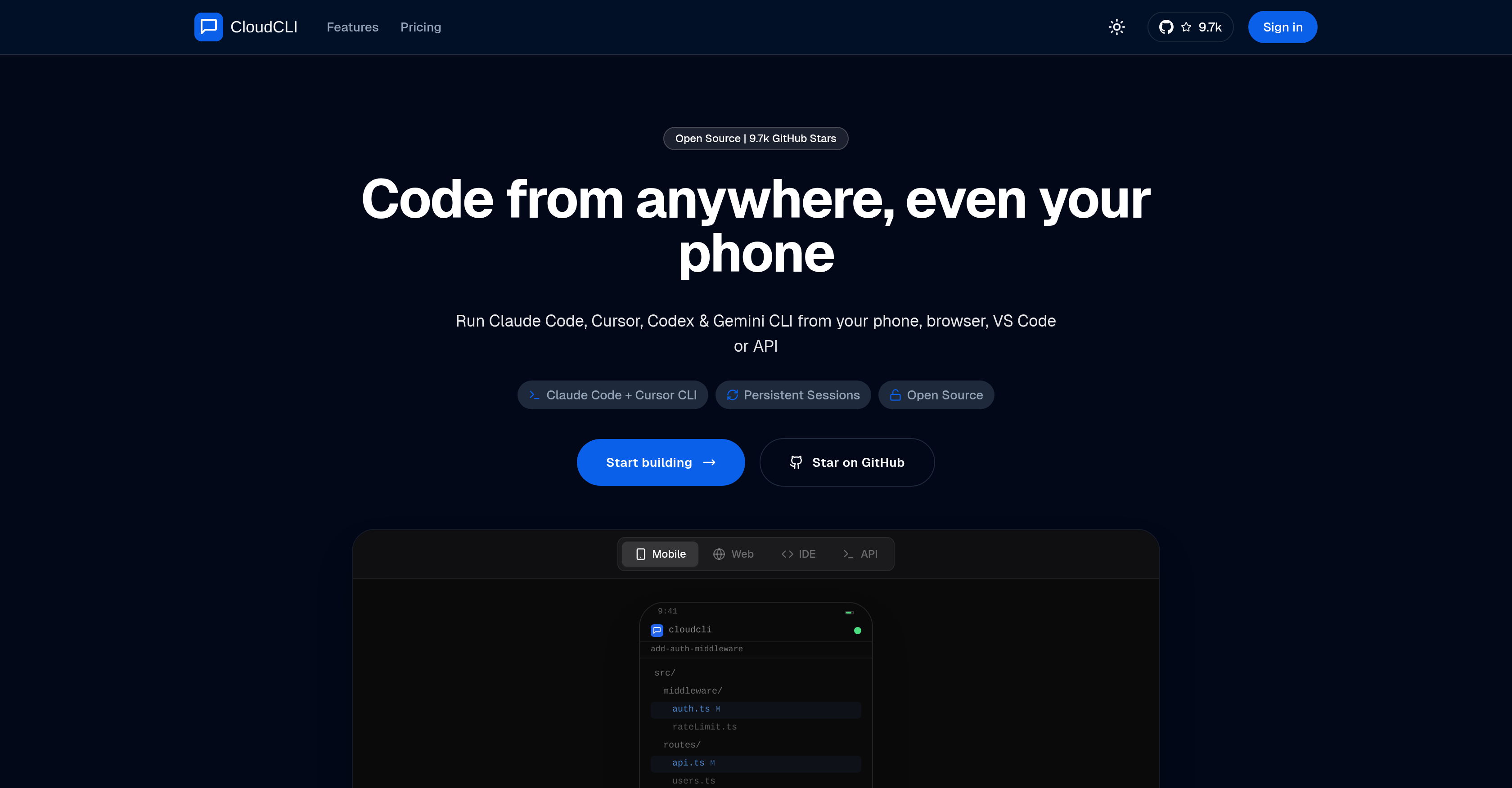
- Never lose your work or context when switching devices, thanks to cloud-based sessions that run continuously even after you close your laptop or phone.
- Start coding on your phone during a commute and instantly continue the exact same session in VS Code or Cursor on your desktop, eliminating setup delays.
- Share identical development environments, configurations, and context files with your team to ensure everyone starts from the same setup and accelerates collaborative debugging.
- Use your preferred AI agent (Claude Code, Cursor CLI, Codex, Gemini CLI) with your own API keys, which are stored securely in encrypted form.
- Initiate development sessions directly from a mobile-optimized UI or via API, removing the need for complex SSH tunnels or VPN configurations for remote access.
Pros & Cons
Pros
- Cloud-based development environment
- Session persistence after closure
- Initiate from any device
- Supports browser and API initiation
- Continuation in Visual Studio Code
- Continuation through SSH in Cursor
- Sharing environments among team
- Sharing configuration files among team
- Encrypted API Key storage
- Shared API Key storage
- Multiple pricing options
- Open source UI
- Optimized for mobile interaction
- No need for SSH tunnels
- No need for VPN configs
- Environment remains intact on switch
- Supports Claude Code, Cursor CLI
- Supports Codex, Gemini CLI
- Team Collaboration features
- Cloud computing capabilities
- Avoids lock-ins
- Offers real user interface
- Sessions can start from phone
- Sessions continue in VS Code
- Cloud storage of changes and files
- Each user gets their own isolated container
- Supports installable dependencies, databases, and tools
- Code persists between sessions
- Supports GitLab and Bitbucket
- Environment keeps running when offline
- Supports API triggering of background agents
- Option to self-host
- Shared MCP servers for teams
- Shared environment variables for teams
- Shared tool configurations for teams
- Onboard new developers in minutes
- Fully secure code storage
- Encrypted credential storage
- Offers dedicated infrastructure
- Custom subdomains
- IDE integration
- Custom CPU & RAM configurations
- Volume discounts for teams
- Direct SSH access
- Works with multiple agents simultaneously
- Compatible with GitHub integration
Cons
- Team features under paywall
- Shared infrastructure
- Lack of training materials
- Github copilot not supported
- No docker image
Reviews
Rate this tool
Loading reviews...
❓ Frequently Asked Questions
CloudCLI is designed for ubiquitous accessibility. You can use any device to code using CloudCLI, including a phone, a computer, or even devices with browser access.
CloudCLI promotes workflow continuity by providing a durable, cloud-based environment. This Persistence ensures that coding sessions continue seamlessly even if the device used for the session is closed or disconnected.
CloudCLI supports a variety of AI coding agents. These include Claude Code, Cursor CLI, Codex, and Gemini CLI.
Yes, you can initiate a coding session directly from your phone using CloudCLI. This makes for flexible and convenient coding sessions, even on the go.
CloudCLI facilitates collaborative work by providing features to share environments, configurations, and context files among team members. This encourages collaborative editing and debugging.
Definitely. On CloudCLI, environments and configurations can easily be shared with team members, easing the process of collaboration and synchronization across the team.
CloudCLI handles API Key storage securely. Your API keys are stored in an encrypted form, ensuring maximum data privacy and security.
CloudCLI takes comprehensive measures to safeguard your API keys. They are securely stored in an encrypted form to maintain maximum data privacy.
CloudCLI provides variegated pricing options suitable for different needs. There's a provision for individual developers and custom solutions for larger teams. The subscription plans are flexible and customizable, offering maximum value based on the requirements.
Yes, the core UI of CloudCLI is open-source which welcomes community contributions. You're free to contribute and customize to best suit your needs.
Absolutely, CloudCLI provides a mobile-optimized UI. This ensures a seamless coding experience across all devices, especially mobile, making it possible to interact with AI agents efficiently.
CloudCLI differs greatly from GitHub Codespaces. While GitHub Codespaces are general-purpose cloud dev environments, CloudCLI is specifically built for AI agents. It also provides a mobile-optimized UI designed for interacting with AI agents.
AI developers should opt for CloudCLI given the plethora of features it offers: native support for several AI agents, mobile-optimized UI, encrypted API Key storage, the flexibility of coding from any device, workflow continuity, and convenient team collaboration.
CloudCLI does not have a specified maximum team size for its team solutions. The platform offers customizable solutions based on team size and needs, addressing requirements for both small and large organizations.
CloudCLI ensures that sessions persist even after closing the device. Your coding sessions are cloud-based, which means they continue to run even if you disconnect your device. The next time you log in, you can directly pick up from where you left off.
The specialty of CloudCLI's persistence lies in its cloud nature. As sessions are cloud-based, they persist regardless of the device's state. This eliminates the dependency on a specific device, enabling coding from anywhere at any time and ensuring seamless continuity.
CloudCLI allows you to customize your environment according to your project's needs. You can choose your preferred AI Coding agent among Claude Code, Cursor CLI, Codex, and Gemini CLI. Furthermore, it comes with SSH and Visual Studio Code integration, enabling additional customizations as per your requirements.
CloudCLI offers various cloud computing benefits. The primary one being the ability to code from anywhere, enabling a remote coding experience. Moreover, your coding sessions are persistent and not tied to a specific device, therefore promoting workflow continuity.
Yes, CloudCLI supports remote coding. You can initiate a session from a device of your convenience including your phone, and continue it on another device in Visual Studio Code or other browsers over SSH.
Yes, you can integrate Visual Studio Code with CloudCLI. This allows you to pick up the same coding session in Visual Studio Code or Cursor over SSH, with all your changes and files intact.
CloudCLI is a specifically configured cloud development environment that caters to the needs of AI coding agents. This platform ensures persistent sessions that continue running even after you close the device. It allows users to initiate code from anywhere, on their desired device, and resume it in their integrated development environments like Visual Studio Code or Cursor over SSH for continuous workflow.
CloudCLI is built to provide an adaptive environment for AI coding agents like Claude Code, Cursor CLI, Codex, and Gemini CLI. It enables sessions to be initiated from a phone, browser, or via an API and ensures these sessions remain persistent even when the device is closed. Also, it promotes collaboration among team members by sharing environments, configurations, and context files.
Initiating a coding session in CloudCLI is simple and convenient. It can be started on your device of choice, be it a mobile device, a browser, or even over API. This flexibility allows users to code from anywhere, enhancing the continuity of their work process.
Yes, you can initiate a coding session in CloudCLI from any device and then proceed to continue it in Visual Studio Code. It facilitates seamless continuity as the session remains persistent in the environment, allowing users to pick their work from where they left off.
Yes, CloudCLI is designed to foster efficient team collaboration. It facilitates sharing environments, configurations, and context files amongst the team members. Everyone can start from the same setup, thereby ensuring consistency and harmony in the workflow.
CloudCLI supports a variety of AI coding agents. These include Claude Code, Cursor CLI, OpenAI Codex, and Gemini CLI. Users can use their preferred coding agents, allowing adaptability and customization in usage.
Yes, CloudCLI comes with a mobile-optimized UI, allowing users to run sessions from their mobile devices. It supports cross-device accessibility which provides a consistent AI development experience across different devices, even mobile phones.
CloudCLI emphasizes greatly on data privacy and security. It stores API keys in a secure, encrypted format which ensures the protection of sensitive data. Moreover, these keys are used in a shared environment which maximizes the security of user data.
CloudCLI offers a variety of pricing options to cater to a broad range of users. It includes plans for individual developers as well as custom solutions for bigger teams. The pricing is based on the usage, with the base plan starting at €7/month.
Yes, CloudCLI is indeed open source. The core UI of the platform is open to community contributions. However, to access premium features like managed cloud environments, persistent sessions, cross-device access, and team features, you would need to use the hosted version.
CloudCLI does support API Integrations. Users can kickstart coding sessions via an API and maintain their workflow efficiently across different platforms.
Yes, CloudCLI provides the ability to share workspaces with your team. It fosters collaborative work by enabling the sharing of environments, configurations, and context files among team members.
CloudCLI provides a more tailored environment specifically for AI agents when compared to platforms like GitHub Codespaces. It offers features like support for multiple AI coding agents, mobile-optimized UI, persistent sessions, cross-device accessibility, which are crucial for AI-oriented projects.
Indeed, CloudCLI is designed for cross-platform development. It provides a consistent development environment across a multitude of devices. You can initiate a session from a phone, browser, or API, and maintain it persistently in the cloud. This ensures smooth continuity of work across different devices.
Session continuity in CloudCLI means that your development session persists even when you close your device. The built-in persistent environment allows users to pick up from where they left off without losing any progress made during a coding session.
In CloudCLI, your API keys are securely stored in an encrypted form. This ensures the utmost security of sensitive data and it maintained in a shared environment which maximizes the protection of user data.
Absolutely, you can code from your phone using CloudCLI. It has a mobile-optimized UI that allows you to initiate and manage coding sessions, making it extremely convenient for mobile-first users.
Persistent environments in CloudCLI refer to the cloud-based development sessions that continue running persistently even after you close your device. It enables users to maintain their work continuity across different devices and session times. Even if you switch devices or close your session, your coding progress is saved and remains accessible.
CloudCLI enables team collaboration by offering features for sharing environments, configurations, and context files. These shared resources enable a uniform startup setup for all team members, facilitating better collaborative efforts and reducing onboarding time for new developers.
The number of active environments you can have on CloudCLI depends on the subscription model you choose. For example, the 'Hobby' plan allows for one active environment, while the 'Growth' plan provides five. If you require a greater number of active environments, an 'Enterprise' plan is available, which offers custom solutions based on your needs.
Pricing
Pricing model
Free Trial
Paid options from
$8.25/month
Billing frequency
Monthly