
Overview
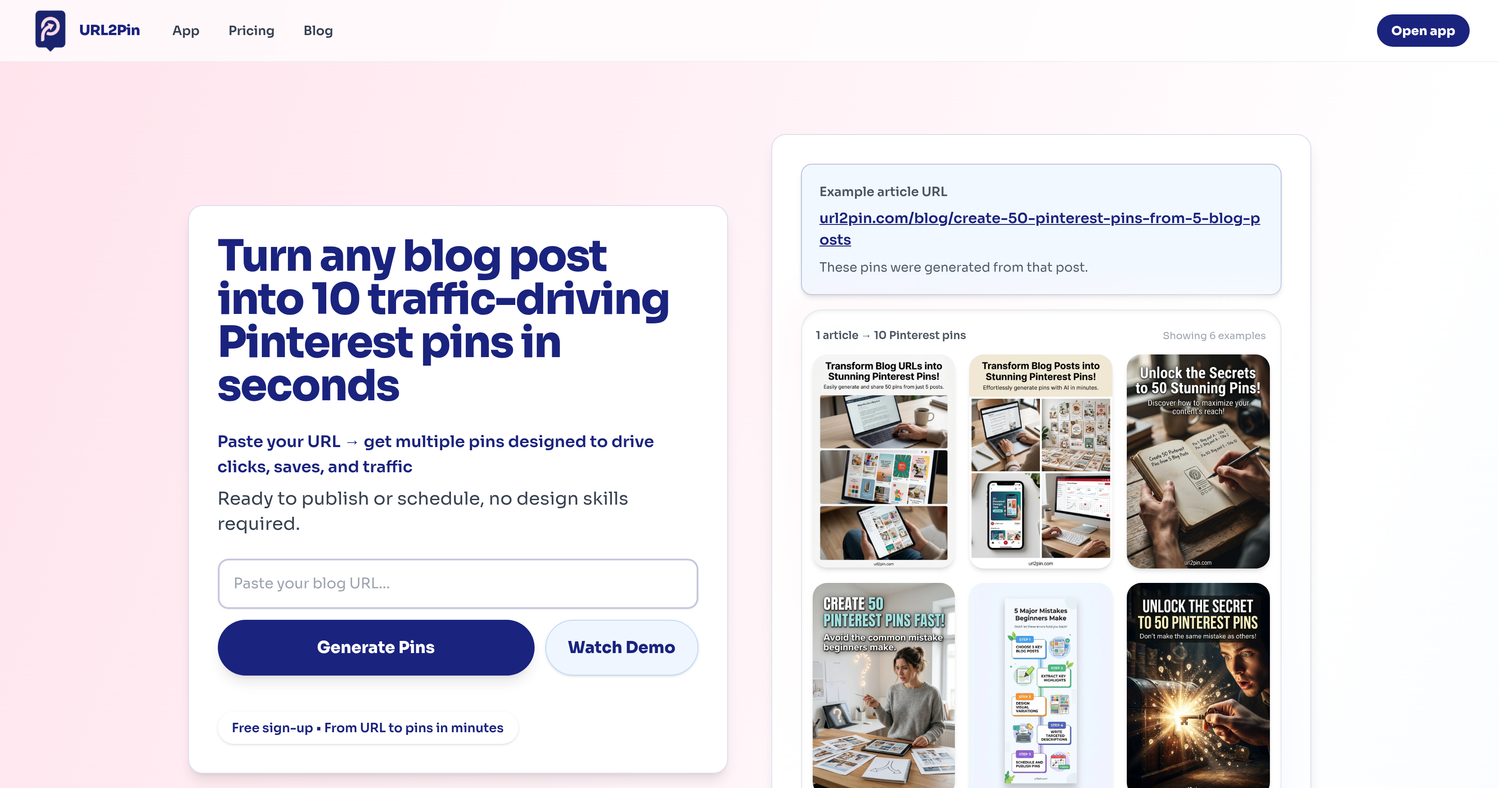
- Transform blog articles into Pinterest traffic drivers instantly by pasting a URL, eliminating hours of manual design and content creation.
- Maximize engagement with a diverse pin strategy from a single URL, generating up to 10 unique pins including click-focused, save-friendly, and engagement-optimized designs.
- Publish or schedule pins directly to Pinterest with one click, streamlining your workflow by connecting your account for immediate posting.
- Create professional, SEO-optimized pins without design skills, as the AI automatically generates relevant titles, descriptions, hashtags, and visuals.
- Cut marketing costs by replacing hired designers or complex tools, using an AI-powered solution that analyzes content and produces complete pin sets.
Pros & Cons
Pros
- Converts URLs to Pinterest pins
- Generates titles, descriptions, hashtags
- Automatically creates visuals
- Directly posts to Pinterest
- Allows one-click download
- Generates multiple pins per URL
- Time and cost efficient
- Connects to Pinterest for scheduling
- Generates click-focused pins
- Generates save-friendly pins
- Generates engagement pins
- Generates clean design pins
- Extracts key ideas from URLs
- Provides diverse pin strategy
- Free sign-up
- User-friendly
- Creates pins for different niches
- Automatic content transformation
- Blog marketing simplified
- Effective Pinterest automation
- Promotes higher social engagement
- Enhances SEO
Cons
- No platform diversity
- No multi-language support
- No offline functionality
- Limited pin aesthetics
- No collaboration features
- Difficult to customize pins
- No documentation provided
- No integration with other SM platforms
- Limited functionality for non-blog URLs
- Reliance on internet connection
Reviews
Rate this tool
Loading reviews...
❓ Frequently Asked Questions
URL2Pin is an AI-powered tool, specifically designed for converting blog or article URLs into Pinterest pins ready for publishing. It facilitates bloggers and content writers who aim to enhance their Pinterest traffic but consider pin creation to be time-consuming or expensive.
URL2Pin operates in a straightforward manner. On pasting a URL into the tool, it utilizes AI to analyze the content and distill key ideas from it. These key ideas then guide the generation of multiple Pinterest pins, each based on different proven strategies. Everything from the titles, descriptions, hashtags to visuals for the pins are included, resulting in ready-to-publish pins.
URL2Pin creates a variety of Pinterest pins to stimulate different types of user engagement. The generated pins can be broadly categorized into four types, namely click-focused pins that aim to drive more clicks, save-friendly pins that make people want to save for later, engagement pins that attract comments and interaction, and lastly clean pins which offer clear designs and credible information.
The primary features of URL2Pin include content analysis to extract key ideas, generation of multiple pins with diverse strategies, producing titles, descriptions, hashtags, visuals, direct posting to Pinterest and one-click export. URL2Pin also includes the ability to connect your Pinterest account for scheduling or exporting pins.
Yes, URL2Pin offers the option to directly connect to your Pinterest account. This allows you to schedule or export the pins directly, amplifying the convenience.
URL2Pin does facilitate scheduling of pins. Once the pins are generated, you can connect to your Pinterest account directly and schedule the content for publishing.
URL2Pin helps drive engagement on Pinterest by creating a mix of pin types aimed at sparking different forms of user engagement. It automatically generates click-focused pins, save-friendly pins, and engagement pins which together maximize the potential reach and impact of each article. Each pin type caters to different user behaviors, such as clicking, saving posts for later use, or engaging through comments.
Yes, URL2Pin lets you export the generated pins. After creating multiple Pinterest pins from a single URL, you can easily download them in a single click for future use.
URL2Pin employs AI technology to analyze the content of the provided URL. It extracts key ideas and uses them as a foundation for creating diverse Pinterest pins. The AI is responsible for creating a variety of pins that maximize engagement potential, producing titles, descriptions, hashtags, and distinctive visuals for each pin.
The only information you need to provide to URL2Pin is the URL of the blog or article you wish to convert into Pinterest pins. No additional data is required.
You can use any form of blog or article content with URL2Pin. The tool is specifically designed for turning the content of these URLs into ready-to-post Pinterest pins.
With URL2Pin, you can significantly cut down the time invested in manual pin creation. It instantly transforms your blog URLs into up to 10 traffic-driving Pinterest pins, accelerating the entire content delivery process.
URL2Pin is exceedingly cost-effective when compared to other options. With the tool, there's no need to hire designers or learn complex tools, both of which can be timeline-intensive and expensive. It does all the work, generating your pins rapidly and reducing any additional costs.
Absolutely, URL2Pin is designed to generate multiple pins from a single URL. Its strategy involves presenting the content from different angles and approaches to reach a more diverse audience.
Yes, URL2Pin provides ready-to-publish content. For each URL processed, URL2Pin generates ready-to-publish Pinterest pins complete with titles, descriptions, hashtags, and visuals.
Yes, URL2Pin is capable of creating pins that encourage users to save the information for later. These 'save-friendly' pins are part of the diverse range of pins generated by URL2Pin to maximize user engagement and to cater to all types of Pinterest user behaviors.
URL2Pin deals with different strategies for presenting content by generating a mix of Pinterest pins for each URL. The tool creates click-focused pins, save-friendly pins and engagement pins which capture different user interests and behaviors. These multiple strategies ensure a more comprehensive representation of the original content.
Yes, click incentivization is a major aspect of the pins generated by URL2Pin. The tool creates a type of pin which is specifically aimed at driving more clicks from users.
Yes, visuals form an integral part of the pins created by URL2Pin. It uses AI to generate visually appealing and relevant images for each pin, enhancing engagement and the overall aesthetic value of the pins.
URL2Pin uses AI technology to generate hashtags for each pin created. After analysing the article or blog content from the provided URL, the AI extracts key concepts, and based on these insights, it generates hashtags relevant to the pin's content.
URL2Pin generates four types of pins: click-focused pins to earn viewer clicks, save-friendly pins to encourage saves for future reference, engagement pins with visuals to attract interaction, and clean pins to build trust through clear, credible designs.
URL2Pin is designed to generate 10 pins from a single URL. This optimizes the potential audience reach as it allows the content to be approached from multiple angles.
URL2Pin extracts key concepts from the URL's content. This includes ideas, topics, themes, and other important elements that help it generate Pinterest pins related to the URL's content.
Yes, users can post the pins generated by URL2Pin directly to Pinterest.
Yes, URL2Pin provides a one-click download option for the generated Pinterest pins.
No, users do not need to have any design skills to operate URL2Pin. The AI-powered tool is user-friendly and completely manages Pinterest pin creation.
Yes, URL2Pin provides an option to connect to your Pinterest account. This connection could further facilitate scheduling or exporting of pins.
URL2Pin facilitates Pinterest traffic growth by generating a variety of pins aimed at driving different types of user engagement, be it clicks, saves, or interaction. By approaching content from multiple angles, it enhances the potential reach of every post.
Yes, URL2Pin is cost-effective. It serves as a solution against the costs incurred when hiring designers or the time spent on manual Pin creation. The tool automates Pinterest pin creation, making it quicker and more affordable.
Yes, URL2Pin generates comprehensive pins that include titles, descriptions, and hashtags, thus enhancing their SEO and engagement potential.
URL2Pin creates pins aimed at driving three types of user engagement: acquiring clicks, encouraging saves, and inspiring interaction.
URL2Pin leverages AI intelligence to analyze the content of the provided URL and extract key concepts from it. These key concepts are then used in generating a variety of Pinterest pins aimed at driving user engagement.
URL2Pin generates visuals based on the provided URL's content. It uses AI to extract key ideas from the content and incorporates these into the visuals, making them relevant and engaging.
Yes, with URL2Pin, users can schedule pins to be posted at specific times on Pinterest.
Yes, URL2Pin can be a highly efficient tool for social media marketing. It automates Pinterest pin creation, diversifies content reach, encourages user engagement, and contributes to an effective content strategy and SEO.
URL2Pin uses different strategies to create diverse, engagement-driving pins. Its approach includes generating click-focused pins, save-friendly pins, engagement pins with attractive visuals, and clean, trust-building pins.
Yes, URL2Pin offers a free sign-up option. Users can start generating Pinterest pins from their URLs after signing up.
URL2Pin assists in SEO optimization for Pinterest content by creating SEO-friendly pins. The pins are comprehensive and include elements like titles, descriptions, and hashtags, which can improve their visibility on Pinterest's search engine.
Pricing
Pricing model
Freemium
Paid options from
$19/month
Billing frequency
Monthly