Overview
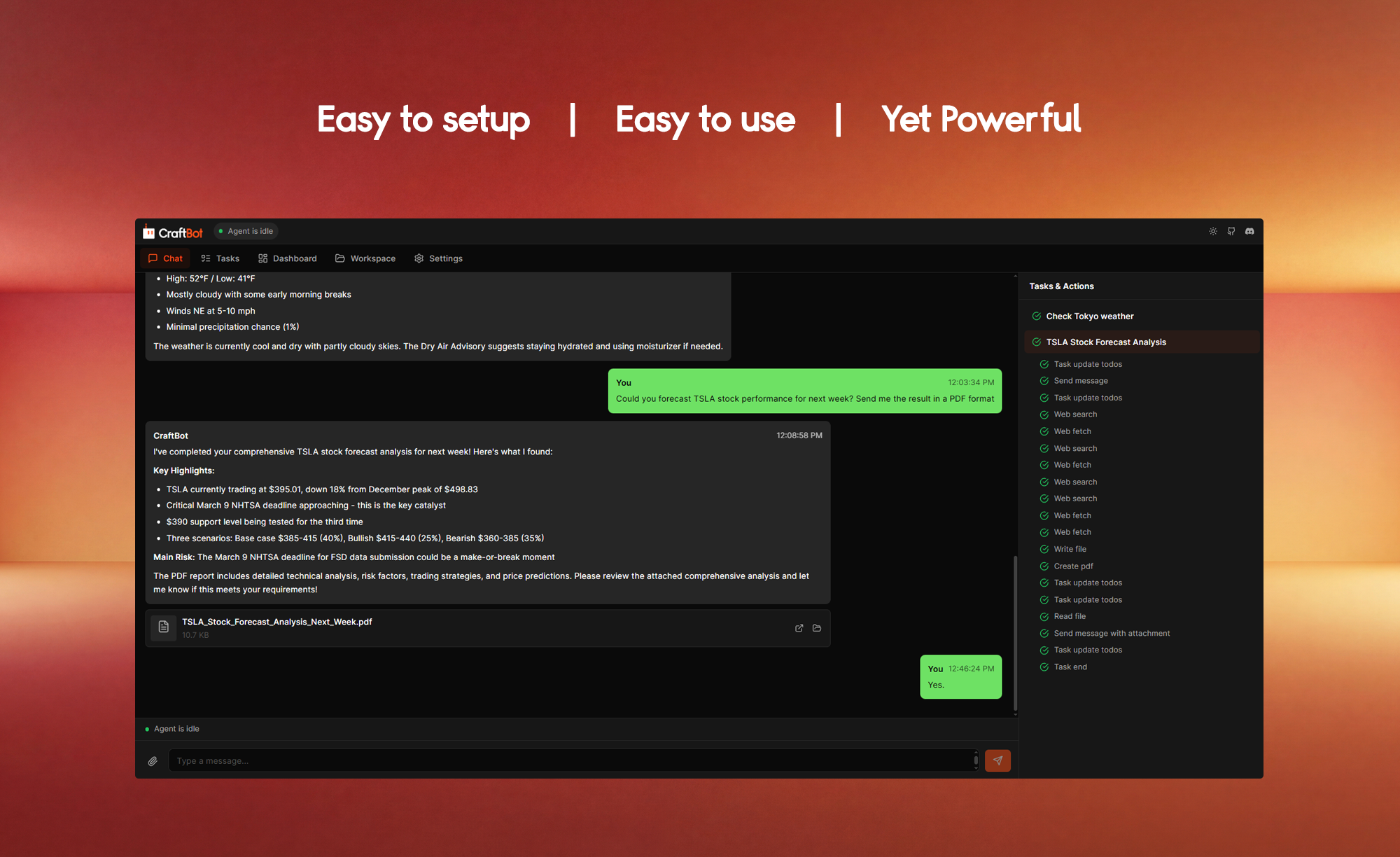
- Accomplish your life goals without manual effort through CraftBot's 24/7 autonomous task interpretation, planning, and execution.
- Automate your daily workflows end-to-end with built-in skills for code review, git operations, research, and task planning.
- Never miss a priority again as the assistant proactively initiates tasks aligned with your preferences, habits, and life objectives.
- Keep your context consistent across sessions using the memory system that distills daily events into optimized action plans every midnight.
- Extend your tool ecosystem seamlessly by connecting Google Workspace, Slack, Notion, Zoom, LinkedIn, Discord, and Telegram via the Model Context Protocol.
- Run custom apps directly inside the assistant with the Living UI, where the agent reads, writes, and acts on your app data autonomously.
- Switch between OpenAI, Google Gemini, Anthropic Claude, BytePlus, or local Ollama models to match your performance and privacy needs.
- Deploy reliably on any operating system with full support for Windows, macOS, and Linux through Docker containerization.
Pros & Cons
Pros
- Operates 24/7
- Autonomous task interpretation
- Proactive planning
- Goal management
- User preference learning
- Event consolidation
- Living UI
- Custom app development
- UI state awareness
- Google Workspace integration
- Slack integration
- Notion integration
- Zoom integration
- LinkedIn integration
- Discord integration
- Telegram integration
- Supports Model Context Protocol
- Extensible skills framework
- Task planning skill
- Research skill
- Code review skill
- Git operations skill
- Cross-platform support
- Windows, macOS, Linux compatibility
- CraftOS developed
- Switch between language models
- Flexible language model providers
- Memory system for daily events
- OAuth support
- External app integration
- Platform-specific code variants
- Docker containerization
- Supports Google Gemini
- Supports Anthropic Claude
- Supports BytePlus
- Supports local Ollama models
- Skills for personal and professional growth
- Assists in achieving user-specific objectives
- Supports task automation
- Can distil and consolidate daily events
- Proactive agent learns user preferences
- Awareness of the UI's state
- Can manipulate UI data
- Integration with external tools
- Built-in skills for various tasks
- Can improve user's life
Cons
- GUI mode deprecated
- Requires manual task approval
- Complex installation process
- Dependency on external API keys
- Indirect control (task interpretation)
- No in-built code review
- Memory consolidation only at midnight
- Limited built-in task skills
Reviews
Rate this tool
Loading reviews...
❓ Frequently Asked Questions
CraftBot is a personal AI assistant tool that resides within your computer system and operates 24/7 to autonomously interpret tasks, plan actions, execute them to achieve user-specific objectives.
CraftBot operates round the clock within your computer system. It autonomously interprets tasks, plans actions, and executes them to achieve user-specific objectives. It learns user preferences and goals, and proactively assists in planning and initiating tasks. Additionally, it can read, write, and act directly on its data through a living user interface
Key features of CraftBot include 24/7 operation, task automation, cross-platform functionality, support for multiple language models, proactive learning, UI interaction, and built-in skills. It also has OAuth support, docker containerization, and enables integration with external applications.
The Model Context Protocol in CraftBot is a feature that extends the agent capabilities with external tools and services. With this, allows CraftBot to switch between different language model providers and allows it to integrate with external apps.
CraftBot can integrate with a wide array of external apps including Google Workspace, Slack, Notion, Zoom, LinkedIn, Discord, and Telegram.
CraftBot supports and allows switching between various language model providers such as OpenAI, Google Gemini, Anthropic Claude, BytePlus, and local Ollama models.
CraftBot's User Interface (UI) allows users to build, import, or evolve custom apps. The agent stays aware of the UI's state and can read, write, and act on its data directly.
In CraftBot, proactive learning works through an agent that learns user preferences, habits, and life goals over time. By gathering and understanding these data points, it aids in planning and initiating tasks that align with the user's objectives.
CraftBot can be used for professional growth by helping users plan and initiate tasks aimed at achieving professional objectives. With built-in skills for task planning, research, code review, git operations, and more, it serves as a multifunctional tool to streamline work and enhance efficiency.
CraftBot doesn't specify the programming languages it is available in but it offers full support for Windows, macOS, and Linux through its platform-specific code variants and Docker containerization.
Yes, CraftBot supports OAuth. This allows it to securely integrate with other third-party applications requiring user authorization.
CraftBot can be integrated with a wide array of external tools including Google Workspace, Slack, Notion, Zoom, LinkedIn, Discord, and Telegram.
CraftBot's built-in skills are part of an extensible skill framework that includes abilities for task planning, research, code review, and git operations. These skills are integrated into the agent and can be called upon to perform specific tasks.
Yes, CraftBot can perform certain coding-related tasks. It has built-in skills for code review and git operations which can streamline coding workflows and improve productivity.
CraftBot is a cross-platform tool and offers full support for Windows, macOS, and Linux systems. It achieves this with platform-specific code variants and Docker containerization.
Yes, CraftBot can be used for task planning and management. It has built-in skills for task planning along with the ability to learn user preferences and proactively initiate tasks. This facilitates organization and management of tasks to be completed.
Docker containerization in the context of CraftBot refers to the use of Docker, a platform used to automate the deployment, scaling, and management of applications, to package CraftBot's application and dependencies into a standardized unit for software development known as a container. This allows CraftBot to be run reliably in different computing environments.
The GUI mode for CraftBot is deprecated because it no longer supports desktop automation. Instead, users are encouraged to use Browser, TUI, or CLI mode.
With CraftBot, users can develop custom apps through the living UI. The agent stays aware of the UI's state and can read, write, and act on its data directly, allowing users to build, import, or evolve custom apps that live inside CraftBot.
CraftBot is a Personal AI Assistant that lives within your machine and operates 24/7. Developed by CraftOS, the assistant is programmed to interpret tasks, plan actions, and execute them on its own with the primary objective of helping the user achieve their goals. The AI learns individual preferences and objectives, and it proactively assists in planning and initiating tasks, serving as a tool for personal and professional growth.
CraftBot offers a plethora of unique features that sets it apart. Key features include a flexible system that supports multiple language learning model (LLM) providers, and a memory system that distils and consolidates daily events to optimise the UI's state. It also provides you with a 'Living UI', where custom apps can be constructed, imported, or evolved directly inside it. It supports integration with external tools such as Google Workspace, Slack, Notion, Zoom, LinkedIn, Discord, and Telegram. CraftBot also has an extensible skills framework with built-in skills for tasks such as planning, research, and code reviews.
CraftBot learns user preferences and goals through constant interaction and data analysis. By interpreting tasks, planning actions, and executing them, CraftBot is able to learn the user's habits and preferences over time. It uses this information to proactively assist in planning and initiating tasks that align with the user's specific goals.
The Model Context Protocol (MCP) in CraftBot is a system that allows it to extend its capabilities by integrating with external tools and services. This protocol allows for seamless integration and expanded functionality, providing users with a more comprehensive and integrated user experience.
CraftBot integrates with diverse external tools to provide a streamlined user experience. The supported tools for integration are Google Workspace, Slack, Notion, Zoom, LinkedIn, Discord, and Telegram. This wide array of integrations allows users to manage multiple aspects of their professional and personal lives through a single platform.
Yes, CraftBot can integrate with virtually any tool, provided it can interface with the Model Context Protocol (MCP). The MCP allows CraftBot to extend its agent capabilities and integrate with external tools and services. This enables users to leverage CraftBot's functionality across a wider array of platforms and tools.
CraftBot supports OAuth, a standard for access delegation commonly used as a way for users to grant websites or applications limited access to their data without providing their credentials. This allows for a secure and streamlined method for CraftBot to integrate with external tools, broadening its functionality and usability while maintaining user privacy.
CraftBot's memory system is a key feature that allows it to distil and consolidate events that happen throughout the day. This occurs at midnight, and the consolidated information is used to optimize future tasks and actions, increasing CraftBot's efficacy in task management and execution.
CraftBot's Living UI is a unique feature that allows users to build, import, or evolve custom applications directly within the platform. The AI assistant remains cognizant of the user interface's state and can read, write, and act on its data directly. This gives users a high degree of flexibility and control over the functionality of their integrated apps.
CraftBot's extensible skill framework is a dynamic, expandable set of built-in abilities addressing a range of tasks. These skills include task planning, research, code review, git operations, and many others. The flexibility of this framework allows users to customize the system to fulfill their unique needs and objectives.
Yes, CraftBot fully supports all operating systems, offering specific variants of its code for each platform. It is fully compatible with Windows, macOS, and Linux systems.
The Graphical User Interface (GUI) mode for CraftBot was deprecated to focus on making the command-line interface more efficient and less resource-intensive. Many of the functions previously supported by the GUI mode can be used via the command-line interface, the browser, or the terminal user interface.
Indeed, CraftBot offers task automation. By interpreting tasks and planning actions, CraftBot can initiate and execute multiple processes autonomously. This automated functionality extends to various tasks, from routine duties to complex workflows, thereby reducing manual work and helping the user streamline their tasks.
CraftBot assists with task planning and execution by first interpreting the task requirements. Using the data it has learned about user preferences and objectives, it then plans the most effective route to action. Finally, it autonomously executes the planned steps to achieve the set goal. Through this process, CraftBot functions as both a planner and a doer.
CraftBot distills and consolidates events that happened throughout each day at midnight. Its memory system processes and consolidates the day's events into memory chunks. This process allows the AI to understand the user's daily routine and, over time, develop an efficient strategy for task management and planning.
Yes, CraftBot fully supports Linux systems. Through platform-specific code variants and Docker containerization, CraftBot provides an optimized experience for Linux users, allowing them to leverage all the capabilities and features of the AI assistant.
In CraftBot's living UI, users can build or import a wide range of apps based on their specific needs and preferences. This feature allows for customization of the platform to fit the user's workflow, whether it's creating a custom CRM, a note-taking app, or any other custom application.
Yes, CraftBot can autonomously act on the data in your built or imported apps. It remains aware of the UI's state and can read, write, and act on its data. This allows CraftBot to proactively undertake activities based on the data in your apps, contributing to improved workflows and efficiency.
CraftBot includes an extensible skills framework that has built-in abilities for various tasks. Available skills include task planning, research, and code reviews. Each skill enhances CraftBot's functionality, making it a versatile tool for professional and personal task management and goal achievement.
Pricing
Pricing model
Free
Paid options from
Free