Create3D.io
Overview
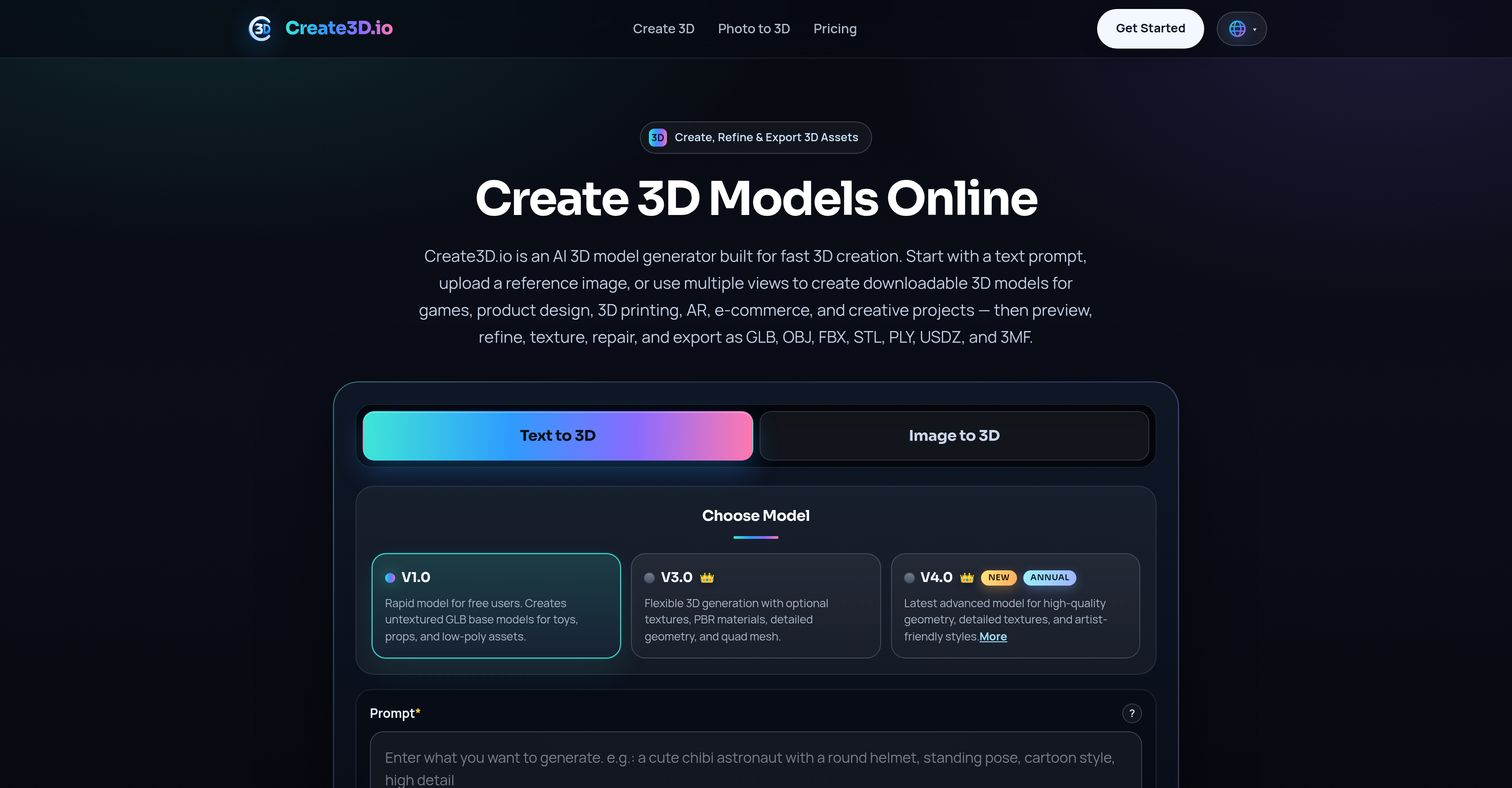
- Generate production-ready 3D models from text prompts, images, or multiview references—export directly in GLB, OBJ, FBX, STL, PLY, USDZ, or 3MF.
- Refine every model with built-in texture enhancement, geometry repair, and file conversion tools before final export.
- Preview your 3D model from any angle with the integrated model viewer, ensuring accuracy before download.
- Manage your entire 3D asset library securely online—access and organize all creations from any device through your account.
- Get instant help whenever needed with 24/7 customer support, eliminating downtime during critical project deadlines.
- Convert between 3D file formats on the fly using the online converter, removing compatibility barriers between different software pipelines.
Pros & Cons
Pros
- Streamlines 3D model generation
- Creates downloadable 3D models
- Models from text prompts
- Models from images
- Models from multiview references
- Exports in GLB format
- Exports in OBJ format
- Exports in FBX format
- Exports in STL format
- Exports in PLY format
- Exports in USDZ format
- Exports in 3MF format
- Online access
- User account management
- Customizable generation modes
- Text to 3D mode
- Image to 3D mode
- Multiview to 3D mode
- 3D model viewer
- Online format converter
- 24/7 customer support
- Targets professionals and hobbyists
- Suitable for gaming industry
- Suitable for product design
- Suitable for 3D printing
- Suitable for AR
- Suitable for e-commerce
- Suitable for creative projects
- User interface simplicity
- Quick 3D creation process
- Refine models after creation
- Offers texture options
- Offers geometry repair
- Permits render previews
- Supports remeshing
- Model inspection online
- Maintenance of reusable 3D assets
- Supports commercial use
- Supports multiple concurrent tasks
Cons
- Requires online access
- Non-intuitive text prompts
- No offline version
- Potentially longer processing times
- No mobile app
- Limited preview capabilities
- Limited refinement options
- Limited texture support
- Limited geometric repair options
- Limited format conversion options
Reviews
Rate this tool
Loading reviews...
❓ Frequently Asked Questions
Create3D.io is an AI-powered tool designed to expedite the 3D model generation process. It offers multiple modes of creation enabling users to generate 3D models using text prompts, images, or multiview references. Developed for ease of use, the tool aids both professionals and hobbyists in various fields like gaming, product design, 3D printing, AR, and e-commerce among others. Create3D.io also allows users to export their 3D models in several file formats such as GLB, OBJ, FBX, STL, PLY, USDZ, and 3MF.
Both professionals and hobbyists in various fields such as gaming, product design, 3D printing, AR, e-commerce, and creative projects can benefit from using Create3D.io. Its user-friendly interface, varied features, and online accessibility make it a versatile tool for creating detailed and highly customised 3D models. The tool allows for easy refinement and file exportation, which is beneficial to users working on multiple projects across different platforms.
Create3D.io can generate a wide range of 3D models. It accommodates a myriad of creative requests or specifications received via text prompts, images, or multiview references. The versatility of Create3D.io makes the generation of various types of 3D models possible, from simple objects to detailed figures and structures. Subsequently, the system provides the 3D model in several file formats such as GLB, OBJ, FBX, STL, PLY, USDZ, and 3MF according to the user's requirements or project demands.
Create3D.io uses AI to streamline the 3D model generation process. It allows users to input instructions in the form of text prompts, images, or multiview references, which the sophisticated AI system interprets in order to create 3D models. The tool's AI understands the information in the inputs and uses it to determine the shape, structure, and details of the 3D model.
Create3D.io supports the export of 3D models in a range of file formats. This includes GLB, OBJ, FBX, STL, PLY, USDZ, and 3MF. Each of these formats has distinct advantages and is compatible with various 3D software applications, making Create3D.io versatile for a variety of user requirements and project needs.
Users can create 3D models using text prompts on Create3D.io by inputting a description of the desired model into the system. This description can include details such as the object's shape, style, material, and other relevant features. The AI uses this information to generate a 3D model that matches the user's prompt. This tool is ideal for transforming abstract concepts into tangible 3D models without the need for manual design or hand-drawn sketches.
Create3D.io offers three generation modes. These are 'Text to 3D', 'Image to 3D', and 'Multiview to 3D'. With 'Text to 3D', users provide textual descriptions and the AI generates a corresponding 3D model. The 'Image to 3D' mode generates 3D models based on provided images. Meanwhile, 'Multiview to 3D' uses images from multiple viewpoints to create a more accurate and detailed model. The choice of mode allows for flexibility based on the resources the user has at their disposal.
Yes, Create3D.io provides additional features like a 3D model viewer and an online converter. The 3D model viewer allows users to preview their created models from different angles and perspectives. The online converter enables the conversion of 3D models between supported file formats such as GLB, OBJ, FBX, STL, PLY, USDZ, and 3MF.
'Text to 3D' is one of the generation modes offered by Create3D.io. By using this feature, users can type a description including the object's shape, style, material, and any specific requirements. The AI within Create3D.io will analyze the given text and generate a 3D model according to the provided specifications. This feature allows users to create customised 3D models simply by providing a text description.
'Image to 3D' is a feature offered by Create3D.io that allows users to upload an image in order to generate a 3D model. The system's AI analyses the uploaded image and uses the information it gathers to create a 3D model. This method is particularly useful when there is a specific visual design or reference that the user wishes to use as a basis for the 3D model.
'Multiview to 3D' is a generation mode provided by Create3D.io. This mode allows users to upload images from multiple viewpoints to form a 3D model. The AI system compiles the data from these different angles to create a comprehensive and accurate 3D model. This is especially helpful in achieving intricacies and details that a single view may not capture.
Yes, Create3D.io offers around-the-clock customer support. They are available to address any issues or questions from users at any time. This ensures a seamless user experience and immediate assistance whenever required.
Users can manage their 3D models on Create3D.io by creating an account on the platform. With an account in place, users can securely save, view, and organize their 3D models. They can also easily access their creations from any device once they log into their account. This makes project management very convenient for both professionals and hobbyists alike.
Create3D.io can be extremely beneficial for various fields that make use of 3D modelling. This includes gaming, for designing characters, props, and landscapes, product design for visualizing new products, 3D printing to create physical objects, AR applications for creating immersive experiences, and e-commerce for showcasing products. The flexibility of the tool also makes it useful for any creative projects which require 3D rendering.
Yes, Create3D.io offers a high degree of customization for 3D model generation. Users can dictate the details of their model with textual descriptions, images, or multiview references. Moreover, features for refining the model after creation, which include texturing, converting, and geometry repair, ensure that each user can adjust their model to meet their specific needs.
After generating a model on Create3D.io, users can refine it using several provided tools and features. These tools enable users to enhance textures, convert between different file formats, repair any geometry irregularities, and optimize the overall look and feel of the model based on their refined preferences or project demands.
Create3D.io offers a user-friendly system where operators can create an account and manage their own uniquely crafted 3D models. Users can seamlessly create, refine, and export their models. It also indicates enhanced premium features, suggesting that upgraded plans may be available for enhanced functionality though specific account types are not detailed on their website.
Yes. Create3D.io provides capabilities that can greatly assist in generating 3D models for AR, e-commerce, and gaming applications. With its flexible generation modes, a variety of models can be created to fit different purposes. In the context of AR, this can include objects for immersive experiences; for e-commerce, a detailed product model for customer previews; and in gaming, detailed characters or game props.
Creating a 3D model on Create3D.io involves several steps. First, users decide on the generation mode which can be 'Text to 3D', 'Image to 3D', or 'Multiview to 3D'. The next steps involve feeding the system with the required inputs. This could be descriptive text, a single image, or images from multiple viewpoints. Following the generation of the 3D model, users can then refine their model using tools for texturing, repair, conversion, etc. Once refined to satisfaction, the 3D model can then be exported in one of many supported file formats.
Create3D.io's AI power is designed to be reliable and efficient. It's equipped to interpret the user's textual or visual inputs accurately and transform them into a 3D model. The tool also allows for refining the initially created model, making sure users get the most accurate representation of their inputs. The system's ability to process text prompts, images, and multiview references demonstrates the versatility and reliability of its AI capabilities.
Pricing
Pricing model
Freemium
Paid options from
$10.40/month
Billing frequency
Monthly
Refund policy
View Policy