
CreateSong AI
Overview
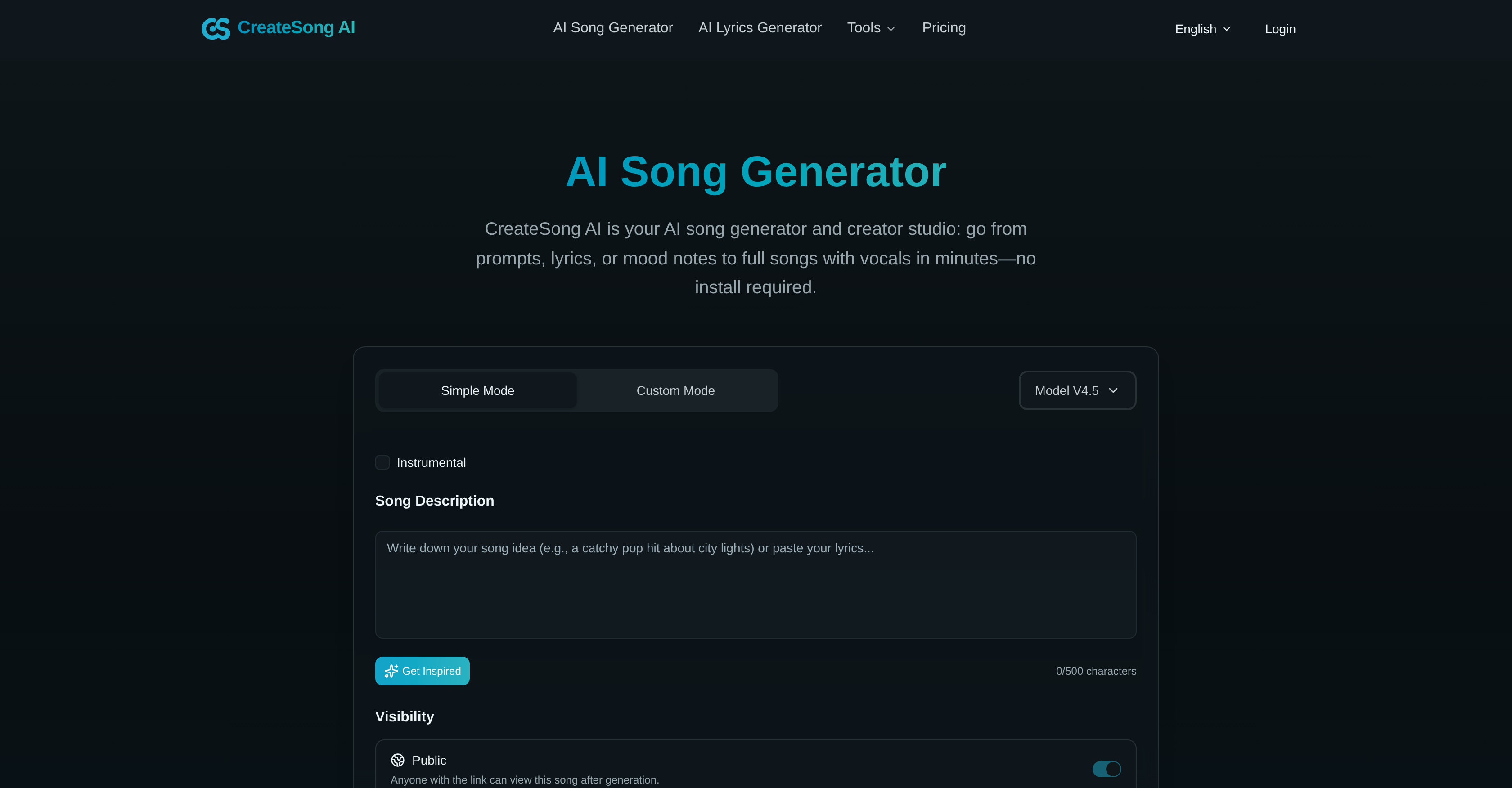
- Turn a simple prompt into a full song with AI-generated melody, rhythm, and vocals in minutes using the Simple Mode for effortless music creation.
- Isolate vocals or create instrumental tracks from any song for remixes and covers with the AI Vocal Remover tool.
- Split any song into up to 24 separate, lossless WAV stems for granular mixing and editing using the Stem Splitter.
- Extend your generated music up to 8 minutes with AI that maintains the original style and cohesiveness.
- Finalize your songwriting with AI-assisted lyrics that handle vocabulary, rhythm, and rhyme schemes.
- Export studio-ready audio files in MP3 or lossless WAV format for professional music and video production.
- Maintain full creative control by choosing the genre, from pop to EDM, and fine-tuning details in Custom Mode.
- Start creating immediately from any device with a browser—no downloads, installations, or updates required.
Pros & Cons
Pros
- Web-based tool
- No software installation
- Simple and Custom Modes
- Lyrics Generator
- Stem Splitter
- Songs extension upto 8 mins
- Export to MP3 and WAV
- Genre versatility
- Ease of use
- Supports video production
- Audio editing features
- Song creation from prompts
- Delivers lossless WAV files
- Inline lyrics drafting
- Automated audio separation
- Multi-language support
- Exports time-aligned instrument and vocal stems
- Offers tailored draft for documentaries
- Generates soundtracks for video games
- Can be used for education purposes
- Library available for different genres
- HTML5 compatible
- Accessible on any device
Cons
- Limited song extension
- Layered pricing
- No software installation
- Limited genre versatility
- No mobile app
- Biased on English language
- Only web-based
- Doesn't support collaborative work
- No integrations mentioned
- No real-time edit
Reviews
Rate this tool
Loading reviews...
❓ Frequently Asked Questions
CreateSong AI's Simple Mode is dedicated to quick song creation. It allows users to input a handful of parameters, such as prompts or lyrics, which the AI then uses to generate a full song. It takes care of all song elements including melody, rhythm, structure, and vocals, streamlining the song creation process. This mode is designed for quick and effortless music generation, removing the need for detailed musical adjustments.
With CreateSong AI, users can create custom songs via its dedicated tool called Custom Mode. This mode allows for more detailed tweaking where users can insert their customized lyrics or mood notes to help guide the music generation process. It affords users a higher degree of control over the end product, including its style and lyrical content. Custom Mode provides a more hands-on approach to song creation, allowing for a more tailored and personalized output.
CreateSong AI's AI Vocal Remover feature is a specialized tool that separates vocals and instrumental backing in a song. It uses artificial intelligence to isolate and extract vocals, effectively creating a clean instrumental track. This feature is not only useful for creating karaoke tracks, but also assists in creating music covers, practicing vocals, and preparing for remixes.
The Stem Splitter is a unique feature in CreateSong AI that separates a song into detailed musical components known as 'stems'. It can deliver up to twenty-four lossless WAV files from a single song, segregating various elements like vocals, various instruments, and effects. This gives users granular control over different sounds in their tracks and allows for deeper customization and editing capabilities.
The Extend tool in CreateSong AI allows users to lengthen their generated songs, up to a duration of eight minutes. By using artificial intelligence to generate additional sections of the song, it offers a convenient way to create longer song formats without compromising musical cohesiveness. The tool ensures that the newly created sections match the existing style and tone of the song.
CreateSong AI offers an Export feature that lets users generate professional-level audio files. The exported files can be in both MP3 and WAV formats, providing options that balance between file size and sound fidelity. These formats are widely compatible with various types of media players and audio software, offering easy integration into any music workflow.
Yes, CreateSong AI includes a dedicated Lyrics Generator tool. This feature allows users to create or finalize their lyrics before production. The AI can handle vocabulary, rhythm, and rhyme schemes, making it a valuable tool for producers and songwriters that need assistance in generating or finalizing lyrics for their songs.
CreateSong AI supports an expansive range of music genres, fueling its versatility from pop to EDM. The AI is capable of embedding user-directed vocals into music across these genres. It offers the flexibility to adapt the generated music to the desired musical style, making it a comprehensive tool for a variety of music production needs.
Yes, CreateSong AI could be a valuable resource for video production. It expedites the process of creating background scores or theme music, thanks to its quick song generation and customization features. It also delivers professional-quality audio files suitable for video media, making it an efficient and cost-effective tool for video producers.
'Music-as-a-Service' in CreateSong AI involves offering a suite of music creation and editing utilities powered by artificial intelligence as an online service. Users can use these tools to generate complete songs, split vocals from backing tracks, extend song length, and export audio files, all within the browser. It touts simplicity and convenience, as users don't need to install any software or maintain updates.
Yes, the AI technology in CreateSong AI is designed to effectively assist with songwriting. Its Lyrics Generator offers a dedicated tool for creating and finalizing lyrics. In both Simple and Custom Modes, the AI can generate music based on specified prompts or mood notes, helping frame and shape the musical journey.
As per information available on their website, CreateSong AI supports various languages, including English, Japanese, French, German, Spanish, Chinese, Korean, and Portuguese. However, it's best to confirm the extent of support for each language.
CreateSong AI boasts intuitive usability. The entire song creation process, right from inputting song prompts to exporting the final track, is conducted on a web-based interface. The choice of Simple and Custom modes caters to both beginners looking for a straightforward approach and more experienced users needing advanced control.
CreateSong AI delivers professional-grade audio quality. It is capable of exporting music as lossless WAV files, providing an unmodified, high-fidelity audio output. This makes it suitable for professional music and video production where audio quality can't be compromised.
CreateSong AI allows users to try it for free. The exact contents and duration of the free trial might vary, so it's recommended to check the site for current specifics.
CreateSong AI operates within a web browser and does not require any downloads or installations. This means it's accessible from any device with a modern browser, making it conveniently available wherever you need it.
In CreateSong AI, the user is in control of choosing the genre of the song. While the AI processes prompts, lyrics, and mood notes given by the user, it does so within the designations of genre defined by the user, allowing for tailored outputs that meet the user's desired musical style.
Yes, CreateSong AI is designed to assist in composing music. It uses AI to turn prompts, mood notes, or lyrics into complete songs, handling the melody, rhythm, structure, and vocals. Through Custom Mode, users can fine-tune song elements, aiding in the composition process.
There is a limit to the length of the songs created with CreateSong AI. The songs can be extended up to a maximum of eight minutes using the built-in Extend tool.
Yes, CreateSong AI offers the ability to remove vocals from a song with its AI Vocal Remover feature. This separates the vocal track from the instrumental backing of the song, providing users with a clean instrumental track for their use.
Pricing
Pricing model
Freemium
Paid options from
$10/month
Billing frequency
Monthly