Overview
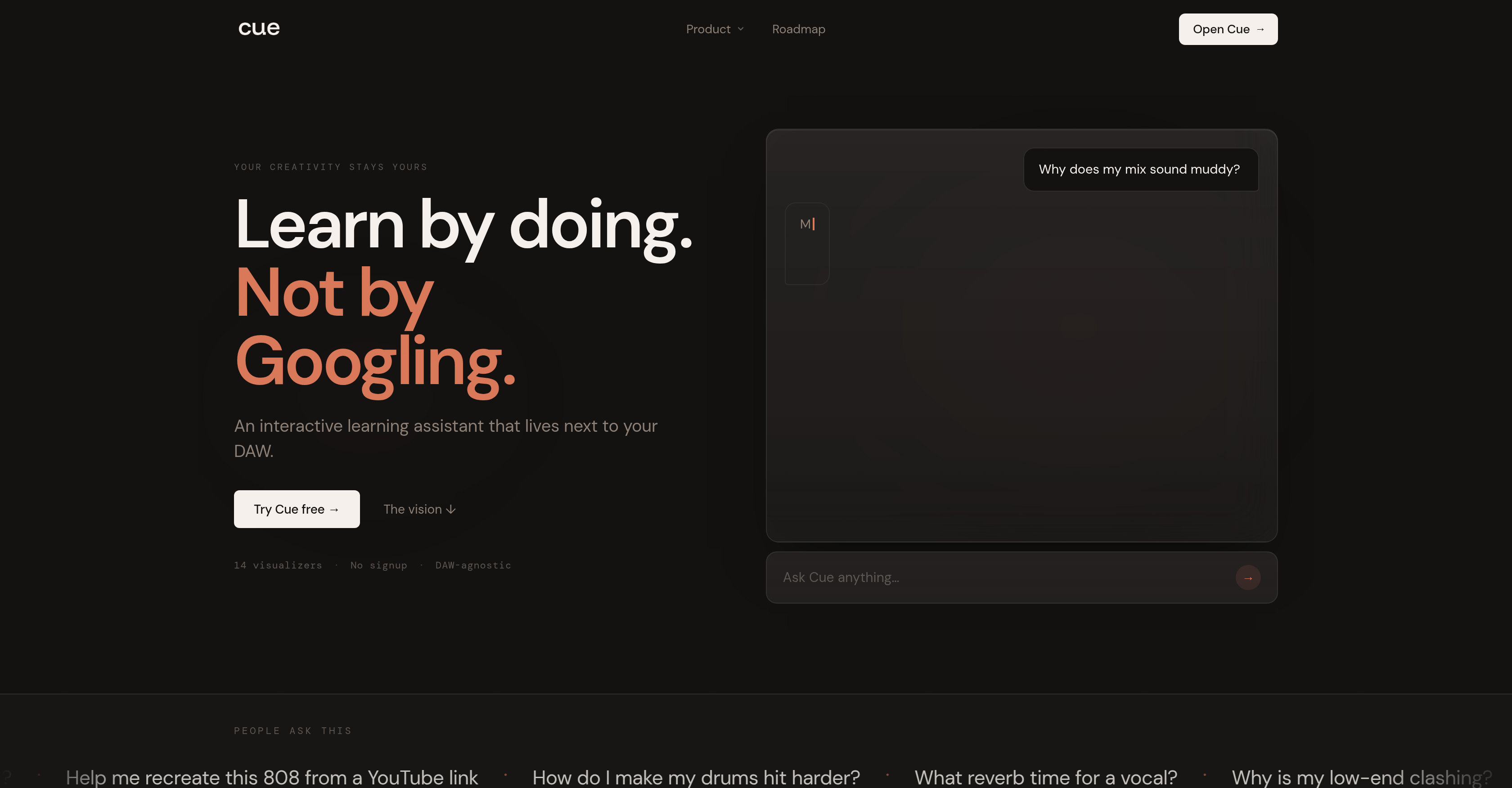
- Master mixing, EQ, and compression without leaving your DAW by getting real-time visual feedback on frequency balance, compressor dynamics, and reverb space and depth
- Preserve your creative flow while learning sound design and arrangement through interactive visualizers that demonstrate concepts like transient attack and punch directly on your current session
- Receive tailored advice for your specific genre, BPM, and key from session to session, ensuring every tip on synth sound design or EQ curves fits your track
- Analyze screenshots from your DAW to instantly diagnose frequency balance issues and compressor settings without stopping production
- Understand reverb decay, wet percentage, and pre-delay through visual demonstrations that show exactly how to shape space and depth in your mix
- Export MIDI chord progressions directly from Cue to spark new arrangement ideas while staying inside your production workflow
- Start learning immediately with no signup required—just open Cue alongside Ableton, Logic, FL Studio, or Pro Tools and get interactive guidance for free
Pros & Cons
Pros
- Free interactive tool
- Visual interactive learning
- Works alongside any DAW
- Requires no signup
- Real-time learning
- Preserves user creativity
- Provides EQ Frequency balance
- Offers Compressor Dynamics control
- Teaches Reverb Space and Depth
- Supports Transient Attack and Punch
- Aids in Synth Sound Design
- Does not disrupt workflow
- Remembers user's session details
- Provides genre-specific advice
- Provides practical, not theoretical learning
- 14 visualizers
- Built for learning by doing
- Does not make creative decisions
- Interactive real-time learning
- Live, free web app
- Phase-wise development plan
- DAW-agnostic
- Not using users' data to train models
- Doesn't require leaving your DAW
- Learns your context (Genre, BPM, Key)
- Explains the why behind every answer
- Fast, visual, and interactive answers
- Desktop app in development
- DAW integration in future updates
- No account needed for usage
- Maintains users' privacy
- Anonymous usage analytics with consent
- Your conversations are browser-stored only
- Visual feedback for each tool
Cons
- No mobile version
- Limited DAW integration
- Overly simplified controls
- Lack of detail explanations
- Lacks audio uploads
- Limited genre-specific advice
- Requires continuous operation
- No account setup
- Lacks automatic music generation
Reviews
Rate this tool
Loading reviews...
❓ Frequently Asked Questions
Cue is an innovative interactive learning tool designed to assist music producers by providing insightful lessons on mixing, EQ, compression, sound design, and arrangement, all conveniently next to your Digital Audio Workstation (DAW). Cue is both a learning resource and an assistant that provides real-time feedback and insights, enhancing the learning experience.
Cue is compatible with different types of DAWs including Ableton, Logic, FL Studio, and Pro Tools.
Cue assists with EQ for frequency balance by providing interactive learning experiences and visual feedback, teaching you the nuances of managing EQ effectively and in real time.
Cue can offer guidance and instant feedback on managing dynamics control with compressors. It is designed to teach you the nuances of compression in music production through interactive and practical learning experiences.
Cue has resources for mastering transients, saturation, velocity, and more to offer a comprehensive learning experience. It provides real-time visual feedback and answers which promotes understanding and enhances the learning process.
Cue enhances the learning experience by providing visual feedback and instant answers. This interactive learning setup keeps the user in their DAW and does not disrupt their creative flow. It is designed to encourage user comprehension and input whilst understanding the context of the genre, BPM, and key.
No, Cue does not generate music or make creative decisions for its users. It is designed to assist and guide in the learning process but emphasizes user input and comprehension.
Cue is designed to exist in three phases: as a web app, a desktop overlay, and eventually a bridge that reads your session directly from the DAW.
Yes, the initial versions of Cue are free to use.
No, Cue does not collect any personal or audio data. It is committed to maintaining user privacy.
Cue is designed for both beginner and experienced producers. The tool aims to enhance understanding rather than encourage verbatim replication of instructions or guidelines.
Yes, Cue's methodology allows for real-time learning. As you work in your DAW, Cue provides visual feedback and instant answers, fostering an interactive, on-the-spot learning experience.
Cue understands the context of your music including the genre, BPM, and key. It provides guidance and feedback based on these contexts to better assist the user in their music production process.
Yes, Cue is capable of providing guidance on song arrangement. Its visual, interactive feedback system makes it particularly useful for understanding song structure in real time.
Cue's guidance and feedback take the form of visual, interactive answers that keep the user in their DAW. Rather than disrupting the creative flow to look up answers, Cue provides context-sensitive assistance right next to your work.
Cue is not a text-based learning tool as it aims to enhance understanding visually and interactively in real time, improving the user's experience and learning process compared to traditional text-based models.
No, Cue does not require you to sign up or create an account. It offers a free-to-try experience without the need for signup.
Cue differs from other music tutorial tools in its interactive, real-time approach. It provides visual learning experiences which encourages a better understanding of mixing, EQ, and sound design. It doesn't just provide textual instructions but gives instant feedback on your current work - understanding the context like genre, BPM, and key.
Cue is both a standalone application and an integrative tool. It is designed to exist in three phases: as a web app, a desktop overlay, and eventually a bridge that reads your session directly from the DAW.
Yes, Cue assists with sound design and synth by providing interactive and real-time guidance and feedback, helping users understand the nuances of sound design in different contexts.
Cue is an interactive learning assistant tool specifically designed for music producers. It assists in various aspects of music production such as mixing, EQ, compression, sound design, and arrangement offering visual demonstrations to bolster understanding. Its unique feature is its ability to function next to any Digital Audio Workstation (DAW) like Ableton, Logic, FL Studio, and Pro Tools, providing real-time aid.
Cue operates alongside your DAW without causing any disruption. It does not require you to exit or leave your DAW, but functions as an aid tool while producing music. It is designed to be DAW-agnostic and can run in a web browser next to any DAW you're using.
Yes, Cue is designed to adapt to different music genres. It remembers your genre details from session to session and provides tailored advice and answers centered on your specific genre.
No, it is not necessary to sign up to use Cue. Cue is a free-to-use learning assistant that you can start using without signing up or providing credit card details.
Cue assists with music mixing and sound design by providing interactive learning opportunities. It offers visual demonstrations, such as EQ curves, compressor settings, and frequency charts for better comprehension. It also provides guides on sound-space and depth as well as synth sound designs.
Cue assists with EQ training by visually demonstrating EQ Frequency balance. It powerfully provides EQ curves and offers you an understanding of EQ applications like bass channel usage in practice.
No, Cue does not make any creative decisions for you. It is designed to support your creativity by providing interactive guidance without interfering with your creative process.
Cue aims to enhance your workflow during the learning process by offering on-page, real-time visual feedback and guidance. It allows you to learn without leaving your DAW, thus preserving your workflow and in-the-moment creativity.
Yes, Cue is able to remember your session details including genre, BPM, and key from session to session. This feature allows Cue to provide tailored advice specific to your session requirements.
Cue can work alongside any DAW. It supports various DAWs such as Ableton, Logic, FL Studio, and Pro Tools.
Cue provides genre-specific advice by remembering your session details including genre, and using this information to offer tailored tips and guidance centered on your specific genre preference.
Cue can assist with various aspects of music production. This includes mixing, arrangement, sound design, EQ, compression, and more. It also provides guidance on EQ Frequency balance, Compressor Dynamics control, Reverb Space and Depth, Transient Attack and Punch, Synth Sound Design, and more.
Yes, Cue does offer visual demonstrations using EQ curves, compressor settings, frequency charts, and more. It shows users how to practically apply the theories, not simply describing what to do.
Yes, Cue is a free tool during its entire beta stage. It does not require any signup or credit card details. However, there may be paid tiers added later, but the core experience will continue to have a free version.
Cue assists with compression control by providing visual demonstrations of Compressor Dynamics control. It helps you understand compressor settings and how to use them in practice, instead of just theoretically explaining them.
Cue helps with maintaining frequency balance by offering interactive, on-the-spot EQ Frequency balance. It provides EQ curves and shows users how to balance frequency for better sound production.
Cue's Reverb Space & Depth feature provides guidance for managing the reverberation of sounds in your production, helping you understand factors like decay, wet percentage, pre-delay, and reverb algorithm applications.
Cue’s role in Transient Attack and Punch is to provide precise guidelines on managing and manipulating transients in your audio tracks. It offers visual demonstrations to help you understand how to work effectively with transients for more punch in your tracks.
Cue assists in preserving music creativity by ensuring it does not make any creative decisions for you. It purely functions as a guide, providing interactive guidance, and supporting your musical decisions without intruding upon your creative process.
Yes, along with not disrupting the user's workflow, Cue offers real-time learning opportunities. It provides visual, interactive answers within seconds, making learning simultaneous with the music production process.
Pricing
Pricing model
Free
Paid options from
Free