Overview
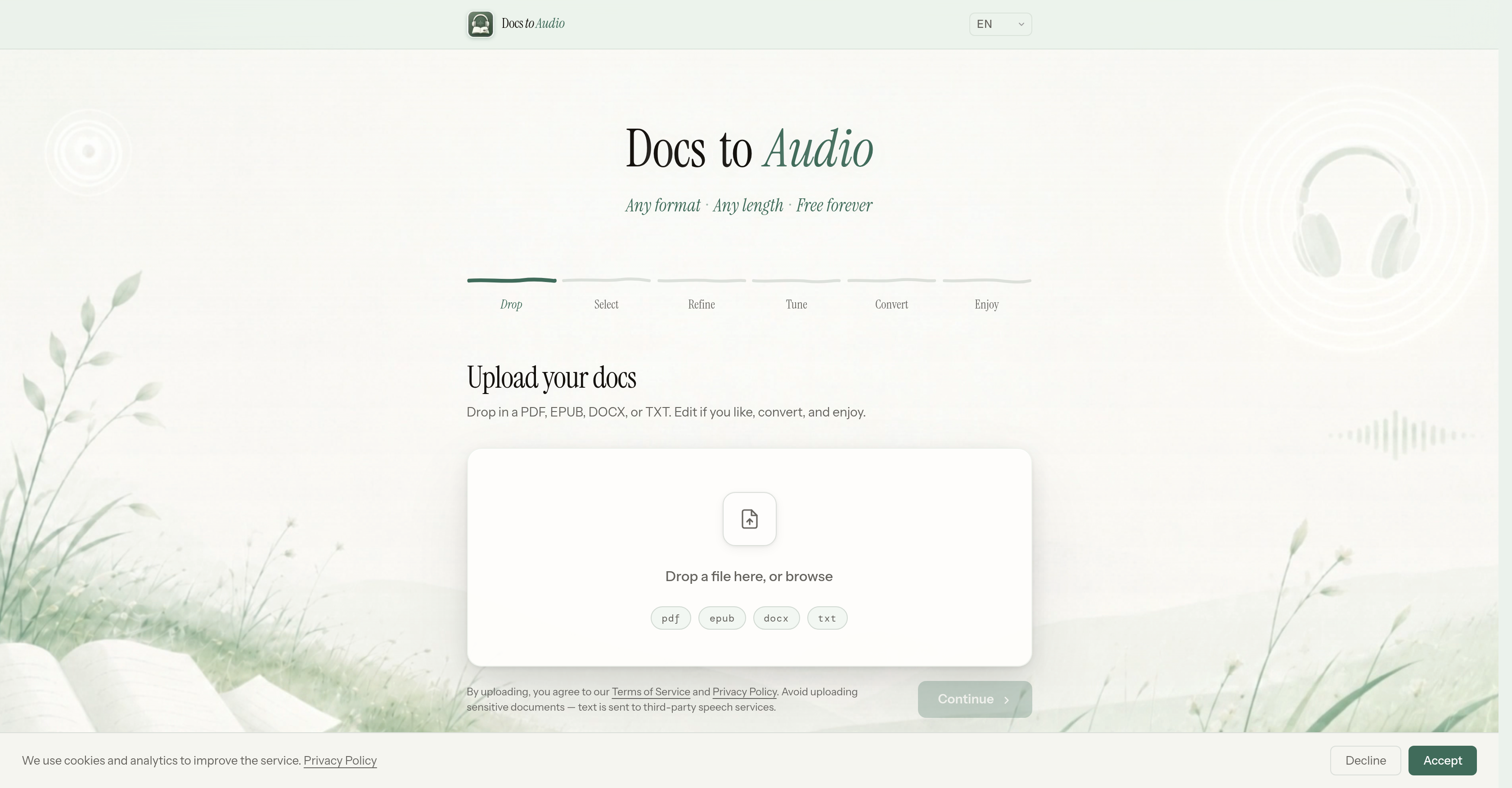
- Listen to any document hands-free by converting EPUB, PDF, DOCX, or TXT to MP3 or M4B audiobooks directly in your browser
- Keep your sensitive files private with zero server uploads—conversion happens entirely inside your browser for instant, secure document to audio conversion
- Create custom audiobooks in dozens of languages using over 300 AI voices, fine-tuning tone and speed to match your listening preference
- Start converting immediately without signing up or creating an account—no barriers, no delays, just drop your file and go
- Process large documents like full-length novels or reports without hitting a hard file size limit, splitting into chapters for reliable performance
Pros & Cons
Pros
- Free tool
- Supports EPUB conversion
- Supports PDF conversion
- Supports DOCX conversion
- Supports TXT conversion
- Outputs MP3 format
- Outputs M4B format
- Simplified six-step process
- Multiple languages supported
- Variety of voice options
- No account creation required
- Browser-based conversion
- No file upload necessary
- Handles large documents
- Allows commercial use
- Supports fine-tuning of audio
- Multilingual support
- User-friendly
- Ensures privacy
- No hard limit on file size
- Helps with audiobook creation
- No hidden costs
- Requires no signup
Cons
- No offline functionality
- Long conversion process
- Dependent on browser performance
- Possible legal compliance issues
- No commercial use guarantee
- Failed conversion may occur
- Inability to save progress
- Limited output formats (MP3, M4B)
- No conversion speed settings
- No direct customer support
Reviews
Rate this tool
Loading reviews...
❓ Frequently Asked Questions
DocsToAudio can convert EPUB, PDF, DOCX, and TXT documents into audio.
Yes, DocsToAudio supports dozens of languages.
DocsToAudio provides a wide variety of voice options, with over 300 AI voices available.
DocsToAudio is capable of processing large files, but extremely large documents might affect the performance of your browser.
No, you do not need to create an account or sign up to use DocsToAudio.
The conversion process with DocsToAudio occurs directly within your browser.
Commercial use of the generated audio from DocsToAudio depends on user ensuring they have necessary rights and complying with relevant laws and third-party service terms.
DocsToAudio does not store the files users upload, and conversion takes place directly within the user's browser, ensuring privacy.
No, you do not need to upload your files to a server. DocsToAudio reads your files instantly inside your browser.
For commercial use, users are responsible for ensuring that they have the necessary rights and that their use complies with applicable laws, third-party speech service terms, and DocsToAudio's own terms of service.
Converting files with DocsToAudio involves a six-step process: drop in the file, select, refine, tune, convert, and then enjoy the generated audio file.
Yes, DocsToAudio can convert documents into MP3 and M4B audio formats.
No, you do not have to sign up or create an account to use DocsToAudio.
If your document is too large, it might affect the performance of your browser. In this case, selecting fewer chapters at a time can improve reliability.
DocsToAudio doesn't impose a hard size limit for files. But note that extremely large files might slow down your browser.
Yes, DocsToAudio can be used to convert any document into an audiobook.
Yes, DocsToAudio supports multilingual conversion, with support for dozens of languages.
The DocsToAudio interface is designed to be user-friendly and straightforward, using a simple six-step process for file conversion.
Yes, you can convert EPUB, PDF, DOCX, and TXT files using DocsToAudio.
The generated audio from DocsToAudio can be used for commercial purposes, but users are responsible for ensuring they have the necessary rights and their use complies with relevant laws and third-party service terms.
Pricing
Pricing model
Free
Paid options from
Free