
Elasticnote
Overview
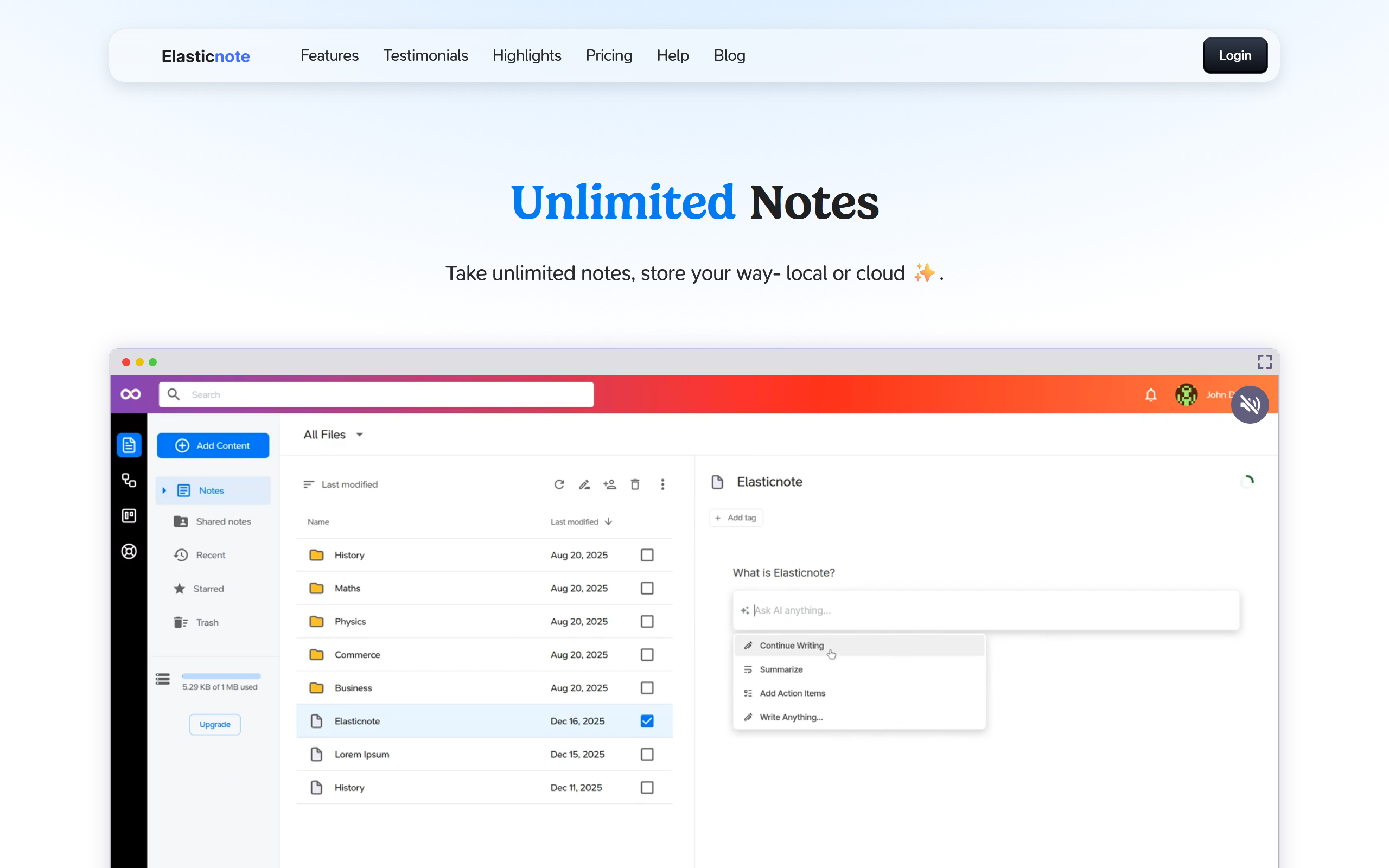
- Keep your notes completely private with local-first storage or encrypted cloud sync, giving you full control over your data
- Organize projects visually with built-in diagrams and workflow visualizations, turning brainstorming into structured plans
- Manage tasks seamlessly within your notes using the integrated taskboard, eliminating the need for separate to-do apps
- Write and format effortlessly with a Notion-style editor and Markdown support, making note-taking fast and intuitive
- Enhance and refine your content using AI-powered tools for rewriting, chatting with documents, and generating insights
- Sync notes across devices and backup to GitHub effortlessly, ensuring your work is always accessible and version-controlled
- Install as a Progressive Web App for an app-like experience that works offline, providing access anywhere without downloads
Pros & Cons
Pros
- Privacy-first approach
- Unlimited note-taking
- Save notes locally
- Sync with Dropbox
- Sync with GitHub
- Built-in taskboard
- In-built diagram tool
- Markdown support
- Notion-style editor
- Version control enabled
- Adapts to evolving needs
- Desktop Chrome support
- Opera browser support
- Edge browser support
- Local file saving option
- Encrypted cloud notes
- Forced SSL
- AES-256 encryption
- EU Data centre storage
- GitHub repository sync option
- Can be installed as PWA
- Real-time web analytics
- Browser-based application
- Usage habit analysis
- Designed for professionals
- Optimized for students
- Ideal for developers
- Local workspace creation option
- Elastic cloud storage
- Personal and business usage
- JavaScript-based tool
- Writing analytics
- Flexible note management
- Designed for visual brainstorming
- GDPR compliant
Cons
- Requires JavaScript enabled
- No mobile-app versions
- No Firefox/Safari support
- Containerized data encryption
- Lacks offline mode
- Requires native API support
- Only syncs with Github
- Forces SSL encryption
- Premium for cloud storage
- Limited browser compatibility
Reviews
Rate this tool
Loading reviews...
❓ Frequently Asked Questions
Elasticnote is a delightful, privacy-first web app designed for taking unlimited notes. It allows users to store notes locally or using Elasticnote cloud and supports features like a task board, diagrams, and a Notion-style editor. It is also compatible with Markdown.
Developers, students, professionals, and anyone who requires a flexible way to work with notes can benefit from using Elasticnote. It can be used for tasks like studying, planning, writing ideas, or brainstorming visually.
Yes, to save notes locally using Elasticnote, you need to create a workspace and attach it to a local folder. You also need to use a browser that fully supports the Native File System API, such as desktop Chrome, Opera or Edge. Once browser write permissions are granted, Elasticnote starts saving your notes as local files.
Yes, Elasticnote offers cloud storage options. It provides the default Elastic cloud storage, which can be synced with GitHub. Your initial workspace always saves into Elastic cloud.
If your browser doesn't fully support Browser API, such as Firefox, Safari, or mobile device browsers, you can use the default Elastic cloud storage. It also supports synchronization with GitHub and comes with a premium option.
Elasticnote encrypts your cloud notes in transit using forced SSL and at rest using AES-256. All data is stored at an EU data centre that is GDPR complaint.
You can sync your Elasticnote cloud notes with GitHub repositories. The notes stored in the Elasticnote cloud can be further synchronized effortlessly with your GitHub.
Yes, Elasticnote can be used on both desktop and mobile devices. It can be installed as a Progressive Web App for a desktop or a mobile app-like experience.
A Progressive Web App (PWA) is an application software delivered through the web and built using common web technologies including HTML, CSS and JavaScript. It can work offline and on low-quality networks and is installable on the user's device. To install Elasticnote as a PWA, simply use your browser's option to add it to your device Home screen.
Elasticnote features a beautiful Notion-style editor. It is designed to make note-taking a powerful, portable, and fun experience.
Yes, Elasticnote offers support for writing in Markdown. This feature enhances the note-taking experience offering greater flexibility and control over the structure and format of the notes.
Elasticnote comes with a taskboard feature that can be used to manage tasks and to-dos with ease. It provides a convenient way to keep track of your tasks, manage your time, and stay organized.
Yes, Elasticnote has a diagrams feature to revolutionize the way you design and visualize workflows. It's an effective way to brainstorm or visually organize your thoughts.
Elasticnote offers advanced tools. It not only provides a Notion-style editor and Markdown support but also features like AI, version control, task boards, and diagrams.
Elasticnote is described as a 'privacy-first' note-taking app because it prioritizes user privacy. All the notes taken are encrypted and stored securely whether locally stored or in the Elastic cloud.
Elasticnote protects the privacy of your notes by encrypting your cloud notes in transit and at rest. If notes are stored locally, they are under your full control. It is designed keeping privacy at the forefront.
No, there is no limit to the number of notes you can take with Elasticnote. It offers unlimited note-taking that suits your demands, be it for personal or professional use.
By leveraging real-time web analytics, Elasticnote can provide valuable insights about your note-taking habits and usage patterns over time.
Yes, to use Elasticnote, JavaScript needs to be enabled in your browser. Elasticnote is a javascript-based tool, so this is essential for the proper functioning of the app.
Pricing
Pricing model
Freemium
Paid options from
$29
Billing frequency
One-time
Refund policy
14-days money back guarantee.
Related Videos
How to connect local storage with Elasticnote?
Elasticnote•7 views•Dec 13, 2025