
Gamelabs Studio
Overview
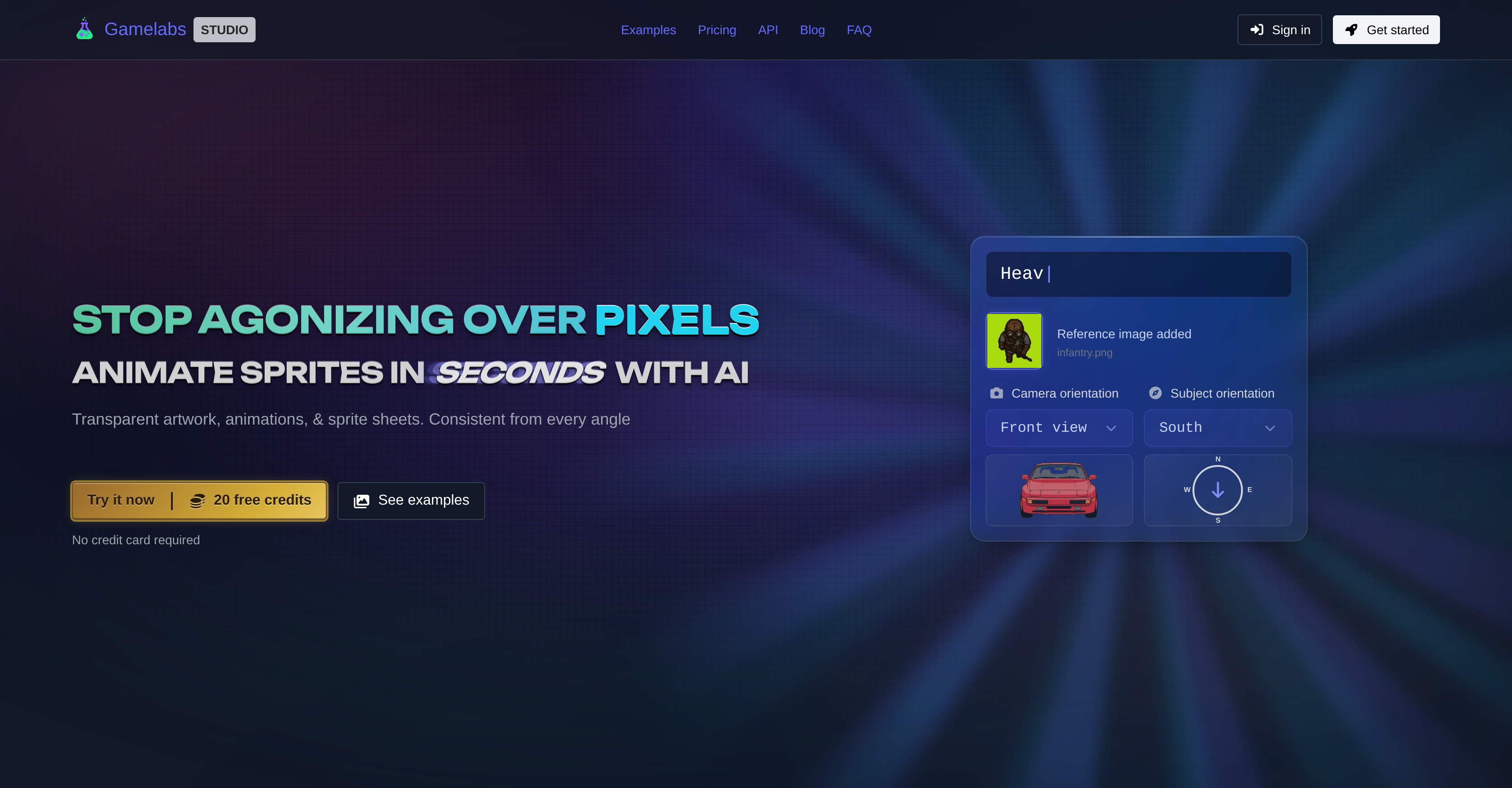
- Ship game-ready sprites faster by generating transparent artwork from text descriptions or reference images, with built-in multi-angle consistency for front, side, and top views.
- Eliminate manual tiling work by creating seamless textures and map tiles that repeat flawlessly across any surface, ready for environment building.
- Produce pixel-perfect animations without downscaling artifacts by generating dynamic, loopable sprite sequences at native resolution with full control over frames per second.
- Export directly into Unity, Godot, Unreal, GameMaker, or Construct by configuring sprite sheet transparency, grid layout, FPS, and padding precisely for each engine's requirements.
- Refine any asset instantly with a professional-grade image editor featuring layers, blend modes, brushes, and AI-powered generative fill that matches style, lighting, and perspective.
- Maintain visual coherence across all character views by using reference images to generate consistent front, back, and side angles that look like they belong to the same entity.
- Manage the entire asset pipeline from concept to export in one place, with end-to-end transparent workflow for creating, editing, and exporting clean sprites without leaving the platform.
Pros & Cons
Pros
- Generates transparent artwork
- Creates spritesheets
- Multi-view asset creation
- Compatible with Unity
- Compatible with Godot
- Compatible with Unreal Engine
- Compatible with GameMaker
- Compatible with Construct
- Operative workflow for transparency
- Grid manipulation
- Padding and FPS adjustments
- Unified game asset workflow
- Pixel perfect output
- No need for downscaling
- Consistent visual angles
- Generates map tiles
- Seamless texture generation
- Built-in image editor
- Advanced editing features
- Generative fill function
- Generates loopable animations
- Game-ready sprite sheets
- Proficient asset management
- In-depth asset management
- Native resolution support
- Exports sprite sheets
- Automated sprite animation
- Automatically creates game assets
- Efficient sprite generation
- Dynamic animation generation
- Transparent asset production
- Consistent character rendering
- Generates non-transparent assets
- End-to-end transparent workflow
- Professional grade image editor
- Adjustable image parameters
- Quick asset preparation
- Repeatable textures across surfaces
- Multiple angle continuity
- Pixel-level detail output
- Cohesive character views
- Chroma key use
- Automatic sprite sheet export
- Mathematically continuous texture tiling
- Wrap-around blending for textures
- Fine-tuned selection tools
- User-described image results
- Non-destructive text manipulation
Cons
- No non-transparent asset emphasis
- No large-scale project support
- For 2D games only
- Art-style limitations
- No multi-platform compatibility
- Lacks real-time editing
- Explicit game engine dependency
- Limited image editing tools
- One angle generation first
Reviews
Rate this tool
Loading reviews...
❓ Frequently Asked Questions
Gamelabs Studio's AI Sprite and Animation Generator is a tool designed primarily for game developers that utilizes AI to generate game sprites and animations. The main purpose of the tool is to help users create game-ready assets in a more efficient and proficient manner. This advanced AI-powered tool can generate transparent artwork, multi-view assets, and sprite sheets with ease.
The main features of Gamelabs Studio's AI Sprite and Animation Generator include creating transparent artworks, sprite sheets, and multi-view assets; generating animated sprites using references and text descriptions; providing an operative workflow that allows users to manipulate sprite sheets; focusing on pixel perfection to output pixel art without the necessity of downscaling; maintaining multi-angle consistency functionality; generating static assets like map tiles and seamless textures; and offering built-in advanced image editing features.
Yes, the tool by Gamelabs Studio can generate transparent, game-ready artwork. It effectively works on transparent artwork and animations and generates sprite sheets that can be easily used in game development. The process is enhanced with an operative workflow that aids users in refining transparency as per their requirements.
Gamelabs Studio's tool aids in sprite creation by enabling users to create and animate sprites using AI. Users can generate transparent artwork and convert them into animated sprites using references and text descriptions. Modifications to various parameters like grid, padding, and frames per second can be made in sprite sheets.
Absolutely, Gamelabs Studio's AI Sprite and Animation Generator is fully compatible and works effectively with key game engines and tools such as Unity, Godot, Unreal Engine, GameMaker, and Construct. Game assets created using this platform can be easily exported and implemented in these game engines.
In Gamelabs Studio's tool, users can craft specific images by describing the image's characteristics or attaching reference images. The text descriptions and references work collaboratively to create visual assets that maintain coherence between different angles and viewpoints. This functionality contributes to the generation of animated sprites that have consistent visual fidelity across angles.
Using Gamelabs Studio's AI Sprite and Animation Generator, users can modify several attributes of sprite sheets. These include manipulation of transparency, grid representation, padding, and frames per second settings. Such manipulative capabilities support refined sprite creation catering to the specific requirements of game developers.
The tool employs an approach of pixel perfection, wherein it outputs pixel art without the need for downscaling. It preservers visual fidelity and ensures that each pixel is output deliberately, avoiding any unwanted blurring or loss of important details often found in downscaling processes. The emphasis on pixel perfection results in crisp, game-ready images.
Absolutely, Gamelabs Studio's tool is capable of generating static assets such as map tiles and seamless textures. Designed to repeat flawlessly across any surface, these elements are beneficial in creating a comprehensive and visually cohesive game environment.
The AI-powered tool maintains multi-angle consistency through its unique functionality. It generates visuals, including animations, that look consistent from different angles. This is crucial for maintaining visual coherence in game assets where the same character might be viewed from different perspectives.
Gamelabs Studio's built-in image editor offers advanced editing features like layering, adjusting blend modes, utilising brushes, making selections, and using an AI-powered generative fill. This integrated image editor gives digital professionals enhanced control over the visual assets they are creating, simplifying the process of asset creation and adjustments.
The visual fidelity of generated assets is preserved using a focus on pixel perfection, avoiding the need for downscaling processes that could blur or lose details. Details are kept crisp by outputting each pixel deliberately. Additionally, multi-angle consistency functionality ensures the visual cohesiveness of character views from different angles.
'Frames per second manipulation' in sprite sheets refers to the capability of the tool to control the frame rate in animations, influencing the speed at which an animation sequence is displayed. The frames per second can be manipulated based on the user's preference for the animation speed.
Gamelabs Studio's tool assists with comprehensive game asset creation by providing a unified and efficient workflow which covers concepting, generating, animating, and exporting production-ready game assets. Its functionalities - from creating transparent artwork and spritesheets to generating static assets like map tiles all the way to advanced image editing - make it a comprehensive tool for game asset creation.
'AI-powered generative fill' in context of Gamelabs Studio's tool refers to a feature in the built-in image editor. Users select any region and describe what they want, following which the AI fills it seamlessly, matching style, lighting, and perspective. It can be used to extend backgrounds, add objects, or repaint parts of the artwork in seconds.
Yes, Gamelabs Studio's AI Sprite and Animation Generator has the ability to generate multi-view assets. With its multi-angle consistency functionality, it can create assets that maintain visual coherence from different angles, which is crucial in creating game assets where the same character might be viewed from different perspectives.
The tool guarantees consistency of different view angles of the same character through the use of its multi-angle consistency functionality. By doing so, it ensures that the views of the same character from different angles maintain the same visual fidelity and look like they belong to the same entity.
Gamelabs Studio's operative workflow offers significant benefits in the process of asset creation. It facilitates easy creation of game assets from description or references, animating those assets, and exporting to sprite sheets with configured settings of transparency, grid, FPS, and padding. The workflow is efficient, allowing users to manipulate various parameters, promoting better transparency, grid manipulation, padding and frames per second in sprite sheets.
Yes, Gamelabs Studio's tool is capable of creating pixel art. It emphasises on pixel perfection to output pixel art without the need for downscaling, thereby preserving visual fidelity. This means the resulting pixel art is sharp, clean, and game-ready without any need for further refinement.
Gamelabs Studio's Sprite and Animation Generator is an AI-powered tool primarily designed for game developers. It enables users to generate transparent artwork, spritesheets, and multi-view assets. Users can create images based on descriptions and customize animated sprites. The tool supports efficient management, editing, and exporting of the developed assets directly from the platform. With this tool, users can prepare and export game assets for notable game engines including Unity, Godot, Unreal, GameMaker, and Construct.
Users create an image in Gamelabs Studio by utilizing either text descriptions or reference images to illustrate the image they want. The tool provides an operative, user-friendly workflow that enables users to manipulate features according to their needs. After creating the image, users can then proceed to animate the sprites using the generated image.
Yes, sprites can be animated with Gamelabs Studio. The AI-powered tool allows users to generate dynamic and loopable animations for any action. Users can start with a base image and then describe the actions for the animation, maintaining visual coherence across the asset viewing angles.
The purpose of the professional grade image editor in Gamelabs Studio is to help users precisely alter their creations. It offers advanced features such as layers, blend modes, brushes, selections, and AI-powered generative fill. Users can retouch, repaint, add objects, and extend backgrounds in their artwork within seconds, matching style, lighting, and perspective.
Yes, Gamelabs Studio supports multiple game engines. Specifically, it supports Unity, Godot, Unreal Engine, GameMaker, and Construct. Users can prepare and export their created assets for these prominent game engines directly from the platform.
In Gamelabs Studio, users can export their sprite sheets by configuring transparency, grid, frames per second (FPS), and padding tailored to their engine needs. The platform provides full control over sprite sheet exports, simplifying the exporting process.
Multi-view assets in Gamelabs Studio are different visual angles of the same asset – like front, side, and top views – that maintain a visually coherent look. They can be created using the tool's multi-angle consistency functionality. Users can position the camera around the subject and set the subject's facing direction, giving precise control over every angle.
Yes, Gamelabs Studio can create both transparent and non-transparent assets. It allows the generation of transparent artwork, spritesheets, multi-view assets and also provides the capability to generate non-transparent assets like map tiles and textures.
The multi-angle consistency feature in Gamelabs Studio lets users generate different angles of the same asset while maintaining visual coherence. It facilitates the creation of front, back, side, and top views of the same character that look like they belong together. The tool has a reference-based workflow to enhance consistency between different angles.
Gamelabs Studio ensures pixel-perfect native resolution by delivering the tool's outputs at a native resolution, with each pixel deliberately output to produce crisp, game-ready images that require no cleanup. It ensures the avoidance of blurred edges and loss of detail that can occur with downscaling.
Yes, Gamelabs Studio can generate map tiles and seamless textures. The tool is equipped with a pipeline that applies actual tiling logic to ensure seamless textures and map tiles that repeat flawlessly across on any surface.
Users have full control over sprite sheet exports in Gamelabs Studio. This includes the ability to adjust certain features like transparency, frames per second, grid layout, and padding based on their specific needs. As a result, the outputs are ready to be integrated into Unity, Godot, or any other game engine.
Yes, Gamelabs Studio supports the generation of loopable animations. Users can benefit from the tool's flexibility by leveraging their base images to spawn dynamic, loopable animations for any desired action.
The built-in image editor in Gamelabs Studio offers a range of advanced features. This includes precise brush and eraser tools with adjustable size and opacity, rectangle select with rounded corners and feathering, adding text layers with custom fonts, colors, and sizing, and AI-powered generative fill. It also features a full layer support system that allows users to reorder, rename, toggle visibility, adjust opacity, and choose blend modes.
The workflow for creating game assets using Gamelabs Studio starts with users describing the image they want to generate or attaching reference images. Then, users can use the created image to animate by describing the actions they want. The generated animation is then exported to a sprite sheet with the ability to configure transparency, grid, frames per second, and padding for the user's engine.
In Gamelabs Studio, asset management involves the ability for users to manage, edit, and export their generated assets directly from the platform. The tool provides an end-to-end transparent workflow for efficient production and management of clean assets.
Gamelabs Studio maintains transparency in sprite sheets by using a chroma key background at every step. During export to a sprite sheet, the chroma key is removed and a PNG with full alpha transparency is output, ready to be integrated into a game engine.
In Gamelabs Studio, reference images can be used to enhance symmetry between different visual angles. Users can upload reference images when describing the image they wish to create, helping to ensure coherence across multiple views of the same asset.
Yes, the Gamelabs Studio animation and sprite generator can support any art style users need for their game assets. Creative flexibility is a key feature of the tool. So, users are not limited to just pixel art; they can generate assets consistent with other styles they desire, such as hand-drawn, anime, retro, modern, amongst others.
The AI-powered generative fill feature in the image editor of Gamelabs Studio works by enabling users to select any region and describe what they want. The AI then fills it seamlessly, matching style, lighting, and perspective. This functionality can be used for extending backgrounds, adding objects, or repainting parts of the artwork within seconds, without any noticeable seams.
Pricing
Pricing model
Free Trial
Paid options from
$10/month
Billing frequency
Monthly
Related Videos
Godot + Gamelabs: AI Art Isn’t Placeholder Anymore (Here’s Proof)
Letta Corporation•684 views•May 12, 2026