Overview
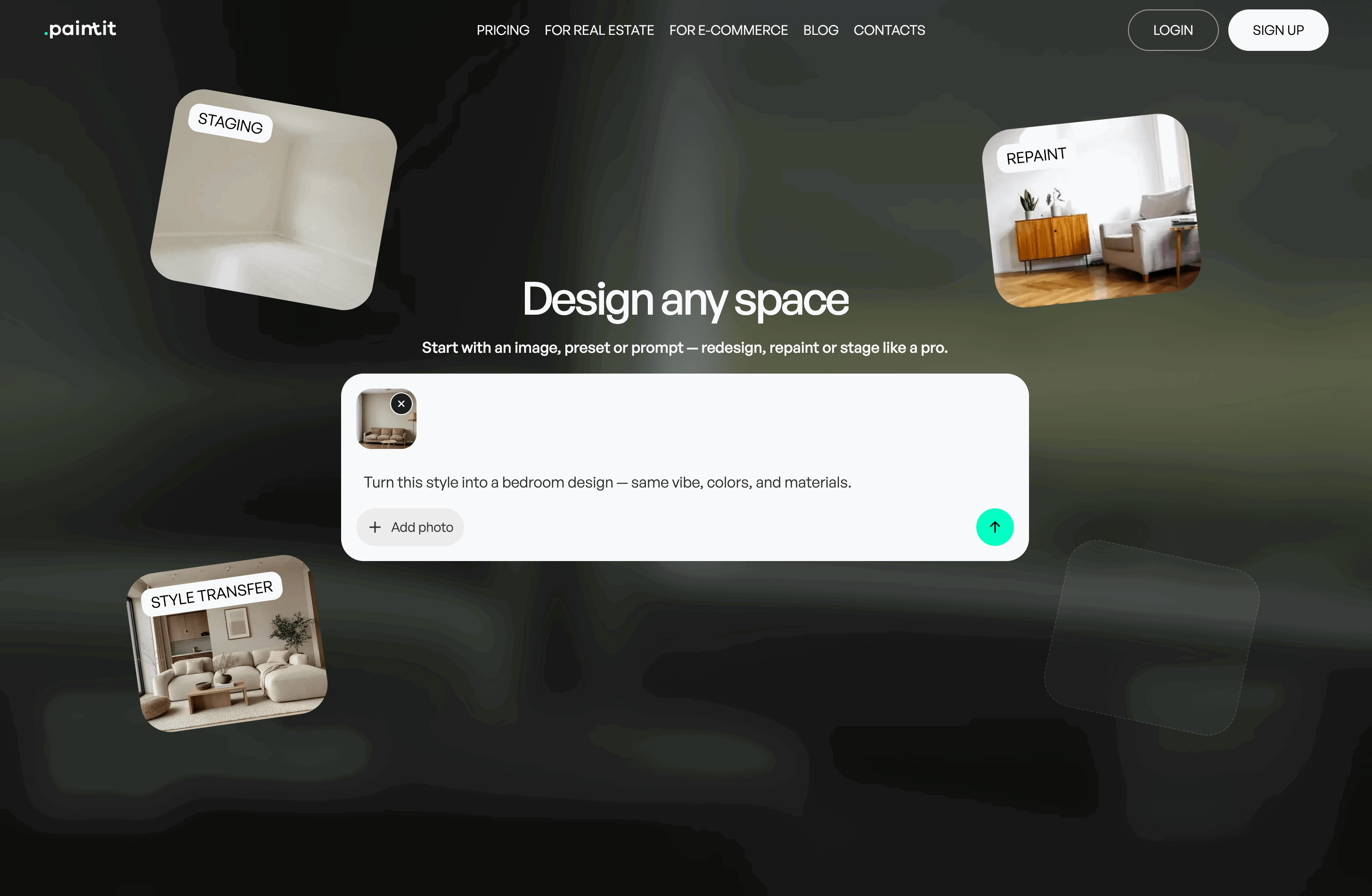
- Transform client briefs into photorealistic concepts in minutes using a chat-first workflow that supports iterative edits like repaint, restyle, and material swaps.
- Present multiple design directions to clients faster by organizing iterations into saved Projects with version control for easy comparison and feedback.
- Create listing-ready virtual staging visuals for real estate by uploading a photo and generating realistic furniture and decor variations to match any target audience.
- Maintain style consistency across rooms and projects by importing Pinterest boards as moodboard references to guide AI generation.
- Turn visual concepts into shoppable designs with the Product Finder that surfaces matching furniture and decor from generated scenes with links to vendor stores.
- Explore commercial and hospitality design concepts for cafés, lobbies, and offices using text-to-image generation when you don't have a starting reference photo.
- Integrate visualization directly into your e-commerce or real estate platform using embeddable widgets, API access, or white-label deployment options.
Pros & Cons
Pros
- Chat-first pro workflow for fast iterations and revisions
- Photorealistic interior, exterior, and commercial visualizations
- Virtual staging for real estate listings and presentations
- Start from a photo or generate concepts from scratch (text-to-image)
- Image-to-image redesign with iterative edits (repaint, restyle, swap items)
- Projects and version history to compare design directions
- Pinterest board import for moodboard-based guidance
- Community gallery for inspiration and prompt examples
- Product discovery from scenes with links to vendor stores
- High-resolution exports (1K/2K/4K depending on plan)
- Commercial usage license available on paid plans
- Browser-based access with no installation required
Cons
- Internet connection required (no offline mode)
- Mobile app not available yet (web-based only)
- Limited language support (English-first UI)
- No bulk/batch generation workflow yet
- Fine-grained object control can require extra iterations
- Credits-based usage may require top-ups for heavy iteration
Reviews
Rate this tool
Loading reviews...
❓ Frequently Asked Questions
Paintit.ai Team
🛠️ 1 tool
🙏 94 karma
wrote:Paintit.ai is used by design professionals and real estate teams who need fast photorealistic concepts and iterative revisions. Typical users include interior designers, decorators, architects, home stagers, and real estate agents creating options for clients, listings, or early-stage concept direction.
Paintit.ai Team
🛠️ 1 tool
🙏 94 karma
wrote:It helps pros produce multiple visual directions quickly, reduce back-and-forth with clients, and move from a brief to concrete visuals faster. It’s commonly used for concept exploration, staging visuals, repaint/restyle iterations, and presenting alternatives before committing to detailed plans or purchases.
Paintit.ai Team
🛠️ 1 tool
🙏 94 karma
wrote:ros can start from a photo (image-to-image) or from a text brief (text-to-image). The chat-first workflow supports iterative edits—repaint, restyle, swap materials, add/remove items—then versions can be saved into Projects for comparison and client-ready presentation.
Paintit.ai Team
🛠️ 1 tool
🙏 94 karma
wrote:Yes. Real estate teams use it to create staged listing visuals, refresh interiors, and test different styles for marketing. You can generate multiple variations and refine them in chat to match a target audience or property positioning.
Paintit.ai Team
🛠️ 1 tool
🙏 94 karma
wrote:Yes. Paintit.ai supports interior and exterior concepts, commercial spaces (including HoReCa), and outdoor/landscape ideas. Users can generate concepts from scratch or edit an existing photo, depending on the task.
Paintit.ai Team
🛠️ 1 tool
🙏 94 karma
wrote:Pros typically save versions to Projects, reuse the same reference photo or selected outputs, and use moodboard inputs (including Pinterest boards) to keep the direction consistent across variations and rooms.
Paintit.ai Team
🛠️ 1 tool
🙏 94 karma
wrote:Paintit.ai provides downloadable renders, with export resolution depending on the plan (e.g., 1K/2K/4K). Pros often use exports for client presentations, listing imagery, and internal concept reviews.
Paintit.ai Team
🛠️ 1 tool
🙏 94 karma
wrote:Yes. Paintit.ai can surface product matches from generated scenes, helping users identify furniture/decor options and follow links to vendor stores. This is useful for shoppable visualizations and design-to-commerce workflows.
Paintit.ai Team
🛠️ 1 tool
🙏 94 karma
wrote:No. Paintit.ai focuses on photorealistic visualization and iterative concept generation, not CAD drafting, BIM documentation, or manual 3D modeling. It’s typically used earlier in the process for direction-setting, staging, and fast option comparisons.
Paintit.ai Team
🛠️ 1 tool
🙏 94 karma
wrote:Very specific object-level control or strict multi-image consistency may require extra iterations. The product is web-based (no offline mode), and bulk/batch workflows may be limited compared to dedicated enterprise rendering pipelines.
Paintit.ai Team
🛠️ 1 tool
🙏 94 karma
wrote:Common pro scenarios include single-room redesigns with multiple iterations, multi-room direction setting, listing-ready virtual staging for real estate, and concept exploration for hospitality/commercial spaces (lobbies, cafés, offices). It’s also used to generate alternatives for client review.
Paintit.ai Team
🛠️ 1 tool
🙏 94 karma
wrote:Commercial usage depends on the plan. Paid tiers can include a commercial usage license, which is typically used for client work, listings, and marketing materials. If you need a specific licensing scope, check the plan details you’re on.
Paintit.ai Team
🛠️ 1 tool
🙏 94 karma
wrote:Paintit.ai uses a credit-based model. Credits are consumed by image generation/export activity, with higher tiers including more credits and higher-resolution exports. Optional credit top-ups can be used for short bursts of heavy iteration.
Paintit.ai Team
🛠️ 1 tool
🙏 94 karma
wrote:The typical workflow is to start from a reference photo when layout/geometry needs to remain consistent, then request targeted edits (repaint, restyle, swap items). For highly constrained briefs, it may take a couple of iterations to converge.
Paintit.ai Team
🛠️ 1 tool
🙏 94 karma
wrote:Pros can organize work in Projects and share outputs externally for feedback. If you require advanced collaboration features (roles, permissions, shared workspaces), availability depends on the current product setup and plan.
Paintit.ai Team
🛠️ 1 tool
🙏 94 karma
wrote:Yes. Paintit.ai can be deployed via embeddable widgets and/or API for partners who want visualization inside e-commerce, real estate, or lead-gen workflows. White-label options may be available depending on the implementation requirements.
Paintit.ai Team
🛠️ 1 tool
🙏 94 karma
wrote:For image-to-image, clear photos with good lighting and a visible room layout generally produce more predictable results. For text-to-image, more specific briefs (space type, style, materials, constraints) help reduce iteration cycles.
Paintit.ai Team
🛠️ 1 tool
🙏 94 karma
wrote:Users should avoid uploading sensitive or private information. For professional workflows, the recommended approach is to use non-identifying images and client-safe content. Plan options may include private mode depending on tier.
Paintit.ai Team
🛠️ 1 tool
🙏 94 karma
wrote:Traditional tools focus on manual 3D modeling and precise technical control. Paintit.ai focuses on rapid photorealistic concept generation and iterative visualization via chat, typically earlier in the workflow for direction-setting, staging, and option comparison.
Paintit.ai Team
🛠️ 1 tool
🙏 94 karma
wrote:Use one strong reference image per space, iterate with small targeted changes, and save versions to compare. When working across rooms, use a consistent reference set (Pinterest board/moodboard) and reuse style language across prompts.
Pricing
Pricing model
Freemium
Paid options from
$9.99/month
Billing frequency
Monthly
Refund policy
Refunds are available within 7 days for monthly plans, provided less than 50% of tokens have been used.