Humanize AI
Overview
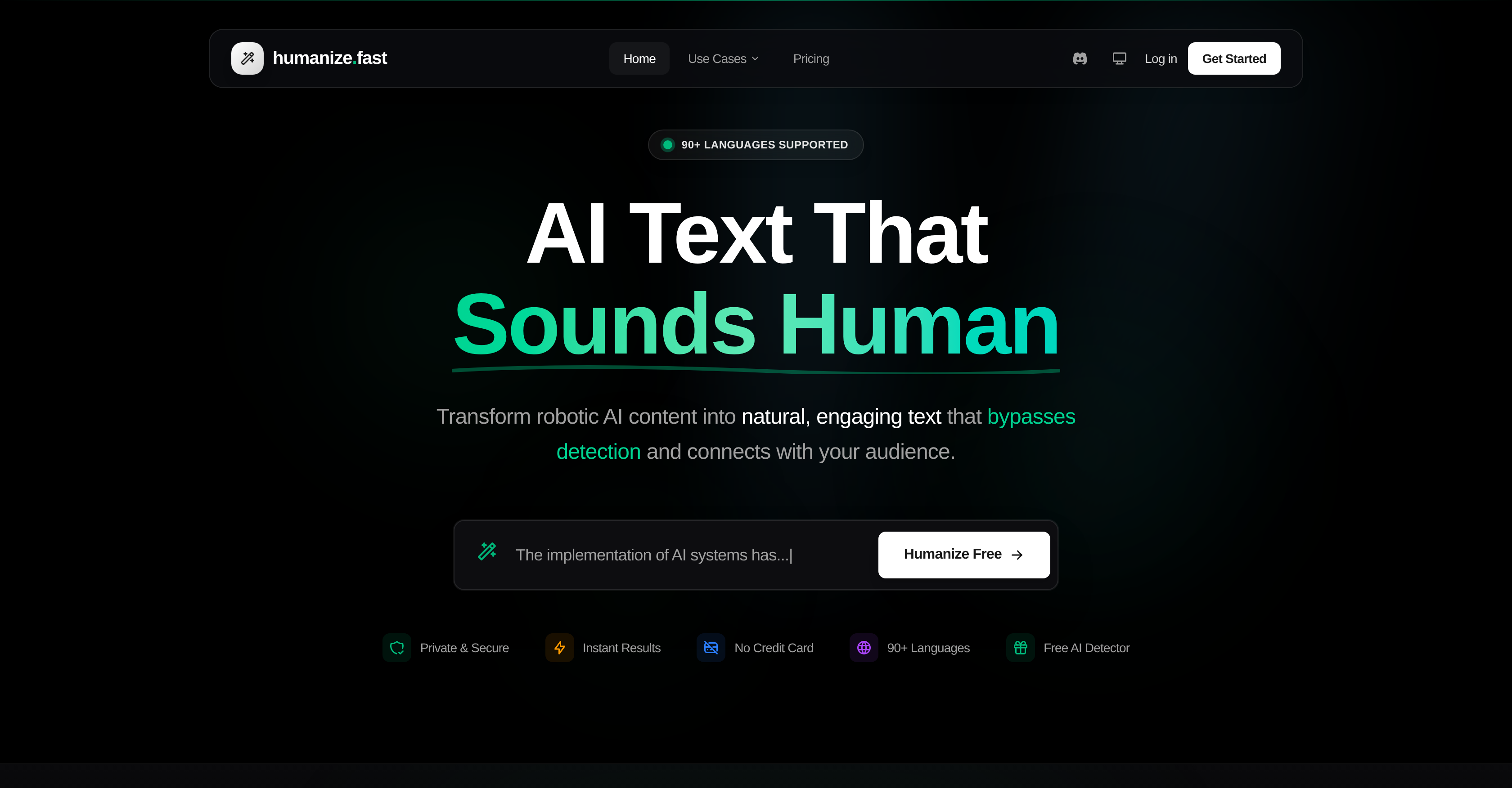
- Publish content that consistently passes AI detection tools like GPTZero and Turnitin with a 95%+ human score, using our multi-level AI Humanizer.
- Scale content production for blogs and marketing without losing authenticity or risking detection, thanks to instant processing of thousands of words.
- Upload and process entire documents (PDF, DOCX) directly to streamline your workflow, eliminating manual copy-pasting.
- Maintain full control over the final tone and style of your humanized text with custom instructions for formality and writing preferences.
- Protect sensitive information and proprietary content with a privacy guarantee that processes and immediately discards all text.
- Clean hidden formatting errors and invisible symbols that disrupt text integrity using the built-in Symbols Finder tool.
Pros & Cons
Pros
- Symbol Finder
- 90+ languages supported
- Upload PDF, DOCX, TXT
- Customization options
- 95%+ human scores
- Privacy protection
- Writing style adjustment
- Different humanization intensities
- Education tool
- Robotic text humanization
- Custom style instructions
- Multiple user catering
- Business content creation tool
- Instant results
- Text analysis
- Zero-width detection
- Unicode detection
- Maintains original meaning
- Document upload
- Language auto-detection
- Privacy focused
- Fast text humanizing
- Supports content marketing
- Preserves cultural context
- Adjustable transformation intensity
- Word files support
- Perplexity and burstiness analysis
- Avoids plagiarism detection
- Hybrid detection algorithm
- Clean text export
- Homoglyph finder
- Caters to content marketers
- Multiple digital content use cases
- Delivers for bloggers & creators
- Specifically designed for writers
- Advanced language models
- Built for global reach
- Real-time text processing
- Offers business professionalism
- Ideal for copywriters
- Great for content agencies
- Helps overcome writer's block
- Creates authentic voice content
- Content scales without quality drop
- Supports academic uses
Cons
- Limited free trial
- Only document upload feature
- No API
- Complex for beginners
- Requires intense customization
- Limited language interpretation
- Inefficiency in preserving original tone
- Does not support all file types
- May not maintain style consistency
- Short word limit for free users
Reviews
Rate this tool
Loading reviews...
❓ Frequently Asked Questions
Humanize AI is a specialized tool that transforms robotic, AI-generated content into natural, engaging text. It has a wide range of applications including helping business owners, bloggers, writers, social media influencers, as well as supporting e-commerce and SEO needs. It comes with key features like AI Humanizer, AI Detector, and Symbols Finder.
The AI Humanizer in Humanize AI works by altering AI-generated text into an authentic human-like language. It offers users the flexibility to choose from multiple intensity levels - Quick, Deep, or Complete, each providing a different level of transformation.
The AI Detector in Humanize AI fulfills the function of discerning whether a text is AI-generated or not. After an in-depth analysis, it provides a detailed breakdown and score indicating the likelihood of the text being produced by an AI.
The Symbols Finder in Humanize AI works as a detection tool to identify potentially problematic elements in the text. These can include hidden Unicode characters, zero-width spaces, and invisible symbols that may cause issues and disrupt readability.
Yes, Humanize AI supports a wide variety of languages. Specifically, it supports more than 90 languages including English, Spanish, French, German, Chinese, Japanese, among others.
Yes, Humanize AI does support document uploads for text extraction. It allows direct uploads of PDF, DOCX, DOC, or TXT files, extracting the text automatically for humanization or AI detection.
To ensure privacy, Humanize AI employs a strict policy where the uploaded content is never stored or used for training. This upholds the confidentiality of the user's sensitive and proprietary information.
Yes, users have the flexibility to adjust the transformation intensity in Humanize AI. The tool offers multiple intensity levels - Quick, Deep, or Complete, to choose from based on the user's specific requirements.
Humanize AI is capable of processing thousands of words instantly, making it highly efficient in terms of text processing.
During text transformation, Humanize AI ensures that the core ideas and messages of the original text are preserved, despite the alteration in language style or syntax.
Yes, Humanize AI can significantly assist in creating SEO content. Given its capability to transform robotic AI content into natural, engaging text, it aids in creating search engine-friendly content, thereby boosting organic visibility and ranking.
Social Media Influencers can greatly benefit from Humanize AI by transforming AI-generated text into more natural and engaging content, thereby improving their audience engagement rates. Additionally, with the use of Humanize AI, they can regularly post content without losing authenticity.
Humanize AI can be used in e-commerce to enhance product descriptions, making them more engaging and compelling to potential buyers. It provides a way to transform generic, AI-generated product descriptions into more authentic, humanized content.
Yes, Humanize AI's Symbols Finder feature is designed to detect hidden Unicode characters in the text. This can be particularly useful to identify and remove these invisible elements which may potentially cause issues.
Humanize AI does indeed support zero-width spaces detection. This feature allows it to identify and potentially eliminate these hidden elements in the text which might impact its quality.
Bloggers can enhance their blogging using Humanize AI in multiple ways. By transforming AI-generated drafts into natural, reader-friendly texts, they can maintain their unique style while increasing content volume. Plus, it aids in improved SEO, impactful product descriptions, and creative social media captions.
Content Creators can benefit from Humanize AI by maintaining the authenticity and originality of their content. Whether used for blogging, social media content creation, or e-commerce descriptions, Humanize AI helps produce natural, engaging, and high-quality text.
Humanize AI offers numerous benefits to business professionals. Apart from transforming AI-generated report drafts into professional, natural, and engaging text, it helps maintain the coherence and authenticity of communications and proposals.
Humanize AI aids in text editing by providing multiple levels of AI-humanized transformation - Quick, Deep, or Complete. Each level offers a varying degree of transformation, allowing the users to obtain their preferred level of edited output from AI-generated drafts.
Yes, Humanize AI is designed to transform AI text into natural and engaging content. It rephrases the AI-generated text maintaining its original message intact while making it flow like natural human language.
Humanize AI Humanize Fast is a digital content creation platform designed to convert AI-generated text into more natural, human-like writing. The platform is equipped with three primary functionalities: the AI Humanizer for transforming robotic AI text into fluent content, the AI Detector for checking if the text is AI-generated, and the Symbol Finder for detecting hidden Unicode characters. It supports more than 90 languages and provides output instantly, preserving user privacy by not storing or using the content for training.
AI Humanizer feature in Humanize AI is designed to transform robotic, AI-generated text into more natural, flowing content. Users can choose from three intensity levels - Quick, Deep, or Complete, dictating how much they want the original text to be altered. This functionality is useful in making AI text sound more human, improving its readability, and making it more engaging.
The AI Detector function in Humanize AI is a tool used to analyze a text and determine if it has been generated by an AI. This is achieved by examining the content and providing a detailed score combined with analysis reports. This feature helps users distinguish between AI-generated and human-generated content.
Symbol Finder in Humanize AI helps detect hidden Unicode characters that can cause problems. Commonly, these are zero-width spaces and invisible symbols. This tool eases the process of proofreading and removes hidden errors that can occur in text, maintaining textual integrity and consistency.
Humanize AI supports more than 90 languages. The multi-language compatibility allows it to humanize AI content in virtually any language, understanding context, idioms, and cultural nuances.
Users can adjust the intensity level in Humanize AI by choosing from Quick, Deep, or Complete levels based on how much alteration they want in the original text. The Quick level makes light edits while preserving original style, the Deep level applies more significant rewrites with varied sentence structures, and the Complete level fully transforms the text for maximum undetectability while keeping the core message.
Humanize AI allows users to upload documents directly for text extraction and humanization. The platform supports PDF, DOCX, DOC, and plain text files, making it simpler for users to get their content humanized without needing to manually copy-paste it.
In the free trial of Humanize AI, a user gets 1,000 words on sign up. This allows prospective users to try the platform and its features before deciding to make a purchase.
Privacy protection in Humanize AI is ensured as all text is processed in real-time and is immediately discarded after humanization. The platform refrains from storing, reading, or using user content for any purpose beyond providing the service, making it a secure solution for users concerned about their privacy.
Humanize AI bypasses detection from AI detection tools like GPTZero, Originality.ai, Turnitin, by transforming AI content into natural, human-like writing that passes detectors. It does so through its algorithms which are designed to fundamentally transform how the text flows, achieving consistently high human scores.
Yes, users of Humanize AI can customize their writing style. Pro users can add custom style instructions for tone, formality, and writing preferences. Thus, even after the text is transformed from AI-generated to human-like, it could still retain some unique style characteristics of the user.
Yes, Humanize AI is suitable for business professionals. Polish reports, proposals, and communications, and maintain authentic and professional verbosity every time. It assists in humanizing AI-assisted writings, making them sound more natural and less robotic.
Yes, Humanize AI does support multi-language functionality. It caters to more than 90 languages, including English, Spanish, French, German, Portuguese, Italian, Chinese, Japanese, Korean, Arabic, and many more. The platform auto-detects your input language and maintains a native-quality output.
According to claims on their website, Humanize AI consistently achieves 95%+ human scores on GPTZero, Originality.ai, Turnitin, and other major AI detection tools. This suggests a high success rate in bypassing AI detection tools, ensuring your content seems human-generated.
Yes, users can upload documents directly for text extraction in Humanize AI. The tool supports the upload of PDF, DOCX, DOC, or TXT files. This feature simplifies the process, saving users from manual copy-pasting and accelerating their workflow.
Students and content marketers can greatly benefit from using Humanize AI. Students can use this tool as a starting point, adding their personal voice and avoiding plagiarism detection for academic work such as essays, dissertations, and theses. Content marketers can scale their content production without losing authenticity, creating blog posts that rank and convert.
There are three different intensity levels in Humanize AI: Quick, Deep, and Complete. The Quick mode makes minor edits, preserving the original style. Deep mode applies more significant rewrites with varied sentence structures. The Complete mode fully transforms the text for maximum undetectability, maintaining the core message. Users can choose the level based on the degree of transformation they need.
Yes, pro users of Humanize AI can enjoy a distinctive feature where they can add custom style instructions for their content. They can provide settings for tone, formality, and writing preferences. This allows a further degree of personalization in the humanized text.
For content marketers, Humanize AI offers the advantage of accelerating content production without losing the human-like authenticity. It allows marketers to make their AI-generated content pass major AI detectors, supporting the scalability of their content production while maintaining the quality of writing.
Humanize AI can aid in education by helping students humanize AI-assisted writing. It can add a personal voice to their work and avoid plagiarism detection. Additionally, it can also be used to expand content creation, helping students prepare essays, research papers, and theses. However, ethical use is encouraged, as it should be used within the guidelines of each educational institution.
Pricing
Pricing model
Freemium
Paid options from
Free tier available
Billing frequency
Monthly