Overview
- Instantly swap product or portrait backgrounds to match any scene or brand aesthetic using AI-powered background replacement.
- Create a coordinated set of campaign assets, thumbnails, or social posts from one base image with consistent style and composition.
- Make precise local edits like changing clothing color or modifying text blocks without affecting the rest of the original image.
- Transform rough sketches, mockups, or drafts into polished, presentation-ready visuals with refined details and cleaner finishes.
- Alter the mood, lighting direction, or visual style of any photo while preserving the original composition and essential elements.
- Execute your entire edit workflow in one place—upload, describe changes, preview results, and export high-resolution images directly.
Pros & Cons
Pros
- User-friendly workflow
- Supports minor visual updates
- Provides consistent image sets
- Enables mood and style alterations
- Efficient for background replacements
- Specific area updates
- Suitable for non-designers
- Ideal for campaign asset creation
- Effective for e-commerce visuals
- Useful for ad and social content
- Converts drafts to polished visuals
- Maintains image integrity
- Facilitates clothing color alteration
- Allows for text block modifications
- Thumbnail creation capability
- Object removal feature
- Adapts lighting direction
- Renders high-res images
- Can work in private mode
- Fast generation of results
- Allows revising and comparing results
- Quick export of finished images
- Helps in matching variations
- Efficient for detail refinement
- Text-based instruction support
- Ideal for localized fixes
- Easy workflow for non-designers
- Produces presentation-ready visuals
- Fast for small detail updates
- Useful for brand shots
- Supports various aspect ratios
- Allows for background swaps
- Enables restyling portraits
- Turns sketches into polished visuals
- Creates consistent image sets
- Changes visual style and mood
- Quick replacement of backgrounds
- Supports localized image fixes
- Generates matching image variations
- Polishes rough drafts
- Keeps workflow simple for users
- Refines lighting and colors
- Can operate on a clean scene
- Allows for side-by-side comparison
- Transforms thumbnails into polished pictures
Cons
- Limited to online use
- No desktop application
- Dependent on image quality
- May disrupt overall image composition
- Doesn't support bulk editing
- Potential color inaccuracies
- Text description requirement is subjective
- May struggle with complex alterations
- Restricted to provided aspect ratios
- Privacy concerns for sensitive images
Reviews
Rate this tool
Loading reviews...
❓ Frequently Asked Questions
IdeaToImage Image to Image AI Generator is an online tool that adapts and refines images based on user instructions. Its functionality is fit for re-styling images, swapping backgrounds, and executing specific visual updates.
The IdeaToImage Image to Image AI Generator works by receiving an image uploaded by the user, interpreting the changes requested, processing those changes using its AI algorithms, and producing an output that can be previewed and exported by the user.
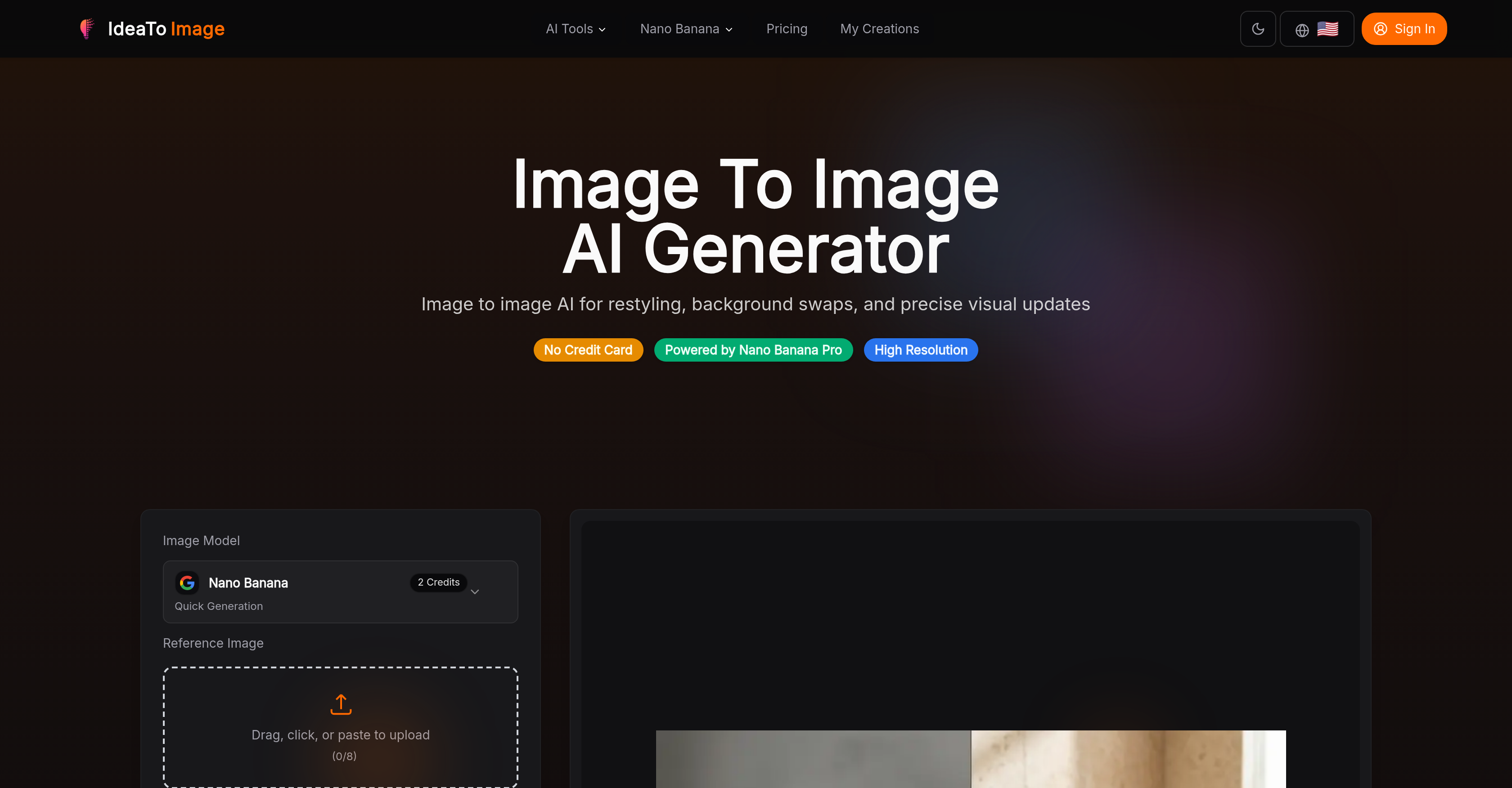
To upload an image to IdeaToImage Image to Image AI Generator, one needs to access the platform and use the upload function, which supports drag, click, or paste to import the image.
The IdeaToImage Image to Image AI Generator can make varied changes to uploaded images. Some of these changes include restyling of photos and artwork, mood and visual style alteration, lighting direction modification, background replacement, and localized image fixes like clothing color alteration or text block modification.
Some practical use cases for IdeaToImage Image to Image AI Generator include restyling portraits without changing the identity of the person, background swaps for branding or product images, updating minor details without needing to overhaul the entire image, refining rough drafts into polished key visuals, and creating multiple variations of a single image.
Yes, the IdeaToImage Image to Image AI Generator allows for localized fixes on specific areas of an image. It enables users to execute targeted modifications such as changing a clothing color or modifying a text block without disrupting the rest of the image.
The IdeaToImage Image to Image AI Generator can be greatly beneficial for e-commerce and social content. It can replace backgrounds quickly, making products or portraits pop against new scenes. It also helps make local fixes, like color alterations or detail enhancements, that can make the images more appealing and engaging to potential customers or followers.
Yes, the IdeaToImage Image to Image AI Generator is effective for generating campaign assets. It allows users to create a coordinated set of images that maintain uniformity in subject, tone, or composition making it ideal for campaign material creation.
Yes, the IdeaToImage Image to Image AI Generator is capable of replacing, altering, or modifying the background of an image. This is one of the features that is especially useful for product photography, e-commerce, and social content.
The IdeaToImage AI tool can implement changes to images that alter the mood or visual style. It can adjust aspects such as color, brightness, contrast, and texture to transform the visual impact of the image according to user instructions.
IdeaToImage Image to Image AI Generator can maintain the integrity of the original image while making changes. It is programmed to understand which elements of the image to preserve and which to modify, enabling restyling, retouching or enhancing without losing the original composition or subject matter.
Features offered by IdeaToImage Image to Image AI Generator include the ability to restyle photos and artwork, localizing fixes or updates on specific areas of an image, lighting adjustment, mood alteration, visual style modification, and easy export of finished modified images.
Yes, IdeaToImage Image to Image AI Generator offers alterations in lighting direction. This allows users to alter the lighting of a photo to match the desired mood or aesthetic, without requiring the original photo to be retaken.
Yes, IdeaToImage Image to Image AI Generator can be used for text block modification in an image. This means users can alter or modify existing text elements within an image without disrupting other elements.
Yes, users can directly export their edited image from the IdeaToImage Image to Image AI Generator. This includes the ability to preview results and download the finished product right from the platform.
Yes, IdeaToImage Image to Image AI Generator can help create matching variations from one starting image. This is particularly useful for creating sets of campaign assets, thumbnails, or social media posts that require a consistent aesthetic or theme.
Absolutely, IdeaToImage Image to Image AI Generator can be used to create presentation materials. The tool can refine rough drafts and produce cleaner visuals that are perfect for presentation-ready materials.
Yes, IdeaToImage Image to Image AI Generator does have a user-friendly interface. It's designed to be accessible to all users, including non-designers. The workflow involves simply uploading the image, describing the changes needed, previewing results, and exporting the finished product.
Yes, IdeaToImage Image to Image AI Generator maintains the composition of the original image while making improvements or changes. It's designed to preserve the integrity of the original image while allowing users to make various modifications.
No, you do not need any specialized design skills to use IdeaToImage Image to Image AI Generator. The tool's interface and operation are designed to be simple and user-friendly, making it accessible to both non-designers and professionals.
IdeaToImage Image to Image AI Generator enables image re-styling by allowing for changes in mood, visual style, lighting direction, and overall finish of an image while preserving the originality of the initial image.
Yes, IdeaToImage Image to Image AI Generator supports the feature of background replacements. This feature is particularly handy in the realm of e-commerce, ads, and social content creation.
The key features of IdeaToImage Image to Image AI Generator include restyling photos and artwork, replacing backgrounds, localizing fixes or updates on specific areas of an image, and polishing rough drafts to produce cleaner visuals. Additionally, the tool is capable of producing consistent image sets which is beneficial for asset development.
IdeaToImage Image to Image AI Generator is targeted at a wide range of users, from individuals looking to improve their original images to businesses seeking to create polished, consistent, and upgraded visuals for e-commerce, advertising, and social content creation.
Absolutely, IdeaToImage Image to Image AI Generator is not only intended for professional designers but also for non-designers. It has a user-friendly design which supports an easy-to-follow workflow.
Yes, IdeaToImage Image to Image AI Generator is capable of making localized fixes or updates on specific areas of an image. This includes changes like altering clothing color or modifying a text block without disrupting the rest of the image.
Yes, IdeaToImage Image to Image AI Generator is competent in generating image sets with a consistent subject, tone, or composition. This makes it an excellent tool for creating multiple variations from a single source image, which is valuable for campaign asset development.
Indeed, IdeaToImage Image to Image AI Generator is ideal for e-commerce purposes. Its ability to restyle and refine images, replace backgrounds, and make localized fixes can greatly enhance visuals for online product portfolios.
IdeaToImage Image to Image AI Generator processes images using artificial intelligence. Users just need to upload the target image, specify the desired changes, and the AI applies these alterations to create a finalized image.
Yes, IdeaToImage Image to Image AI Generator can be effectively used to create campaign assets. The possibility to generate multiple image variations with consistent style makes it a strong tool for creating visually coordinated campaign materials.
The objective of IdeaToImage Image to Image AI Generator is to improve the original images without making significant changes to the overall composition or concept. It maintains the integrity of the original image while applying requested modifications.
IdeaToImage Image to Image AI Generator, powered by Nano Banana Pro, generates high-resolution images, ensuring that the quality of the generated image meets the standards required for professional purposes.
Yes, IdeaToImage Image to Image AI Generator can allow modifications to text blocks in images without disrupting the rest of the image. This flexibility is part of its precise local fixes or updates feature.
The workflow for using the IdeaToImage Image to Image AI Generator involves the following steps: upload an image to the generator, describe the changes needed, compare and review the generated results, and export the finalized image.
Yes, IdeaToImage Image to Image AI Generator supports the export of the finished product. After previewing and selecting the desired result, users can easily export the final image.
The flexibility and precision of IdeaToImage Image to Image AI Generator makes it highly useful for creating social content. It can generate multiple image variations with consistent style, restyle photos, replace backgrounds, and localize fixes, all of which help to create visually appealing and diverse social media content.
Yes, IdeaToImage Image to Image AI Generator can refine the visual details of images. This includes giving a cleaner finish to rough drafts, making precise updates to specific areas of an image, and restyling the overall appearance of an image while maintaining the integrity of the original.
IdeaToImage Image to Image AI Generator allows various types of alterations to images. It can restyle photos and artwork, replace backgrounds, refine details, as well as generate matching variations from one starting image. This flexibility also extends to localized fixes like colour changing or object removal.
Pricing
Pricing model
Paid
Paid options from
$9.90/month
Billing frequency
Monthly