Image Upscale by Picsart
Overview
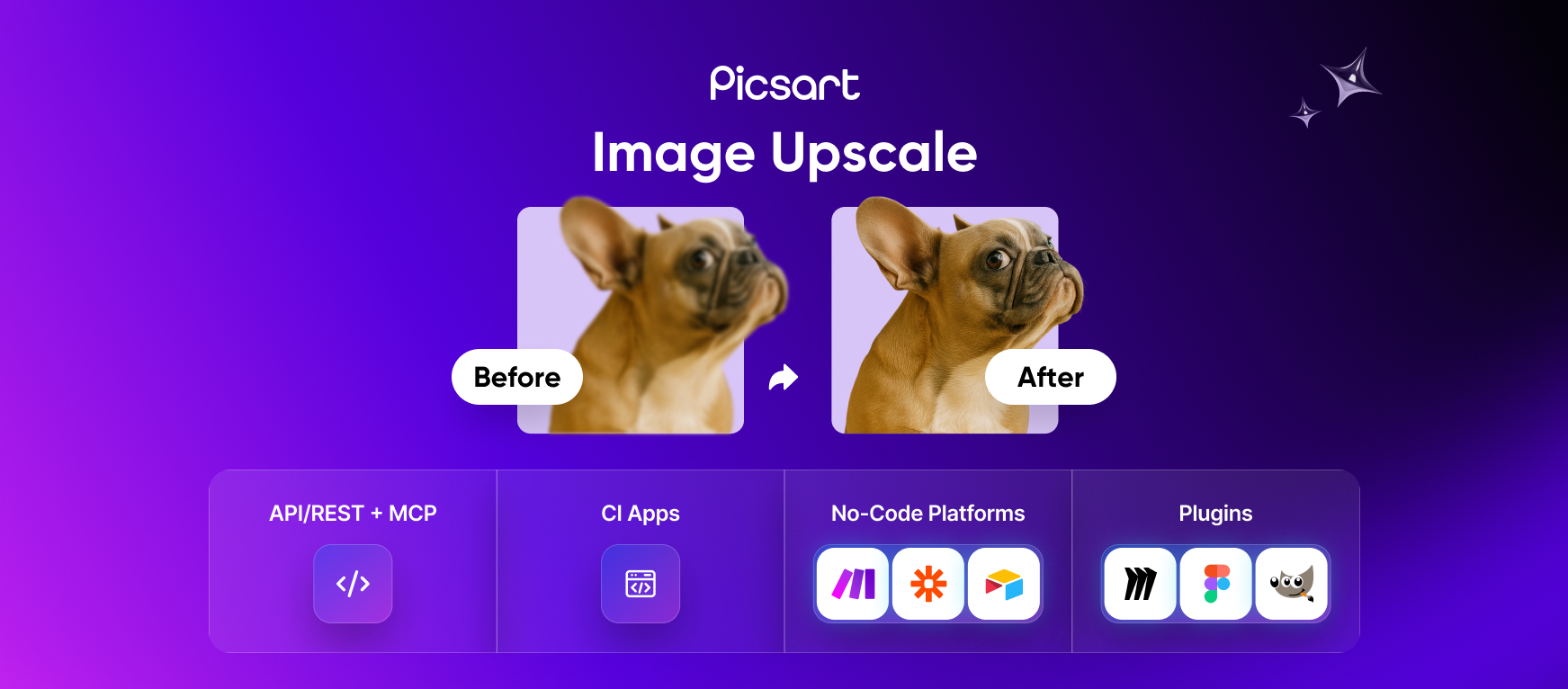
- Eliminate pixelation and reprint costs by making customer uploads and legacy assets print-ready with AI-powered upscaling up to 16x.
- Scale product catalogs and user-generated content to billboard sizes while preserving material details and faces for higher-converting visuals.
- Automate batch processing of entire product catalogs or print jobs at scale via REST API, SDKs, or no-code connectors like Zapier and Make.com.
- Integrate upscaling directly into your existing design workflow with plugins for Figma, Sketch, and Miro, or use desktop and CLI tools.
- Deploy with enterprise confidence using the same SOC 2 and ISO 27001 compliant infrastructure that handles billions of monthly image requests.
Pros & Cons
Pros
- Transforms low-quality visuals
- Enhances image resolution
- Minimizes graininess in photos
- Upscale up to 16× automatically
- Standard Upscale up to 8×
- No complex coding required
- Rapid result generation
- Simple API, SDKs and CLI
- Reliable infrastructure
- High data security
- JPG, PNG, TIFF, WEBP supported
- Adheres to cybersecurity best practices
- Flexible APIs for developers
- Offers white-label solutions
- No-code/low-code automations
- Improves blurry photo quality
- Zapier and Make connectors available
- Print-ready image preparation
- No advanced coding skills needed
- Accommodates users of any scale
- Automates photo editing process
- Convenient for print businesses
- Versatile tool for e-commerce
- Improves images for social media
- Aids advertising initiatives
- SOC2, GDPR and CCPA compliant
- Boosts old photo quality
- Ideal for website image enhancement
- Image sharpening capability
- Automated upscale needs accommodation
- Batch processing with high throughput
- Option for custom enterprise solutions
- Availability of plugins & extensions
- Scalable pricing for businesses
- Supports bulk editing
- Useful for billboard size images
- No loss to photo quality
- High-res small photos handling
- Accommodates details in photos
- Improves website design images
- Removes photo resizing work
- Offers high-fidelity image edits
- Supports JPEG, PNG, BMP, TIFF formats
- Fast image processing
- Efficient image upscaling techniques
- Reuse of current photos
- Automated upscaling via API
- Convenient for small businesses
- Improves image quality for thumbnails
Cons
- Tiny text may remain unreadable
- Limited Image Formats Supported
- Missing Dedicated Mobile Appd
- Output currently limited to 64MP
- Limits on Maximum Upscaling
- No Offline Usage
- Pricing can be Expensive
- Lack of Personalized Support
Reviews
Rate this tool
Loading reviews...
❓ Frequently Asked Questions
Picsart's Image Upscale API is a tool designed to boost the quality of images. Its primary function is to transform low-quality images into high-resolution ones, thereby addressing the issue of image resizing. Users can upload images of any size without losing their quality.
The Image Upscale API improves image quality by upscaling low-resolution images into high-resolution ones. This involves replacing the graininess of the image with smooth, pixel-filled photos that are of a higher quality and are better for sharing or publishing across platforms.
Picsart addresses image resizing through its Image Upscale API. The API allows users to upload visuals of any size without degrading their quality. The tool can replace the graininess of low-quality images with smooth pixels, maintaining resolution regardless of the image's scale.
Industries that can benefit from using Image Upscale API are diverse and numerous. This includes sectors such as e-commerce, advertising, marketing, social media, and printing. Essentially, any industry that relies heavily on high-quality visuals for its operations can find value in the API.
The Image Upscale API by Picsart is easy to integrate, requiring no complex coding or prolonged onboarding sessions. With its easy-to-understand interface and functionality, integrating it into a system or process is straightforward and convenient.
Typically, after using the API, results are rapid. Once the task has been automated via the API, the job can be completed in about the same time it takes to load a webpage.
High-fidelity image editing refers to a process of image modification that preserves and improves the original quality of the image. With the Image Upscale API by Picsart, users can perform high-fidelity edits with confidence, maintaining the high quality of the visuals.
Picsart takes extensive measures to ensure data security when using the Upscale API. The tool adheres to industry-leading cybersecurity best practices. It is backed by a reliable infrastructure that prioritizes data security, thereby providing a safe and secure environment for users.
Yes, Image Upscale API does provide pre-made tools. These instruments are part of the variety of ways the software can accommodate the diverse upscale needs of the user while adding to the convenience and efficiency of using the API.
The white-label solutions offered by the Image Upscale API include integrated and tailored integrations that can be made to appear as part of the user's own applications or platforms. This enables organizations to maintain their branding while making use of Picsart's sophisticated image upscaling technology.
The no-code/low-code automations offered by the Upscale API are designed to simplify the process of image upscaling. This feature allows users with little to no coding abilities to automate the process of image upscaling, facilitating efficiency and ease of use.
The image transformation process involves analyzing the low-resolution image and applying sophisticated upscaling techniques to enhance its quality. The graininess of the input image is replaced with smooth, high-resolution pixels, resulting in a visually stunning output.
The tool essentially replaces the graininess that's typically inherent in low-resolution images with smooth pixels. This process enhances the smoothness of the outcome, producing a crisp, clear image with reduced noise and noticeable enhancement.
Yes, Picsart's Image Upscale API can be integrated into e-commerce platforms. It serves as a valuable tool in enhancing the quality of product images, thereby potentially increasing audience engagement and improving buyer experience.
The Image Upscale API achieves image quality improvements through its upscaling function that transforms low-resolution images into high-quality mediums. This process replaces graininess with smooth, pixel-filled photos, enhancing the overall quality.
The Image Upscale API does not have specific requirements for image format or size. Users can upload images of any size, and the tool has the capability of transforming various types of images, supporting multiple formats including JPEG, PNG, BMP, and TIFF among others.
The tool makes image editing more efficient by automating the repetitive and manual process of enhancing images. With the API, resizing and improving image quality can be accomplished in seconds, freeing up more time for users to focus on other tasks.
Yes, the tool offers specific solutions for social media. Users can efficiently enhance the quality of their social media visuals before sharing, enabling them to maintain high standards of visual content across their social media platforms.
The tool aids in printing high-quality images by allowing users to upscale their visuals to high-resolution versions without losing quality. This can help ensure that the images are print-ready, no matter the size of the print required.
Yes, with Picsart's Image Upscale API, you can automate resizing tasks. The API performs image resizing tasks automatically, saving a remarkable amount of time and eliminating the need for manual intervention in the process.
The API function is to transform lower-quality visuals into stunning results by enhancing their resolution. It smoothens pixel-filled photos and automatically scales and edits visuals without reducing their quality.
Picsart's Image Upscale API is beneficial for a host of industries, including but not limited to e-commerce - for enhancing product photos, advertising and marketing - for high quality visuals, social media - to empower posts, and print businesses - to ensure print-ready photos.
The integration process of the Upscale API is straightforward and requires minimum effort. It involves no complex coding or prolonged onboarding sessions. It can be integrated into any platform enhancing the convenience for individuals and large, enterprise-scale teams.
The results from using the Image Upscale API can be expected rapidly. The task of resizing and improving image quality, which can be time-consuming when done manually, is automated through the API. As such, results can be produced in the same amount of time it takes to load a webpage.
'Preserving and improving the quality' refers to the capability of maintaining the essential features and information present in the images while enhancing their appearances. The API assures users that the image's integrity will be retained even after the upscaling process while also improving the final output for a better visual experience.
Picsart ensures data security in its Image Upscale API by adhering to the industry-leading cybersecurity best practices. This includes measures to safeguard user information, stringent access controls, and robust network security.
The Image Upscale API offers a variety of ways to meet the upscale needs including flexible APIs for developers, pre-made tools, white-label solutions, and no-code/low-code automations.
The API has the capability to enhance and improve blurry images. It uses AI-powered upscaling to smooth pixel-filled photos, reducing the blurriness in the images.
8x upscaling refers to the ability of the tool to upscale or enlarge the image up to eight times its original size without losing the quality.
Picsart's Image Upscale API is absolutely suited for print businesses. The API ensures high-fidelity image edits, maintaining quality no matter the size of the print, and offering print-ready solutions.
The Image Upscale API can be easily integrated onto websites. This integration enables website administrators to maintain high-quality images on their site. The tool does not necessitate advanced coding skills, simplifying the integration process.
Yes, the Image Upscale API by Picsart does accommodate resizing of an image. It automates and streamlines the process of photo editing by efficiently resizing images while preserving their quality.
The Image Upscale API doesn't explicitly mention the feature to sharpen images but it improves the resolution and quality, which in turn can make images appear sharped and detailed.
Yes, Picsart's Image Upscale API complies with industry-leading cybersecurity best practices. It has a reliable infrastructure that ensures data security, making its use not only effective but secure.
Yes, the Image Upscale API by Picsart can be used to enhance old photos. It enhances the resolution and reduces graininess, which makes old photos look new and improved.
No, advanced coding knowledge is not necessary to use the Image Upscale API. The tool can be easily integrated into existing platforms or tools without requiring any complex coding skills.
Yes, the Image Upscale API can enhance the quality of your website images. It maintains high photo quality of website images and enables users to upscale images before publishing to your site.
Yes, the Image Upscale API is user-friendly. It allows easy integration without complex coding requirements. Additionally, its efficient image enhancement and upscaling processes streamline user operations.
Absolutely, the Image Upscale API can be used to prepare print-ready images. Whether it's for small or large prints, the tool maintains high quality and resolutions, ensuring your photos are always ready for printing.
Pricing
Pricing model
Freemium
Paid options from
$10/month
Billing frequency
Monthly
Refund policy
No Refunds