ImageToClip.com
Overview
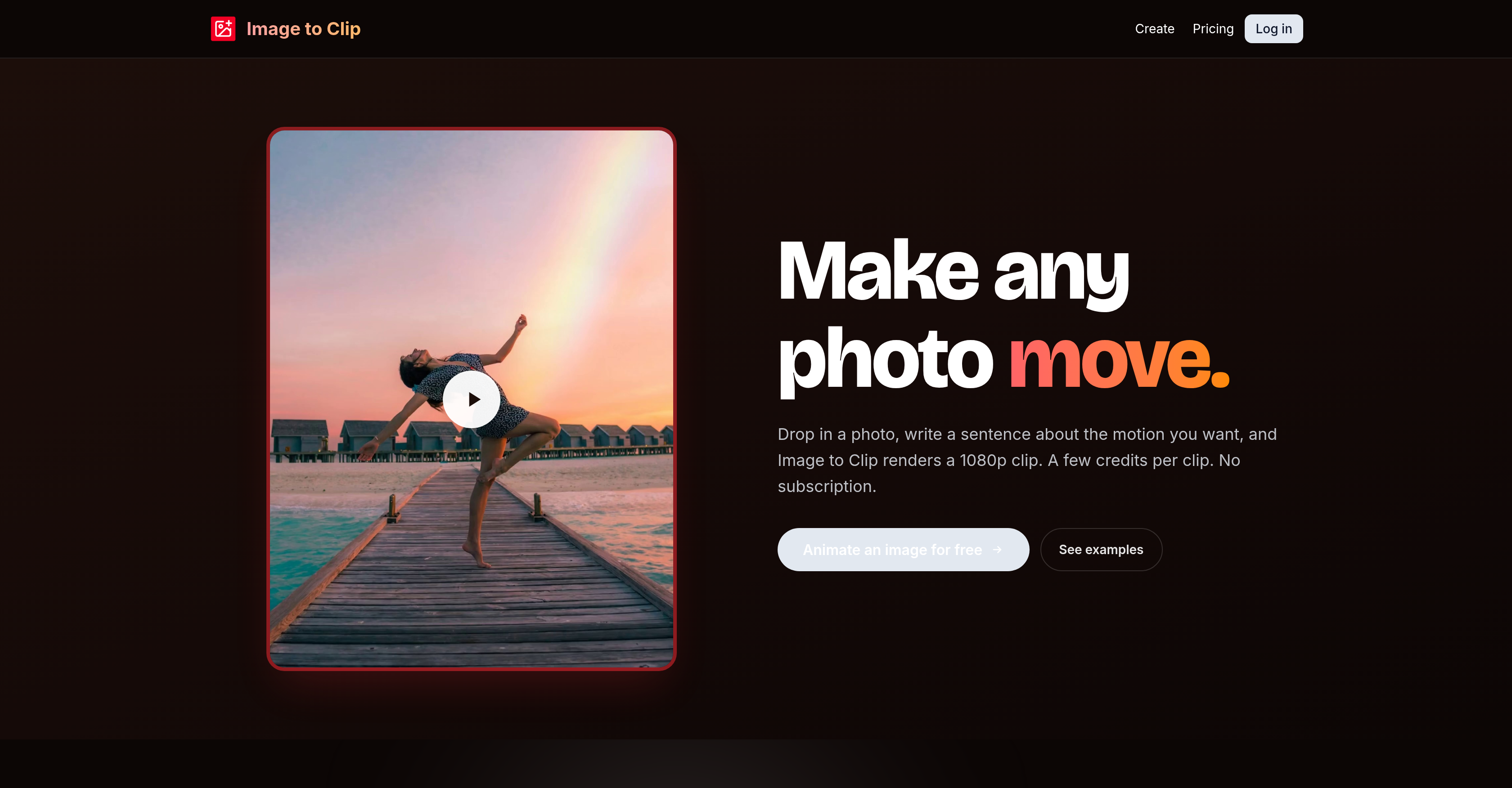
- Create cinematic AI videos from any static photo by simply describing the motion you want—no animation skills needed.
- Generate unique, high-resolution clips in under a minute using your own JPEG, PNG, BMP, or WebP images up to 10MB.
- Choose your video output: 720p or 1080p resolution, with lengths from 3 to 15 seconds for perfect social media clips.
- Pay only for what you create with a no-subscription credit system—2 credits per second for 720p, 4 credits per second for 1080p.
- Keep your uploads and finished clips private in your personal account with no public gallery—share only when you choose.
- Get automatic credit refunds if a generation fails, so you never lose credits on unsuccessful attempts.
- Retain your original image's aspect ratio between 1:2.5 and 2.5:1, ensuring your videos match your creative vision exactly.
- Access and download your saved videos directly from your account anytime for easy sharing or repurposing.
Pros & Cons
Pros
- Converts photos to videos
- High output resolution
- Supports JPEG, PNG, BMP, WebP
- Max upload size 10MB
- Supports various aspect ratios
- MP4 file download
- Quick generation time
- Operates on pay-as-you-go
- Automatic refund on failure
- Private user content
- Built-in templates available
- Resolution Choice 720p, 1080p
- Video Length Customization
- No monthly subscription
- Direct save to user's account
- User-friendly interfaces
- No prior video-editing knowledge required
- Customizable motion description
- Template or own image use
- Credit packs available
- High privacy standards
- Starts free with 12 starter credits
- 720p or 1080p output choice
- Minimum 300px image requirement
- Supports 3 to 15 second videos
- Custom animation creation
- Automated Refunds
- Secure content storage
Cons
- Maximum 10MB file size
- No free usage
- Pay-as-you-go only
- Not for longer videos
- No video editing features
- Limited to JPEG, PNG, BMP, WebP
- Outputs only in MP4
- No public gallery
- No real-time preview
- Only up to 1080p resolution
Reviews
Rate this tool
Loading reviews...
❓ Frequently Asked Questions
Image to Clip is an AI-powered tool for converting static images into short cinematic videos. The user inputs a description of the desired motion, and the tool breathes life into the image by creating a dynamic video. Users can either start from a built-in template or upload their own JPEG, PNG, BMP, or WebP files--up to a maximum size of 10MB. The output is a high-resolution video in either 720p or 1080p format. The tool follows a pay-as-you-go scheme, charging credits per second of output production.
Key features of Image to Clip include its AI-powered image-to-video conversion, support for JPEG, PNG, BMP, and WebP formats. It provides high-definition video outputs in 720p or 1080p resolutions. It lets you make videos from static images by describing the desired motion. Image to Clip supports various aspect ratios and allows for video length customization. It operates on a pay-as-you-go basis, charging credits per second of video output, with an automated refund for failed attempts. It also prioritizes user privacy, saving all uploads and finished clips privately in the user's account.
Image to Clip supports JPEG, PNG, BMP, and WebP image formats.
The AI in Image to Clip works by interpreting the user's textual description of the desired motion for the image. It uses this motion prompt to generate a dynamic, moving video from the still picture.
The maximum size for photo uploads in Image to Clip is 10MB.
The video resolution options in Image to Clip are either 720p or 1080p.
Video generation by Image to Clip is swift, typically completed in under a minute.
The length of videos that can be created in Image to Clip can range anywhere from 3 to 15 seconds.
'Pay as you go' in the context of Image to Clip means you only pay for the seconds of video output you generate. There's no upfront subscription fee. You buy credit packs, and these credits are charged per second of output generation.
The credit system in Image to Clip works by charging users per second of video output. Users can purchase credit packs, and the credits are deducted based on the length of the video. Videos of 720p resolution use 2 credits/sec while 1080p videos use 4 credits/sec.
In the event of a failed video generation in Image to Clip, the credits spent on that particular job are automatically refunded.
Image to Clip ensures user privacy by storing all uploads and finished clips privately in the user's account. The platform doesn't have a public gallery, meaning that no one else gets to see the videos a user generates unless they willingly decide to share them.
Creating a video in Image to Clip involves three steps: Upload an image in one of the supported formats or select a template, write a sentence detailing the desired motion and pick a duration and resolution, then the video is generated and saved to your account ready for you to download.
You can definitely use your own photo for creating a video in Image to Clip. You're not strictly confined to using the provided templates. You can upload JPEG, PNG, BMP, or WebP files that are up to 10MB in size.
Yes, in Image to Clip, you can detail the motion you want for your video. You provide a sentence describing what moves: the camera, the subject, the lighting, in order to guide the animation process.
No, Image to Clip doesn't require a subscription. It uses a pay-as-you-go approach where users buy credit packs that are charged per second of video output generation.
Yes, videos generated by Image to Clip can be saved directly to your account. This way, you can access, download, or share them conveniently whenever you need them.
In Image to Clip, you cannot directly adjust the aspect ratio of the video. However, it acknowledges images of any aspect ratio between 1:2.5 and 2.5:1, ensuring that your videos retain the aspect ratio of your original image.
The major advantage of using Image to Clip over other image-to-video tools is its AI-driven customization capabilities. While most similar tools offer canned animations, Image to Clip adapts to a written prompt, rendering unique animations as per the user's instructions. Hence, the control over motion lies with the user, making it far more flexible and adaptable.
There isn't a specific limit to the number of videos you can create with Image to Clip. The number of videos you can produce mainly depends on the number of credits you have, each video costs a certain number of credits depending on its length and resolution.
Pricing
Pricing model
Paid
Paid options from
$3/unit
Billing frequency
Pay-as-you-go
Related Videos
Alien Head "Image to Clip" Conscious Rap -BCR Full-ai-m! Crew #2024 #hiphop #classic #boombap #beats
Best conscious Music•85 views•Jun 21, 2024