img2img AI
Overview
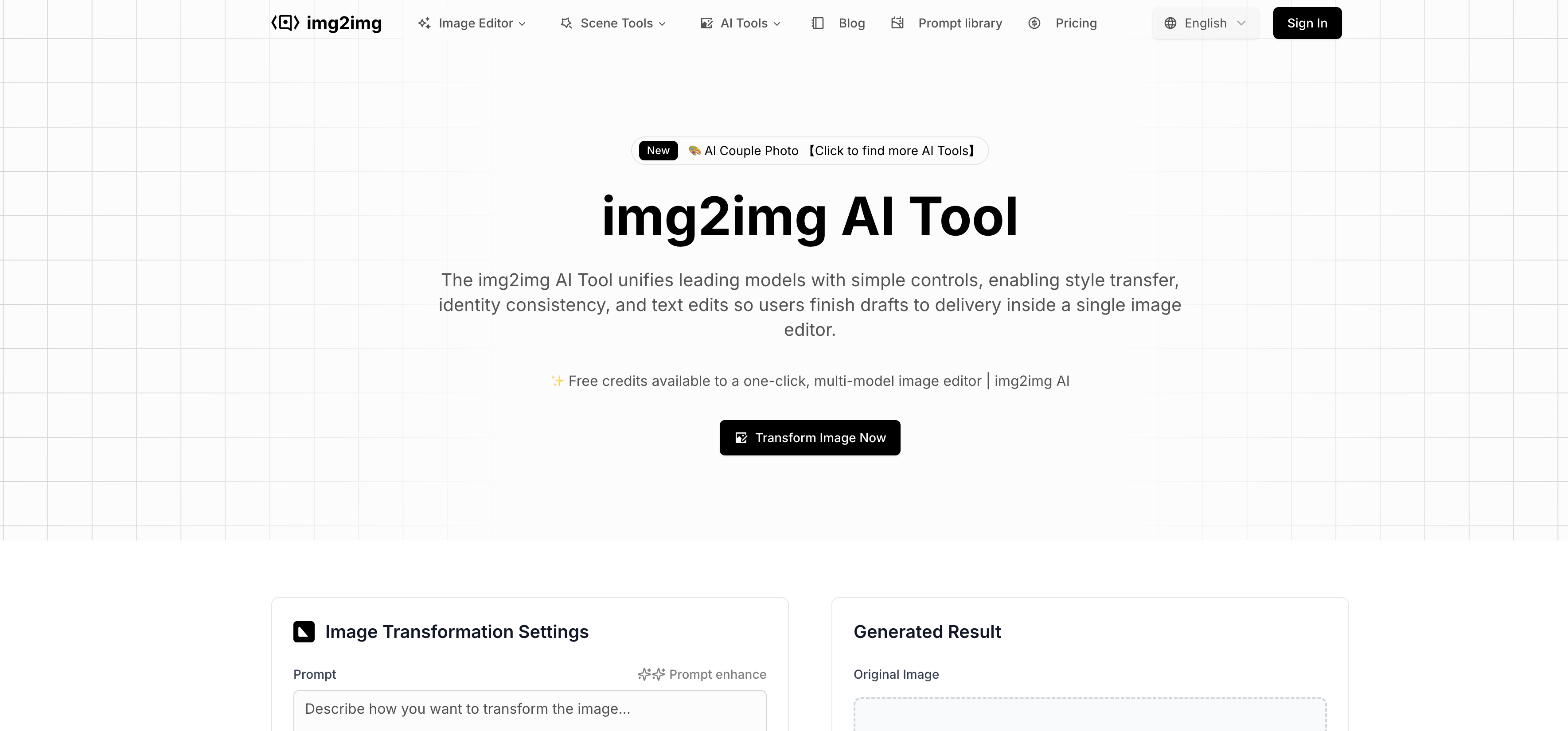
- Ship campaigns faster by collapsing briefing, editing, and exporting into a single unified workflow, eliminating the need to switch between multiple tools.
- Maintain perfect brand consistency across all assets with reusable style presets, fonts, and colors that keep every output on-brand.
- Execute complex edits in seconds using plain-language commands like “make the background white” to guide the AI without manual tools.
- Handle large-scale projects efficiently with batch actions that apply one-click effects and styles to entire image sets for weekly launches.
- Achieve the best possible result for any task by instantly comparing outputs from multiple leading AI models like Flux Kontext Pro and Seedream 4.0.
- Get professional results in minutes, not hours, using role-specific templates and prompt examples designed for marketers and designers.
- Export print-ready and web-ready assets without quality loss, with full control over resolution and support for JPG and PNG formats.
- Preserve layout integrity automatically when editing text, headlines, or prices in commercial designs, eliminating manual repositioning.
- Maintain character identity across edits for anime or portraits, keeping hair, attire, and facial features stable in every scene.
- Transform sketches into polished illustrations and photos into any style while preserving the original composition and brushwork.
Pros & Cons
Pros
- Unified workflow
- Plain-language control
- Brand consistency
- Multiple models access
- Speedy previews
- Batch actions
- Role-friendly onboarding
- High-resolution exports
- Version history
- Product shots refresh
- Portraits relighting
- Sketch-to-art conversion
- Multi-size assets export
- Portrait retouching & relighting
- Style transfer
- Commercial design edits
- Anime consistency
- Quality boost suite
- Batch presets
- Parameter control
- Model switching
- Format support
- Reusable styles
- One editor for all
- Natural language processing commands
- Ready-made style, lighting, retouching presets
- Flexible style options
- Comprehensive prompt library
- Scenario toolkit
- Commercial and anime designs
- One-click effects
- Marketing-friendly toolkit
- Retouching, relighting, tone balance
- Background swaps
- Preserving facial detail
- Maintains product shapes
- Cross tool loss avoidance
- Industry templates
- Cutting-edge model integration
- Pro templates for various industries
- Layout-safe text edits
- Identity consistency
- Detailed transformation settings
- Instant high-quality download
- Multi-model image editor
- No overtime on weekly drops
- Fast price and hours updates
- Batch export and versioning
- CN/EN label swaps
- Style presets for all channels
Cons
- Supports limited file formats
- Doesn't balance creativity and faithfulness
- Only English prompt language supported
- Limited to JPEG, PNG, WEBP
- Exports only standard JPG/PNG
- No offline editing
- Performance in batch processing unknown
- Model efficiency not considered
- Overreliance on presets
Reviews
Rate this tool
Loading reviews...
❓ Frequently Asked Questions
The img2img AI Tool is an advanced online image editor that integrates several AI models for comprehensive image transformations. It offers a platform for image editing, designed for both individuals and business teams. It allows users to guide the AI through prompts to achieve desired artistic style, colors, or effects.
The img2img AI Tool offers a range of functionalities including style transfers, identity consistency, text edits, background removal, image upscaling, and face swaps. It also allows users to adjust settings like resolution, output count, and strength to perfect the AI image transformations. The tool supports many file formats like JPEG, PNG, and WEBP.
Yes, the img2img AI Tool supports JPEG images.
Yes, the img2img AI Tool is compatible with both PNG and WEBP files.
The img2img AI Tool has comprehensive editing capabilities including style transfers, identity consistency, background removal, text edits, image upscaling, face swaps, and other personalized transformations guided by user prompts.
Yes, the img2img AI Tool uses AI prompts to guide the image editing process allowing for specific personalizations based on user preferences.
Yes, one of the main functions of the img2img AI Tool is style transfers, allowing users to transform the aesthetic of their images.
Yes, the img2img AI Tool has a unique feature for maintaining identity consistency within images. This can be particularly useful for retaining consistent visual aspects in a series of images.
Yes, the img2img AI Tool offers the feature of background removal, allowing you to isolate subjects from their backgrounds in images.
To upscale images, you would utilize the specialized upscaling feature of the img2img AI Tool, which allows for improving the resolution of images without significant loss in quality.
Yes, the img2img AI Tool does support face swaps, providing an intuitive and automatic way to replace faces in images.
Indeed, the img2img AI Tool allows you to fine-tune parameters like resolution, output count, and strength to customize how your AI image evolves.
Yes, the img2img AI Tool is especially beneficial in scenarios like portrait editing, where it provides features like retouching, relighting, and background swaps.
Yes, the img2img AI Tool can be implemented in commercial design due to its variety of features and the possibility of applying specific personalizations through user prompts.
The img2img AI Tool is effective in anime design, offering human-to-anime transformations, line-art coloring, and character consistency. It ensures features like hair color, outfits, and facial features remain stable across edits.
The img2img AI Tool uses AI presets and templates for a broad range of editing tasks, simplifying daily creative tasks for users.
The img2img AI Tool provides fast and high-quality previews, allowing users to see their transformed images before finalizing edits.
Yes, the img2img AI Tool can be utilized for editing commercial images, making it a comprehensive solution for image editing requirements.
Yes, with its one-click, multi-model image editing capabilities, the img2img AI Tool is able to handle large-scale image editing tasks.
No initial training is needed to use the img2img AI Tool. It provides a user-friendly interface, with settings and functions that are intuitive and straightforward.
img2img AI is an advanced online image editor which uses AI-powered functionalities to allow intricate image-to-image transformations. The platform is primarily developed for businesses and unifies leading models with simple controls to transition efficiently from draft edits to final delivery. It supports command execution via natural language processing, facilitating user interaction. The AI tool is also loaded with features such as ready-made style, lighting, and retouching presets, enabling users to apply batch rules and maintain consistency across extensive image sets.
img2img AI offers several unique features for image editing. It includes support for portrait retouching & relighting, style transfer from photos to oil painting, cyberpunk, filmic, monochrome without breaking composition. It provides capabilities for turning sketches into polished illustrations and allows commercial design edits like changing headlines, prices, and selling points while preserving layout integrity. It also supports anime design, image quality enhancement, and parameter control for adjusting output features.
img2img AI simplifies the image editing process by integrating multiple best-in-class engines in a single platform eliminating the need to switch between different tools. The platform also enables users to perform plain-language commands to guide the editing process. Features such as template-based approach, ready-made style/lighting/retouching presets and automated rules further ensure an intuitive user experience. Users can batch export images, thereby improving efficiency.
img2img AI helps with brand and layout consistency by providing reusable styles, fonts, and color presets to maintain uniformity across all outputs. It allows text edits that preserve the layout to minimize rework. Moreover, it offers batch adjustments, enabling consistent edits across large image sets.
img2img AI integrates multiple leading AI models within the editor, providing users a wide range of editing capabilities. The included models are Flux Kontext Pro, Nano Banana, Seedream 4.0, and Qwen Image Edit.
Yes, img2img AI does support batch actions. Users can apply one-click effects and brand styles to large image sets, ideal for scenarios like weekly launches and multi-city rollouts. This feature enhances the scalability of the platform, making it efficient for large teams and campaigns, and shortens iteration cycles.
img2img AI ensures high-resolution outputs by providing an option to tune the resolution in the user-defined parameters. It allows the export of both web-ready and print-ready assets without any quality loss, supporting JPG and PNG formats.
The version history feature in img2img AI simplifies the editing process by providing users with a history of all iterations of an image. It also features compare views, allowing users to side-by-side compare different versions of an edited image, thereby helping users select the best version quickly and with ease.
img2img AI provides role-friendly onboarding with templates and prompt examples that help marketers, designers, and creators get results within minutes. The unified workflow and plain-language control features also contribute to a seamless onboarding experience.
img2img AI supports the process of style transfer, where it allows users to turn photos into variations like filmic, black-and-white, cyberpunk, oil painting or trend-forward illustration without breaking the composition of the original photo.
Yes, img2img AI does support sketch-to-art conversions. Users can elevate their drafts into polished illustrations, with the opportunity to adjust brushwork, composition, and lighting, all the while keeping the version history intact.
img2img AI maintains anime & character consistency by enabling the conversion of photos to anime and colorization of line arts. It helps maintain constancy for hair, attire, and facial features across scenes.
img2img AI supports import of JPEG, PNG, WEBP formats, up to a maximum size limit of 15 MB per file. For export, it supports standard high resolution JPG and PNG formats.
Within img2img AI, switching between different models can be done directly inside the project, allowing users to compare results from leading image editing engines and select the best look for their needs.
img2img AI offers features for enhancing skin, balancing tones, adding flattering light, and cleaning or swapping out backgrounds in one go, under its portrait retouching and relighting function.
With img2img AI, commercial design edits can be performed easily. Users can change headlines, prices, and selling points while preserving the layout for flyers, key visuals, and social sets.
img2img AI provides a quality boost suite that enables users to upscale, sharpen, denoise, and restore images. It helps reduce blur and compression artifacts, thereby improving the quality for reprints or marketplace listings.
img2img AI offers tools for batch presets that enable users to apply one-click effects and brand styles to large image sets. These tools help with weekly launches and multi-city rollouts in a fast and efficient manner.
img2img AI helps in standardizing white-background product shots, running seasonal price/USP swaps, and outputting marketplace-specific sizes, making it ideal for e-commerce operations.
For retail & OOH, img2img AI can be used to update store hours and offers across city posters while keeping consistent with the brand look and layout. Social & content teams can use reusable styles and quick multi-format exports to maintain brand consistency across channels. Creative & Studio teams can use style presets and reliable identity control to move quickly from storyboard or sketch to final product.
Pricing
Pricing model
Freemium
Paid options from
$7.99/month
Billing frequency
Monthly
Refund policy
7 Days Money Back Guarantee