Overview
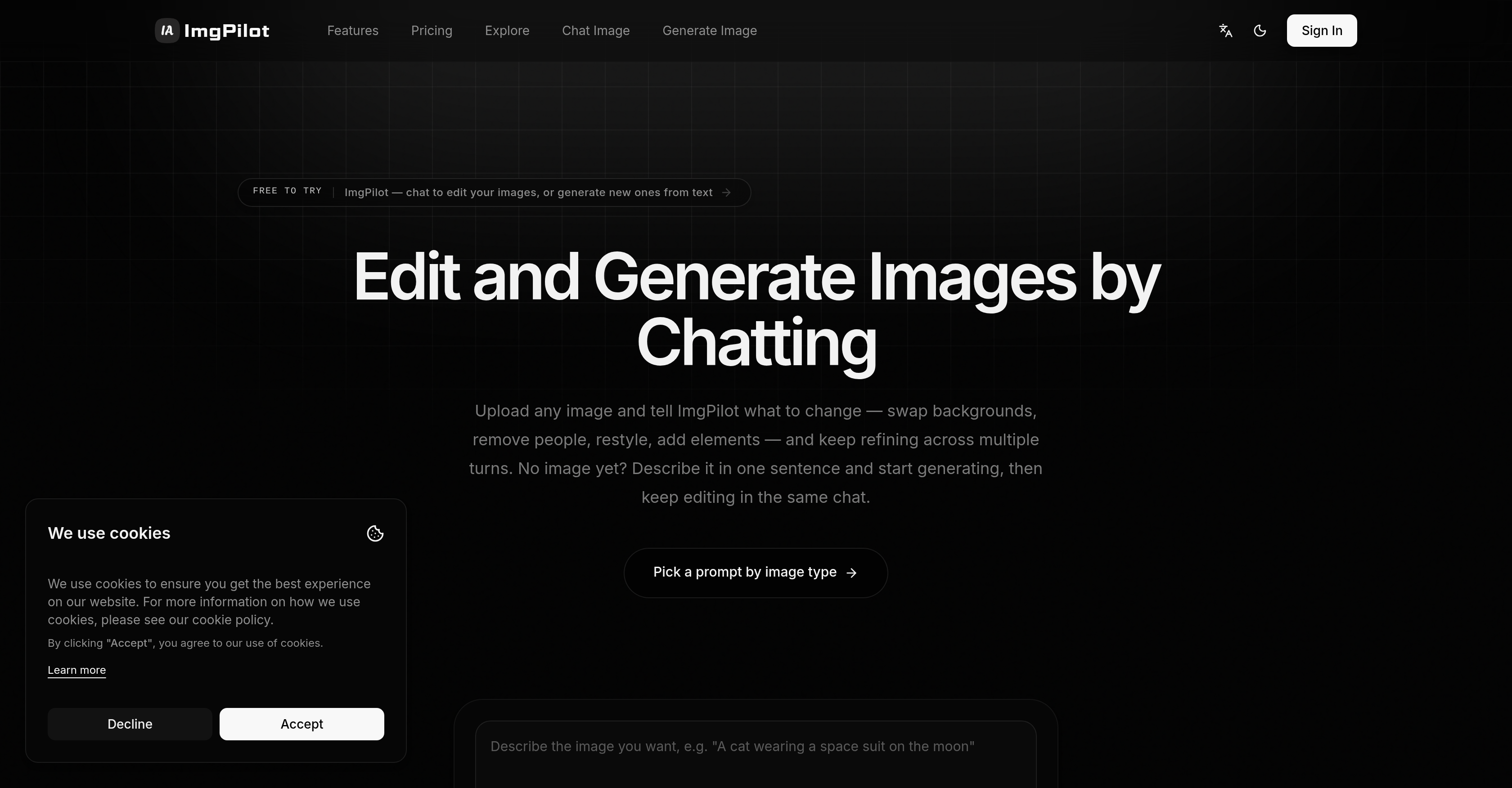
- Swap a background to a sunset or add a trench coat to a model by simply describing the change, without learning complex editing tools — enabled by the chat-to-image conversational editing workflow.
- Generate a photorealistic product shot, stylized illustration, or text-heavy poster from a plain-language description, without starting from a blank canvas — powered by the text-to-image generator with multiple AI models and up to 4K resolution.
- Refine an image across multiple turns by asking for element additions, removals, or style adjustments, with each edit building on the last so you never start over — delivered by the multi-turn chat interface for iterative editing.
- Get the right AI model for your task automatically, whether you need photoreal scenes, clean text layouts, or stylized artwork, without rewriting prompts for each engine — supported by a curated lineup of leading image models like Nano Banana, Flux Kontext, and GPT-4o Image.
- Preview a prompt's style and direction before generating, so you know exactly what you'll get and avoid wasted credits — made possible by the Prompt Library with ready-made prompts.
- Know the exact credit cost of each image before you click generate, and receive automatic refunds for any failed jobs — ensured by transparent credits and automatic refunds.
- Reopen a past editing session at any time and continue refining from where you stopped, preserving every modification step — through the personal history page that archives all changes.
- Start creating your first image in 30 seconds without installing software, entering a credit card, or watching a tutorial — by signing in with Google at imgpilot.app.
Pros & Cons
Pros
- Text to image feature
- Multi-turn chat functionality
- Background swap feature
- Add elements tool
- Iterative editing
- Continually updated model pool
- Prompt Library feature
- User-friendly
- History Page
- Photorealism
- Stylized Images
- Text-Heavy Layout
- Free usage
- Prompt preview function
- Option for restyling
- Conversational interaction
- Allows reference image upload
- Filtered prompts by image type
- Capture image editing history
- Can generate image from scratch
- Adjustments build on each other
- No complex settings required
- Chat to Image feature
- Plain language generation
- Workflow tailored for non-technical users
- Continued editing without plan renewal
- Flexible with individual needs
- Diverse range of prompt styles
- Free starting credits
- 50 free editing credits
- Iterative Communication
- No need for templates
- Reference image upload
- Differentiates between clear idea and refining idea functionality
- Structured workflow from pre-made prompts
- Easy-to-use workflows
- Maintained image editing history
- Proven prompt structures provided
- Generates images instantly
- Library categorized by image type
- Free to start
- Has direct generator handoff
- Chat interface
- Image Generator
- User oriented functionality
- Highly accessible prompt library
Cons
- Limited editing history
- Paid for high resolution
- Limited template library
- Complex prompt syntax
- Chat-oriented UI
- Pattern continuity issues
- Time-consuming iterations
- No physical edit tools
- Limited free usage
Reviews
Rate this tool
Loading reviews...
❓ Frequently Asked Questions
ImgPilot is an AI-powered photo editor that enables users to create and modify images through conversational interaction. It offers both 'text to image' and 'chat to image' functionalities, alongside a diverse array of AI image models. The tool's features include background swapping, image restyling, element adding, iterative editing, and the ability to browse various ready-made prompts from the Prompt Library.
ImgPilot's 'text to image' feature works by allowing users to generate an initial version of their desired image by simply describing it in everyday language. Users write a short description in the AI image generator interface, choose an AI model, aspect ratio, and resolution, then generate the image. The tool then delivers a first draft of an image based on the user's description.
Yes, ImgPilot allows users to edit images conversationally through its 'chat to image' feature. Users can generate an initial AI image and carry out continuous editing through conversations with the AI model. Changes made during the chat build upon the previous image version, facilitating incremental advancements without the need to start afresh for every new change.
Yes, with ImgPilot users can generate an image from scratch, either by describing it with text to produce an initial version, or by using ImgPilot's 'chat to image' workflow.
ImgPilot's 'chat to image' feature allows users to generate an initial AI image and then make iterative changes to that image by conversing with the AI. Users can upload a reference image or start from scratch, then instruct the AI on what elements to add, remove, or modify through chat, with each change building on the previous version.
ImgPilot offers a wide array of AI image models for users to choose from based on their image generation needs. These include models for producing photoreal images, stylized images, text-heavy layouts, and even models optimized for editing with a reference.
ImgPilot continuously updates its AI models with new ones as they are released by providers. This ongoing process ensures the platform's AI pool remains up-to-date, catering to a broad spectrum of image generation needs.
The purpose of ImgPilot's Prompt Library is to provide users with ready-made prompts that can be applied directly to the AI image generator. This eliminates the need for users to master prompt syntax, and allows for quicker and more effective image creation.
Yes, ImgPilot's Prompt Library offers the option to preview the style and direction of a prompt before it is launched. Using this feature, users can effectively review and vet the aesthetic of an image they will create with a specific prompt before initiating the image generation process.
ImgPilot's history page allows users to revisit their image editing processes at any time. It archives all modification steps, enabling users to reopen and continue refining their images based on previously made changes and edits.
Iterative editing in ImgPilot works through a process that starts with a first draft generated by the AI following the user's instructions or chat inputs. This draft is then edited and refined over multiple turns or iterations, where users continue instructing the AI on what changes to make next, each change building upon the previous one.
Yes, ImgPilot allows users to swap backgrounds and restyle images based on their preferences. This forms part of the conversational editing process offered by the tool, letting users refine images at both fundamental and nuanced levels.
In ImgPilot, users can add elements to images through the 'chat to image' functionality. They conversate with the AI to dictate exactly what elements they want to be added to their image, and the AI models perform the related editing tasks.
ImgPilot offers the ability to edit with reference, allowing users to upload a pre-existing image which the AI models then use as a base for editing. Users can then instruct the AI on what changes to make, either by adding new elements, removing existing ones or making modifications.
Yes, ImgPilot offers options for both photoreal and stylized images through its diverse array of AI image models. This enables users to choose a model that best suits their specific image generation needs and aesthetic preferences.
Users select models in ImgPilot through the AI image generator interface which showcases a range of AI models. Each model specializes in a different style or type of image, allowing users to choose the one that best aligns with their envisioned output.
Users can instruct the AI to make changes to an image in ImgPilot through the tool's 'chat to image' feature. They can iteratively chat with the AI model to specify what edits to make, including additions, removals or modifications of image elements.
Yes, ImgPilot offers an array of user-friendly features designed to simplify the image creation process. These include a Prompt Library for browsing ready-made prompts, the ability to revisit previous editing steps through a history page, and an intuitive interface for image generation and iterative editing.
ImgPilot provides creative freedom by allowing users to not only create images from scratch based on their descriptions but also to refine and modify these images to their liking through iterative, conversation-based editing. It also gives users the freedom to select the AI model that best aligns with their image generation needs, culminating in a personalized image creation experience.
The chatbot interface of ImgPilot enhances the image editing experience by making the process interactive and user-friendly. It offers a conversation-like iterative editing experience where users guide the AI through changes to make, allowing for continuous improvement and refinement based on real-time feedback and instructions.
The 'text to image' feature in ImgPilot enables users to transform a textual description into an image. This functionality requires no templates or complex settings. Users only need to enter a description in plain language, choose an AI model and format, and generate an image. The AI engine interprets the textual input and presents an initial draft image. Users can then choose to refine or use the image as-is.
The 'chat to image' functionality of ImgPilot blends the process of text to image creation with interactive iterations. In this feature, users can upload an image or generate one from scratch, then instruct the AI on alterations via a chat interface. This chat is not a single turn, but a multi-turn conversation that allows for continual modifications, each alteration being cumulative on the previous image state.
ImgPilot supports multiple leading AI image models to suit a variety of needs. These models are selected to deliver photorealistic outputs, craft stylized images, or manage text-heavy layouts. Each AI engine, such as 'Nano Banana', 'Flux Kontext', 'GPT-4o Image', 'OpenAI GPT Image 2', and 'xAI Grok Image', brings a unique strength in image generation to the table. New models are consistently added to keep ImgPilots AI pool up-to-date.
ImgPilot's Prompt Library is a repository of ready-to-use prompts that users can apply directly to the AI image generator to define the initial image. This library simplifies the process of creating AI images by allowing users to pick from categorized prompts, preview the style and direction, and send any chosen prompt for generating an image. This feature eliminates the need to understand prompt syntax, aiding users who are just starting with AI image creation.
Yes, ImgPilot maintains a history page where users can revisit, reopen, and continue editing their images at any time. This history page keeps track of all the iterations and changes made to an image, enabling continuous work without starting over.
Yes, ImgPilot offers free usage up to a certain extent. New users are provided with 50 free credits which they can use to try text to image generation, prompt-led starts, and chat to image edits.
Iterative editing in the context of ImgPilot refers to the continuous process of refining an image. This feature includes the usage of ImgPilot's chat to image functionality that enables users to make changes to images across many messages, with each change building on the previous one without the need to start from scratch.
No, ImgPilot is designed in a user-friendly manner requiring minimal technical knowledge. It offers a Prompt Library for users who are not familiar with technical prompt syntax, and an intuitive chat interface for iterative editing, making AI image generation simple and straightforward.
ImgPilot handles the need for photorealistic images by providing AI image models that are specialized for creating realistic output. Models such as 'Nano Banana' and 'Nano Banana 2' are specially designed for producing images with a strong sense of realism.
In ImgPilot, a new image can be generated from scratch using the 'Text to Image' or 'Chat to Image' workflow. Users can provide a textual description of the image they want and choose an AI model and format. The AI will interpret the requirements and create a first draft of the image. This can then be refined using the chat to image functionality.
Yes, with ImgPilot users can swap the backgrounds of the images. They just need to upload an image, describe the changes, and the AI will deliver the edited result.
Yes, ImgPilot allows users to upload their own reference images. They can then instruct the AI on what changes to make, and the image will be updated accordingly, maintaining the context of the previous image for every new iteration.
ImgPilot is designed with user-friendliness in mind. With no need for understanding complex prompt syntax or technical knowledge, a wide variety of image generation and editing tasks can be performed with simple conversation. The tool offers features like a Prompt Library and a multi-turn chat interface for iterative editing. Moreover, users have the liberty to choose from a pool of AI image models, and they can reopen and continue editing via a history page anytime.
In ImgPilot, users can choose the best suited model based on the type of output they require. The platform supports various AI image models, and each model is designed to cater to different needs like creating photoreal, stylized images, or managing text-heavy layouts. Users can select the model that best aligns with their requirements.
The AI models available in ImgPilot serve the purpose of generating and editing images based on user preferences. These models enable the creation of photoreal, stylized, or text-heavy layout images, and support continuous editing through conversational interaction. The models interpret the user's input and create an image, which can be iteratively refined.
Yes, you can create stylized images using ImgPilot. The 'xAI Grok Image' and other similar models in the platform support the creation of stylized visuals. You simply need to choose the appropriate model based on your needs, provide the necessary input, and the AI will generate a stylized image.
Yes, ImgPilot allows you to pause your editing work and continue at a later point. All the changes you make during an editing session are saved in a 'History Page'. You can revisit this page to reopen and further refine your images, providing an uninterrupted editing experience.
Yes, ImgPilot is equipped to handle text-heavy layouts during the image generation process. It provides AI models such as 'OpenAI' GPT-4o Image' that are best suited for text rendering and clean layout compositions.
In ImgPilot, the multi-turn chat functionality allows you to iteratively refine your edits. With this feature, you can make several changes to the image over multiple messages without the need to start over. Each editing instruction is carried out maintaining the context of the previous image, enabling a continuous conversation-like experience for iterative editing.
Pricing
Pricing model
Free Trial
Paid options from
$7.99/month
Billing frequency
Monthly
Related Videos
11:ImgPilot AI 即時繪圖體驗
述文老師的 Youtube 教學頻道•180 views•Jun 18, 2024