InstantTranscriber
Overview
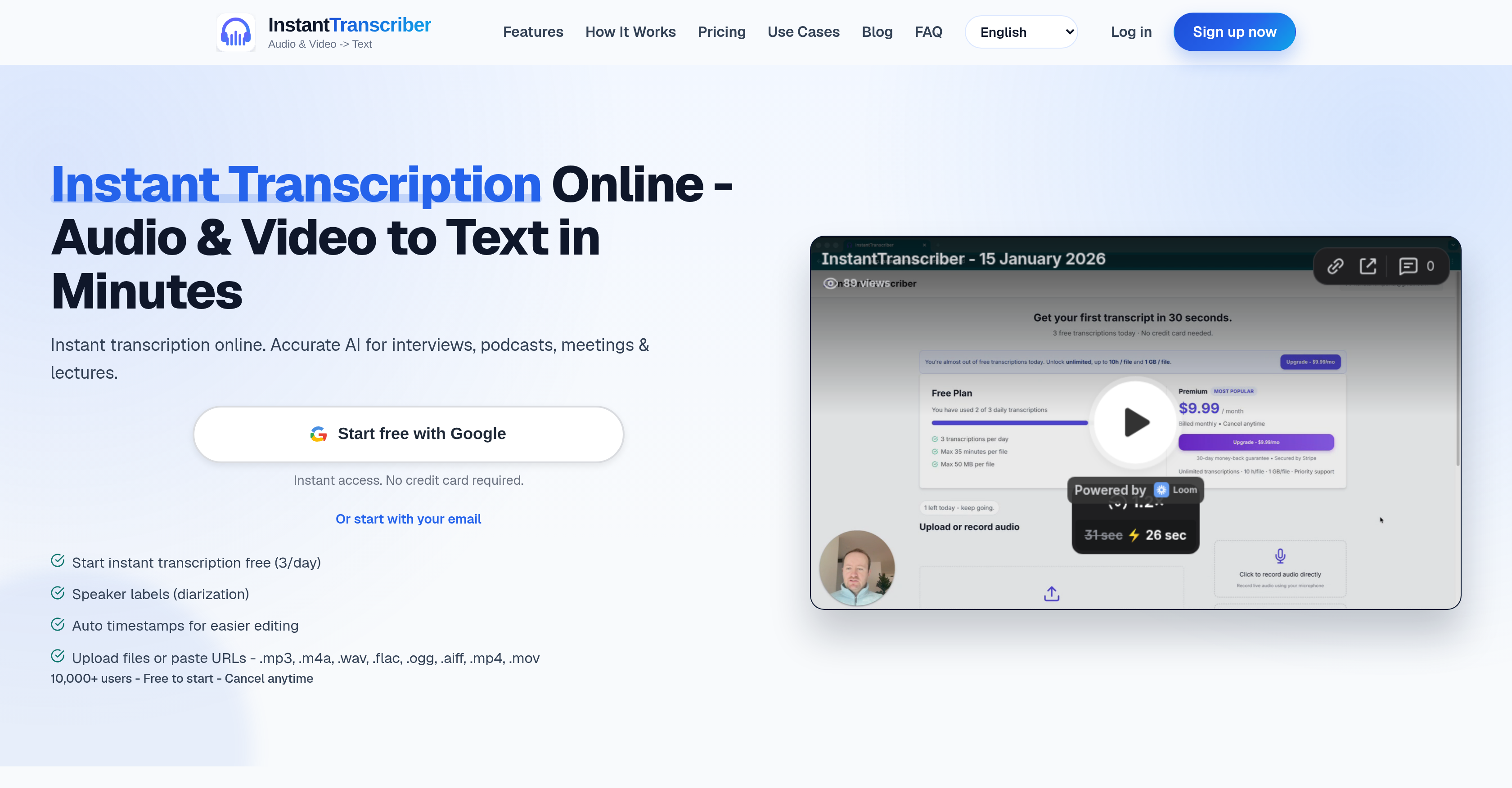
- Capture every word from meetings, lectures, and interviews with AI transcription that delivers transcripts in minutes, using direct file uploads or URL pasting.
- Create searchable, editable text from podcasts and webinars with speaker labels and timestamps that simplify editing and navigation.
- Generate captions and subtitles for videos instantly by exporting transcripts in SRT or VTT format, streamlining accessibility workflows.
- Keep sensitive content secure with bank-level encryption and automatic audio deletion after processing, ensuring transcripts remain private and untrained on.
- Transcribe recordings in over 90 languages without any technical skills, supporting MP3, M4A, WAV, MP4, and more for versatile content capture.
- Scale from daily free transcriptions to unlimited pro use with 1 GB file uploads, meeting the needs of individuals and teams alike.
Pros & Cons
Pros
- Supports various file formats
- Transcribes audio and video
- Supports multiple languages
- Speaker labels
- Timestamps in transcriptions
- Start transcriptions for free
- Secure, bank-level encryption
- Audio auto-deleted after processing
- No technical skills required
- Supports in-browser recording
- Daily free usage
- Export in multiple formats
- Upload files or paste URLs
- Multi-format support
- Fast transcription speed
- User-friendly interface
- Used for varying transcription needs
- Supports 90+ languages
- Adaptable for individuals and teams
- Scalable plans
- Transcripts assist with editing
- Helps create captions
- Aids in accessibility workflows
- Downloading transcripts in TXT, SRT, VTT, DOCX, PDF
- Privacy and confidentiality ensured
- TXT export for notes
- DOCX, PDF for review
- SRT, VTT for captions
- Instant processing
- Option to record in browsers
- Optimized for instant transcription
- Capture Chrome or Edge tab sound
Cons
- Doesn't support live transcription
- No mobile app
- Limited free transcriptions daily
- Max 35 minutes per free transcription
- No voice recognition training
- Doesn't integrate with web conferencing tools
- No custom dictionary for technical terms
- No offline functionality
- Limited supported formats for video
Reviews
Rate this tool
Loading reviews...
❓ Frequently Asked Questions
InstantTranscriber can handle audio formats including MP3, M4A, WAV, and also extracts audio from video formats like MP4.
InstantTranscriber allows users to paste URLs directly into its interface for audio and video transcriptions.
Yes, with InstantTranscriber you can record directly from your browser for instant transcription.
Once the audio is processed, InstantTranscriber typically delivers a transcript within minutes.
Yes, InstantTranscriber provides the option to download transcripts in several formats - TXT, SRT, VTT, DOCX or PDF.
InstantTranscriber supports transcriptions in 90+ languages such as English, German, French, and Spanish, among others.
No, InstantTranscriber does not require any technical skills. It is user-friendly and easy to use.
Yes, InstantTranscriber offers features like speaker labels and timestamps to simplify edit tasks.
InstantTranscriber uses bank-level encryption to ensure user data is secure.
InstantTranscriber retains audio data until it has been processed, after which it is deleted.
Yes, with InstantTranscriber users can start free daily transcriptions.
Features of InstantTranscriber can be expanded through their paid plans that offer more benefits as compared to the free daily plan.
InstantTranscriber is predominantly used for transcribing various types of content including interviews, podcasts, meetings, and lectures.
Yes, InstantTranscriber efficiently turns audio and video transcript into captions.
InstantTranscriber helps in note-taking by providing accurate transcripts that can be readily converted into notes.
InstantTranscriber aids document reviews by turning audio and video content into written transcripts that can be reviewed in several formats.
In the free plan, the maximum file size you can upload to InstantTranscriber is 50 MB, whereas in the Pro plan, the maximum file size is 1 GB.
Yes, lectures can be transcribed using InstantTranscriber, making it useful for students, educators, and researchers alike.
Podcasts are transcribed using InstantTranscriber by uploading the podcast files, which InstantTranscriber then processes and delivers as text scripts.
InstantTranscriber offers a Pro Plan at $9.99 per month or $5.99/month if billed annually, and an Enterprise Plan with custom pricing. A free plan is also available with limitations on transcriptions per day and file size.
InstantTranscriber is a digital tool that leverages artificial intelligence to convert audio and video recordings into text transcripts. It is capable of transcribing various types of content such as interviews, podcasts, meetings, and lectures. It possesses a user-friendly interface and allows for instant transcriptions. Furthermore, it employs bank-level encryption for data security, and supports transcriptions in over 90 languages.
InstantTranscriber supports a wide array of audio and video formats. These include MP3, M4A, WAV, FLAC, OGG, AIFF, MP4, and MOV.
Yes, InstantTranscriber offers both free and paid plans. The free plan allows users to make three transcriptions per day at no cost. Additionally, it has a Pro Plan priced at $9.99 monthly, or at a discounted price of $5.99 per month when billed annually. For larger teams or corporations, there is an Enterprise plan with custom pricing.
InstantTranscriber prioritizes the security of user data and employs bank-level encryption to safeguard files. It ensures that all audio files are auto-deleted post-processing, and the transcripts remain confidential and are never used for training its AI models.
InstantTranscriber provides user with the flexibility of multiple export formats. Users can download their transcripts in formats such as TXT, SRT, VTT, DOCX, and PDF.
Speaker labels, also known as diarization, and timestamps are provided in InstantTranscriber's transcripts to simplify the editing tasks. These features help users identify which speaker said what and at what point in the audio the statement was made. This greatly aids in the organization and comprehension of the transcribed content.
Yes, InstantTranscriber allows users to paste URLs for transcription. This can be particularly useful for online interviews, webinars, or podcasts that users wish to transcribe.
Yes, users can use InstantTranscriber to transcribe live meetings or lectures by recording directly from their browser. After the meeting or lecture concludes, the AI engine processes the recorded audio and delivers a transcript within minutes.
InstantTranscriber offers transcription support for over 90 languages, which covers major languages like English, German, French, Spanish, and many others.
The duration for InstantTranscriber to produce a transcript predominantly depends on the length and quality of the audio. Typically, for a clear 60-minute recording, it takes around 3-5 minutes to deliver a complete transcript.
Yes, InstantTranscriber has been designed to efficiently transcribe content like interviews and podcasts. Users can upload the files directly, paste public URLs, or record right from the browser for transcription.
With the Pro Plan and Enterprise Plan of InstantTranscriber, users get access to unlimited transcriptions, larger maximum file limits, and priority support. Additionally, the Enterprise Plan offers dedicated account management, custom integrations, and 24/7 priority support for its users.
InstantTranscriber employs artificial intelligence to analyze and process the audio files, and then translate them into text transcripts. The AI model is optimized for high accuracy, and capable of delivering up to 99% accuracy on clear recordings.
Yes, InstantTranscriber practices a policy of auto-deleting user audio files after they have been processed for transcription. This is a part of the tool's commitment to security and privacy.
Yes. Users can record directly in their browser and start transcribing immediately with InstantTranscriber. This provides a streamlined workflow for transcribing live events such as meetings or lectures.
InstantTranscriber allows users to export transcripts in SRT or VTT formats which can be used for creating captions. This feature makes it versatile for users who need to create captions for videos, webinars, or any other visual content.
InstantTranscriber is designed to be user-friendly and does not require any technical skills to use. The process is quite simple: users just upload their file or paste a URL link, allow the AI to analyze and process their audio, and then download their transcript.
Yes, InstantTranscriber can be effectively used for document reviewing and note-taking. Transcripts can be exported in TXT for notes, and DOCX or PDF for review, providing users with flexibility to meet their specific needs.
Timestamps in InstantTranscriber transcripts provide a point of reference by indicating when each portion of the transcript took place in the audio. These timestamps can be of immense help when users need to know or show exactly when a certain statement was made during the audio. It simplifies navigation, especially in lengthy recordings.
InstantTranscriber guarantees the confidentiality of transcripts by strictly ensuring that the transcripts remain private and are not utilized for training its AI models. Additionally, it employs bank-level encryption to protect user files and ensures that audio is automatically deleted post-processing.
Pricing
Pricing model
Freemium
Paid options from
$9.99/month
Billing frequency
Monthly