Luckiss AI
Overview
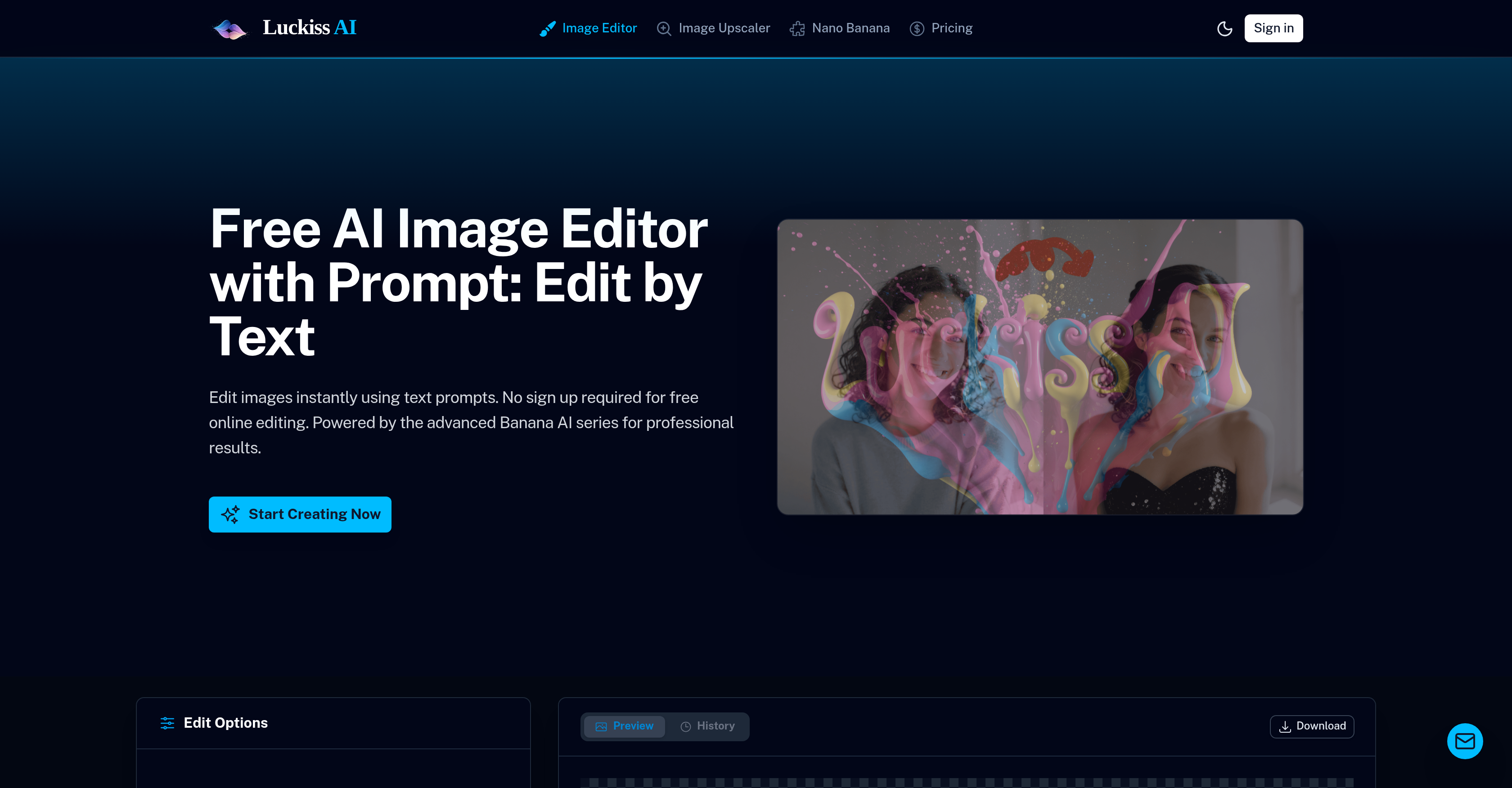
- Edit photos instantly with simple text instructions instead of complex software, powered by the advanced Banana AI series for precise object removal, color changes, and background swaps.
- Transform any image for commercial use without copyright restrictions, retaining full ownership of your uploaded and AI-generated edits for e-commerce and social media.
- Restore old or damaged photos to their original quality and creatively reimagine scenes with heavy stylization or lighting changes like 'golden hour' using AI-powered photo restoration and ambiance control.
- Protect your data with automatic deletion of all uploaded and generated images after 24 hours, ensuring complete privacy for personal or professional photo editing projects.
- Create engaging stickers from your photos for content creation, leveraging the AI's transformation capabilities to quickly generate assets for social media and messaging.
Pros & Cons
Pros
- Free online tool
- No sign-up required
- Edit using text prompts
- Instant image processing
- Showcase of editing commands
- No manual brushing needed
- Precision and stylization options
- Suitable for diverse users
- From retouching to transformation
- User owns the content
- Ensures data privacy
- Automatic image wiping after 24hrs
- Full commercial use license
- High-performance GPUs
- Real-time editing
- Object removal feature
- Photo restoration capability
- Transforms photos into stickers
- Allows heavy stylization
- Ability to change lighting
- Scene reimagining feature
- Google Architecture
- Strategic high-end GPU use
- User-friendly interface
- Privacy-oriented design
- Edit by instruction
- Immediate access to editing
- Automatic deletion of images
- User-owned creations policy
- Multiple feature offerings
- Flagship artistic model incorporated
- Versatile usage suitability
- Automatic generation of stickers
- Detailed editing precision
- Commercial use license included
- Infrastructure promotes quick edits
- Supports complete scene transformation
- Designed for professional editors
- E-commerce seller-compatible design
- Supports content creators
- Efficient performance design
- Automatic deletion after 24 hrs
- Google's latest architecture utilization
- Secure data handling
- Instant style transformation
- Robust photo editing tool
- Supports multiple file types
Cons
- No mobile app
- No offline capabilities
- Limited to 4 uploads
- Possible latency issues
- No batch processing
- No plugin support
- Doesn't support all image formats
- Automatic deletion can be inconvenient
- No explicit data encryption
- Limited to text instructions
Reviews
Rate this tool
Loading reviews...
❓ Frequently Asked Questions
Luckiss AI Image Editor is an online tool that uses advanced Banana AI series to allow users to edit images through text prompts. It facilitates the manipulation of images, ranging from minor touch-ups to major scene transformations, all free of charge and without the need for user sign-up.
Luckiss AI Image Editor works through an interface where users can upload their photos, and simply type instructions such as 'change hair color' or 'remove background'. Through the application of advanced techniques in artificial intelligence, it then implements these alterations promptly, removing the need for manual brushing.
What differentiates Luckiss AI Image Editor from other similar tools is its use of the advanced Banana AI series as well as the ability to make edits via simple text prompts. The lack of a sign-up requirement and the tool's commitment to user data privacy further distinguish it. It caters to varied levels of editing needs, supports creative and precision works, and accommodates anything from simple retouching to complete scene transformation.
No, users are not required to sign up in order to use Luckiss AI Image Editor. This feature removes barriers and makes the tool easily accessible for first-time users as well as frequent ones.
Luckiss AI Image Editor is equipped to perform a large variety of edits. This includes but is not limited to precision-based work like changing specific colors, removing particular objects, restoring photos, transforming photos into stickers, adjusting lighting and ambiance, and performing heavy stylization.
Yes, Luckiss AI Image Editor can indeed handle heavy stylization and changing of lighting or ambiance. This feature allows users to completely reimagine the scene in their images, adding a high level of creative control and flexibility.
The Banana AI series is an advanced series of artificial intelligence models used by Luckiss AI Image Editor. These models enable the tool to follow precise instructions and carry out creative edits based on users' prompts. The Banana Series is versatile, switching between precision-based tasks and more artful alterations when needed.
With high-performance GPUs on board, Luckiss AI Image Editor is designed to process image edits almost instantaneously. The exact time can vary based on the complexity and details of the instructions, but the technology ensures that both simple and complex tasks are handled efficiently.
Absolutely, when using Luckiss AI Image Editor, users maintain full ownership of all their content. This includes the images they upload for editing as well as the versions generated by the tool as per their instructions.
Luckiss AI Image Editor ensures data privacy by automatically wiping all uploaded and generated images after a period of 24 hours. This allows users to maintain their data security and confidentiality while using the platform.
Luckiss AI Image Editor is suitable for a wide range of users. This includes e-commerce sellers who need precise and efficient image editing for product photos, content creators who require flexibility and creativity in their image manipulation, as well as individuals looking to edit personal photos.
The commercial use license that comes with Luckiss AI Image Editor means that all the edited images can be used by users for commercial purposes without restrictions. This removal of copyright constraints is especially beneficial for e-commerce sellers and content creators.
Yes, Luckiss AI Image Editor has the feature of transforming photos into stickers. This feature is particularly useful for creating engaging content for social media or personal use.
For achieving precise outputs, Luckiss AI Image Editor leverages the advanced capabilities of the Banana AI series. Users can issue strict instructions like 'change the cup to red', target specific objects or change the entire atmosphere with one command, and the AI will execute it without compromising on the rest of the image.
Luckiss AI Image Editor offers a no-brush solution for image manipulation, making the process simpler and more accessible. Instead of using manual brushing, users only need to provide instructions in plain text and the platform takes care of the heavy lifting.
Luckiss AI Image Editor benefits any e-commerce seller who needs high-quality, professional image edits. Whether it's removing background clutter, swapping backgrounds for different product images, adding or replacing objects, or adjusting ambiance and lighting, this tool provides the versatility to meet a wide range of e-commerce needs.
Luckiss AI Image Editor can remove objects from an image seamlessly, as indicated by the user. The prompt could be something simple like 'remove the passersby' or something more complex, and the AI applies the change while maintaining the integrity of the rest of the image.
Yes, one of the capabilities of Luckiss AI Image Editor is to restore photos. By using AI and simple text prompts, users can command the platform to restore vintage, damaged, or faded photos back to their original quality or even better.
As a data privacy protocol, Luckiss AI Image Editor automatically wipes all uploaded and generated images after 24 hours. This ensures that no user data is stored in the long term, respecting their privacy and providing security.
Luckiss AI Image Editor uses high performance GPUs to process image edits. However, the specifics of the GPU models or the precise hardware configuration is not mentioned on their website.
Luckiss AI Image Editor functions through the use of text prompts that the user types in, specifying the desired changes to their uploaded image. Utilising the advanced Banana AI series, it processes the user's request and makes edits precisely and efficiently.
No, there are no fees required to use Luckiss AI Image Editor. It is a free, online tool that doesn't even require any sign-up.
Luckiss AI Image Editor is built to cater to a wide range of users, including e-commerce sellers, content creators, or individuals looking to edit personal photos. Its advanced features and flexibility make it suitable for professional photo editors as well.
Users can upload images directly on the Luckiss AI Image Editor interface. There is an 'Upload Images' option that accepts JPG, and PNG formats up to 4 files.
In the context of the Luckiss AI Image Editor, text prompts are user instructions typed in plain text to specify the desired edits to the images. These prompts can instruct changes such as 'change hair color' or 'remove background'.
Luckiss AI Image Editor can make a diverse range of alterations to images. This includes removal of objects, photo restoration, transforming photos into stickers, retouching, changes to lighting, and even reimagining an entire scene.
Yes, Luckiss AI Image Editor is not only suitable but ideal for professional photo editing. It is built with features for precision editing based on Google's latest architecture and Luckiss' flagship artistic model, among other advanced tools, making it suitable for professional-grade image alterations.
Luckiss AI Image Editor can edit a wide range of images including portraits, products or personal photos. There is no limitation mentioned regarding the type of images that can be edited, implying versatility in its capabilities.
Luckiss AI Image Editor takes user privacy seriously. All uploaded and generated images are automatically deleted after 24 hours. Users always retain full ownership of their creations and privacy is ensured through automatic deletion.
The Banana AI series powers the Luckiss AI Image Editor. It is an advanced AI model designed for instruction-following tasks like image editing, providing users with pixel-perfect control over their edits.
With the Luckiss AI Image Editor, you can simply type the changes you want to see in the text instruction box, for example 'change hair color' or 'remove background'. The AI then processes these instructions to edit your image accordingly.
The 'photo to sticker' feature in the Luckiss AI Image Editor allows users to transform their photos into stickers. While exact details of the conversion process are not provided, it's clear that it's another application of the AI's image transformation capabilities.
Google's latest architecture in the Luckiss AI Image Editor...IDK
After 24 hours on the Luckiss AI Image Editor, your images are automatically wiped from the server. This applies to both the original uploaded images and any generated edits. This feature ensures user privacy is always maintained.
Yes, all your creations from using the Luckiss AI Image Editor can be used commercially. They come with a full commercial use license, making it a valuable tool for professional photo editors, e-commerce sellers, and content creators.
Luckiss AI Image Editor is optimized for efficiency by leveraging high-performance GPUs. This allows it to deliver fast and precise results, even for complex editing tasks.
The Luckiss AI Image Editor can achieve real-time editing by leveraging the computation power of high-performance GPUs and the advanced capabilities of Banana AI. This infrastructure enables the tool to process user's editing instructions almost instantly.
Luckiss AI Image Editor can follow strict instructions ranging from color changes like 'change the cup to red' to object interactions such as 'remove the passersby' or 'put sunglasses on the dog'. It's equally capable of more complex scene transformations or stylization tasks.
Yes, the Luckiss AI Image Editor can change the ambiance or lighting of a photo. Instructions such as 'make it golden hour lighting' or 'turn into a sketch' illustrate the AI's capability to manipulate lighting and overall mood of a scene.
Pricing
Pricing model
Paid
Paid options from
$9.99/unit
Billing frequency
Pay-as-you-go
Refund policy
No Refunds