Overview
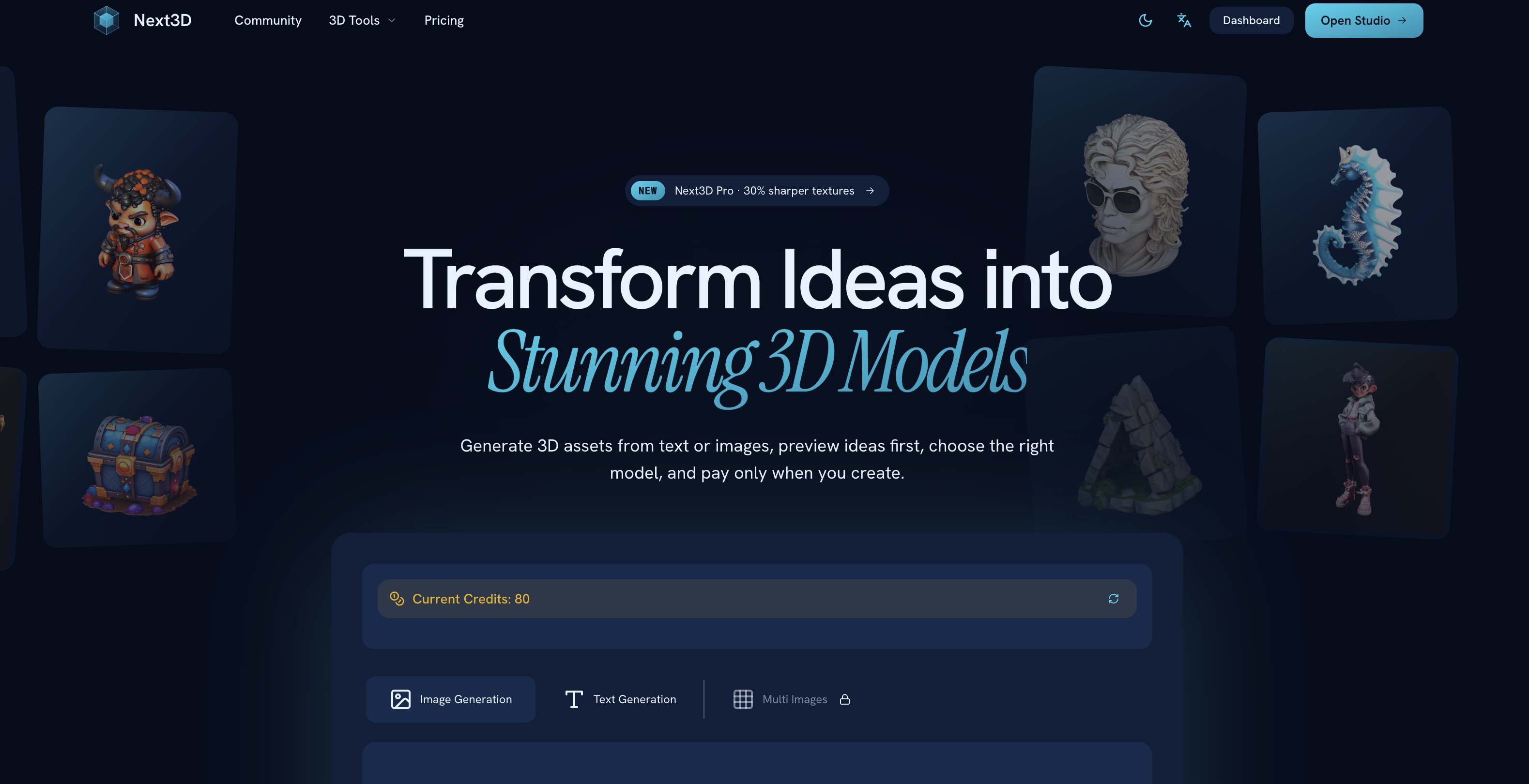
- Launch game-ready 3D assets in under 60 seconds with AI that converts images (JPG, PNG, WEBP) or text prompts directly into textured GLB models
- Preview every model in-browser before downloading, ensuring geometry and textures match your project requirements, with zero wasted credits
- Cut 3D modeling costs to nearly zero by paying only for each successful generation, with no subscription fees or upfront commitments
- Drop into any game engine like Unity or Unreal immediately, as generated models come in GLB with textures and convert downstream to FBX, OBJ, PLY, or STL
- Generate 3D assets on any internet-connected device—no powerful GPU, no specialized software, and no steep learning curve required
- Choose the best AI model for each asset from multiple generation styles, avoiding a one-size-fits-all approach to your 3D content
Pros & Cons
Pros
- Online 3D modeling
- Text prompts into 3D
- Image-to-3D conversion
- Variety of image format support
- Variety of 3D format support
- Browser-based platform
- Preview before downloading
- Multiple quality modes
- Real-time progress tracking
- Pay-as-you-go
- No subscription required
- Assets ready for implementation
- 2D to 3D converter
- Online 3D file viewer
- Minimal hardware requirements
- Cost-effective tool
- 3D for game development
- 3D for app development
- Production-ready exports
- Supports JPG, PNG, WEBP
- High-resolution textures
- Text descriptions to 3D conversion
- Multi-view image uploads
- GLB with textures on download
- Downstream format conversion if needed
- 3D modeling in rapid time
- High-quality 3D models
- User-centric flexible model
- Post-generation format conversion
- Direct browser model inspection
- Allows natural language descriptions
- Provides conceptual image previews
- Enables description-based model generation
- Low learning curve
- Non-rigorous hardware requirements
- Consistent professional quality
- Reduced time for model generation
- Significant cost reduction
- Functional for any internet device
- Improves overall 3D workflow
- Seamless integration with engines like Unity
- Useful for rapid prototyping
- Creation and usage without technical expertise
- Eliminates need for advanced workstations
- No obligatory up-front subscription
- Versatility across different asset styles
Cons
- No mobile application
- Possible quality variances
- No collaborative features
- Reliant on internet connection
- Variable download times
- No offline mode
- Pricing can become expensive
- Limited customization options
- No real-time collaboration feature
- No built-in asset library
Reviews
Rate this tool
Loading reviews...
❓ Frequently Asked Questions
Next3D uses advanced AI technology that can understand visual inputs such as 2D images and convert them into high-quality 3D models with precise geometry and textures.
Next3D supports a variety of formats including JPG, PNG, WEBP for image inputs, and GLB for output. Users can convert the outputs downstream to other formats like FBX, OBJ, PLY, and STL as per their requirements.
Next3D provides real-time progress tracking. As the advanced AI processes the input and generates the 3D model, users can track the progress in real-time.
Yes, users can preview the generated 3D models directly in their browser before downloading, thanks to Next3D's browser-based 3D preview feature.
Next3D operates on a 'pay-as-you-go' model. It allows users to only pay for what they create, providing flexibility and cost efficiency. There's no forced subscription, and credits can be topped up as needed.
Yes, assets created with Next3D are fully ready for use in games or apps. They are downloadable in GLB format with textures and can be converted downstream to different formats if required.
Yes, Next3D offers the functionality to convert downloaded models downstream to different formats as needed such as FBX, OBJ, PLY, and STL.
Next3D's key AI capabilities include understanding both visual and textual inputs and transforming them into high-quality 3D assets. It's able to create accurate geometries, detailed textures and provides real-time progress tracking.
Yes, Next3D's AI capabilities extend to understanding text prompts and transforming them into 3D models. It provides a unique value to creators who only have a textual description of the model they want to create.
Next3D's AI technology is optimally designed to generate high-quality 3D models with precise geometry and texture. The AI understands the input, processes it and generates a model that maintains the quality of the attributes set by the input.
Next3D is an internet-based service, designed to run on any device connected to the internet. Users don't need any special software to operate Next3D, making it very accessible.
Next3D uses AI to expedite the process of creating 3D models. It eliminates the extended periods of learning related to traditional tools, and it reduces modeling time to the range of seconds or minutes, as opposed to hours or days.
Next3D offers significant cost efficiency compared to traditional 3D modeling work. With its 'pay-as-you-go' model, users only pay when they create, unlike investment heavy traditional tools. It effectively reduces the financial outlay for 3D modelling.
Yes, Next3D can be employed for game development. The 3D assets generated by Next3D are ready to be utilized in games, and they are compatible with game engines like Unity and Unreal.
Next3D provides multiple quality modes when generating a 3D model. However, exact details of the differences between these quality modes are not specified on the website.
Next3D is both easier to use and faster than traditional 3D software. It requires no extensive learning time, no intense software, no technical skills, and it delivers consistent professional quality unlike the variable quality in traditional methods.
Next3D has a broad global reach with an active user base exceeding 50,000 users and adoption across over 120 countries.
Getting started with Next3D is simple. It does not require weeks or months of learning, unlike traditional 3D software. Users can start creating 3D models quickly, often in just 60 seconds.
Next3D uses its advanced AI technology to ensure professional quality in every 3D model generated. It understands both visual and textual inputs, processes them carefully, and delivers outcomes maintaining high consistency and quality.
Next3D allows users to download models as GLB files with textures. Users have the option for downstream conversion should they require alternative formats like FBX, OBJ, PLY, and STL.
Next3D is an AI-powered online platform designed to transform visual and textual inputs into high-quality 3D models. Catering to creators worldwide, it allows users to generate, edit, preview, and download 3D assets suitable for various applications. It supports a variety of image formats, and is capable of converting images and text prompts into 3D models. With tools like a 2D-to-3D converter, online 3D file viewer, and diverse format support, its richer animation technology delivers on-point geometry and textures in every model. Users operate on a pay-as-you-go model, with no subscription needed, and enjoy real-time progress tracking, multiple quality modes, and instant model generation.
Next3D enables 2D to 3D image conversion through an AI-enabled process. Users upload a reference image in formats such as JPG, PNG, or WEBP which the advanced AI technology of Next3D processes, transforming it into high-quality 3D models with accurate geometry and textures. This is done in real-time with progress tracking features to ensure users stay informed. The resulting models are previewable and editable within the Next3D platform.
Next3D supports a variety of input and output file formats. For inputs, it supports popular image formats like JPG, PNG, and WEBP. For outputs, it generates models primarily in GLB format with textures. However, for user convenience, these generated models can be converted downstream into several other formats such as FBX, OBJ, PLY, or STL, depending on the specific requirements of the users.
Yes, Next3D does allow users to preview their 3D models within the platform. This browser-based 3D preview feature is designed to enable users to inspect the geometry, textures and other aspects of their models directly within the browser before proceeding to download them. Thereby ensuring that the asset is as per their preference and needs.
Next3D operates on a 'pay-as-you-go' model, meaning users only incur costs when they create a 3D model. This approach offers flexibility, cost-effectiveness, and ensures users aren't saddled with upfront or unnecessary costs. No upfront subscription or engagement is required prior to initiating the creation process. Users simply pay for what they use, when they use it.
No, there is no subscription fee required to use Next3D. The platform operates on a flexible 'pay-as-you-go' model where users are charged only for the 3D models they generate. This eliminates any need for a mandatory subscription before starting the creation process.
Yes, the 3D assets produced by Next3D can indeed be used in games or apps. The models are created in a production-ready format (primarily GLB with textures), which makes them immediately suitable for integration into various projects, including but not limited to games and app development. They can also be converted to other formats like FBX, OBJ, PLY, or STL, if required by the specific demands of the project.
Next3D leverages advanced AI technology to ensure high-quality geometry and textures. In the generation process, user-provided images or text prompts are processed by the AI which creates a 3D model based on this input. The quality of the geometry and textures is maintained through multiple quality modes available on the platform. This advanced AI technology understands both visual and textual inputs, delivering high-quality, professional-grade 3D renders.
Yes, Next3D enables conversion of text prompts into 3D models. The platform's AI technology has natural language understanding capabilities which allow it to interpret text descriptions provided by users. Once processed, these text prompts are transformed into high-quality, previewable, editable and downloadable 3D assets.
After generation on Next3D, the primary 3D model output is in GLB format with textures. However, Next3D provides the functionality for users to convert these models to other formats if needed for downstream processes or specific project requirements. These conversion options include popular 3D formats such as FBX, OBJ, PLY, and STL.
Next3D is designed with a user-friendly interface to provide a seamless experience. The process of creating 3D models with Next3D is simplified into three steps. Users just upload an image or write a text description, the platform processes the input using AI, and then the users download the final output. There are also features like browser-based 3D preview, real-time progress tracking, and multiple AI models to choose from, ensuring that users face no complexities in navigating through the platform and achieving their desired results.
No, there is no difference in format support for various image formats in Next3D. The platform supports a variety of commonly used image formats, including JPG, PNG, and WEBP, providing flexibility and convenience for users to input their images in the format they have readily available.
'Multiple AI models' in the context of Next3D refers to the platform's capability to offer various AI algorithms or styles that can be applied to generate the 3D models. This delivers greater flexibility to users, allowing them to choose the most suitable model generation style for different types of assets, rather than being restricted to a single generation technique.
The AI technology utilized by Next3D is an advanced system that understands both visual and textual user inputs to generate high-quality 3D models. It has capabilities to process input images in common formats like JPG, PNG, and WEBP, as well as comprehend natural language descriptions provided by users. This AI technology powers real-time generation, enabling users to dynamically track the progress of their model creation.
Next3D minimizes hardware requirements by being an entirely web-based service. Unlike traditional 3D tools that require powerful hardware configurations to function smoothly, Next3D circumvents this need by operating all processing and rendering tasks on its servers. Users can access the service via browser on any device with internet connectivity. This not only makes Next3D accessible to a wider audience, but also reduces the financial burden often associated with high-end hardware.
The model generation in Next3D is nearly instantaneous. Thanks to its advanced AI technology, basic models can be created within 30 seconds to 2 minutes on average. This dramatically accelerates the 3D modeling process, particularly when compared to traditional methods, and facilitates efficient workflows for game developers, artists, architects, and other professionals.
The diverse 3D models that Next3D offers refer to the wide range of model generation styles provided by the platform. Thanks to its multiple AI models, users are not limited to a single generation style and have the flexibility to choose the most suitable model for each asset, accommodating aesthetic preferences and specific project demands.
Next3D contributes to cost-effectiveness through a variety of ways. Most significantly, it follows a pay-as-you-go model where users pay only when they create a 3D model, avoiding unnecessary costs from unused resources. Furthermore, the rapid generation of models in a matter of seconds minimizes time investment, and being browser-based with minimum hardware requirements negates the need for costly high-end devices. All these factors combine to make Next3D a considerably cost-effective solution for 3D modeling.
Next3D significantly differs from traditional 3D modeling software in terms of efficiency, cost-effectiveness, and accessibility. Traditional 3D modeling usually requires extensive training, expensive software, high-end hardware, specialized skills, and a significant time investment. Next3D, on the other hand, is an AI-powered platform that creates high-quality models within minutes, is accessible via web browser on any internet-enabled device, and operates on a pay-as-you-go model that drives down costs. Additionally, Next3D eliminates the steep learning curve usually associated with 3D design tools and simplifies the model creation process into three simple steps.
Pricing
Pricing model
Freemium
Paid options from
$19/month
Billing frequency
Monthly