Overview
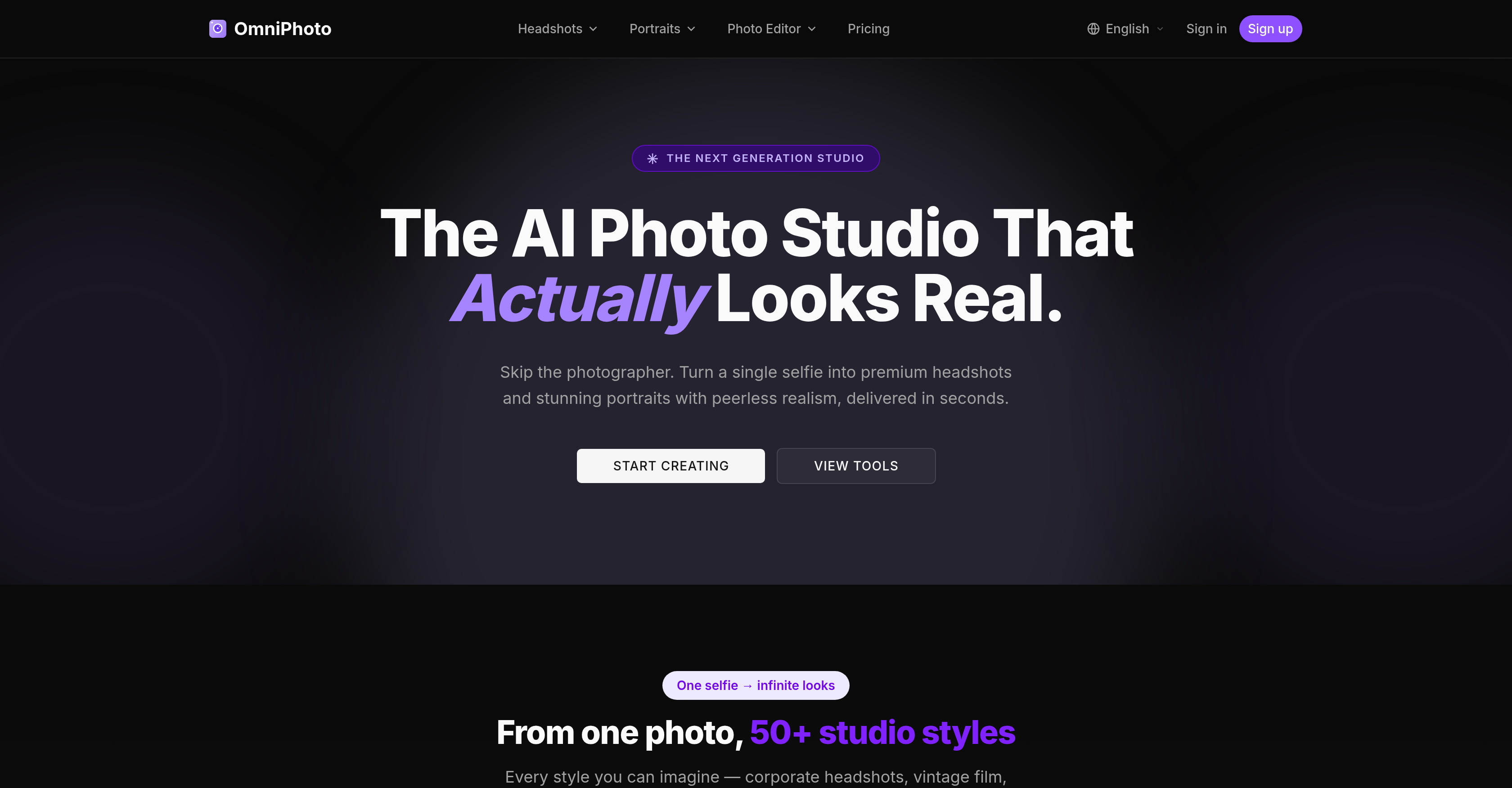
- Get LinkedIn-ready headshots in under 30 seconds by selecting your desired style while the AI handles background changes, portrait relighting, and color correction automatically.
- Achieve consistent, unified corporate team photos without traditional photoshoots through AI-generated headshots that maintain identical lighting and style across every team member.
- Produce print-quality portraits for weddings, maternity, or yearbooks from a single selfie using the AI photo editor that upscales resolution and sharpens blurry images.
- Eliminate the need to learn complex editing software because the AI photo editor automates professional-grade tasks like background alteration and synthetic lighting correction.
- Restore old, blurry family photos to stunning clarity with the unblur and resolution enhancement features that recover detail from out-of-focus shots.
- Generate editorial fashion, vintage film, or corporate headshot styles from one photo by choosing from the style library while the AI applies the complete transformation.
- Protect your privacy with encrypted processing and automatic deletion of uploaded images, ensuring personal photos are never used to train public AI models.
Pros & Cons
Pros
- Transforms selfies into headshots
- Variety of photographic styles
- Offers LinkedIn-ready portraits
- Turns photos into print-quality images
- Generates high-quality life event images
- Alters backgrounds within photos
- Automatically fixes lighting issues
- Enhances image resolution
- Sharpens blurry images
- Automatically balances colors
- Prioritizes privacy and data security
- Does not use user photographs for training
- Suitable for individuals and teams
- Offers varied service plans
- Automates editorial fashion styling
- Automates vintage photography editing
- Automates maternity photo editing
- Automates yearbook photo editing
- Automates wedding photo editing
- Offers under 30 second turnarounds
- Corporate to vintage styles available
- Supports multiple styles from a single selfie
- Automates background changing
- Automates portrait relighting
- Automates photo upscaling
- Automates photo unblurring
- Automates color correction
- Protects user data
- Supports various user needs
- HD downloads provided
- No watermark on images
- Offers commercial licenses
- Provides priority queue
- Includes album sharing feature
- Early access to new styles
- Offers professional, vibrant looks
- Caters to 50+ photographic styles
- Restores old image clarity
- Recover details from out-of-focus shots
- 1M+ photos generated
- Trusted by over 100,000 users
- Offers team headshots
- Processes photos over encrypted connections
- Automatically deletes user photos post-generation
- Offers monthly plans and credit packs
- Uncompromised quality engineering
- Photos are auto-deleted after 30 days
Cons
- Limited to portrait photographs
- No advanced editing options
- No batch processing function
- No free trial mentioned
- Potential inconsistency in results
- Potential authenticity issues
- Dependent on initial selfie quality
- Data usage transparency concerns
- No one-time payment plan
Reviews
Rate this tool
Loading reviews...
❓ Frequently Asked Questions
OmniPhoto is an AI-powered photo studio tool designed to transform selfies into professional-grade headshots and portraits. It caters to a range of user needs, providing various styles from corporate headshots to more artistic, editorial fashion looks. It ensures privacy with user photographs processed over encrypted connections and not used for AI learning.
OmniPhoto leverages an AI-based photo editor which helps achieve professional-grade results in seconds. This tool is equipped with advanced technologies to alter backgrounds, fix lighting issues synthetically, enhance image resolution, sharpen blurry images, and balance colors automatically, thus transforming selfies into professional headshots.
OmniPhoto offers a wide variety of styles to meet different user needs. This includes various types of professional headshots like corporate headshots, and more artistic styles like editorial fashion looks.
Yes, OmniPhoto is capable of generating high-quality images for a variety of events. In addition to headshots, it provides options for life moments like maternity, birthday, and wedding photographs.
The AI-based photo editor in OmniPhoto performs an array of tasks in seconds including background alteration, synthetic lighting correction, image resolution enhancement, image sharpening, and automatic color balancing. It is an integral part of the platform and helps users achieve professional-grade results swiftly.
Yes, one of the features of OmniPhoto's AI-based photo editor is the ability to alter backgrounds of images.
OmniPhoto's AI-based photo editor can fix bad lighting issues by synthetically shifting the light source in the images.
Yes, OmniPhoto does offer image resolution enhancement features. It enables users to enhance resolution and restore old images to stunning clarity.
OmniPhoto ensures privacy of user images by processing all photographs over encrypted connections. These photos are not used to train public AI models and OmniPhoto adheres to a strong privacy policy to protect user data.
Yes, OmniPhoto is suitable for team photography. It's particularly useful for teams who need professional photos but wish to avoid traditional photoshoot sessions.
Yes, OmniPhoto can help users avoid traditional photoshoot sessions by providing an AI-powered tool that generates professional-grade photos from selfies in seconds.
OmniPhoto is capable of transforming a variety of photos. This includes selfies, headshots, portraits, corporate headshots, event photos like maternity, birthday, and wedding photographs, among others.
OmniPhoto is designed for both professional and personal use. It caters to individuals and teams who require professional-grade photos and those who wish to enhance their personal photos with professional features.
Yes, OmniPhoto is geared towards generating LinkedIn-ready photos. Its photo editor can transform selfies into professional-grade headshots suitable for LinkedIn in seconds.
OmniPhoto's AI-based photo editor is equipped to handle blurred images. It incorporates an 'unblur photo' tool designed to sharpen and recover detail from blurry or out-of-focus shots.
Yes, OmniPhoto supports automatic color balancing. Its AI-based photo editor can automatically balance colors in an image, yielding a professional, vibrant look.
Yes, OmniPhoto is designed to offer print-quality photos. Its AI-based editor transforms selfies into professional-grade headshots and portraits suitable for printing.
OmniPhoto ensures secure processing of user photos by handling all data over encrypted connections. Additionally, user photos are not used to train public AI models, further enhancing data security.
Yes, the photos from OmniPhoto can indeed be used for editorial fashion looks. It offers various styles including artistic and editorial fashion looks.
OmniPhoto can provide professional-grade results in under 30 seconds. Its AI platform swiftly transforms selfies into high-quality professional images.
OmniPhoto enhances and transforms selfies into professional headshots using its AI technology. It automates professional-grade photo editing tasks including background changing, portrait relighting, photo upscaling, unblurring, and color correction, allowing for a simple selfie to be transformed into diverse styles ranging from corporate visuals to editorial fashion looks. The AI handles the complex editing tasks and provides professional outputs within seconds.
OmniPhoto provides a variety of styles for user photos. These styles range from professional ones like corporate headshots to more artistic ones such as vintage film and editorial fashion looks. Users also have access to other styles suitable for capturing life moments such as maternity, birthday, yearbook, newborn, and wedding photographs.
Yes, OmniPhoto can transform photos for specific life moments like birthdays or weddings. The platform caters to a wide range of photography needs including maternity, birthday, yearbook, kids, newborn, wedding, and family photography. For each of these moments, it transforms a simple selfie into a beautifully styled professional photo.
The AI-based photo editor in OmniPhoto provides users with the functionality to achieve professional-grade results in mere seconds. The editor offers features such as background alteration, portrait relighting which adjusts lighting issues synthetically, photo upscaling to enhance image resolution, unblurring to sharpen blurry images, and automatic color correction to provide vibrant, professional outputs.
OmniPhoto's AI handles background alterations by providing a feature that allows users to replace and edit the backgrounds of their images within seconds. The AI does the processing on its own, saving users the need to manually change the background.
OmniPhoto resolves lighting issues in photos through a feature called portrait relighting. This feature uses AI to synthetically shift the light source in an image, enabling the correction of poor or unsuitable lighting conditions and enhancing the photo's overall quality.
Yes, OmniPhoto can improve image resolution through their photo upscaling feature. This AI-handled task enhances the resolution and also restores old images to a high degree of clarity, enriching the overall quality and detail in the picture.
Yes, OmniPhoto has the capability to unblur blurry images. The AI facilitated feature known as 'unblur photo' can sharpen and recover details from blurry or out-of-focus shots, revitalizing the clarity and quality of the image.
OmniPhoto ensures privacy and data protection by processing all user photographs over encrypted connections. Photos uploaded by users are automatically deleted after generation. OmniPhoto's commitment to privacy means that user data protection is prioritized.
No, OmniPhoto does not use personal images uploaded by users to train their AI models. Any generated photo remains private to the user and is auto-deleted after processing. Personal images are never used to instruct or implement any public AI models.
Yes, OmniPhoto is suitable for team usage. In addition to individual users, it caters to the needs of teams as well, making it an effective tool for organizations to provide consistent, professional images across their team members.
OmniPhoto offers varying plans to cater to different user needs. They have a range of monthly options including a Studio Starter plan, a Studio Pro plan for professionals and enthusiasts, and a comprehensive Studio Unlimited plan tailored for agencies, content creators, and prolific shooters.
OmniPhoto is capable of providing results in under 30 seconds. Thanks to the automation granted by its AI technology, tasks such as background changing, portrait relighting, photo upscaling, unblurring, and color correction are executed in a quick and efficient manner, delivering professional-grade results almost instantly.
OmniPhoto offers specialized features for creating corporate visuals. These include AI engineered headshots suitable for executives, teams, and forward-thinkers which are LinkedIn-ready in seconds. The styles on offer range from corporate headshots to real estate headshots, and various professional sector-specific headshots including those for doctors and lawyers. The resulting headshots are consistent in style and lighting, providing a unified, professional appearance for any corporate team.
Yes, OmniPhoto can assist in editing family, maternity, and newborn photos. It provides a selection of suitable styles for capturing these life moments, transforming a simple selfie into a professional grade, beautifully styled photo within seconds.
Indeed, OmniPhoto does provide a choice of versatile styles such as vintage and fashion photography. From a single photo, the AI can generate a variation of styles that include corporate headshots, vintage film, editorial fashion, and many others, catering to varied aesthetic needs and preferences.
Professional styling and varied plans are indeed prominent features of OmniPhoto. The AI provides professional-level photo editing and styling options, granting users a diversity of styles such as corporate headshots, vintage film, and editorial fashion to select from. OmniPhoto offers a range of plans which include Studio Starter, Studio Pro, and Studio Unlimited, tailored to meet the different needs of individuals, professionals, creators, and agencies.
Yes, OmniPhoto does provide a service for yearbook photography. It offers a special segment devoted to yearbook photos in its list of services, allowing users to transform simple selfies into professional-standard yearbook photos within seconds.
The AI Photo Editor in OmniPhoto is designed to be exceptionally user-friendly. Unlike most photo editors which require users to learn the software, OmniPhoto's AI photo editor operates the other way round. Users select what they need, and the AI takes over to deliver professional-grade results in mere seconds, making the process simple, efficient, and accessible even to users with no previous photo editing experience.
Pricing
Pricing model
Free Trial
Paid options from
$19.90/month
Billing frequency
Monthly