
Overview
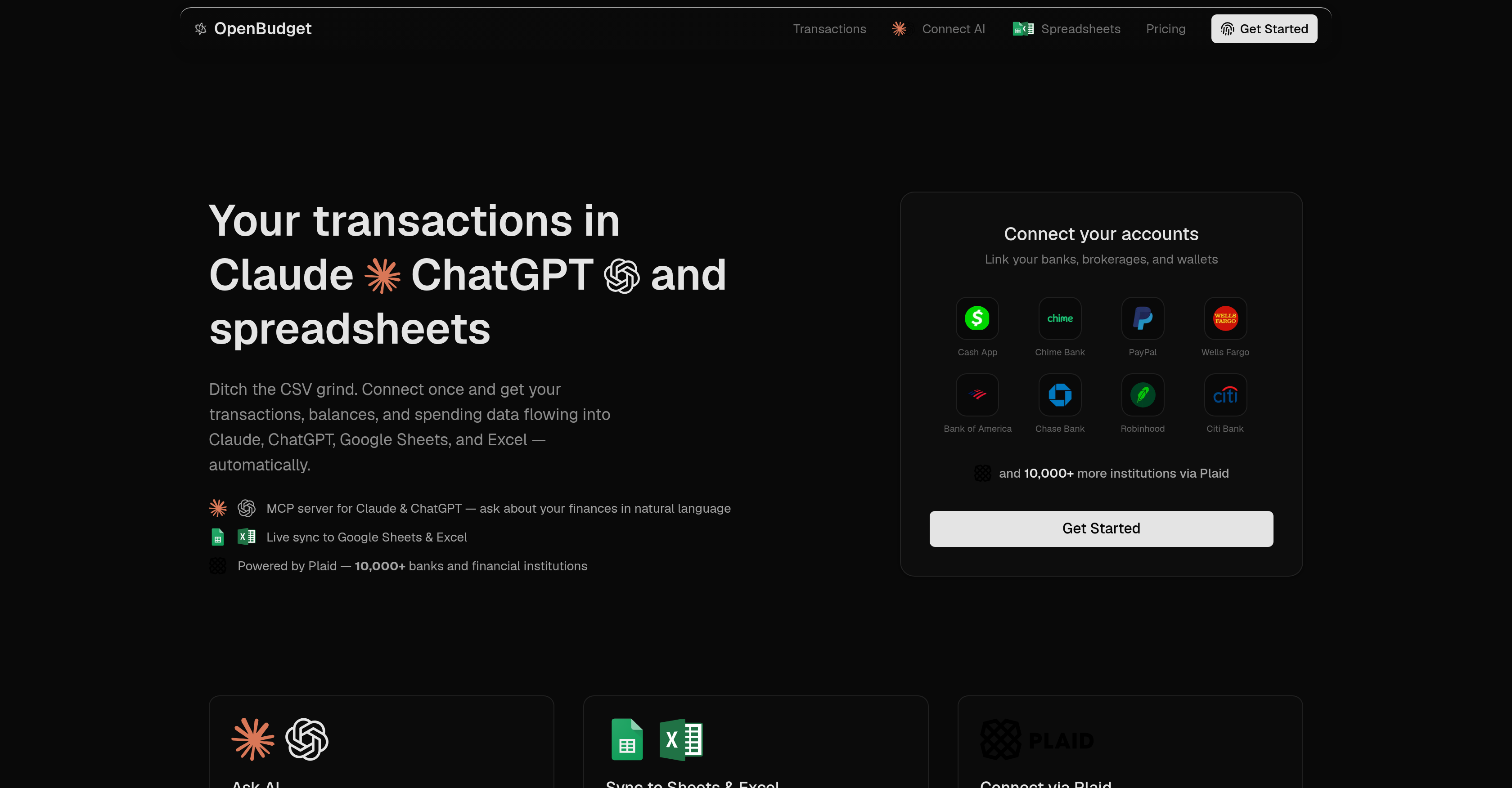
- Eliminate manual CSV exports and data entry by automatically syncing transactions, balances, and spending from 10,000+ financial institutions directly into ChatGPT, Claude, Google Sheets, or Excel.
- Get instant answers about your financial status by asking natural language questions to Claude or ChatGPT, which analyze your live transaction data to reveal spending patterns and trends.
- Understand exactly where your money goes with real-time auto-categorization that tags every transaction into categories like dining, groceries, and subscriptions as it syncs.
- Track your budget against targets in real time by having AI assistants compare your current spending pace with your set goals and deliver a live pulse on your financial position.
- Generate custom reports and dashboards on demand by simply describing what you need to Claude or ChatGPT, which then build the analysis piece by piece in your connected spreadsheet.
- Tailor your financial management system with custom columns, formulas, and layouts that match how you personally think about money, instead of forcing rigid pre-defined categories.
- Monitor your complete financial picture across banking, brokerage, and wallet accounts through a single secure Plaid connection that protects your credentials and never stores them on servers.
- Spot recurring patterns and subscription costs automatically as the tool identifies and organizes your transaction history, highlighting trends without any manual sorting.
Pros & Cons
Pros
- Connects bank account data
- Utilizes natural language
- Live financial data analysis
- Identifies recurring spending patterns
- Highlights spending trends
- Integrates with Google Sheets
- Integrates with Excel
- Automates transaction categorization
- Generates custom reports
- Provides budget templates
- Automated spending trend analysis
- Links with multiple banking institutions
- Links with brokerage accounts
- Links with wallet accounts
- Allows real-time data
- Utilizes MCP server for analysis
- Secure data integration
- Automated data flow to platforms
- Eliminates manual input or CSV exports
- Real-time budget tracking
- Customizable layouts and categories
- Interactive personal finance management
- Enables conversation style budget analysis
- Supports over 10,000+ financial institutions
- Automatic transaction sync to Google Sheets or Excel
- On-demand financial reports
- No rigid categories or dashboards
- Real-time transaction categorization
- Provides spending breakdowns
- Analyzes monthly trends
- Compares category expenditures
- Data security through Plaid
- Links with major banks and fintechs
- Builds custom reports from scratch
- Ditch the manual CSV grind
- Claude, ChatGPT, and spreadsheets integration
- Spending data becomes a live dataset
- Spending, budgets, and trends are conversationally analyzed
- Flexible to fit personal finance needs
- Automated balances and spending data flow
- Real-time expenditure trends for various categories
- Secure bank accounts, credit cards, and brokerages linking
- Supports data-sync with PayPal, Chime Bank, Cash App, Wells Fargo, Bank of America
- Supports data-sync with Chase Bank, Robinhood, Citi Bank
Cons
- No offline functionality
- Possible Plaid connectivity issues
- Dependence on Claude and ChatGPT
- Limited to Google Sheets, Excel
- Relies on MCP server
- Data security concerns
- No manual tagging option
- Limited customization options
- Requires continuous data synchronization
Reviews
Rate this tool
Loading reviews...
❓ Frequently Asked Questions
OpenBudget Transactions Connect AI is a tool for managing personal finances by incorporating transactions, balances, and spending data into AI systems, including Claude and ChatGPT, as well as Excel and Google Sheets. It links with users' bank accounts, credit cards, and brokerages from a multitude of financial institutions. This information then automatically flows into the user's chosen platform, removing the necessity for manual CSV exports.
OpenBudget Transactions Connect AI integrates with Claude and ChatGPT through the use of the MCP server. This server facilitates the flow of financial data into Claude or ChatGPT for analyses in natural language. These analyses may refer to trends, budgets, and spending habits.
The MCP server is an intermediary that allows OpenBudget Transactions Connect AI to enable Claude or ChatGPT to access financial data and perform detailed analyses. It provides a means for AI systems to interpret the financial data in a human-like manner.
Yes, OpenBudget Transactions Connect AI integrates directly with Excel and Google Sheets. It automatically syncs transaction data, balances, and spending data with these platforms, eliminating the need for manual CSV exports.
OpenBudget Transactions Connect AI allows you to link with numerous banks, brokerages, and credit card providers, including but not limited to Cash App, Chime Bank, PayPal, Wells Fargo, Bank of America, Chase Bank, Robinhood, and Citi Bank. With support from Plaid, it can connect to over 10,000 more financial institutions.
OpenBudget Transactions Connect AI automates the export of transactions, balances, and spending data to AI systems, Excel, and Google Sheets. Therefore, it eliminates the need for manual CSV exports as data flows automatically into the selected platform.
The real-time auto-categorization feature in OpenBudget Transactions Connect AI automatically assigns each transaction to a predefined category, such as dining, groceries, or subscriptions, as it syncs. This removes the need for manual tagging.
OpenBudget Transactions Connect AI gives you the freedom to tailor the categories of transactions to suit your particular needs. There are no rigid categories, which means that how you classify your expenses can be adjusted to entirely match your financial habits.
OpenBudget Transactions Connect AI performs detailed financial analysis using the raw data from connected financial institutions. It can analyse trends, budgets, and spending habits by utilising Claude or ChatGPT through the MCP server, which allows these AI systems to conduct the analyses.
OpenBudget Transactions Connect AI actively monitors your financial status by keeping your data and reports up-to-date with live transaction data. This enables you to always have a clear and accurate understanding of your financial situation.
Yes, OpenBudget Transactions Connect AI, through AI integration, can produce any report or financial dashboard directly from live transaction data. This includes budget templates, reports, or dashboards to suit your individual needs.
OpenBudget Transactions Connect AI can provide numerous financial insights, such as spending breakdowns, monthly trends, category comparisons, and more. Through AI integration, you can ask AI assistants like Claude or ChatGPT any question about your finances and get immediate answers.
Yes, using OpenBudget Transactions Connect AI, Claude or ChatGPT can analyze your spending. They can provide detailed breakdowns and monitor your budget, which can assist you in making better financial decisions.
OpenBudget Transactions Connect AI provides absolute flexibility in managing your finances. It offers custom columns, formulas, and layouts in reports that match exactly your financial management style. Moreover, the tool allows you to tailor transaction categories and supports a myriad of integrations to suit your personal financial management needs.
OpenBudget Transactions Connect AI ensures secure linkage of your financial accounts through Plaid. It does not store your credentials on the servers. It's a secure tool that protects your sensitive data while providing seamless connectivity with various financial institutions.
The AI integration in OpenBudget Transactions Connect AI works through the MCP server. It uses this server to connect with AI systems like Claude and ChatGPT, enabling these AI tools to analyze and interpret financial data with human-like intelligence.
OpenBudget Transactions Connect AI supports a wide array of financial institutions. It can connect to more than 10,000 banks and brokerages through Plaid, including but not limited to Wells Fargo, Bank of America, Chase Bank, Robinhood, Citi Bank.
OpenBudget Transactions Connect AI continually updates your financial status by synchronising with your bank accounts, credit cards, and brokerages in real-time. As a result, you are always informed about your financial status, including transactions, balances and spending habits.
Yes, OpenBudget Transactions Connect AI can create personalized spending analysis reports. You can specify what you need, and AI will construct your desired report piece by piece in your spreadsheet.
Yes, OpenBudget Transactions Connect AI provides budget tracking features. It can keep track of your spending compared to your target budget. AI assistants like Claude or ChatGPT through MCP can provide you with a real-time pulse on your budget.
OpenBudget is an AI-driven financial tool that connects bank account data to AI models Claude and ChatGPT. It is designed to facilitate financial management, offering analytical insights into spending, budgets, and subscriptions through natural language queries using real transaction data. The tool gives a live picture of your spending by linkining accounts, recognizing recurring patterns, highlighting trends, and organizing transactions.
OpenBudget Transactions Connect AI’s primary features include AI integration, data synchronization, automated transaction categorization, finance management capabilities, financial analytics, budget tracking, and Google Sheets or Excel integration. It also facilitates custom reports, budget templates, spending trend analysis, and offers seamless connectivity to banking, brokerage, and wallet accounts.
OpenBudget connects with your bank account through Plaid, a secure and trustworthy data network used by thousands of digital financial systems. Plaid allows OpenBudget to access transactional and balance data from your banking, brokerage, and wallet accounts, ensuring an automatic and manual-input-free flow of financial data into the platform.
Yes, OpenBudget supports brokerage accounts. Users can connect their brokerage accounts along with banking and wallet accounts to the platform, allowing for a holistic financial view and management.
OpenBudget works with two primary AI models, Claude and ChatGPT. These AI models interact directly with your financial data, helping users explore their spending habits, trends, and budget with natural language queries.
The MCP server in OpenBudget provides advanced capabilities such as enabling Claude or ChatGPT to analyse spending, budgets, and trends conversationally. It also allows these AI to directly interact with your live financial data to generate custom reports, budget templates, or dashboards.
Yes, OpenBudget facilitates seamless integration with Google Sheets and Excel. Automated live sync of your transactional data to these spreadsheets eliminates the need for manual input, thus facilitating effortless analysis and visualization of your financial data.
With OpenBudget, you can conduct various financial analyses like tracking spending patterns, identifying key expense areas, understanding budgeting trends over time, and more. It allows interrogation of financial data through either Claude or ChatGPT, which can answer questions about your finances in a conversational manner.
OpenBudget handles transaction categorization automatically. As it syncs with your financial accounts, the tool categorizes each transaction into categories such as dining, groceries, subscriptions, and more, eliminating the need for manual tagging.
Yes, OpenBudget allows users to customize fields and layouts to match how they think about their money. It offers absolute flexibility rather than rigid pre-defined categories or dashboards, rendering personal finance management more interactive and insightful.
OpenBudget supports connection with more than 10,000 financial institutions via Plaid. This includes major banks and financial organizations such as Cash App, Chime Bank, PayPal, Wells Fargo, Bank of America, Chase Bank, Robinhood, Citi Bank, and many more.
OpenBudget can analyze a variety of financial data including spending patterns, budgets, subscription costs, and transactions. It identifies recurring patterns and trends in these data points and can provide meaningful insights based on these analyses.
Yes, your financial data is secure with OpenBudget. It utilizes Plaid to connect your accounts, which is a secure platform trusted by many digital financial systems. Your credentials are never stored on OpenBudget's servers, further ensuring your data privacy.
To track your spending trends, OpenBudget automatically categorizes and synchronizes every transaction, painting a clear picture of your expenditure over various categories. At any given time, you can ask the integrated AIs for information related to your spending and receive answers instantly.
In OpenBudget, budgeting does not just deal with setting financial goals. It offers a real-time pulse on your budget by comparing your current spending pace with your set targets, and it tells you where you stand. This makes the budget interactive and delivers a more profound understanding of your economics.
Yes, OpenBudget enables automatic generation of custom reports. Users can utilize Claude or ChatGPT to describe what kind of report they need, and the AI will construct it piece by piece in the connected spreadsheet. You can get spending breakdowns, monthly trends, category comparisons or any other financial analysis you want.
Yes, OpenBudget automatically updates your transactions and balances. After connecting your accounts, the financial data flows into your chosen platform, enabling you to get real-time updates on transactions, balances, and spending data without the need for manual input or CSV exports.
AI Assistants like Claude or ChatGPT in OpenBudget enable conversational analysis of budgets, spending, and trends. They interact directly with the live financial data to answer your queries in a natural language. They could also help you generate custom reports, budget templates, and insights based on your live transaction data.
OpenBudget can be connected with numerous platforms like Claude, ChatGPT, Google Sheets and Excel. Its flexible compatibility facilitates uninterrupted and automated flow of your transactional data, balances and spending into your preferred platform.
Yes, OpenBudget allows the AI models Claude and ChatGPT to generate budget templates driven by your live transaction data. You can create any type of budget template, report, or dashboard you need for effective financial management.
Pricing
Pricing model
Paid
Paid options from
$9.95/month
Billing frequency
Monthly
Refund policy
View Policy