Overview
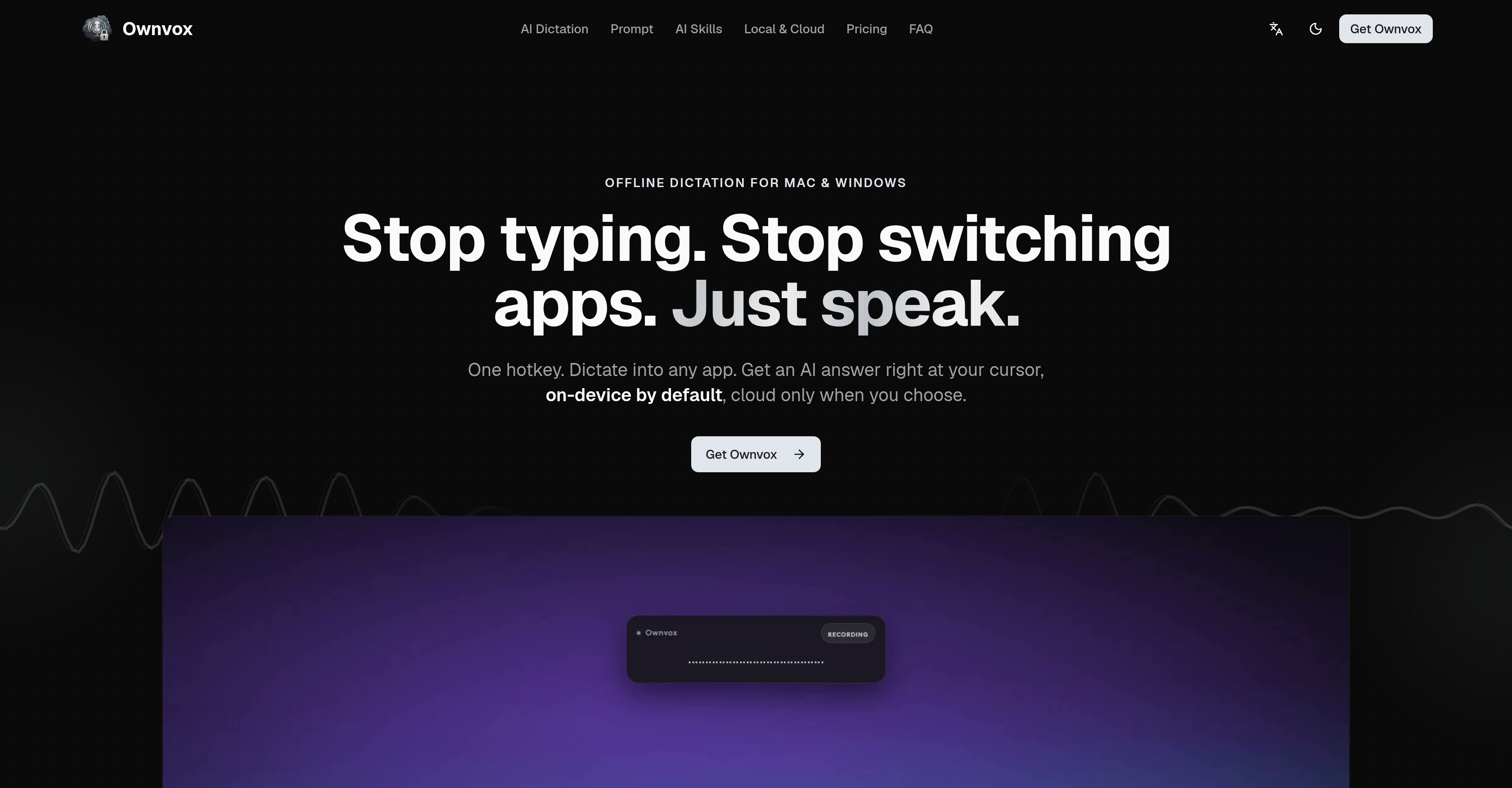
- Dictate text directly into any application without switching tools, using a hotkey to place words exactly at the cursor
- Automate repetitive text tasks like selection or replacement with customizable AI Skills activated by simple voice prompts
- Keep all voice data on your device with offline-by-default local transcription, ensuring GDPR-compliant privacy without internet reliance
- Ask AI questions out loud and receive answers written straight into your current document, maintaining uninterrupted focus
- Build and organize personalized AI Skills from templates, adapting the tool to your unique workflow and speech patterns
- Work seamlessly across all applications with text fields on Mac and Windows, eliminating copy-paste delays and app-switching
- Enable cloud features only when needed with a one-click privacy switch, giving you full control over data sharing
- Transcribe voice notes instantly with low latency, supporting multitasking without breaking concentration
Pros & Cons
Pros
- Mac and Windows compatible
- Seamless app integration
- Minimizes manual typing
- Transcribes at cursor location
- Operates locally by default
- Privacy-focused design
- Hotkey for instant access
- Voice prompts feature
- Offline transcription capability
- User-customizable tool
- Enables cloud-based features
- GDPR-compliant platform
- Improves productivity
- Maintains user focus
- Automated tasks based on voice
- Reduces app switching
- Private Voice-to-Text feature
- Transcribes user voices locally
- Option for user-enabled cloud features
- Offline operation by default
- Direct dictation into apps
- Efficient voice prompts conversion
- Cursor-specific text insertion
- Skills editable based on voice
- Cross application dictation
- Maintains thought flow
- Prevents data leaving device
- Maintains data privacy
- Voice data remains local
- Voice prompts in any application
- Adaptable to individual voice
- GDPR-compliant
- Transcription works offline
- Privacy switch built-in
- Offers cloud speed option
- Skill runs with one shortcut
- Hover any skill to preview
Cons
- Requires manual hotkey access
- Lacks automatic voice recognition
- No cloud-based transcription by default
- Offers radial menu instead of traditional interface
- Potential compatibility problems with certain apps
- Limited to Mac and Windows only
- No built-in translation feature
- No real-time editing tools
- Requires subscription
Reviews
Rate this tool
Loading reviews...
❓ Frequently Asked Questions
Ownvox is an AI-powered voice-to-text tool that operates on the user's device. Users can speak directly into any application on their system, and Ownvox will transcribe their speech into text, removing the need for manual typing or app switching. It runs locally by default, ensuring data privacy. Users can also choose to activate cloud-based features as needed.
Ownvox improves productivity by allowing uninterrupted workflow. It eliminates the need for manual typing, copying, pasting, and switching between apps. One can just speak into any app and the text gets transcribed right at the cursor's location. Its 'voice prompts' feature lets users ask questions or give commands within any application.
Ownvox is compatible with both Mac and Windows systems.
'AI Skills' in Ownvox is a feature that helps to refine the transcribed content. This operates from within a radial menu that users can select from when they are using the AI Skills.
Ownvox is designed to operate locally on the user's device, meaning the voice data does not leave the device unless the user chooses to enable cloud-based features. It's also GDPR-compliant and made in adherence with Germany's stringent data privacy regulations.
Activating the hotkey for Ownvox involves setting up a specific key or combination of keys for instant access to Ownvox functionalities. This information is not directly provided on their website.
Ownvox integrates with all applications on Mac and Windows systems where a text field is available. Example applications mentioned on their website include email, browsers, editors, notes apps or team chat.
Yes, Ownvox can operate offline. Its transcription feature specifically is designed to work without an internet connection.
Ownvox offers customizability options in order to adapt the tool to an individual user's voice and tasks. Users can build their own 'AI Skills', starting from templates, and organize them according to their workflow.
Yes, Ownvox is GDPR compliant. As it is developed and operated from Germany, it adheres to stringent data privacy regulations.
Yes, Ownvox can function with voice prompts, enabling the user to ask questions or make commands within any application.
The radial menu in Ownvox is an interactive tool that users can hover over to see the name of 'AI Skills'. Users can click on a wedge in the radial menu to see the expected input and produced output for a particular skill.
Ownvox is developed and operated in Germany.
Yes, while Ownvox operates locally by default, it does offer a cloud-based option which users can deliberately choose to enable.
Yes, Ownvox can transcribe voice notes, taking audio input and converting it into text.
Yes, Ownvox supports multitasking by integrating seamlessly with a variety of applications on Mac and Windows systems without requiring app switching.
Ownvox reduces work interruptions by its seamless integration with applications. Users can dictate directly into any application, and the text will appear at the cursor's location. There's no need for manual typing, copying, pasting or app switching.
The voice-to-text feature in Ownvox allows users to dictate their thoughts directly into any application on their system where the cursor is located. The platform transcribes the spoken words into text, facilitating uninterrupted workflow.
Yes, Ownvox offers customizability options that allow it to adapt to individual users' voice and tasks. Users can train it with their own speech mannerisms and frequently used phrases and organize 'AI Skills' according to their workflow.
Being of German-origin, Ownvox follows strict data privacy regulations. It's designed to operate locally by default, ensuring that no user data leaves the device unless opted for by the user. Even if users choose to enable cloud-based features, the adherence to GDPR provides additional assurance of data privacy.
Ownvox is an AI-powered voice-to-text tool that integrates with applications on Mac and Windows systems. It enables users to dictate directly into any application, replacing manual typing and switching between apps. With features such as local operation, transcription, AI Skills, and privacy controls, Ownvox aims to streamline productivity and maintain users' focus during work.
Ownvox integrates with Mac and Windows applications by operating system-wide. Users can activate Ownvox with a hotkey, enabling them to dictate into whichever application they're currently using. This eliminates the need for manual copying and pasting, or switching between apps, thus enhancing seamless cross-application integration.
Ownvox boosts productivity by allowing users to dictate directly into any application, transforming their voice input into text. With the aid of its AI Skills and an easy-access hotkey, it reduces the need for manual typing and switching between different apps. The tool also operates locally and offline, reducing the interruption of thought flow and further enhancing productivity.
Operating locally by default means that Ownvox transcribes users' voices on the device itself, rather than using a remote server or cloud service. This default operation mode ensures that user's voice data never leaves their device unless they willingly choose to enable cloud-based services.
Ownvox ensures the privacy of your voice data by operating locally on your device by default. In this mode, the voice data remains on your device and it's not transferred elsewhere. Even when you enable cloud-based features, Ownvox has a built-in privacy switch that allows you to turn off all cloud-based features instantly, giving you complete control over your data privacy.
The purpose of Ownvox's hotkey feature is to provide quick access to Ownvox. Users can press the hotkey to immediately begin dictating into whichever application they're using. This feature reduces the need to manually open or switch between apps, thereby enhancing productivity and maintaining workflow.
'Voice prompts' in Ownvox refer to voice-based questions or commands that users can make in any application. The AI can respond to these voice prompts directly in the text of the user's current document, making it easier for users to interact with the AI without disruption.
Yes, Ownvox can be used offline. It comes equipped with an offline dictation feature which works by transcribing user's voice data on the device, ensuring that you can use the tool without internet connectivity.
'AI Skills' in Ownvox are automation capabilities powered by the AI that free up the user from manual tasks. This feature allows users to automate tasks based on their voice prompts, such as selecting text, running a specific skill, or replacing a selection within an application.
The role of the radial menu in Ownvox is to provide users with a convenient way to choose 'AI Skills'. It surfaces as a circular overlay when Ownvox is activated and it displays different skills for the user to choose from. Users can select from the menu by clicking on the chosen wedge.
Yes, Ownvox comes with customizability options. Users can design and organize 'AI Skills' according to their preference. It also allows users to adapt the tool to their voice and tasks, ensuring a personalized interaction experience with the AI.
If you choose to enable cloud-based features in Ownvox, extra features like fast transcription and cloud models become available. It should be noted that even when these features are enabled, Ownvox still upholds user privacy by allowing users to instantly disable the cloud services using the built-in privacy switch.
Ownvox complies with GDPR by adhering to stringent data privacy regulations as it's developed and operated in Germany. It operates on an 'offline by default' principle to ensure the user's voice data stays on their device unless the cloud features are deliberately enabled by the user. Also, it has a one-click privacy switch that instantly turns off all cloud-based features.
Ownvox supports both Mac and Windows platforms. This allows users to utilize its voice-to-text capabilities across a variety of applications on these platforms.
For voice-to-text transcription, Ownvox provides benefits such as shorter response time, offline functionality, and privacy. It can transcribe speech directly within any application where the cursor is located, thereby reducing app-switching and manual typing. Furthermore, the functionality operates locally on your device, providing offline usability and ensuring that your voice data stays on your device, thereby preserving your privacy.
Yes, you can make voice commands in any application using Ownvox. The 'voice prompts' feature enables users to ask questions or make commands out loud in any application. The AI then responds directly within the existing document, fulfilling the command or answering the question.
You can automate several tasks using Ownvox's AI Skills. These tasks include text selection, running specific skills, and replacing selections within any application. These skills are customizable, giving the user the freedom to design and organize the skills according to their preference.
Ownvox uses a local operation approach to handle the privacy of your voice data. It operates on your device by default, meaning your voice data is transcribed and remains on your device. If you opt to use the cloud-based features, Ownvox offers a built-in privacy switch that allows you to instantly disable all cloud-services, giving complete control over your voice data's privacy.
Yes, you can use Ownvox to turn voice prompts into text across different apps. By dictating directly into any application with the help of a hotkey, it translates your voice prompts into text, inserting it where your cursor is located. This cross-application capability boosts productivity and keeps user focus intact.
What differentiates Ownvox from other voice-to-text tools is its local, on-device operation mode, offline capabilities, and unique features like 'AI Skills' and 'voice prompts'. Unlike many dictation tools that require internet connectivity or store data on cloud servers, Ownvox works offline and on your device by default, ensuring privacy. With AI Skills, Ownvox allows users to automate tasks directly within their work apps, improving productivity. Also, the 'voice prompts' feature lets users interact with the AI directly in their document, providing answers or fulfilling commands immediately at the cursor location.
Pricing
Pricing model
Paid
Paid options from
$10.50/month
Billing frequency
Monthly