
PDF to Video AI
Overview
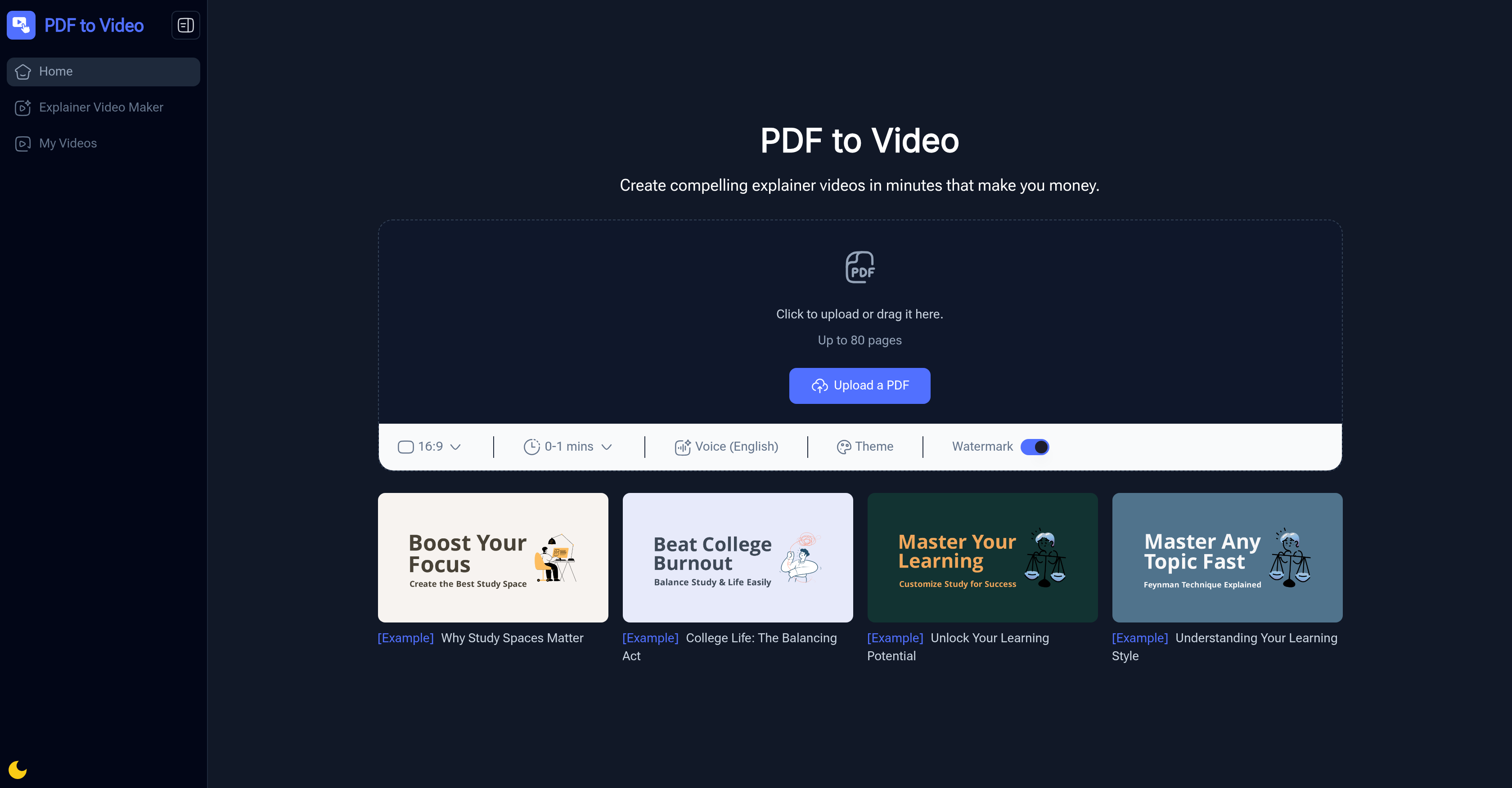
- Transform static documents into engaging, shareable videos automatically without any video editing skills required
- Instantly create professional videos from PDF reports or presentations with automated AI analysis of text and layout
- Make complex information clear and memorable for any audience using dynamic visuals and animations
- Customize the final video to match your brand or style by choosing from preset themes and adjusting narration
- Share your message widely by converting lengthy documents (up to 80 pages) into concise, accessible video content
Pros & Cons
Pros
- Fast conversion process
- No video editing skills required
- Free to use online
- Customizable themes and narration
- Professional-looking results
- Works with up to 80-page PDFs
- Export-ready videos for sharing
- Great for teachers and trainers
- Ideal for marketing explainers
- Saves hours of manual video editing
Cons
- Limited voice options (English only)
- No advanced editing features
- Watermark in free version
- File size restrictions may apply
- Best suited for short to medium-length content
Reviews
Rate this tool
Loading reviews...
❓ Frequently Asked Questions
Yes. You can use it online for free with some limitations, like watermarked exports.
No. The tool is designed for beginners, just upload your PDF and the AI generates the video.
Yes. The system automatically adds English narration, and you can customize it to match your style.
The platform supports PDF uploads only at this time.
Most PDFs are converted into ready-to-share videos in just a few minutes.
Yes. Videos created can be used for professional, educational, or commercial purposes depending on your plan.
Pricing
Pricing model
Free
Paid options from
Free