
Overview
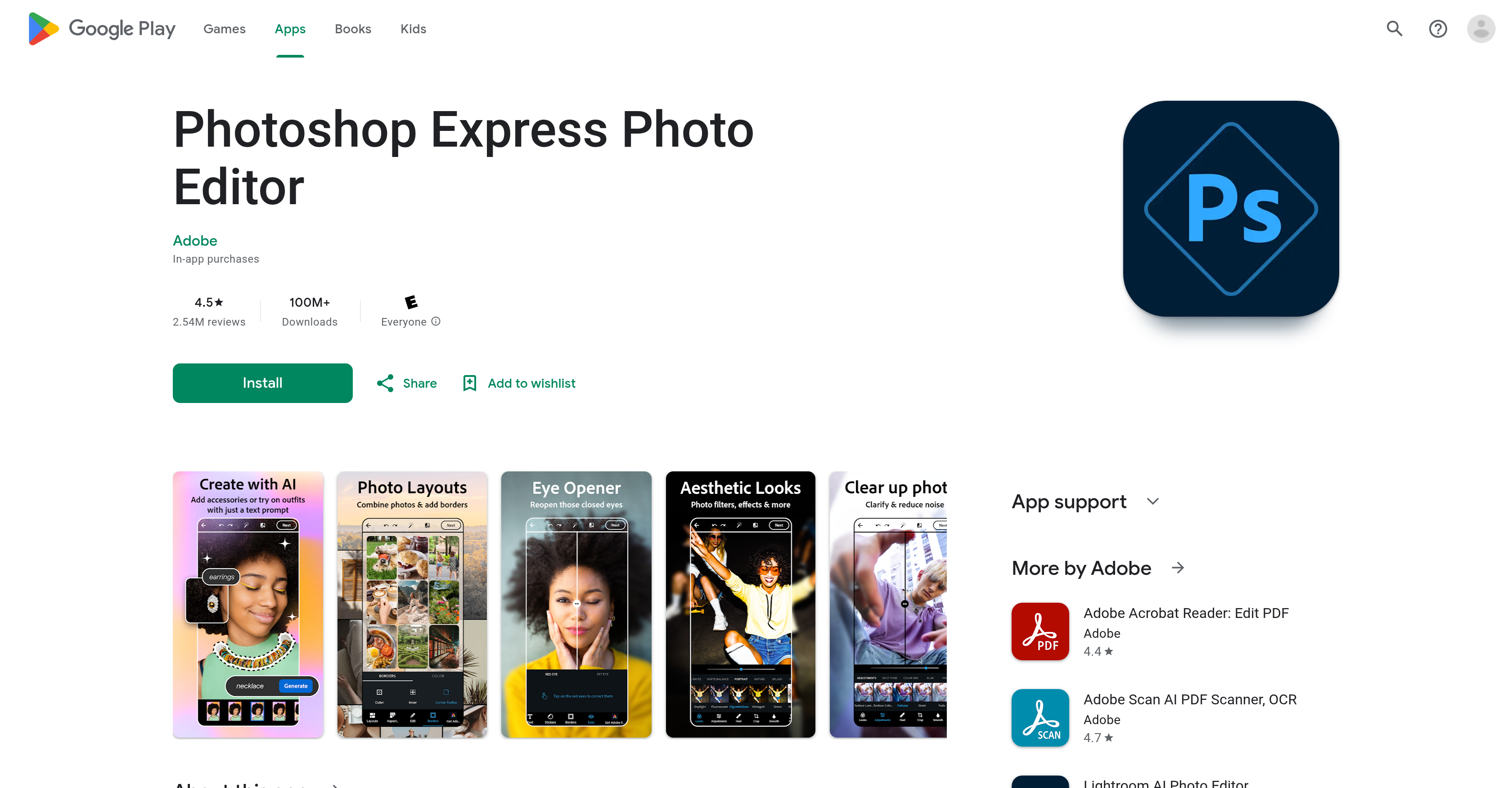
- Achieve professional-quality photo edits on your phone with AI-powered image analysis and enhancement for superior clarity and detail.
- Instantly perfect selfies with dedicated airbrushing, blemish removal, and red-eye correction tools for flawless portraits.
- Remove unwanted objects or completely switch image backgrounds with precision editing tools for creative control.
- Apply a wide variety of camera filters, including vintage-inspired styles, to instantly change the mood and aesthetic of any photo.
- Create engaging social content by combining images into premade photo grids and collages directly within the app.
- Add custom text overlays with a myriad of font choices and layout options for personalized graphics and memes.
- Share your edited images seamlessly to popular social media platforms without leaving the app for instant publishing.
Pros & Cons
Pros
- Adobe-level quality
- Quick, effective editing
- Various editing features
- Collage maker
- Face editor
- Selfies airbrush feature
- Content adjustment of images
- Red eye removal
- Blemish management
- Image stamping
- Background switching
- Object erasing
- Vintage filters
- Blur removal
- Background noise erasure
- Premade photo grids
- Diverse font choices
- Different layout options
- Bulk editing with text
- Social media sharing
- Extra features in Premium
- Personal creativity enhancement
- Image restoration
- Easy mobile editing
- Selfie touch-ups
- Pre-post edits
- Wide filter diversity
- Accurate image management
- Simple image enhancement
- RAW, TIFF, PNG support
- Image uploads from multiple sources
- Premade photo grids
- High-quality image editing
- Watermarks creation
- Easy meme creation
- Customizable stickers
- Creative outfit and accessory addons
- Aesthetic imagery
- Photo retouching
- Photo customizing
Cons
- Requires premium for full features
- No layer editing capability
- Unsafe project storage
- Confusing interface for cropping
- Forced share or close prompts
- Metadata watermark hinders sharing
- Risk of app discontinuation
- In-app purchases
Reviews
Rate this tool
Loading reviews...
❓ Frequently Asked Questions
Photoshop Express Photo Editor is an intelligent image editing tool designed for mobile platforms. It brings Adobe-level quality featuring a variety of conveniences for quick and effective photo editing and manipulation. It includes features for text addition to images, selfie enhancement, pre-post edits, and the application of a wide variety of camera filters. The stand-out feature is the AI-powered image generator that allows users to manage and enhance their images with precision and ease.
The AI-powered image generator in Photoshop Express works by empirically analysing the content of the images and then applies suitable enhancements to increase the overall quality of the image. It operates with simplicity and accuracy, enabling users to manage and enhance their images efficiently.
Yes, with Photoshop Express, users can improve image clarity by removing blur and erasing background noise. This is part of its capabilities to enhance image quality and deliver professional-level photo edits.
Yes, Photoshop Express allows adjusting content of images such as managing blemishes and removing red eyes. These features are part of its image manipulation toolkit designed to enhance photo quality and ensure they look their best.
Photoshop Express offers a variety of editing features such as the addition of text to images, selfie touch-ups, pre-post edits, the application of a diverse range of camera filters, image background switching, object erasure, application of vintage-inspired filters, adding noise reduction, clarity improvement, use of a collage maker, text addition, image stamping, and a face editor feature among others.
Yes, Photoshop Express allows the application of vintage-inspired filters for users to modify image aesthetics according to their taste. These vintage filters provide images with a customized and artistic feel.
Photoshop Express allows simple uploading and sharing of images to popular social media platforms. This enables users to showcase their creativity and edited images directly through prevalent social networks.
The premium version of Photoshop Express offers extra features that are not available in the free version. While it is not specified exactly what these features are, typically, premium versions would provide more sophisticated editing tools or options.
Yes, Photoshop Express offers tools to enhance selfies. It has a feature for airbrushing selfies, managing blemishes, and other adjustments to improve the aesthetic quality of selfie photos.
Adding text to images in Photoshop Express is achieved through its text addition feature. It offers a myriad of font choices and layout options, empowering users to customize their text overlays in a multitude of creative ways.
Yes, Photoshop Express includes features for combining images into premade photo grids, effectively allowing users to create image collages with ease and creativity.
Yes, Photoshop Express includes a feature to airbrush selfies. This feature enhances the quality of selfies, allowing users to present their best look.
With Photoshop Express, clarity improvements can be made by removing blur and erasing background noise. These features enhance the quality of images by ensuring they are as crisp and clear as possible.
Yes, Photoshop Express can be used for mobile image editing. The tool is optimized for mobile platforms and offers a range of conveniences for quick, effective photo editing and manipulation on the go.
Photoshop Express Photo Editor offers image stamping features. These stamping features form part of the range of editing conveniences provided by the app for quick, effective photo editing and manipulation.
Yes, Photoshop Express does offer a face editor feature. This tool allows for various facial adjustments to enhance or alter a person's appearance in the image. It could include tasks such as red-eye removal, teeth whitening, blemish management, and more.
Photoshop Express allows managing images by providing extensive editing options and features like image manipulation, selfie enhancement, background removal, vintage filters, personal creativity, text addition, and more. These, alongside the AI-powered image generator, enable users to manage and enhance their images with accuracy and simplicity.
Yes, users can switch image backgrounds in Photoshop Express. This feature gives users the ability to remove original backgrounds and replace them with preferred ones, allowing users to enhance creativity in their photos.
With Photoshop Express, users can erase objects from their images. This allows the removal of unwanted items and helps in customizing the image to the user's liking.
Images from Photoshop Express can be shared to popular social media platforms directly from the app. This makes it easy for users to showcase their edited images to friends, family, and followers on social media.
Pricing
Pricing model
No Pricing
Related Videos
Photoshop Express Tutorial Android - Full Tutorial in 6 Minutes
MK Loves Tech•48.8K views•Nov 14, 2020