
PixCosmos
Overview
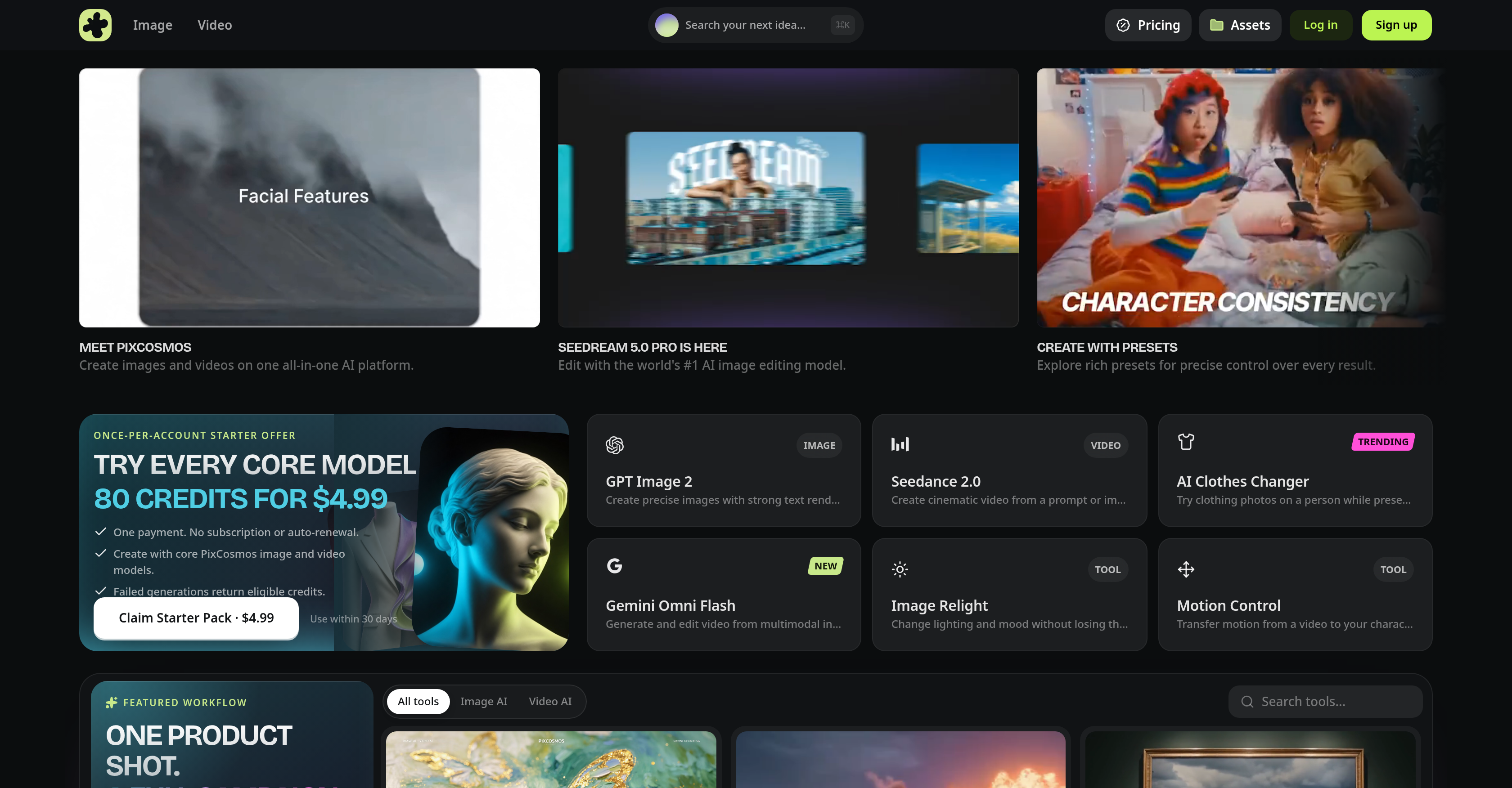
- Create standout visuals with precision editing using Seedream 5.0 Pro, a tool designed for exact adjustments.
- Replicate viral video motion in a single click with Motion Control, letting you match trending movements effortlessly.
- Cleanly remove image backgrounds instantly with the dedicated Background Remover, streamlining your editing workflow.
- Achieve flawless lip-sync in videos with Lip Sync, which matches speech to lip movements perfectly.
- Generate cinematic videos using advanced models like Seedance 2.0 and Google Gemini Omni, elevating your content quality.
- Try on any outfit virtually with the AI Clothes Changer, enabling quick fashion previews without physical try-ons.
- Automate content creation tasks with AI models and rich presets, giving you precise control over results while saving time.
- Collaborate seamlessly with your small team using shared tools for creating, editing, and animating images and videos.
- Animate static visuals with AI-powered presets, bringing life to your images for engaging content.
- Get credit back for unsuccessful generations, ensuring your investment is protected with fail-safe mechanisms.
Pros & Cons
Pros
- All-in-one content creation
- Animation tools
- Precision editing with Seedream 5.0
- Motion Control for video
- Background Remover for images
- Lip Sync for video
- Cinematic video with Seedance 2.0, Gemini Omni
- Fail-safe mechanisms
- Versatile for different content needs
- Small team collaboration tools
- Diverse range of presets
- Nano Banana Pro for visuals
- Eligible credits return
- Variety of advanced video models
- Rich control with presets
- One-click virtual try-on
- Agile viral video replication
- Image background removal with one-click
- Speech and lip motion syncing
- Text-to-video features
- Relighting tools
- Face Swap capabilities
- Multimodal input editing
- Character Swap features
- Topaz Upscale for images
- Image resizing
- Image enhancement
- Video translation
- Video reframing
- 4K resolution support
- Animation from images
- Z Image Turbo for fast edits
- Precise text rendering
- Multimodal control for prompts
- Cinematic motion control
- Automatic video background removal
- Video upscaling
- Video scene angle controls
- Image relighting
- One workspace operation
- Fast video generation
- Profile/avatar image generation
- Community-tested ideas and prompts
- Virtual product shot creation
Cons
- Doesn't support real-time editing
- Limited use-case presets
- Inconsistent Lip Sync quality
- Unsuccessful generations waste credits
- No free trial offer
- Limited tool customization
- Creating animations can be slow
- No batch editing feature
- No multi-language support
Reviews
Rate this tool
Loading reviews...
❓ Frequently Asked Questions
PixCosmos is an all-in-one AI platform for generating and editing images and videos. It offers a suite of tools to encourage creativity and automate content creation tasks. These tools cater to creators, marketers, or small teams and comprise of distinctive AI models and presets intended for various use-cases.
The 'AI Clothes Changer' feature in PixCosmos lets you try on any outfit virtually with just a single click. This can help users see how different clothes might look on them without needing to physically try them on.
The 'Seedream 5.0 Pro' tool in PixCosmos is an AI-powered tool meant for precision editing. This allows users to create standout visuals by making precise adjustments to their images.
'Motion Control' function in PixCosmos aids in replication of popular video movements with just one click, providing users the ability to include viral video motions into their own content.
Yes, PixCosmos provides a dedicated tool called 'Background Remover', that enables users to remove the backgrounds from their images cleanly with just a single click.
The 'Lip Sync' feature in PixCosmos works by syncing speech and lip movements perfectly with a single click, helpful in creating realistic video content where the words and lip movements match flawlessly.
The 'Seedance 2.0' model in PixCosmos is used to create cinematic videos. It is an advanced video model integrated for this purpose.
Yes, PixCosmos does have fail-safe mechanisms in place. For instances where generations are unsuccessful, eligible credits are returned to the user.
'Google Gemini Omni' is an sophisticated video model in PixCosmos utilized for generating cinematic videos.
PixCosmos can automate content creation by harnessing the power of AI. Its range of tools can animate visuals, remove backgrounds, replicate viral video motion and perform precise editing. Furthermore, it offers AI models and presets for various content creation needs.
'Nano Banana Pro' in PixCosmos is a tool that aids in the creation of standout visuals. It is a world-class image model that can be found on the platform.
PixCosmos provides a wide range of AI models suited for different content creation tasks. Some examples include 'Seedream 5.0 Pro' for precision editing, 'Motion Control' for replicating popular video movements, and advanced video models such as 'Seedance 2.0' and 'Google Gemini Omni' for creating cinematic videos.
Yes, PixCosmos comes preloaded with rich presets that give users precise control over their results. These presets can be easily explored and utilised during the content creation process.
PixCosmos offers a range of tools that aid in collaboration by allowing team to create, edit, and animate images and videos together. These collaborative capabilities make it a useful resource for small teams.
Definitely, PixCosmos can animate visuals by harnessing the power of AI. This gives users the ability to infuse life into static images or browsing through various animation presets.
Users can try the 'AI Clothes Changer' feature in PixCosmos by utilising the one-click virtual try-on functionality available on the platform. This allows users to experiment with different outfits without physically having to try them on.
Yes, PixCosmos offers advanced video editing options. It provides advanced video models such as 'Seedance 2.0' and 'Google Gemini Omni' for producing cinematic videos. Furthermore, tools like 'Lip Sync' and 'Motion Control' assist in the creation of high-quality, engaging video content.
PixCosmos is designed to be user-friendly for beginners. The platform features intuitive tools such as 'AI Clothes Changer', 'Background Remover', and 'Motion Control' that are easy to use with a single click. Furthermore, its 'Seedream 5.0 Pro' allows precision editing for standout visuals, catering to users with varying levels of expertise.
PixCosmos can assist in creating standout visuals through its suite of tools and AI models. Features like 'Seedream 5.0 Pro' for precision editing and 'Nano Banana Pro' for creating distinctive visuals help users create impressive and engaging content.
Yes, PixCosmos has tools like 'Seedream 5.0 Pro' which is designed for detailed and precision editing. This tool provides the functionality to make exact adjustments and edits, allowing users to craft standout visuals.
Pricing
Pricing model
Free Trial
Paid options from
$4.99/month
Billing frequency
Monthly
Refund policy
No Refunds