Overview
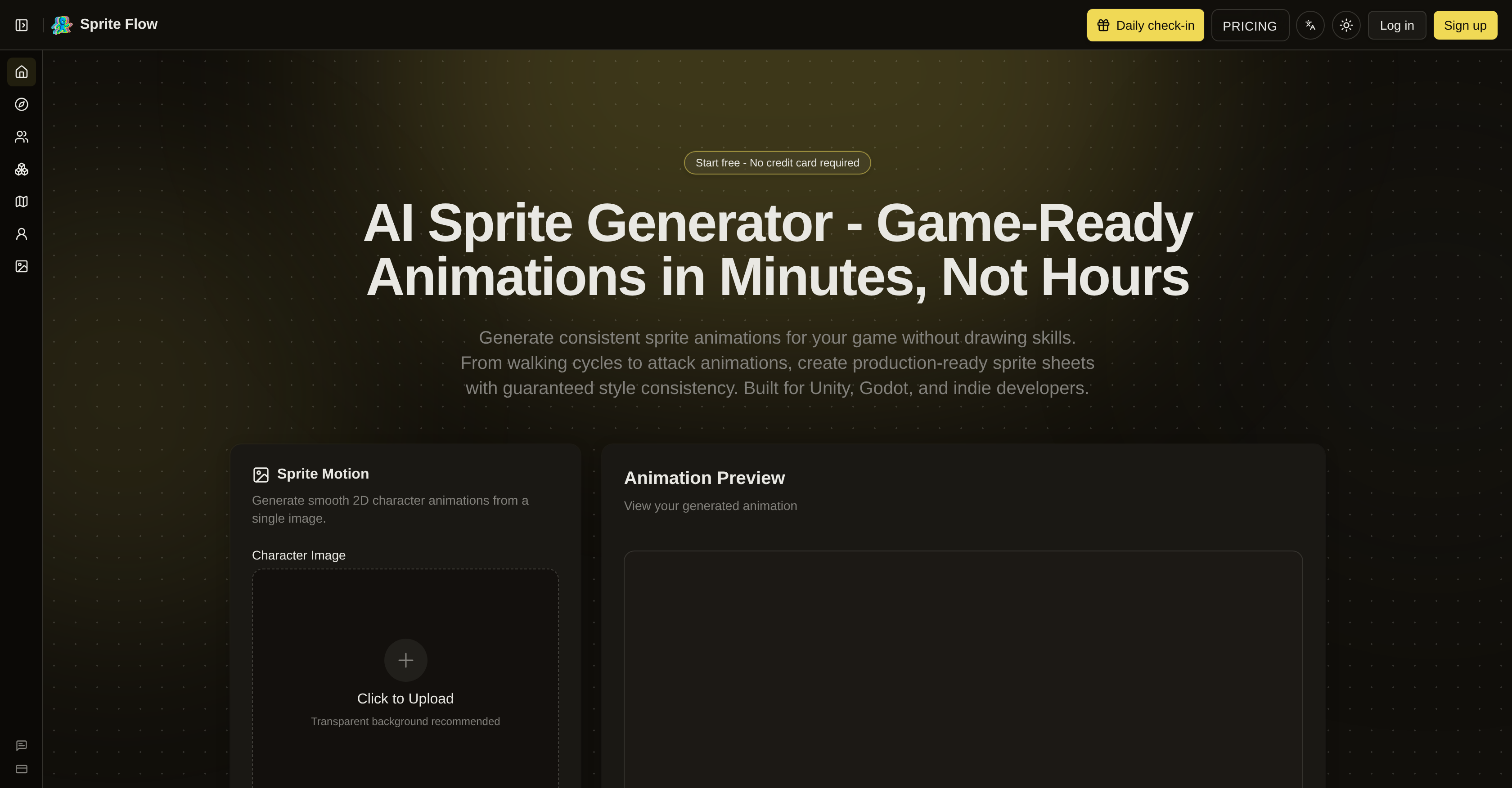
- Ship complete character animations in minutes instead of weeks, using one-click export to Unity, Godot, or Unreal with sprite sheet atlas and animation controller presets
- Eliminate art outsourcing costs by generating a full character with walk, idle, and attack animations for a fraction of traditional $500–$5000 pricing
- Maintain perfect style consistency across every frame of walking cycles, attacks, and idle animations with identical color palette, detail level, and proportions
- Create 8-directional sprites for RPGs, strategy games, and isometric views from a single uploaded image, supporting top-down and 360-degree movement
- Produce NPC variations and idle game characters instantly by training the AI on one art style, then generating unlimited variants without manual pixel art
- Preview every animation directly in the tool before export, ensuring fluid walking cycles and attack animations meet your exact requirements
- Generate smooth 2D character animations automatically from any single image with transparent background support, removing the need for drawing skills or Aseprite/Photoshop expertise
- Export finished sprite sheets as APNG, GIF, or ZIP with individual frames, ready for immediate integration into game development pipelines
Pros & Cons
Pros
- Supports multiple game engines
- Single image animation generation
- Auto background removal
- Animation preview feature
- Supports APNG, GIF, ZIP exports
- One-click export to Unity, Godot, Unreal
- Includes JSON metadata, animation controller presets
- Generates 8-directional sprites
- Style consistency guarantee
- Complete animation sets
- Reduces time and cost
- Addresses sprite creation challenges
- Maintains consistent color palette, detail level
- Supports different animation types
- Generates top-down, isometric sprites
- Supports generating NPC variations
- 100x faster than Aseprite, Photoshop
- Consistent style across frames
- Style training from reference images
- Supports 4 or 8-directional views
- Game engine seamless integration
- Automatically ensures style consistency
- Generate complete character sprite sheets
- Faster character variation generation
- Supports Unity, Godot integration
- Auto collision box suggestions
- Pixel Art, 2D Cartoon, Anime Styles
- Custom style training
- Affordable for Indie Developers
- Locks color palette, art style, proportions
- Allows user to test gameplay before polishing art
Cons
- Limited to 2D animation
- Requires image with transparent background
- No multi-language support
- No support for drawing within tool
- No collaboration feature
- Requires credits to remove backgrounds
- Custom art style needs training
- No 3D Game Engine support
Reviews
Rate this tool
Loading reviews...
❓ Frequently Asked Questions
AI Sprite Generator is a specialized tool for creating game-ready sprite animations in minutes. It requires no drawing skills, as you can create animations from a single image with a transparent background. It is designed to support various game engines, generating animations like walking cycles, attack animations and more. With a special focus on style consistency across all animations, the tool caters to both indie developers and larger teams.
AI Sprite Generator supports multiple game engines, including Unity, Godot, and Unreal.
AI Sprite Generator ensures style consistency across animations by maintaining a consistent color palette, detail level, and character proportions across different animation frames. This consistency is maintained irrespective of the animation type, be it walking cycles or attack animations.
AI Sprite Generator allows the creation of a variety of animation sets. Users can generate animations from one single uploaded image including walking cycles, attack animations, and more. It has a built-in feature that supports the generation of 8-directional sprites, which are ideal for RPGs, Strategy Games, and Isometric game development.
Yes, the AI Sprite Generator is designed to be user-friendly with no drawing skills required. It empowers users to generate game-ready sprite animations from a single uploaded image, streamlining the process of animation creation for game development.
Yes, AI Sprite Generator supports the generation of 8-directional sprites. This functionality is particularly useful for role-playing games (RPGs), strategy games, and isometric game development, where characters need to be visualized from multiple angles.
Yes, the AI Sprite Generator caters to both indie developers and larger teams. It is built to streamline the sprite animation creation process, making it very accessible and useful to developers irrespective of the size of their team.
Users can upload a single image with a transparent background to use with the AI Sprite Generator. This image is then used as the base to generate game-ready sprite animations.
For exporting animations, AI Sprite Generator supports several options including APNG, GIF, or ZIP with individual frames. Further, there's a one-click export to Unity, Godot, or Unreal supported, with sprite sheet atlas, JSON metadata, and animation controller presets.
Yes, a key feature of the AI Sprite Generator is the ability to preview animations right within the tool. This allows users to visualize and adjust their animations before exporting them.
The AI Sprite Generator supports one-click export to game engines like Unity, Godot, or Unreal. This functionality includes the export of a sprite sheet atlas, JSON metadata, along with animation controller presets, allowing for a seamless animation import process in the chosen game engine.
Yes, AI Sprite Generator provides an automatic feature to remove the background from the uploaded images, making it easier to create more flexible and customizable sprite animations.
With the AI Sprite Generator, users can produce various types of animations from a single uploaded image. These include but are not restricted to walking cycles and attack animations, amongst others.
Yes, the AI Sprite Generator is particularly useful for creating animations for RPG and strategy games. The tool supports the generation of 8-directional sprites, which are ideal for top-down or isometric visualization commonly employed in RPGs and strategy games.
AI Sprite Generator offers a style consistency guarantee. This guarantee ensures that there are no inconsistencies in color palette, detail level, and character proportions across different frames, maintaining a uniform visual style for all generated animations.
AI Sprite Generator assists in creating smooth animations by allowing users to craft game-ready sprite sheets swiftly. It leverages AI algorithms to generate comprehensive animation sets seamlessly. This results in fluid walking cycles, detailed attack animations, and other types of animations without the need for manual editing or drawing.
The process to generate animations using AI Sprite Generator involves uploading a character image or describing the character's appearance in detail. Once the art style preset is chosen, the user can select the animation type, set the frame count and speed, and then generate the animation. Finally, a one-click export allows the finished animation to be imported directly into game engines like Unity, Godot or Unreal.
Yes, the AI Sprite Generator provides features to generate sprite sheet atlas and JSON metadata. These features streamline the export process, making it easier to integrate animations directly in game engines like Unity, Godot, or Unreal.
Yes, The AI Sprite Generator allows users to create a variety of game animations, including both walking cycles and attack animations, from a single uploaded image.
The AI Sprite Generator features the creation of animation controller presets. This feature allows the tool to configure the timing, order, and transition between frames, enabling the programmed movement and interactions within the game engine.
SpriteFlow is an AI-based tool that allows users to generate sprite animations and game-ready sprite sheets. It is designed to streamline animation creation for games, catering to both indie developers and larger teams. It does not require users to have drawing skills, and provides features that ensure consistent style across all animations. The service supports multiple gaming engines, including Unity and Godot, and enables animation creation from a single image with a transparent background.
SpriteFlow uses AI technology to generate sprite animations. The user uploads a single image and chooses an animation type, such as a walking cycle, idle, or attack. SpriteFlow uses its AI algorithms to create the animations automatically, ensuring consistency in style, color palette, and character proportions across all frames. Preview features are also available for users to view the generated animations before exporting.
Yes, SpriteFlow can generate game-ready sprite sheets. The AI takes a single uploaded image and crafts a sprite sheet ready for game development. The sprite sheets are set in a uniform style and can be exported in multiple formats including APNG, GIF, or ZIP with individual frames.
No, SpriteFlow does not require any drawing skills to use. The AI technology takes the uploaded image, whether it has a transparent background or not, and generates the animations on its own. The need for consistent art style, color palette, and character proportions across different frames is entirely managed by the tool, irrespective of the user's drawing ability.
To generate animations with SpriteFlow, a user first needs to upload a character image with a transparent background. The user then selects the desired animation type. SpriteFlow's artificial intelligence takes over from there to generate the various frames needed for the animation.
SpriteFlow provides a feature enabling the animation to be previewed before it is officially generated. Users can view their created animations to ensure they align with their expectations. Only after confirming the preview do they proceed with exporting the animation.
Yes, SpriteFlow has a feature to auto remove the background of the images. This feature is particularly useful when processing images that do not have a transparent background.
SpriteFlow supports a variety of export options including APNG (Animated Portable Network Graphics), GIF (Graphics Interchange Format), or ZIP files with individual frames. Moreover, it provides direct one-click export to Unity, Godot, or Unreal with sprite sheet atlas, JSON metadata, and animation controller presets.
SpriteFlow has been designed to seamlessly support multiple gaming engines, including Unity and Godot. The tool provides a one-click export feature where a sprite sheet can be easily exported to these game engines. For Unity and Godot specifically, SpriteFlow offers sprite sheet atlas, JSON metadata, and animation controller presets for easy integration.
SpriteFlow's 8-directional sprite generation is designed to aid in creating sprites for RPGs, strategy games, and isometric game development. It allows for more varied and dynamic character movements as the character can move in eight different directions, giving a 360 degrees perspective.
The 'style consistency guarantee' in SpriteFlow refers to the tool's ability to ensure that every animation frame generated retains an identical color palette, detail level, and character proportions. This means that the style of the animations generated remains consistent, preventing unwanted variations.
SpriteFlow is built to support a diverse range of game developments, extending from character animations for RPGs and strategy games to 2D animations for different views such as top-down and isometric. It also caters to idle game characters. It's designed for both indie game developers and larger teams.
SpriteFlow differs from traditional sprite creation tools primarily in its use of AI for generating animations, making the creation process simpler and faster. It requires no drawing skills, and ensures style consistency across all frames, a common challenge with traditional tools. It's also designed to support a wide range of game engines, and provides animations from a single image, adding to the overall convenience and efficiency of the tool.
Using SpriteFlow's AI Sprite Generator involves three broad stages. Users first upload a character image and define their art style. The next step involves choosing an animation type and setting parameters like frame count and speed. After the animations are generated, they can be exported to a chosen game engine in various supported formats.
SpriteFlow is extremely cost-efficient compared to traditional sprite creation methods. Traditional sprite creation takes a significant amount of time and costs anywhere from $500 to $5000 per character. In contrast, a complete character with walk, idle, and attack animations can be generated with SpriteFlow in just minutes, significantly reducing both the time required and the associated costs.
Yes, SpriteFlow can be used to generate NPC variations. By uploading a character image and training the AI on a specific art style, different variations of the same character or Non-Player Characters (NPCs) can be generated quickly and effortlessly.
Yes, SpriteFlow supports and can produce both top-down view and isometric view sprites. It provides 8-directional sprites which are particularly beneficial for these view types, commonly used in RPGs and strategy games.
SpriteFlow ensures consistency in color palette and character proportions by training the AI using the original uploaded image. The AI then generates every frame with an identical color palette, consistent detail level, and perfect character proportions. This ensures that frame 1 and frame 30 (or any other frame) will have style consistency.
Yes, SpriteFlow can indeed be used for creating 2D animations. It generates smooth 2D character animations from a single image with its AI technology, ideal for game developments requiring 2D sprite animations.
In SpriteFlow, animations are created from single images through the tool's built-in AI technology. Users upload a single image of their characters, and SpriteFlow's AI generates the frames required for the chosen animation, ensuring style consistency across all frames. This process allows for quick and efficient animation creation.
Pricing
Pricing model
Freemium
Paid options from
$9.90/month
Billing frequency
Monthly
Refund policy
No Refunds