Overview
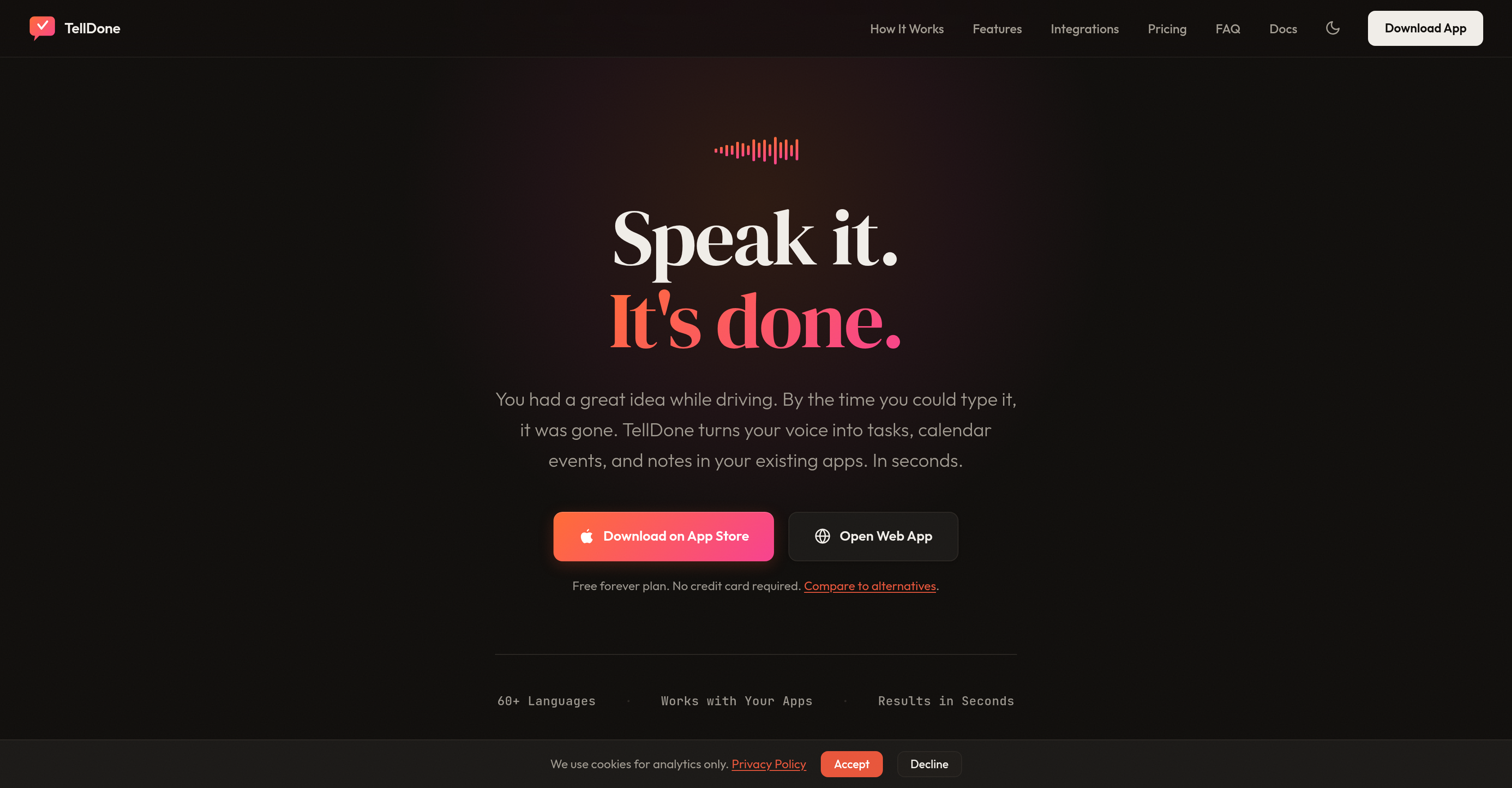
- Capture ideas and tasks instantly without typing using AI voice transcription that works in over 60 languages, even offline.
- Organize your thoughts automatically with AI that detects intent, creates structured tasks, and auto-tags entries with up to 5 relevant tags.
- Update existing tasks hands-free by speaking follow-up notes; Smart Context understands references to deadlines and marks tasks as completed.
- Find any note effortlessly using semantic search that understands meaning, not just keywords, like searching for 'that budget talk'.
- Keep your workflow intact by having tasks and events sync automatically to Apple Calendar, Todoist, Notion, and Things 3.
- Maintain complete privacy with GDPR compliance and on-device transcription that processes your audio locally, not on third-party servers.
- Work seamlessly across devices with hands-free Siri commands on iPhone and Apple Watch, including background audio capture.
Pros & Cons
Pros
- Voice-first planning application
- Instant task creation
- Instant reminder creation
- Instant event scheduling
- Auto-tags entries
- Intent analysis capabilities
- Automated task completion
- Auto-achievement tracking
- Daily report generation
- Supports 60+ languages
- Offline mode available
- Semantic search feature
- iPhone, Apple Watch compatible
- Website interface available
- Apple Calendar integration
- Todoist integration
- Notion integration
- Things 3 integration
- Supports email forwarding
- Webhooks support
- API integration
- GDPR compliant
- On-device transcription
- Context-oriented features
- Rescheduling via voice commands
- Background audio capture
- Hands-free Siri integration
- Detects topics, projects, contexts
- Structured notes auto-creation
- Compatible with multiple apps
- Streamlines task management
- Reduces coordination time
- Multi-platform functionality
- Calendar events auto-creation
- Task status updates via voice
- Multiple note types
- Auto-tagging of notes
- Information privacy and security
- Private data exportability
- Several integration options
- Specific integration with Apple
- Hands-free control through Siri
- Works offline, auto-syncs online
- Daily productivity metrics
- Weekly, monthly analysis reports
- Auto-task completion updates
- Follow-up recording feature
- Works with existing apps
- Free plan available
- Multiple upgrade options
Cons
- No Android support
- Limited free plan
- Requires subscription for full features
- Limited storage on lower plans
- Internet needed for transcription
- Limited note categories
- No multi-user support
- Limit on recording length
- Limited number of webhooks
- Not fully offline-mode
Reviews
Rate this tool
Loading reviews...
❓ Frequently Asked Questions
TellDone is a voice-first planning application that leverages artificial intelligence to transcribe spoken notes and automatically create tasks, calendar events, reminders, and structured notes within a few seconds.
TellDone is compatible with iPhone, Apple Watch, and can also function on the web.
Yes, TellDone supports over 60 languages and even allows for switching languages mid-sentence.
TellDone enhances productivity in task management by transcribing spoken notes and instantly turning them into tasks, events, and notes. Its artificial intelligence system understands context and can automatically update deadlines, reschedule events, or complete tasks based on voice instructions. Furthermore, it auto-tags entries and detects topics, projects, and contexts, all of which streamlines task management and reduces the time spent on these activities.
TellDone is compatible with a number of applications including Apple Calendar, Todoist, Notion, and Things 3. It also supports email forwarding, webhooks, and APIs.
TellDone ensures user privacy by adhering to GDPR compliant features, including on-device transcription where speech recognition runs locally on the user's device. This means the user's audio is not processed by third-party services.
Yes, TellDone has a version available for iPhones and Apple Watch devices. These versions facilitate hands-free control through Siri Voice commands and feature background audio capture.
TellDone's voice transcription feature uses its AI capabilities to transcribe voiced notes into written text in a matter of seconds. This text is then used to create tasks, calendar events, reminders, and structured notes.
Yes, TellDone's AI can detect topics, projects, and contexts in a user's entry and automatically assign up to 5 tags per note.
Yes, TellDone can make updates to deadlines or reschedule events based on voice instructions by understanding the context of the voice note.
The 'voice to tasks' feature transforms spoken word into organized tasks. Whenever a user speaks, the AI processes the voice note into a structured format, breaking down the note into tasks that are then automatically created and synced across integrations.
Yes, TellDone functions well with Siri Voice commands allowing for full hands-free control. It even supports background audio capture when using this feature.
The 'Background Audio Capture' feature in TellDone is especially useful for the iPhone and Apple Watch versions of the app. It allows the app to continue recording audio even while operating in the background or when the user switches to a different app.
The 'Deadline Tracker' feature in TellDone works as part of its AI's intelligent context analysis system. Whenever a deadline is mentioned in a voice note, the system recognizes it and updates the relevant task or event with the mentioned deadline.
Yes, TellDone is compatible with Todoist and Notion among other apps, allowing for the seamless transfer of tasks, events, and notes between these platforms.
Yes, TellDone is compliant with the General Data Protection Regulation (GDPR) ensuring user data privacy and security. This includes an on-device transcription option that processes speech recognition locally on the user's phone, keeping the user's audio from being processed by third-party services.
TellDone's conversation context detection is quite effective. The AI understands context and can identify and track topics, projects, and contexts from voice notes, enabling automatic updates of deadlines, event rescheduling, or task completion.
Yes, TellDone can interface with email forwarding, webhooks, and APIs. This makes it easier for tasks, events, and notes to be shared and utilized across different platforms and applications.
Yes, TellDone supports hands-free control. This feature is particularly notable in the versions available for iPhones and Apple Watch devices, which integrate with Siri Voice commands for a fully hands-free experience.
TellDone integrates with Apple Calendar by automatically syncing created tasks and events onto the Calendar following the transcription and structuring of voice notes.
TellDone uses advanced artificial intelligence to transcribe spoken notes. The AI analyses the voice input, identifies the intent and context of the words spoken, and within a few seconds automatically generates tasks, events, reminders, and structured notes. It has a smart feature that allows it to understand and mark the completion of tasks automatically.
TellDone offers compatibility with a broad range of apps and services. This includes popular productivity platforms such as Apple Calendar, Todoist, Notion, and Things 3. It also supports email forwarding and webhooks and offers an API for integration with other software or services.
TellDone is available on multiple platforms for user convenience. It operates on iPhone and Apple Watch, thereby providing a seamless experience across Apple devices. Furthermore, it also has a web interface, allowing users to access their tasks, notes, and events from any web browser.
TellDone supports more than 60 languages, demonstrating its versatile global application. It handles mid-sentence language switching automatically, thereby accommodating multilingual voice notes effortlessly.
TellDone prioritizes user privacy and conforms rigorously to GDPR compliance. It provides an on-device transcription option to provide users more autonomy, thereby enhancing data security. All data is encrypted, securely stored and processed locally and not shared with third-party services, ensuring user privacy is maintained
TellDone is fully compatible with Apple devices, including the iPhone and Apple Watch. It is deeply integrated with the Apple ecosystem and leverages various features for a smooth user experience. On the iPhone, users can add tasks by voice without opening the app, start recording from the Control Center widget, and see the recording status while using other apps. For Apple Watch users, TellDone provides hands-free voice capture and can be managed with Double Tap.
TellDone's auto-tagging feature is fueled by AI that automatically detects and assigns up to five tags per note based on the topics, projects, and contexts found in the voice note. This allows for better organization and retrieval of tasks, events, and notes.
With its semantic search feature, TellDone enables users to find notes not only by specific keywords but also by their overall meaning. For instance, you can search for 'that conversation about the budget,' and it will retrieve the relevant note, even if the exact word 'budget' was not spoken.
Yes, TellDone works in offline mode. Users can record their voice notes without an internet connection, and the audio saves locally. The tool automatically syncs the audio for transcription and task creation once the internet connection is restored. This ensures no data is lost, even in situations where the network coverage is unreliable or absent.
TellDone actively supports email forwarding and webhooks, augmenting its integrations and ease of use. After each recording, all the notes, tasks, and events generated can be forwarded to the user's inbox. It also allows you to send data, including tasks and calendar events, to any HTTPS endpoint using webhooks, thereby increasing its interoperability with other systems and services.
TellDone's Smart Context feature is an integral part of its AI system that understands and interprets the context of voice instructions. If a user speaks a follow-up note that alters a task such as changing a deadline or marking a task as completed, the Smart Context feature identifies the related task and updates it accordingly. It also automatically tracks tasks that weren't pre-planned but have been accomplished, thereby providing a practical and organized system for managing tasks.
Yes, you can use Siri voice commands with TellDone. Users can leverage commands like 'Add a note', 'Show my tasks', 'Today's events' and many more for hands-free control over their tasks and events. This functionality is available in English, Spanish, and Russian.
Auto-achievements in TellDone are tasks that weren't pre-planned but have been accomplished and recorded. The application creates these tasks automatically as 'completed tasks'. In this way, even tasks that users didn't originally plan are tracked for a comprehensive record of all activities.
TellDone has robust integration with calendar apps such as Apple Calendar. The AI in the tool transcribes voice notes and translates them into structured tasks, notes, events, and reminders in seconds. These are then automatically synced with the user's calendar app, thereby ensuring that the events and reminders are timely and accurately reflected in their schedule.
Yes, in addition to its compatibility with various apps and services, TellDone offers an API. This allows developers to integrate the tool into other software or services, offering more flexibility and customization to the users and enhancing the interoperability of the application.
TellDone enhances productivity by streamlining task management and scheduling. By transcribing spoken notes into tasks, calendar events, reminders, and structured notes, it eliminates the need for manual text input. Its features such as Smart Context, semantic search, and auto-achievements offer a comprehensive and organized system for managing tasks. The application makes task management seamless, structured, and efficient, thus significantly boosting productivity.
TellDone's voice transcription feature covers a wide array of tasks, calendar events, and notes. Through advanced speech recognition, it transcribes spoken notes into written ones, and the AI further processes these transcriptions to generate structured outputs, including tasks, events, reminders, and notes. This feature supports 60+ languages and can process multilingual and mid-sentence language switching.
The intent analysis feature in TellDone is part of its advanced AI transcription system. It works by analyzing the information and context of the voice notes spoken by the user. Based on this analysis, the AI deciphers the intent or purpose of the note and automatically creates relevant tasks, reminders, events or notes, thus providing a structured output from an unstructured voice input.
TellDone prioritizes user privacy and ensures GDPR compliance and data security. It provides an on-device transcription option that allows users to maintain control over their data by running the transcription process locally on the device. Data is encrypted during transit and stored securely, ensuring user privacy. The application also offers a full data export and account deletion option anytime the user wishes, reinforcing the commitment towards a privacy-first approach.
Pricing
Pricing model
Freemium
Paid options from
$4.17/month
Billing frequency
Monthly